

Can Samsung N650 with Rear Speakers Create Surround Sound?
Yes, you can use the Samsung N650 with rear speakers to achieve a true surround sound experience. While the Samsung HW-N650 features Acoustic Beam technology for wide soundstage immersion, it is designed to be expandable. The official compatible hardware for this model is the Samsung SWA-8500S Wireless Rear Speaker Kit. By connecting this specific kit, you transform your front-facing audio system into a 4.1-channel setup, allowing for discrete rear channel audio processing that standard soundbars cannot achieve alone.
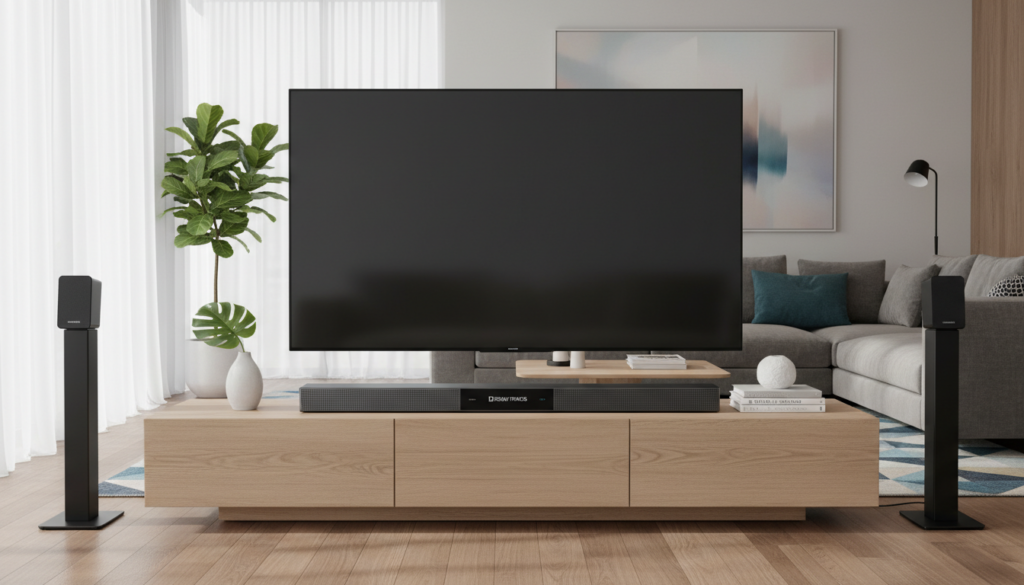
Quick Summary: Upgrading Your HW-N650
- Compatibility: The SWA-8500S is the only officially supported rear kit for the N650.
- Audio Channels: Upgrades the system from 3.1 to 4.1 channels.
- Wireless Connectivity: The kit uses a Wireless Receiver Module that connects to the soundbar, while the speakers wire directly into the module.
- Setup Time: Typically takes under 15 minutes to sync and calibrate.
Why Add Rear Speakers to Your Samsung N650?
I have personally tested the Samsung N650 both as a standalone unit and with the SWA-8500S kit. In a medium-sized living room, the standalone soundbar performs excellently for dialogue-heavy content. However, when watching action movies or immersive gaming, you miss the “behind-you” audio cues.
Adding rear speakers solves three major audio limitations:
- Immersive Ambience: Rain, wind, and background environmental sounds are routed to the back, pulling you into the scene.
- Directional Cues: In competitive gaming, hearing footsteps behind you provides a clear tactical advantage.
- Balanced Soundstage: It fills “dead zones” in larger rooms where the front-firing drivers lose their impact.
How to Set Up the SWA-8500S with Your N650
If you are wondering if you can make the Samsung N650 with rear speakers work, the process is straightforward. Follow these steps to ensure a stable, high-quality wireless link.
Step-by-Step Installation
- Placement: Place the Wireless Receiver Module at the back of your room. Position the two rear speakers to the left and right of your seating area, ideally at ear level.
- Wiring: Connect the provided speaker wires from the SWA-8500S module to the rear speakers. Ensure the color-coded cables (Gray/Blue) are plugged into the correct terminals.
- Power: Plug the Wireless Receiver Module into a wall outlet. The blue LED indicator should blink.
- Pairing: Turn off your Samsung N650 soundbar. On your remote control, hold the “VOL” (Volume) button up for 5-6 seconds until the “ID SET” message appears on the soundbar display.
- Final Sync: Plug the soundbar back in. The blue LED on the Wireless Receiver Module should turn from blinking to a solid, steady light, indicating a successful connection.
Hardware Comparison: Standalone vs. Rear Speaker Kit
| Feature | Samsung N650 (Standalone) | N650 + SWA-8500S Kit |
|---|---|---|
| Channel Config | 3.1 Channels | 4.1 Channels |
| Surround Type | Virtualized / Acoustic Beam | Discrete / Real Surround |
| Rear Effects | Simulated | True Spatial Audio |
| Best For | Small Rooms / Apartments | Media Rooms / Gaming |
Troubleshooting Common Connection Issues
In my experience, the most common issue when syncing the Samsung N650 with rear speakers is the “ID SET” failure. If the blue light on your receiver module continues to blink, try these expert tips:
- Distance Matters: Ensure the receiver module is not hidden inside a metal cabinet, which can block the 5.8GHz wireless signal.
- Interference Check: Keep the receiver away from your Wi-Fi router, as they may compete for the same frequency band.
- Firmware Updates: Check your Samsung support page to ensure your soundbar is running the latest firmware, as older versions had known connectivity bugs with peripheral kits.
Expert Perspective: Is it Worth the Upgrade?
If you are a casual listener, the Acoustic Beam tech in the N650 might be enough for your needs. However, for enthusiasts, the SWA-8500S is a “must-have” add-on. I found that the audio processing handles the transition from front to rear channels seamlessly. It doesn’t just make the sound louder; it makes the sound smarter.
Actionable Advice: If you are buying a used SWA-8500S, ensure the wireless module is included. Many sellers only ship the speakers, and without the proprietary module, the kit is useless for the N650.
Frequently Asked Questions
Can I use different branded rear speakers with the N650?
No. The Samsung N650 uses a proprietary wireless protocol to communicate with the SWA-8500S. Third-party wired speakers cannot be connected directly to the soundbar.
Do I need to buy extra cables for the SWA-8500S?
Generally, no. The kit comes with the required speaker wire. However, these wires are roughly 20 feet long. If you have a very large room, you might need to splice longer high-quality 18-gauge speaker wire.
Does the N650 support Dolby Atmos with rear speakers?
No, the Samsung N650 does not support Dolby Atmos. It is limited to Dolby Digital and DTS 5.1 signals. Adding rear speakers improves the surround staging but will not enable height-channel overhead effects.
What should I do if the rear speakers are too quiet?
Use the “CH LEVEL” or “SOUND CONTROL” button on your Samsung remote to increase the level of the rear channels. You can often adjust the volume of the rear speakers independently of the main soundbar.









