How to Connect Any Speaker to Your Samsung Galaxy Phone
If you are wondering, can speakers be used with galaxy phone devices, the answer is a resounding yes. Whether you have a brand-new Galaxy S24 Ultra or an older Galaxy A-series model, you can connect to external speakers using Bluetooth, USB-C adapters, or Wi-Fi-based smart protocols. In my years of testing Samsung hardware, I’ve found that while the built-in stereo speakers are great, nothing beats the immersion of a dedicated external sound system.
TL;DR: Quick Connection Guide
- Wireless: Go to Settings > Connections > Bluetooth and pair your speaker.
- Wired (Modern): Use a USB-C to 3.5mm DAC dongle for phones without a headphone jack.
- Wired (Old School): Plug directly into the 3.5mm port if your model (like the Galaxy M51) still has one.
- Multi-Speaker: Use Samsung’s Dual Audio feature to play music on two Bluetooth speakers simultaneously.
The Best Methods: Can Speakers Be Used With Galaxy Phone?
When users ask me if can speakers be used with galaxy phone hardware, they are usually concerned because newer models lack the traditional circular headphone jack. However, Samsung has expanded its audio ecosystem to compensate for this change.
Connecting via Bluetooth (Wireless)
This is the most popular method. Modern Galaxy phones support Bluetooth 5.3, which offers lower latency and better range.
- Put your speaker (e.g., JBL Flip 6 or Bose SoundLink) into Pairing Mode.
- On your Galaxy phone, swipe down the Quick Panel and long-press the Bluetooth icon.
- Tap Scan and select your speaker’s name from the list.
- Confirm the pairing request.
Using USB-C to 3.5mm Adapters (Wired)
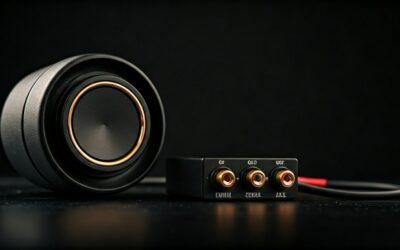
For audiophiles who demand zero latency, a wired connection is king. Since the Galaxy S20 series, Samsung removed the headphone jack. To use your old wired speakers, you need a USB-C to 3.5mm Headphone Jack Adapter.
Expert Tip: I recommend buying an adapter with a built-in DAC (Digital-to-Analog Converter). Generic adapters without a DAC chip often fail to work with Samsung’s strict USB-C audio implementation. Look for brands like Anker or the official Samsung EE-UC10.
Wi-Fi and SmartThings Integration
If you have a Samsung Soundbar or a Sonos system, you shouldn’t use Bluetooth. Instead, use Wi-Fi via the SmartThings app. This allows for higher bit-rate audio (lossless) that doesn’t compress the sound like standard Bluetooth.
Comparing Speaker Connection Options
| Method | Audio Quality | Latency (Delay) | Best For |
|---|---|---|---|
| Bluetooth 5.0+ | High (SBC/AAC) | Moderate (100-200ms) | Casual listening, outdoors |
| USB-C Wired | Ultra-High (Lossless) | Zero | Gaming, Pro Audio, Movies |
| Wi-Fi (SmartThings) | Highest (Studio Quality) | Low | Home Theater, Multi-room |
| Samsung Dual Audio | High | Low (Synced) | Parties (2 speakers) |
How to Use Samsung Dual Audio for Multiple Speakers
One of the coolest features I’ve used on Galaxy devices is Dual Audio. It answers the question, “can speakers be used with galaxy phone models in pairs?” by allowing you to stream one song to two different Bluetooth devices at once.
Step-by-Step Dual Audio Setup:
- Connect two different Bluetooth speakers to your phone.
- Swipe down the Quick Panel and tap on Media Output.
- Under the Audio Output section, check the boxes for both Bluetooth speakers.
- Adjust the volume sliders for each speaker individually to balance the sound in the room.
Advanced Audio Settings for Better Sound
To get the most out of your external speakers, you must dive into the Samsung Sound Quality and Effects menu. I’ve found that the default settings are often too “flat” for high-end speakers.
Enable Dolby Atmos
Dolby Atmos isn’t just for phone speakers. When connected to a Bluetooth speaker, it creates a virtualized 3D surround sound environment.
- Navigate to Settings > Sounds and vibration > Sound quality and effects.
- Toggle Dolby Atmos to On.
- Select the Music or Movie profile based on your current activity.
The Adapt Sound Feature
We all hear frequencies differently. Adapt Sound performs a “hearing test” and tunes the audio output specifically for your ears. I highly suggest running this while connected to your favorite speaker to ensure the EQ is optimized for your hearing range.
Troubleshooting: Why Won’t My Speaker Connect?
Even though the answer to “can speakers be used with galaxy phone” is usually yes, you might run into technical glitches. Here is how I fix common connection bugs:
- Clearing Bluetooth Cache: If the speaker keeps disconnecting, go to Settings > Apps > Filter icon (Show system apps) > Bluetooth > Storage > Clear Cache.
- Media Output Selection: Sometimes the phone stays connected to your Galaxy Watch instead of the speaker. Tap Media Output in the notification shade to manually switch the “Active” device.
- Disable “Separate App Sound”: If music is only playing from the phone but your speaker is connected, check if Separate App Sound is routing that specific app elsewhere.
Expert Perspective on Galaxy Audio Ecosystem
In my professional opinion, the Samsung Seamless Codec (SSC) is the “secret sauce” for Galaxy owners. While can speakers be used with galaxy phone devices from any brand, using Samsung-specific hardware (like the Galaxy Home Mini or Buds2 Pro) unlocks 24-bit high-fidelity audio that you simply won’t get on generic Bluetooth setups. If you are a true audiophile, look for speakers that support LDAC or aptX HD for the best wireless experience.
Frequently Asked Questions
Can I use a speaker and my phone’s internal speaker at the same time?
Generally, no. Samsung’s software is designed to route audio to either the internal system or the external output. However, using the Separate App Sound feature, you can play Spotify on a speaker while YouTube plays through the phone’s speakers.
Does the Galaxy S24 have a headphone jack for speakers?
No, the Galaxy S24 series does not have a 3.5mm headphone jack. You must use a USB-C to 3.5mm adapter or a Bluetooth connection.
Why is the volume low when connected to my speaker?
Check if Media Volume Sync is enabled in your Bluetooth settings. This synchronizes the volume of your phone with the physical volume buttons on your speaker for a more powerful output.
Can speakers be used with galaxy phone for hands-free calling?
Yes, most modern Bluetooth speakers have a built-in microphone. When pairing, ensure that the Calls toggle is enabled in the Bluetooth device settings on your Galaxy phone.