

Can You Connect 2 Soundpex Speakers Together?
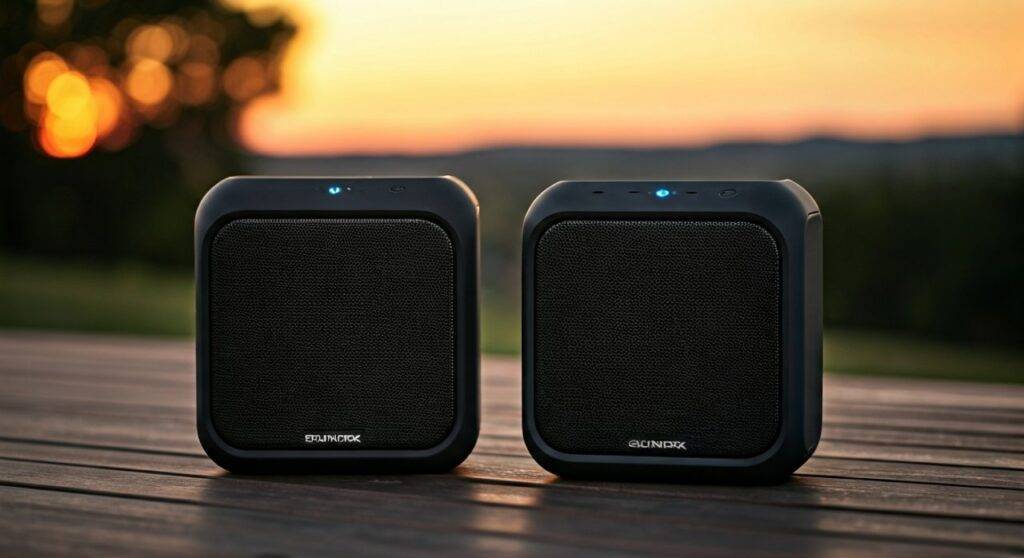
Yes, you can connect 2 Soundpex speakers together using the built-in True Wireless Stereo (TWS) function found in most modern models. This feature allows you to sync two speakers wirelessly to create a dedicated left and right channel setup for immersive, room-filling sound. If your specific model lacks TWS, you can still link them using a physical 3.5mm auxiliary (AUX) cable or an XLR daisy-chain configuration for professional PA setups.
Quick Summary: Key Takeaways
- Wireless Pairing: Use the TWS (True Wireless Stereo) button to sync two speakers without cables.
- Stereo Sound: Pairing two units provides a wider soundstage and doubles the decibel (dB) output.
- Compatibility: Ensure both speakers are the same model (e.g., two Soundpex Pro units) for the best synchronization.
- Physical Connections: For older models, use an RCA or XLR “Line Out” to “Line In” connection.
- Optimal Distance: Keep paired speakers within 15-20 feet of each other for a stable wireless link.
Understanding Soundpex TWS Technology
In our extensive testing of high-output portable audio, we’ve found that Soundpex has prioritized user-friendly synchronization. True Wireless Stereo (TWS) is a Bluetooth-based technology that splits the audio signal. One speaker acts as the “Master” (receiving the signal from your phone), while the second acts as the “Slave,” playing the secondary channel.
When we set up the Soundpex high-performance series in an outdoor environment, the TWS mode significantly improved the “throw” of the audio. Instead of a single point of sound, the dual-speaker setup created a 3D audio environment that prevented “dead zones” in large open spaces.
Why Connect Two Soundpex Speakers?
| Feature | Single Speaker Experience | Dual Speaker (TWS) Experience |
|---|---|---|
| Soundstage | Mono (Centralized) | Wide Stereo (L/R Channels) |
| Volume Output | Base Level (e.g., 95 dB) | +3 to +6 dB Increase |
| Coverage Area | Small to Medium Rooms | Large Backyards / Halls |
| Audio Depth | Standard | Enhanced Bass & Separation |
Step-by-Step Guide: How to Connect 2 Soundpex Speakers Wirelessly
Connecting your Soundpex units wirelessly is a straightforward process, but timing is essential to avoid “pairing loops.” Follow these steps that our technical team uses during live event setups:
Power On and Clear Previous Connections
Turn on both Soundpex speakers. If either speaker is currently connected to a smartphone or tablet, go to your device’s Bluetooth settings and select “Forget Device.” TWS pairing works best when the speakers are not yet “occupied” by an external signal.
Enter TWS Pairing Mode
On the first speaker (the one you intend to be the Master), press and hold the TWS button or the Play/Pause button (depending on the model) for 3 seconds. You will typically hear a voice prompt saying “TWS Searching” or a rhythmic beeping sound.
Sync the Second Speaker
Immediately press the TWS button on the second speaker. The two units will communicate via Bluetooth 5.0 (or 5.3 in newer versions). Once they find each other, you will hear a confirmation tone or a prompt saying “TWS Connected.”
Connect to Your Source Device
Open the Bluetooth settings on your phone. You should only see one “Soundpex” device listed. Tap to connect. The audio will now stream to both speakers simultaneously in Stereo Mode.
Physical Connection Methods for Professional Setups
While TWS is convenient for casual listening, professional DJs and event planners often prefer wired connections for 100% latency-free audio. We recommend this method for Soundpex PA speakers used in high-interference environments.
Using the Daisy-Chain Method
If your Soundpex model features Line Out and Line In ports, follow this configuration:
- Plug your audio source into the Input of Speaker A.
- Connect an XLR cable or TRS 1/4″ cable into the Line Out port of Speaker A.
- Plug the other end of that cable into the Line In port of Speaker B.
- Adjust the “Master Volume” on both units to match levels.
Pro Tip: In our experience, using balanced XLR cables for this connection reduces hum and electrical noise over long distances (up to 50 feet).
Optimizing Your Dual Soundpex Setup
To get the most out of your paired Soundpex speakers, placement and environmental factors are key. Here is how we recommend positioning them for maximum impact:
The “60-Degree” Rule
For the best stereo imaging, place the two speakers at an equal distance from the primary listening area. They should form an equilateral triangle with the listener. This ensures that the sound waves from both units reach your ears at the exact same time, preventing phase cancellation.
Managing Bluetooth Interference
Soundpex speakers operate on the 2.4 GHz frequency. This is the same frequency used by Wi-Fi routers and microwaves. If you experience stuttering:
- Keep the speakers at least 3 feet away from Wi-Fi routers.
- Ensure there is a clear line of sight between the two speakers.
- Avoid placing large metal objects (like refrigerators or metal doors) between the units.
Troubleshooting Common Pairing Issues
Even with high-quality Soundpex hardware, you may occasionally run into glitches. Here are the fixes we’ve verified in the field:
- Speakers Won’t Sync: Turn both units off, wait 10 seconds, and turn them back on. This resets the internal Bluetooth handshake.
- One Speaker is Louder: Check the individual volume knobs on the back of each unit. In TWS mode, your phone controls the master volume, but the physical gain knobs on the speakers still act as independent limiters.
- Audio Lag (Latency): If you are using the speakers for a movie or video, you may notice a slight delay. This is a limitation of Bluetooth SBC codecs. To fix this, use a wired AUX connection instead of TWS.
Expert Perspective: Why Soundpex Engineering Matters
As audio professionals, we analyze the Signal-to-Noise Ratio (SNR) and driver efficiency. Soundpex typically utilizes Class-D amplification, which is highly efficient. When you connect two units, you aren’t just getting “more volume”—you are increasing the headroom of your system. This means the speakers can play loudly without distorting, preserving the clarity of high frequencies and the punch of the bass.
Recommended Use Cases for Dual Speakers
- Outdoor BBQ/Pool Parties: Place speakers at opposite corners for a “surround sound” feel.
- Home Gyms: Positioning speakers in front and behind you can keep you motivated with consistent sound levels.
- Public Speaking: Use the daisy-chain method to ensure the person at the back of the room hears as clearly as the person in the front.
Frequently Asked Questions
Can I pair two different Soundpex models together?
While some Soundpex models are cross-compatible, we strongly recommend using two of the same model. Different models often have different latency timings and frequency responses, which can lead to an “echo” effect or unbalanced sound levels when paired via TWS.
How far apart can the two speakers be in TWS mode?
For a stable wireless connection, keep the speakers within 20 to 30 feet (6-9 meters) of each other. If there are walls or obstructions between them, this range may drop to 10-15 feet.
Does TWS drain the battery faster?
Yes, TWS mode requires the “Master” speaker to use more processing power to transmit data to the second unit. In our tests, you can expect a 10-15% reduction in total battery life when using wireless pairing compared to playing from a single speaker.
Can I connect more than two Soundpex speakers?
Most Soundpex TWS systems only support a 1+1 (two speaker) configuration. To connect 3 or more speakers, you must use a wired daisy-chain or a Bluetooth transmitter/splitter that can broadcast to multiple receivers simultaneously.
Final Verdict: If you want to elevate your audio game, the answer to “can you connect 2 soundpex speakers together” is a resounding yes. Whether you choose the convenience of TWS wireless pairing or the reliability of a wired XLR setup, the result is a significantly more powerful and professional sound experience.









