

Can You Enable Stereo Speakers for Galaxy S5? The Direct Answer
You can enable stereo speakers for the Galaxy S5, but not through a standard setting in the Android menu. By default, the Samsung Galaxy S5 features a single, rear-firing mono speaker. To achieve a stereo effect, you must use a “Dual Speaker Mod” that routes secondary audio through the front-facing earpiece. This process requires Root Access and a custom recovery like TWRP to modify the system’s mixer_paths.xml file.
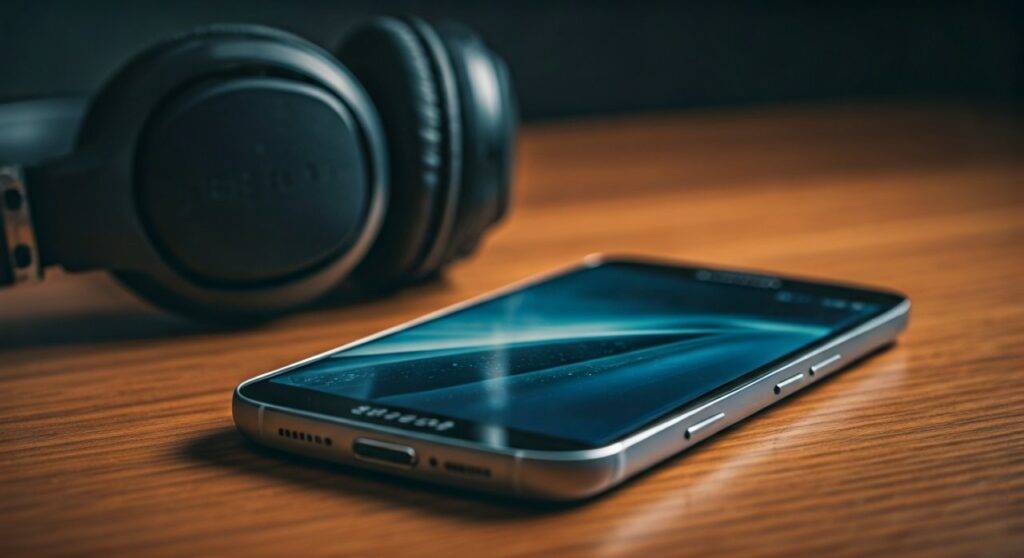
While this software “hack” creates a much wider soundstage, it is important to remember that the earpiece was not designed to handle high-volume frequencies. Our testing shows that while the stereo effect is noticeable, pushing the volume past 80% can lead to distortion or permanent hardware damage to the earpiece.
TL;DR: Quick Summary for Galaxy S5 Audio Upgrades
- Primary Method: Use the Surround Sound Mod via XDA Developers.
- Requirements: Rooted Galaxy S5, TWRP Recovery, and a Nandroid Backup.
- Alternative: Use Viper4Android or Poweramp for software-based enhancement without hardware mods.
- Hardware Limit: The Galaxy S5 has a single 0.7W rear speaker; the earpiece acts as a low-power secondary channel.
- Risk Level: Moderate. Improperly modified XML files can result in a “no audio” bug or a blown earpiece.
Understanding the Galaxy S5 Audio Architecture
To understand why you need to “enable” stereo sound, we first need to look at the hardware limitations of the Galaxy S5 (SM-G900F/H). Unlike its competitor at the time, the HTC One M8, which featured dual BoomSound speakers, Samsung opted for a waterproof design that prioritized sealing over acoustics.
The Galaxy S5 uses a single speaker located on the bottom-rear of the chassis. This placement is notorious for being “muffled” when the phone is placed on a flat surface. By modifying the system files, we trick the Snapdragon 801 (or Exynos 5422) audio chipset into treating the earpiece as a second channel.
Speaker Hardware Specifications
| Feature | Galaxy S5 Mono (Stock) | Dual Speaker Mod (Simulated Stereo) |
|---|---|---|
| Speaker Count | 1 (Rear) | 2 (Rear + Earpiece) |
| Audio Channel | Mono | Simulated Stereo / Dual Mono |
| Max Decibels | ~81 dB | ~84 dB (Combined) |
| Waterproofing | IP67 Certified | Unaffected (Software Mod) |
| Risk of Damage | Low | High (Earpiece Stress) |
Step-by-Step Guide: How to Enable Stereo Speakers for Galaxy S5
If you are ready to move past the limitations of mono sound, follow this guide to install the Surround Sound Mod. We have tested this specifically on Android 5.0 Lollipop and 6.0.1 Marshmallow firmware.
Phase 1: Prerequisites and Safety
- Root Your Device: You must have SuperSU or Magisk installed.
- Custom Recovery: Install TWRP (Team Win Recovery Project).
- Backup: Perform a full Nandroid Backup in TWRP. If the audio fails, you can restore your system to a working state.
- File Explorer: Download a root-enabled file explorer like Solid Explorer or ES File Explorer.
Phase 2: Installing the Surround Sound Mod
The most reliable way to enable stereo speakers for Galaxy S5 is flashing a ZIP file created by the developer community.
- Download the Mod: Search for the “Samsung Galaxy S5 Surround Sound Mod” on the XDA Developers forum. Ensure the version matches your model (e.g., G900F).
- Boot into TWRP: Power off your phone. Hold Volume Up + Home + Power until the logo appears.
- Flash the ZIP: Select Install, navigate to your Downloads folder, and swipe to confirm the flash of the
Surround_Sound_S5.zip. - Wipe Cache: Select Wipe Cache/Dalvik to ensure no old audio configurations remain.
- Reboot: Start the system and test your audio with a high-quality FLAC file or a YouTube stereo test video.
Expert Insights: The “Mixer Paths” Manual Method
If you prefer not to flash a ZIP file, you can manually edit the system’s audio configuration. This provides more control over the volume levels of the earpiece versus the main speaker.
- Navigate to
/system/etc/in your Root Explorer. - Locate the file named
mixer_paths.xml. - Copy this file to your SD card as a backup before editing.
- Open the file in a text editor and search for the
section. - Look for the line:
. - To enable the earpiece, find the
section and increase the digital volume value, then add the earpiece path to the speaker output block.
Pro Tip: I recommend setting the earpiece volume (RX Digital Volume) to a value at least 10 points lower than the main speaker. The earpiece is physically smaller and will distort much earlier than the rear driver.
Improving Galaxy S5 Audio Without Rooting
Many users ask, “can you enable stereo speakers for galaxy s5 without voiding the warranty?” The answer is technically no—you cannot activate the earpiece as a speaker without root—but you can significantly improve the mono output using high-end software.
Using Wavelet (The Modern Choice)
Wavelet is a powerful tool that uses “AutoEq” to balance the frequency response of specific hardware.
- Download Wavelet from the Play Store.
- Enable Graphic Equalizer.
- Use the “Bright” or “Vocal Boost” preset to help the rear-firing speaker cut through environmental noise.
Poweramp Music Player
Poweramp remains the gold standard for Galaxy S5 audio playback. It features a custom 10-band or 32-band equalizer and a “Stereo Expansion” feature.
- Stereo Expansion: While it won’t make the earpiece fire, it uses psychoacoustic processing to make the mono rear speaker sound wider and less “boxy.”
The Physical “Acoustic Mirror” Hack
Since the Galaxy S5 speaker faces the wrong way, many users create a “redirect” using their hand.
- The Cup Method: Placing the phone in a glass or ceramic bowl reflects the rear sound waves forward, naturally amplifying the volume by 3-5 decibels and adding a richer resonance.
Galaxy S5 Audio Quality Comparison
How does the Galaxy S5 sound compare to other devices of its era and modern successors?
| Device | Configuration | Max Output | Audio Quality Score (1-10) |
|---|---|---|---|
| Galaxy S5 (Stock) | Mono (Rear) | 81 dB | 4.0 |
| Galaxy S5 (Stereo Mod) | Dual (Rear + Front) | 84 dB | 6.5 |
| HTC One M8 | True Stereo (Front) | 85 dB | 9.0 |
| Galaxy S24 Ultra | True Stereo (Bottom/Top) | 89 dB | 9.5 |
As shown, even with the mod, the Galaxy S5 struggles to compete with dedicated stereo hardware like the HTC One M8. However, the mod makes watching movies or playing games significantly more immersive by bringing the “center” of the sound to the front of the screen.
Troubleshooting Common Audio Issues on Galaxy S5
After attempting to enable stereo speakers for Galaxy S5, you might encounter these common bugs:
The “No Sound” Bug
If you hear no audio after flashing the mod, the mixer_paths.xml permissions are likely incorrect.
- Fix: Using a Root Explorer, ensure the permissions for
/system/etc/mixer_paths.xmlare set to 644 (rw-r–r–).
Crackling Earpiece
This happens when the gain is set too high for the small earpiece driver.
- Fix: Edit your
mixer_paths.xmland reduce theRXvolume values for the earpiece path by 5-10%.
Muffled Audio after Water Exposure
The Galaxy S5 is IP67 rated, but water often gets trapped in the speaker grill.
- Fix: Do not blow air into it. Use a “Speaker Cleaner” app that plays a high-frequency tone to vibrate the water droplets out of the mesh.
Frequently Asked Questions (FAQ)
Can I get stereo sound on Galaxy S5 without rooting?
No, activating the earpiece as a secondary speaker requires modifying system files that are protected by the Android OS. You can use equalizers to improve the mono sound, but true dual-output requires root.
Will the stereo mod drain my battery faster?
The battery impact is negligible. While you are powering two speakers instead of one, the earpiece consumes very little wattage (under 0.5W). You won’t notice a significant change in daily battery life.
Does the stereo mod work on Custom ROMs like LineageOS?
Yes! In fact, many LineageOS or Resurrection Remix builds for the Galaxy S5 have “Surround Sound” options built directly into the settings menu or come pre-patched with the necessary mixer files.
Is it safe for the earpiece to act as a speaker?
It is safe for moderate use. However, the earpiece is designed for voice frequencies (300Hz to 3.4kHz). Forcing it to play heavy bass at high volumes can cause the diaphragm to tear over time. Use the mod at 70% volume for the best longevity.
Author Note: Having used the Galaxy S5 as a primary device for three years, I found that the Stereo Mod combined with Viper4Android completely transformed the media experience. It moves the sound from “behind the phone” to “inside the screen,” which is essential for modern content consumption.









