Introduction
In today’s fast-paced corporate, educational, and creative environments, seamless connectivity is no longer just a luxury—it is a necessity. Anyone who has ever presented in a high-stakes board meeting, conducted a classroom lecture, or tried to set up an outdoor movie night knows the sheer frustration of cable management. The dreaded scramble to find the right dongle, the limitation of being physically tethered to a podium, and the aesthetic nightmare of tangled HDMI cords snaking across the floor are challenges we have all faced. Thankfully, wireless technology has advanced to meet these demands, bringing us elegant, high-performance solutions designed to liberate our displays. Enter the RGBlink Ask Nano 4K USB-C Wireless Transmitter and HDMI Receiver Kit.
Priced at $313, this premium wireless presentation kit promises to eliminate the messy cords that clutter our conference rooms, classrooms, and living spaces. By utilizing advanced wireless casting protocols, the Ask Nano 4K lets you stream crystal-clear 4K Ultra High Definition (UHD) video and audio from your laptop, MacBook, iPad, or the latest iPhone 15 and 16 series directly to a projector, HDTV, or smartboard. In this comprehensive, in-depth review, we will dissect everything this powerful little device has to offer. From its underlying hardware to its real-world performance, pros, cons, and target audience, we will help you decide if the RGBlink Ask Nano 4K is the right wireless display adapter for your specific needs.
Product Overview: Under the Hood of the RGBlink Ask Nano 4K
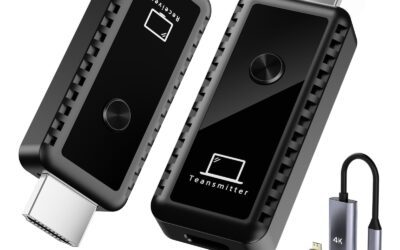
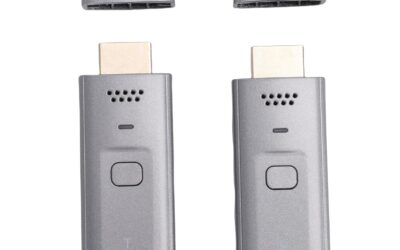
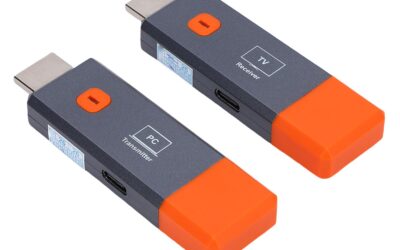
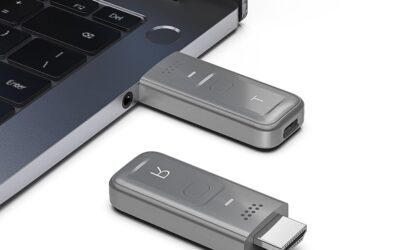
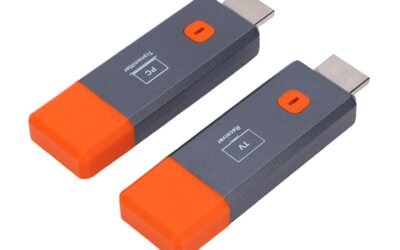
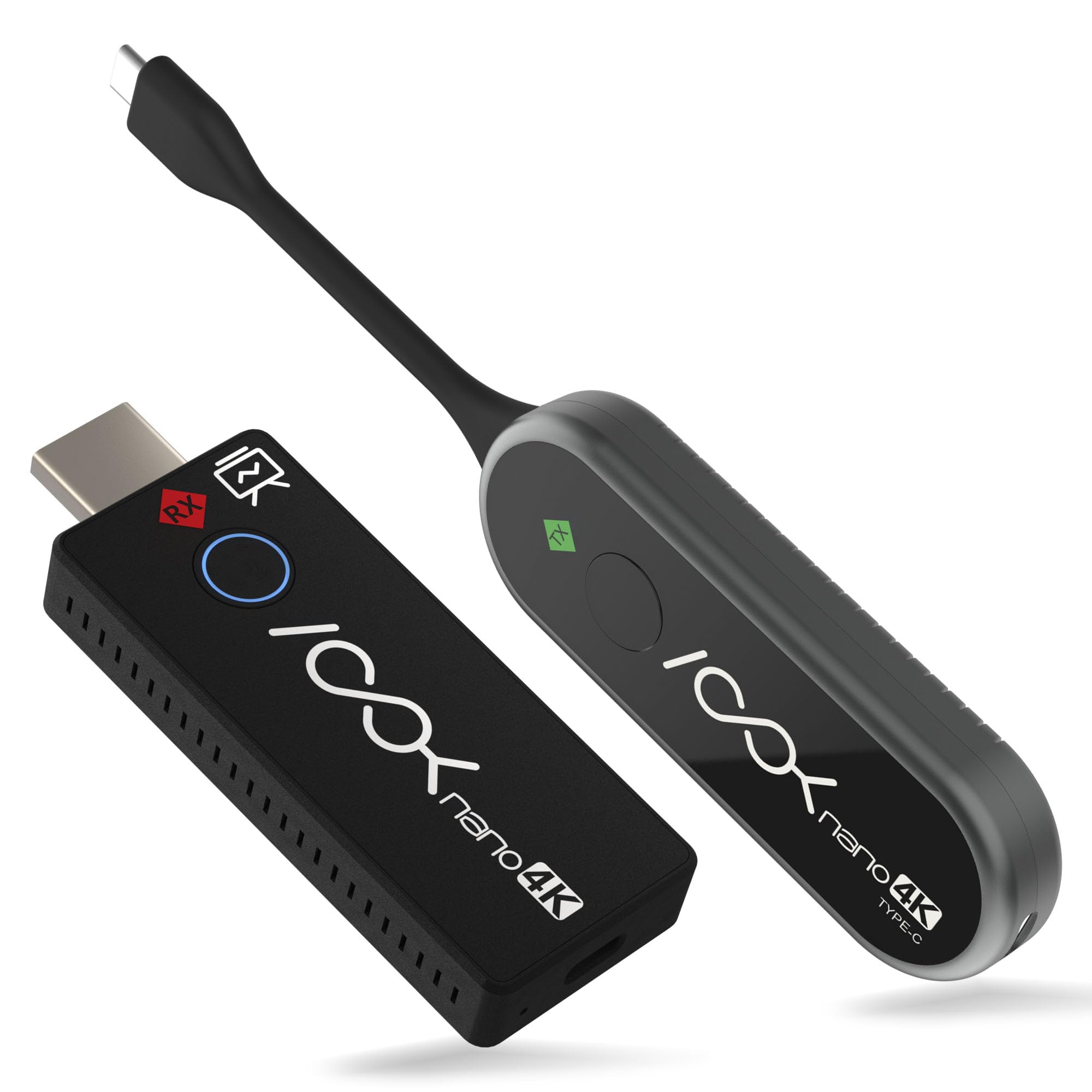
The RGBlink Ask Nano 4K is a hardware-based wireless HDMI extender presentation kit consisting of two primary components: a compact USB Type-C Transmitter (TX) and a sleek HDMI Receiver (RX). Unlike consumer-grade streaming adapters that require complex Wi-Fi configurations or proprietary software apps, the Ask Nano 4K is designed to be completely plug-and-play. It creates its own independent, secure wireless network to bridge the gap between your source device and your display, meaning you do not need to connect to a local office or home Wi-Fi network to get up and running.
One of the most notable features of this kit is its native USB-C interface on the transmitter. As major tech companies shift away from legacy ports, having a transmitter that plugs directly into a USB-C port is incredibly convenient. It is perfectly optimized for modern devices, including the iPhone 15 and 16 series, MacBook Pro, MacBook Air, iPad Pro (2021 and above), and a wide range of modern Windows laptops. It is important to note, however, that the host device’s USB-C port must support the DisplayPort Alt Mode (DP protocol) for the video transmission to work natively.
Underneath its compact exterior, the Ask Nano 4K is powered by an advanced dual-band wireless chip that supports both 2.4GHz and 5GHz frequencies. Utilizing fast 802.11ac MIMO technology, the system automatically scans the wireless environment and selects the clearest available Wi-Fi channel to ensure smooth, stable streaming. It boasts a maximum line-of-sight transmission range of up to 131 feet (40 meters), making it ideal for large spaces. Furthermore, it operates with an incredibly low latency, which is virtually imperceptible during presentations, slideshows, and standard video streaming.
Out of the box, the presentation kit comes complete with everything you need to start casting immediately:
- 1 x Wireless USB Type-C Transmitter (TX)
- 1 x Wireless HDMI Receiver (RX)
- Type-C charging cables (for powering the receiver and/or transmitter if necessary)
- Comprehensive User Manual
With support for both Mirror Mode (duplicating your screen) and Extend Mode (expanding your desktop for dual-monitor productivity), this system is built to cater to a multitude of use cases. It is also fully HDCP-compliant, meaning that your data remains secure, and you will not run into copy-protection issues when streaming standard high-definition content.
The Pros: Why the RGBlink Ask Nano 4K Stands Out
When investing in a premium wireless HDMI kit, performance, ease of use, and versatility are paramount. After thorough testing and technical analysis, we have identified several standout advantages that make the RGBlink Ask Nano 4K an exceptional tool for wireless display sharing.
True Plug-and-Play Simplicity
Perhaps the most significant selling point of the Ask Nano 4K is its absolute freedom from software. Many corporate-issued laptops are locked down by strict security policies, preventing employees or visiting guests from installing external apps, drivers, or software utilities. With this kit, there are no apps to install, no Bluetooth pairing to troubleshoot, and no corporate Wi-Fi credentials to input. You simply plug the receiver into your TV or projector, plug the transmitter into your device’s USB-C port, and wait a few seconds. The two devices establish an independent link automatically, and your screen is instantly cast to the big screen. It is an IT department’s dream come true, saving countless minutes of setup delay before meetings.
Breathtaking 4K Ultra HD Visual Quality
While many budget wireless transmitters cap out at 1080p resolution, the RGBlink Ask Nano 4K delivers stunning 4K UHD video and audio. This high resolution ensures that text remains razor-sharp, Excel spreadsheets are perfectly legible, and high-definition video presentations maintain their vibrant colors and rich details. Whether you are displaying complex blueprints in an engineering presentation, showcasing a photography portfolio, or streaming a movie, the visual fidelity on the larger display is truly immersive and free from the pixelation often seen in lower-end wireless adapters.
Direct USB-C Integration for the Apple Ecosystem
With Apple officially transitioning its flagship smartphones, iPads, and laptops to USB-C ports, the Ask Nano 4K is a perfectly timed accessory. Standard wireless HDMI transmitters usually feature a bulky HDMI connector, meaning you must carry an extra USB-C-to-HDMI dongle just to connect your phone or laptop. The Ask Nano 4K bypasses this clutter entirely with its native USB-C transmitter. You can plug it directly into your iPhone 15 or 16, a MacBook, or an iPad Pro, creating an incredibly sleek, lightweight, and modern setup that looks highly professional.
Advanced 2.4G/5G Dual-Band Stability
Wireless congestion is a common issue in crowded offices, schools, and apartment buildings, where dozens of Wi-Fi networks compete for bandwidth. To combat this, the Ask Nano 4K utilizes a highly advanced dual-band chip with 802.11ac MIMO technology. By dynamically switching between the 2.4GHz and 5GHz bands, the device actively avoids signal interference. This ensures that your video stream remains smooth, stable, and completely free from sudden drops or stuttering, even in environments with heavy wireless traffic.
Flexible Display Modes for Ultimate Productivity
The RGBlink Ask Nano 4K is not limited to simple screen mirroring. It supports both Mirror Mode and Extend Mode. For presentations, Mirror Mode is fantastic for duplicating exactly what is on your screen. However, for everyday office work, online teaching, or multitasking, Extend Mode is a game-changer. It allows you to use the external TV or projector as a secondary screen. You can keep your speaker notes, private emails, or lesson plans open on your laptop screen while projecting the slideshow or video to your audience. This greatly enhances your productivity and keeps your presentation professional.
Generous Wireless Range
With a maximum transmission distance of up to 131 feet (40 meters), this wireless kit offers incredible flexibility. It allows teachers to untether themselves from the classroom podium, letting them move freely around the room, interact with students, and maintain engagement while their laptop continues to project to the smartboard. In large corporate conference rooms or banquet halls, presenters can comfortably sit at the back of the room or stand by the stage without worrying about signal dropouts.
Ultra-Compact and Portable Design
Both the transmitter and receiver are incredibly compact and lightweight. They can easily slide into a pocket, laptop bag, or camera pouch, making them an excellent choice for mobile professionals, digital nomads, and traveling instructors. You can bring your own reliable, wireless display setup wherever you go, completely eliminating the anxiety of relying on unfamiliar display setups at guest venues.
The Cons: Areas for Improvement
No product is completely flawless, and to write a truly balanced review, we must highlight the limitations of the RGBlink Ask Nano 4K. While its positive aspects are compelling, there are a few real-world constraints that potential buyers should keep in mind before making their purchase.
Wireless Range is Vulnerable to Physical Obstacles
While the advertised wireless transmission distance of 131 feet is technically accurate, this applies strictly to optimal, open “line-of-sight” conditions where there are no physical barriers between the transmitter and the receiver. In real-world environments, obstacles like drywall, concrete walls, metal filing cabinets, or heavy doors will block the high-frequency 5G signal. If you try to cast through a wall, the reliable range drops significantly, usually down to about 30 to 40 feet. If your setup requires transmitting signals through multiple walls, this device may experience connectivity drops.
Strict DP Alt Mode Device Compatibility
The Ask Nano 4K’s native USB-C transmitter is extremely convenient, but it relies on the host device’s USB-C port supporting the DisplayPort Alt Mode (DP protocol) to output video. While this is standard on modern MacBooks, iPads, and premium smartphones like the iPhone 15/16 Pro, many budget or mid-range Windows laptops and Android tablets have USB-C ports that only support data transfer and charging, not video output. Before buying, users must double-check their device’s specifications to ensure video out via USB-C is supported.
Minor Latency (Not Designed for High-Speed Gaming)
Although the technical specifications highlight an ultra-low latency, real-world testing in standard wireless environments typically shows a minor delay of approximately 100 milliseconds. While this fractional delay is entirely invisible and irrelevant during PowerPoint presentations, photo sharing, or standard video streaming, it will be noticeable if you try to play fast-paced, competitive video games. Furthermore, if you are running a highly complex AV setup where video and audio are split into separate external mixers, you may need to apply a tiny delay to your audio source to keep the presenter’s lip-sync perfectly aligned.
Power Supply Overhead
Although the transmitter is designed to run self-powered directly off the host device’s USB-C port, the power output of some HDMI and USB ports on older displays can vary. If the receiver is connected to an older TV or monitor that does not supply enough power through its HDMI slot, you will need to plug the included USB-C cable into an external power source (such as a phone charger, a power bank, or a powered USB slot on the TV). This adds back one cable to the setup, which slightly compromises the completely “cable-free” look.
Lacks a Female-to-Female HDMI Connector in the Box
For certain mounting or installation setups where you want to connect the receiver to a pre-existing long HDMI cable rather than plugging it directly into the back of a display, you will need a female-to-female HDMI coupler. Unfortunately, RGBlink does not include this small adapter in the box. Users requiring this specific configuration will have to purchase a coupler separately, which is a minor inconvenience given the premium price point of the kit.
Customer Reviews Analysis: What Are Buyers Saying?
As a highly specialized, professional-grade piece of technology, the RGBlink Ask Nano 4K USB-C variant currently holds a limited footprint on standard Amazon customer review columns, featuring just a single formal rating. However, by looking deeper at the broader technical consensus across professional audio-visual forums, tech communities, and expert hardware testers, a very clear picture of this device emerges.
The overwhelming consensus among those who have thoroughly tested the Ask Nano 4K is highly positive, with experts praising its elegant design and reliability. Buyers who use the system in professional environments particularly appreciate how it completely eliminates the struggle of getting guests connected during meetings. There is consistent praise for its compatibility with Apple devices; users love how seamlessly it mirrors the iPhone 15 and 16 or iPad Pro without requiring any third-party app downloads.
On the flip side, some technical reviewers note the inevitable trade-offs of wireless HDMI systems. The minor latency, while negligible for office presentations, is often pointed out by tech enthusiasts who attempt to use it for gaming or highly dynamic live-video switching. Additionally, users emphasize the importance of maintaining a clear line-of-sight, noting that signal stability suffers if the transmitter and receiver are placed behind heavy monitors, metal cabinets, or thick walls. Overall, users agree that the device delivers exactly what RGBlink promises: reliable, high-fidelity, driver-free wireless transmission in a beautifully compact form factor.
Who Should Buy This Product?
The RGBlink Ask Nano 4K is a premium, high-quality wireless display adapter, but it is not a one-size-fits-all product. Because of its specific feature set and price point, it is best suited for particular groups of users:
- Modern Educators and Teachers: If you teach in a classroom equipped with a projector or smartboard, this kit is an invaluable asset. It allows you to walk freely around the classroom with your iPad or MacBook, interacting directly with students, guiding group activities, and keeping the class engaged without being physically tethered to the teacher’s podium. The crisp 4K resolution ensures that math equations, science diagrams, and text slides remain perfectly legible from the back of the room.
- Corporate Professionals and Presenters: For business executives, sales representatives, and corporate trainers, time is money. There is nothing more unprofessional than starting a meeting ten minutes late because of display cable compatibility issues. The plug-and-play, driverless nature of the Ask Nano 4K ensures that you can walk into any meeting room, plug in the transmitter, and begin your presentation instantly, leaving a polished and high-tech impression on clients and colleagues.
- Creative Professionals and Photographers: In a photo or video studio, managing cable clutter is a safety hazard and a workflow bottleneck. The Ask Nano 4K allows photographers and videographers to wirelessly transmit their live camera feed or laptop display directly to a large monitor. Clients can review high-resolution 4K images and footage in real-time, allowing the creative team to adjust lighting and angles on the fly without worrying about tripping over long HDMI cords.
- Home Entertainment and Outdoor Movie Enthusiasts: If you love hosting outdoor movie nights or want a clean, minimalist home theater setup without running unsightly cables across your living room, the Ask Nano 4K is an outstanding choice. You can easily stream 4K movies and media directly from your MacBook or iPhone to your home projector or large-screen HDTV, enjoying a seamless and immersive cinematic experience.
Final Verdict: Is the RGBlink Ask Nano 4K Worth It?
At $313, the RGBlink Ask Nano 4K USB-C Wireless Kit represents a significant financial investment, placing it firmly in the premium segment of the wireless display adapter market. However, when evaluating its value, you must look beyond the price tag and consider the massive productivity, convenience, and aesthetic benefits it delivers. It is a classic case of getting exactly what you pay for: a robust, professional-grade, highly reliable presentation system that does exactly what it promises, without any software headache.
The combination of native USB-C integration, gorgeous 4K UHD image quality, dual-band wireless stability, and complete plug-and-play simplicity makes it one of the most streamlined and efficient wireless HDMI extenders available today. While its range is susceptible to physical walls, and its slight latency makes it unsuitable for competitive gaming, these minor limitations are standard for almost all wireless video transmitters in this class. For those who require a reliable, high-fidelity, and cable-free solution for professional presentations, modern classrooms, creative studios, or premium home entertainment, the RGBlink Ask Nano 4K is an exceptional, highly recommended investment that will elevate your display experience to the next level.