Introduction
In today’s fast-paced digital world, the demand for clean, cable-free workspaces and seamless connectivity is at an all-time high. Whether you are delivering a high-stakes business presentation in a crowded boardroom, teaching a classroom of students, or trying to stream content from your smartphone to your living room television, traditional cables present a constant hassle. Untangling cords, finding the right adapter, and worrying about cable length can quickly derail your momentum.
Wireless display technology has evolved to solve this problem, but early iterations were often plagued by lagging connections, complicated setups, and compatibility issues. Enter the EZCast Pocket Plus Wireless Display USB C Transmitter and HDMI Receiver Kit. This premium wireless HDMI extender promises to bridge the gap between convenience and performance. Operating over a dedicated 5G wireless frequency and supporting a wide array of USB-C devices, it aims to deliver lag-free 1080P video and audio without the clutter of physical wires.
In this comprehensive, in-depth review, we will dissect the EZCast Pocket Plus. We will look at its design, explore its standout features—including its unique Portrait Mode—and evaluate its pros and cons. We will also analyze what its market position means for prospective buyers, who this product is best suited for, and whether it justifies its $147 price tag. Read on to find out if this is the ultimate wireless display solution you have been looking for.
Product Overview
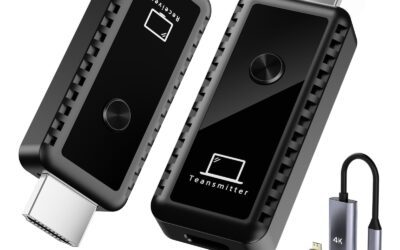
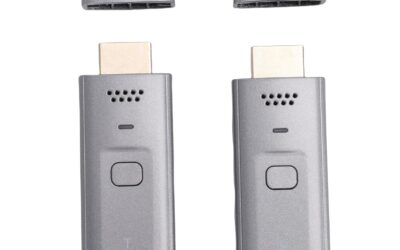
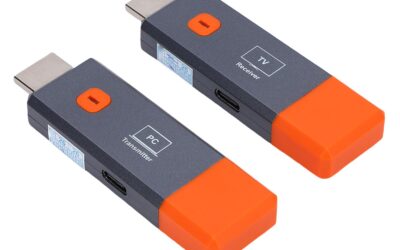
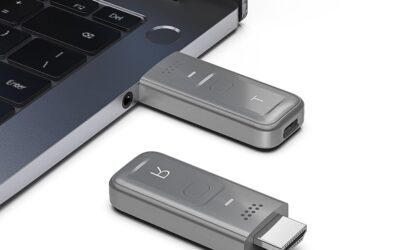
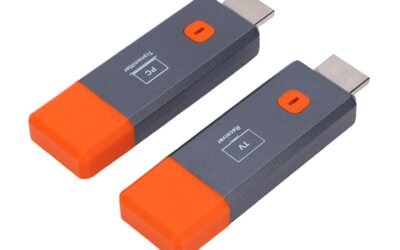
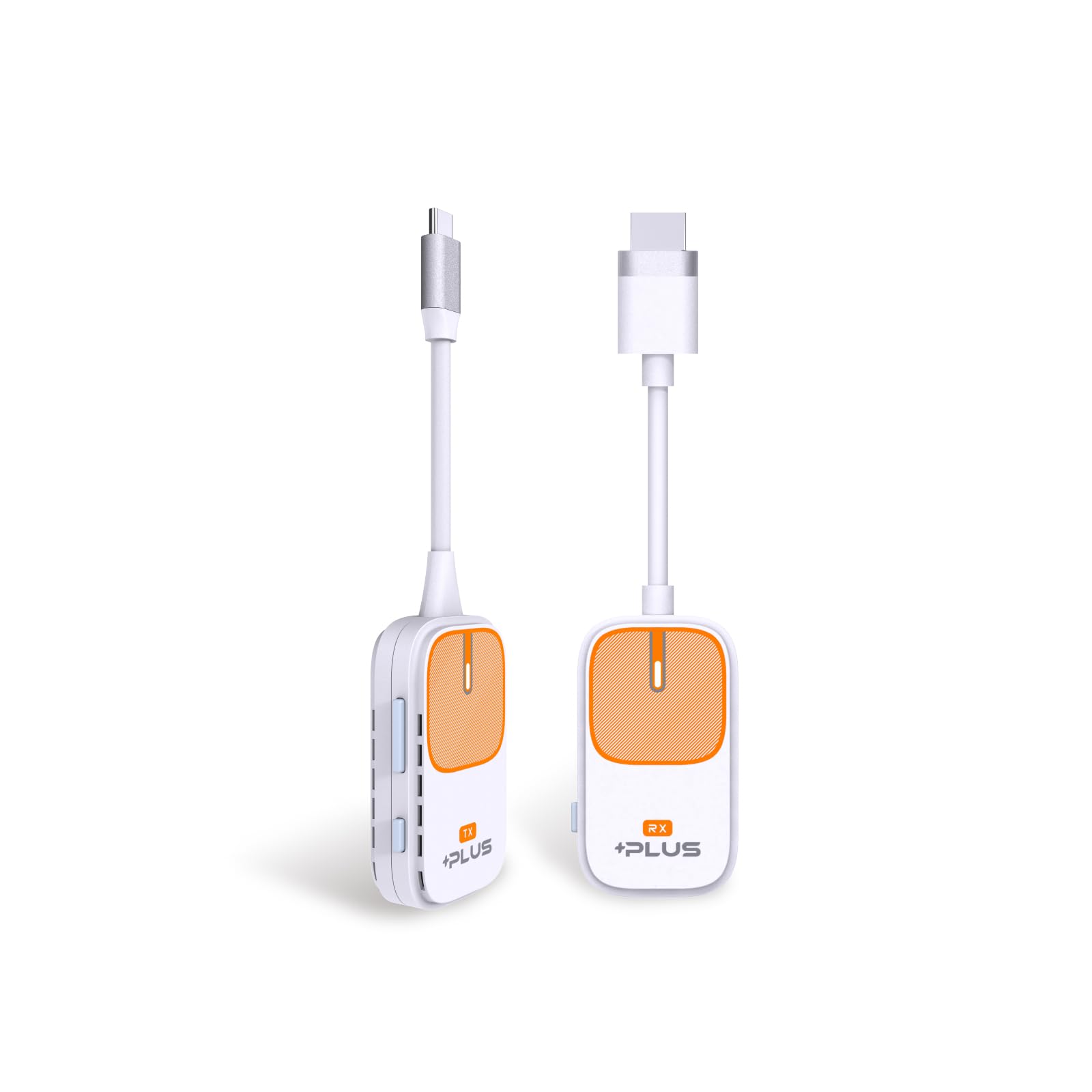
The EZCast Pocket Plus is a hardware-based wireless HDMI transmitter and receiver kit designed to replace traditional HDMI cables. The kit consists of two main components: a compact USB-C Transmitter (TX) and a matching HDMI Receiver (RX). The primary objective of this system is to make screen mirroring as effortless as possible, allowing you to cast high-definition audio and video from a source device directly to a display over a peer-to-peer 5GHz wireless connection.
Unlike software-dependent casting setups that rely on your local Wi-Fi network, the EZCast Pocket Plus establishes its own direct, encrypted wireless link between the transmitter and the receiver. This means you do not need to log into a local Wi-Fi network, input passwords, or worry about bandwidth congestion from other household or office devices. It is an entirely self-contained ecosystem that operates independently, ensuring maximum security and stable data transmission up to 1080P high-definition resolution.
Technical Specifications and Core Features
- Transmission Type: Peer-to-peer 5G wireless connection
- Maximum Resolution: 1080P Full HD at 60Hz
- Transmitter Connector: USB Type-C (reversible, compact design)
- Receiver Connector: HDMI (standard male connector with USB power input)
- Compatibility: Windows, macOS, iOS, iPadOS, Android, and ChromeOS
- Special Modes: 90-Degree Portrait Mode, Standalone Receiver Mode (AirPlay, Miracast)
- Driver Requirement: Driverless plug-and-play for most DP Alt Mode compatible devices; optional Miraplug app for non-DP Alt Mode Android devices
One of the most notable design aspects of the EZCast Pocket Plus is its ultra-compact form factor. Both the transmitter and receiver are lightweight and pocket-sized, making them highly portable. This is a massive advantage for business travelers, remote workers, and educators who need to carry their presentation tools from room to room or city to city. Let us dive deeper into the unique aspects of this device to understand how it performs in real-world scenarios.
The Portrait Mode Innovation
A standout feature that sets the EZCast Pocket Plus apart from almost every other wireless HDMI extender on the market is its physical Portrait Mode button. Located directly on the receiver, a single click of this button rotates the mirrored content by 90 degrees.
With the meteoric rise of vertical video platforms like TikTok, Instagram Reels, and YouTube Shorts, content creators and marketers frequently need to display vertical content on large screens. Additionally, vertical displays are becoming increasingly popular for digital signage in retail, restaurants, and corporate lobbies. Standard wireless casting solutions often struggle with vertical orientations, displaying tiny, letterboxed videos with massive black bars on either side. The EZCast Pocket Plus addresses this pain point directly, allowing you to use your TV or monitor in portrait orientation and instantly rotate your source material to fill the entire screen beautifully.
Universal Type-C Support and the Miraplug Solution
Many modern wireless transmitters rely entirely on DisplayPort Alternate Mode (DP Alt Mode) over USB-C to function. While most premium laptops and high-end smartphones support DP Alt Mode, a vast number of mid-range and budget Android smartphones and tablets do not. Normally, this means those devices simply cannot use a hardware-based USB-C transmitter.
EZCast has solved this limitation by incorporating their proprietary Miraplug technology. For Android devices that lack native DP Alt Mode, users can download the Miraplug companion app. This app enables the device to send video data over the USB-C port to the transmitter, allowing virtually any modern Type-C smartphone or tablet to screen-mirror effortlessly. This smart fallback mechanism significantly widens the product’s compatibility and makes it a truly universal Type-C solution.
Pros
To help you decide if the EZCast Pocket Plus is the right investment, let us break down its most compelling advantages:
- True Plug-and-Play Simplicity: For laptops and mobile devices that support DP Alt Mode, the setup is incredibly simple. You plug the HDMI receiver into your TV or projector, plug the USB-C transmitter into your laptop or phone, and within seconds, your screen is mirrored. There are no drivers to install, no networks to configure, and no complicated pairings to perform.
- Dedicated, Interference-Free 5G Wireless: By utilizing a dedicated peer-to-peer 5GHz wireless band, the kit avoids the crowded 2.4GHz spectrum. This ensures a stable, high-bandwidth connection with minimal latency, which is crucial for video playback, transitions, and real-time presentation control.
- Innovative 90-Degree Portrait Mode: The physical rotation button on the receiver is a game-changer for digital signage, social media marketers, and content creators. It eliminates the need to fiddle with deep display settings on your computer or phone to get a vertical display to look correct.
- Versatile Standalone Receiver Functionality: You do not always have to use the transmitter. The receiver can act as a standalone wireless display hub. You can connect to it directly using native casting protocols built into your devices, such as Apple AirPlay (for iPhone, iPad, and Mac) or Miracast (for Android and Windows). This dual-functionality adds tremendous value.
- Broad Compatibility with Miraplug: The inclusion of the Miraplug app support means that budget Android devices without DP Alt Mode are not left in the dark. This is a rare and highly appreciated feature in the wireless transmitter space.
- Ultra-Portable and Travel-Friendly: The compact, pocket-sized design of both the transmitter and receiver means the kit can easily fit into a laptop sleeve, backpack, or even a pocket. It is built for a life on the go.
- Clean Aesthetic and Decluttered Spaces: Eliminating long HDMI runs and cables dangling from walls or conference tables creates a clean, professional, and visually appealing environment.
Cons
While the EZCast Pocket Plus is packed with innovative features, no product is perfect. Here are the main drawbacks and limitations you should consider before making a purchase:
- Capped at 1080P Resolution: In an era where 4K TVs and monitors are becoming the standard, this kit is limited to 1080P Full HD at 60Hz. While 1080P is perfectly adequate for presentations, documents, slide decks, and casual video streaming, users looking for crystal-clear 4K video editing displays or high-fidelity 4K gaming will find this limitation disappointing.
- Premium Price Point: Priced at $147, the EZCast Pocket Plus is a premium accessory. There are cheaper generic wireless display dongles on the market, though they rarely offer the dedicated transmitter-to-receiver pairing, stable 5G connection, and unique features like Portrait Mode found here.
- External Power Required for the Receiver: Although the transmitter draws power directly from your host device’s USB-C port, the HDMI receiver requires an external USB power source to function. This means you will need an open USB port on your TV/projector or a nearby wall adapter to power the receiver, which slightly detracts from a completely cable-free setup.
- Miraplug App Required for Non-DP Alt Mode Devices: While the Miraplug app is an excellent workaround for older or cheaper Android devices, it does mean those specific devices do not get a pure “plug-and-play” experience. You must download and run the software to enable streaming.
Customer Reviews Analysis
At the time of this review, the specific listing for the EZCast Pocket Plus Wireless Display Kit shows 0 customer reviews. While some buyers might view a lack of reviews with caution, it is important to contextualize this. A count of zero reviews almost always indicates that a product is a very recent release or a newly launched variation within a manufacturer’s catalog.
EZCast (manufactured by Actions Microelectronics) is not an unknown, fly-by-night brand. They are well-established pioneers in the wireless display chip and casting device industry. Their underlying technology powers millions of casting devices worldwide. Looking at the wider EZCast ecosystem and their previous products (such as the standard EZCast Pocket and EZCast Ultra), we can confidently project what user experiences with this updated “Plus” model will be:
What we expect users to praise: Based on previous iterations, users consistently love the zero-latency feel of the 5G connection during business presentations. The convenience of not needing to install software on corporate laptops—which often have strict security blocks preventing software installation—is a major selling point. The reliability of the peer-to-peer connection in hotels and corporate offices where guest Wi-Fi is notoriously difficult to connect to is also highly rated.
What early adopters should watch out for: In any new hardware release, early users sometimes experience minor learning curves, particularly regarding powering the receiver correctly. Using an underpowered USB port on an older TV (such as a 0.5A port) can lead to intermittent connection drops. Ensuring you use a stable 5V/1A or 5V/2A power supply for the receiver is crucial for peak performance. Additionally, ensuring your mobile devices are updated to the latest firmware will guarantee smooth handshakes between the transmitter and receiver.
Who Should Buy This Product?
The EZCast Pocket Plus is a highly specialized tool that excels in specific scenarios. You will get the most value out of this kit if you fall into one of the following categories:
Business Professionals and Mobile Presenters
If your job involves traveling to client sites, presenting pitches, or moving between different meeting rooms, this kit is an invaluable asset. You no longer have to worry about whether a client’s conference room has the right dongle, adapter, or a long enough HDMI cable. You simply plug the receiver into their projector or TV, plug the USB-C transmitter into your laptop, and you are ready to present in seconds. It looks highly professional and saves precious minutes of setup time.
Content Creators and Social Media Marketers
If you edit vertical videos, manage social media campaigns, or present mobile application mockups, the built-in Portrait Mode is a massive advantage. Being able to rotate your display 90 degrees with the press of a physical button on the receiver means you can showcase vertical content in its native aspect ratio on a vertical TV, making it perfect for trade shows, retail storefronts, and studio environments.
Educators and Lecturers
Teachers and professors can benefit enormously from the physical freedom this kit provides. By plugging the transmitter into a USB-C tablet or lightweight laptop, an educator can walk around the classroom, interacting with students while keeping their screen mirrored to the main classroom projector. This promotes active learning and keeps students engaged.
Minimalist Home Entertainment Enthusiasts
If you hate seeing cords running down your wall from a wall-mounted TV, or if you want to stream content from your phone or laptop to a TV on the other side of the room without running a trip-hazard cable across the floor, this kit provides a clean, elegant solution. It is also excellent for temporary setups, such as setting up a projector in the backyard for a movie night.
Final Verdict
The EZCast Pocket Plus Wireless Display USB C Transmitter and HDMI Receiver Kit is a thoughtfully designed, highly capable solution to a very common modern problem. It successfully moves beyond the limitations of traditional software-based casting by delivering a dedicated, stable, peer-to-peer 5GHz connection that works independently of your local Wi-Fi network.
While the $147 price tag represents a significant investment, and the 1080P resolution limit might turn away hardcore 4K home theater purists, the sheer convenience, portability, and unique features more than make up for these drawbacks. The addition of a physical 90-degree Portrait Mode button is an innovative stroke of genius that addresses a real, modern need for vertical content displaying. Furthermore, the inclusion of Miraplug compatibility ensures that even budget devices without native DP Alt Mode can join the wireless streaming revolution.
If you are looking for a reliable, highly compatible, and professional-grade wireless HDMI extender that eliminates cable clutter and setup headaches, the EZCast Pocket Plus is an outstanding choice. It is a premium product that delivers on its promises, making it a highly recommended addition to your tech arsenal.