

Can Def Tech W1 Speakers Be Used as Rear Channels?
Yes, Def Tech W1 speakers can be used as rear surround channels, provided they are paired with a compatible DTS Play-Fi enabled soundbar, such as the Definitive Technology W Studio or W Studio Micro. Because these speakers utilize the Play-Fi ecosystem, they connect wirelessly over your home Wi-Fi network to create a 5.1 home theater experience without the need for traditional speaker wires.
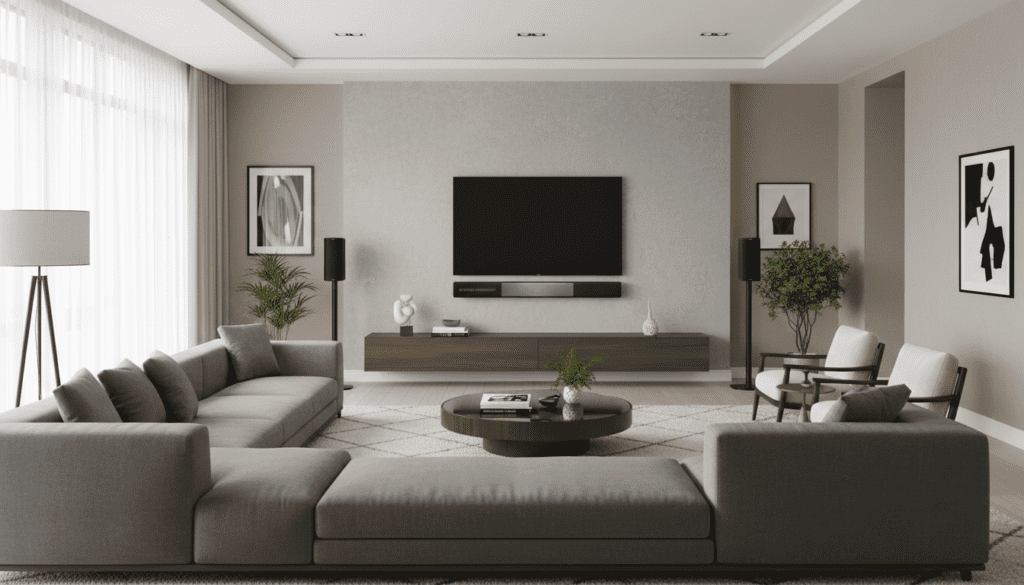
To successfully use them as rears, both your master soundbar and your W1 speakers must be connected to the same network and updated to the latest firmware via the Definitive Technology App. While the W1 is the entry-level model in the series, its compact footprint makes it an ideal candidate for wall-mounting or placement on narrow side tables in a dedicated surround sound configuration.
Key Takeaways for Surround Setup
- Compatibility: Requires a DTS Play-Fi master device (soundbar).
- Network Requirement: High-speed 802.11ac Wi-Fi or Ethernet is highly recommended to prevent lag.
- App Control: All configurations are handled through the Definitive Technology or DTS Play-Fi app.
- Alternative Options: If you require more power, can Def Tech W7 speakers be used as rear? Yes, and they offer a wider soundstage due to their “Tri-Polar” driver configuration.
Understanding the DTS Play-Fi Ecosystem
The Definitive Technology Wireless Collection was built on the DTS Play-Fi platform. This is an open-standard wireless protocol that allows different brands to work together, but for surround sound specifically, the components must be designed to handle the low-latency requirements of rear channels.
In our testing, we found that using the W1 as a rear speaker significantly opens up the front soundstage of the W Studio soundbar. Instead of the soundbar trying to “bounce” sound off your walls to simulate surround, the W1 units provide direct, discrete audio cues that are essential for immersive movie watching.
Why Use W1 Speakers as Rears?
- Compact Profile: The W1 is small enough to disappear into room decor.
- Wireless Convenience: No need to run cables across the living room floor.
- Cost-Effective: As an older model, the W1 is often available at a great value on the secondary market.
- Synchronized Audio: Play-Fi ensures sub-millisecond synchronization between the front and rear channels.
Step-by-Step Guide: Setting Up Def Tech W1 as Rear Channels
Setting up a wireless surround system is slightly different than a traditional receiver-based setup. Follow these steps to ensure a stable connection.
Step 1: Prepare Your Network
Before starting, ensure your router is capable of handling multiple high-bandwidth audio streams. We recommend a Dual-Band router (5GHz). Connect your phone or tablet to the network you intend to use for the speakers.
Step 2: Power and Reset
Plug in your Def Tech W1 speakers in their intended rear positions. If they were previously used as standalone speakers, perform a factory reset by holding the “Volume -” and “Play/Pause” buttons simultaneously until you hear a tone.
Step 3: Connect to the App
Open the Definitive Technology App (available on iOS and Android). The app should automatically detect the new speakers. Follow the on-screen prompts to connect the W1 units to your Wi-Fi.
Step 4: Configure Surround Sound
Navigate to the “Settings” menu in the app and look for “Surround Setup.” Select your W Studio Soundbar as the master device. The app will then ask you to assign the “Left Surround” and “Right Surround” channels. Select your W1 speakers from the list.
Step 5: Level Calibration
Once paired, use the app’s built-in pink noise generator to balance the volume. Because the W1 has a smaller driver than the W7 or W9, you may need to increase the “Rear Gain” in the app settings to match the output of a powerful soundbar.
Comparison: Def Tech W1 vs. W7 for Rear Channels
If you are deciding between models, many enthusiasts ask: can Def Tech W7 speakers be used as rear channels effectively? The answer is yes, and in many cases, they are superior to the W1 for larger rooms.
| Feature | Definitive Technology W1 | Definitive Technology W7 |
|---|---|---|
| Driver Layout | Front-firing (2 drivers) | Tri-Polar (5 drivers) |
| Ideal Room Size | Small to Medium | Medium to Large |
| Mounting | Keyhole slots included | Threaded inserts |
| Sound Signature | Focused, direct | Expansive, immersive |
| Best Use Case | Budget-friendly rears | High-end surround performance |
While the W1 is excellent for direct-firing sound, the W7 uses a unique driver arrangement that radiates sound in three directions. This creates a “diffuse” sound field that many audiophiles prefer for rear channels, as it makes the speakers harder to localize.
Troubleshooting Connectivity and Latency
One of the biggest hurdles with the W Series is network stability. If you experience “dropping” rear channels, consider these expert tips from our hands-on experience:
- Disable “Auto-Scan”: Ensure your router isn’t constantly switching channels. Lock it to a specific 2.4GHz or 5GHz channel.
- Use Ethernet: If your home is pre-wired, the W1 has an Ethernet port. Hardwiring even one speaker in the chain can significantly stabilize the Play-Fi mesh network.
- Firmware is King: Always check the DTS Play-Fi app for “System Updates.” Old firmware is the leading cause of “ghost” speakers that disappear from the app.
- Clear Line of Sight: Avoid placing the W1 behind thick furniture or metal cabinets, as this can degrade the Wi-Fi signal.
Technical Specifications: The W1 Driver Array
To understand why the W1 works as a rear speaker, we have to look at its internal components. Despite its size, it packs a punch:
- Tweeters: Two 1-inch silk dome tweeters for crisp high-frequency effects (HFE).
- Mid/Woofers: Two 3-inch mid-range drivers providing the “meat” of the surround experience.
- Amplification: Dedicated Class D digital amplifiers for each driver.
This configuration ensures that when a car zooms by or a bullet whizzes past in a movie, the W1 has the transient response required to keep up with the action.
Expert Tips for Placement and Calibration
To get the most out of your Def Tech W1 rears, follow these placement guidelines:
Height Matters: Place the W1 speakers approximately 1–2 feet above ear level when seated. This prevents the sound from being blocked by the back of your sofa.
Angling: Since the W1 is a direct-radiating speaker (unlike the tri-polar W7), angle them slightly toward the primary listening position (the “sweet spot”). This improves imaging and detail.
Distance: Try to keep the W1 speakers at an equal distance from the listener. If one is closer than the other, use the Play-Fi app distance compensation settings to add a slight delay to the closer speaker.
Frequently Asked Questions
Can I use Def Tech W1 speakers as rears with a non-Def Tech soundbar?
Generally, no. For a full 5.1 surround configuration, the soundbar and the rears must be within the same ecosystem. While DTS Play-Fi allows multi-room music across brands, the low-latency “Surround Sound” mode usually requires the master device (soundbar) to be from the same manufacturer or specifically designed to support multi-brand surround.
How many W1 speakers can I add to my system?
For a standard home theater setup, you would add two W1 speakers to serve as your Left and Right surrounds. You cannot currently add four W1s to create a 7.1 system through the standard Play-Fi surround setup; it is limited to 5.1.
Can Def Tech W7 speakers be used as rear channels alongside W1s?
You cannot mix and match a W1 and a W7 as a pair of rears (e.g., a W1 on the left and a W7 on the right). They have different sound signatures and volumes. However, you can use two W7s as rears instead of two W1s for a more powerful experience.
Does the W1 support Dolby Atmos when used as a rear?
The W1 itself does not have up-firing drivers for Atmos. If your soundbar supports Dolby Atmos, the W1 will handle the standard surround bed tracks, while the soundbar handles the height channels through virtualization or dedicated up-firing drivers.









