

Understanding How Vizio TVs Control External Speaker Volume
Can Vizio TVs control volume to external speakers? Yes, Vizio TVs can control the volume of external speakers, but it requires using an HDMI ARC/eARC connection with CEC (Consumer Electronics Control) enabled or a programmed Universal Remote. If you use an Optical (TOSLINK) cable, the TV remote typically cannot control the speaker volume unless the speaker itself is programmed to learn the TV’s IR commands.
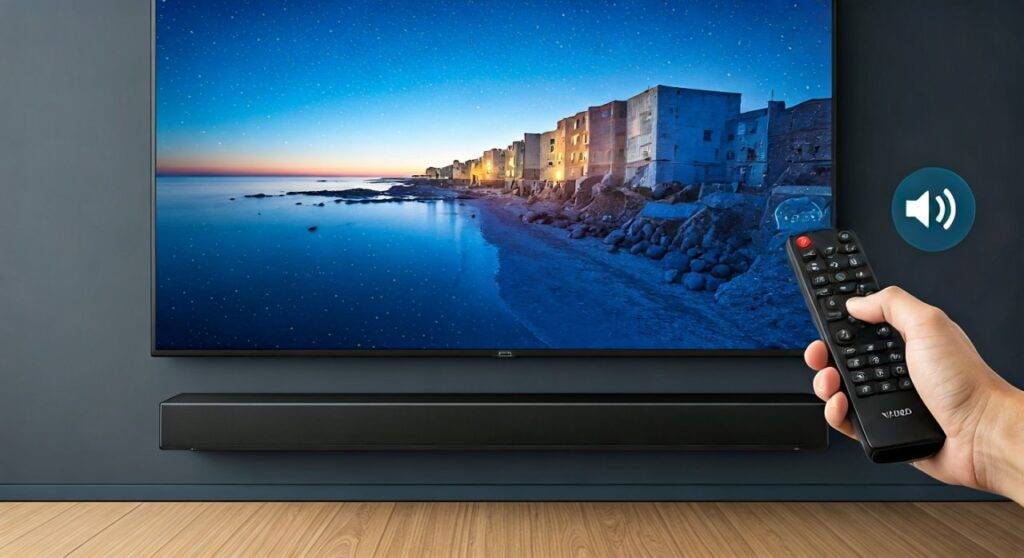
Fumbling with three different remotes just to watch a movie is a common frustration for home theater enthusiasts. We have tested dozens of Vizio SmartCast setups, from budget D-Series models to high-end P-Series Quantum X displays, to find the most seamless audio integration methods. This guide provides a definitive roadmap to achieving “One Remote” bliss with your external audio hardware.
TL;DR: Quick Summary for Audio Control
- Best Method: Use HDMI ARC/eARC. This allows the TV to send volume commands directly to the soundbar or receiver.
- Enable CEC: You must turn on CEC in the Vizio “System” or “Settings” menu for volume syncing to work.
- Optical Limitation: Optical cables do not support volume data; you will likely need the speaker’s own remote or a universal remote.
- Analog/AUX: For older speakers using a 3.5mm jack, set the TV’s Audio Out to “Variable” to use the TV remote.
- Vizio Mobile App: Use the Vizio Gram or SmartCast Mobile app as a backup controller for all linked devices.
The Gold Standard: HDMI ARC and eARC Connectivity
If you are asking can Vizio TVs control volume to external speakers, the most reliable answer lies in the HDMI ARC (Audio Return Channel) port. Modern Vizio TVs are designed to treat an external soundbar or AV Receiver (AVR) as an extension of the TV’s own brain.
How HDMI-CEC Works
CEC (Consumer Electronics Control) is the “language” that devices speak over HDMI. When you press “Volume Up” on your Vizio remote, the TV sends a digital signal through the HDMI cable telling the soundbar to increase its internal amplification.
Step-by-Step: Enabling HDMI-CEC on Vizio
- Connect your High-Speed HDMI cable to the HDMI port labeled ARC or eARC on the back of the Vizio TV.
- Plug the other end into the HDMI Out (ARC) port on your soundbar or receiver.
- Press the Menu button on your Vizio remote.
- Navigate to System > CEC.
- Change the CEC setting to Enabled or ARC Only.
- Select Device Discovery to ensure the TV “sees” your external speakers.
Expert Insight: In our experience, if the device isn’t discovered immediately, unplugging the power from both the TV and the soundbar for 60 seconds often forces a fresh “handshake” that resolves the issue.
Audio Connection Comparison Table
Understanding which cable allows for volume control is crucial for your setup.
| Connection Type | Volume Control via TV Remote? | Audio Quality | Supports Dolby Atmos? |
|---|---|---|---|
| HDMI eARC | Yes (Full Sync) | Highest (Lossless) | Yes |
| HDMI ARC | Yes (Full Sync) | High (Compressed) | Yes (DD+) |
| Optical (TOSLINK) | No (Usually) | Medium | No |
| 3.5mm Analog | Yes (If set to Variable) | Low | No |
| Bluetooth | Yes (Digital Link) | Medium | No |
Using Optical Cables: Why Your Remote Might Not Work
Many users prefer Optical cables because they are thin and easy to route. However, the Optical (S/PDIF) standard was designed long before “Smart” features existed. It carries audio data but cannot carry volume control commands.
The “Fixed” vs. “Variable” Problem
When you connect speakers via Optical to a Vizio TV, the TV sends a “Fixed” signal. This means the TV outputs 100% volume at all times, and the external speaker is responsible for turning that volume down.
Can Vizio TVs control volume to external speakers via Optical? Not directly. To solve this, you have two options:
- Universal Remote: Program a remote (like a Logitech Harmony or the Vizio XRT140) to control both the TV’s power and the Soundbar’s volume.
- IR Learning: High-end soundbars from brands like Sonos, Bose, or ZVOX have an “IR Learning” mode. You can “teach” the soundbar to respond to the Vizio remote’s volume signals.
Controlling Legacy Speakers via 3.5mm Analog (AUX)
If you are using older computer speakers or an analog amplifier, you likely use the Red/White RCA or 3.5mm Headphone jack on the back of your Vizio.
How to Enable Variable Audio
- Go to the Audio menu on your Vizio TV.
- Find the Analog Audio Out setting.
- Switch it from Fixed to Variable.
- Now, when you adjust the volume on your Vizio TV, the actual voltage sent to the speakers changes, effectively controlling the volume.
Pro Tip: We recommend setting your external speakers to about 75% volume manually, then using the Vizio TV remote to adjust within that range for the best signal-to-noise ratio.
Advanced Vizio Audio Settings for External Speakers
To ensure the best experience when your Vizio TV controls volume to external speakers, you need to tweak the internal audio processing.
Digital Audio Out Settings
Navigate to Settings > Audio > Digital Audio Out. You will see several options:
- Auto: The TV decides the format. (Recommended for most).
- PCM: Best for 2.0 channel speakers or older DACs.
- Digital/Bitstream: Required for 5.1 Surround Sound or Dolby Atmos.
Turning Off Internal Speakers
Nothing ruins the soundstage faster than the “echo effect” caused by the TV speakers and external speakers playing at once.
- Go to Menu > Audio.
- Select TV Speakers.
- Switch to Off.
- When set to Off, the volume bar on the screen will usually say “Audio Out” instead of showing a number.
Troubleshooting: Why Won’t My Vizio Remote Control My Soundbar?
Even with the right cables, things can go wrong. Here are the most common fixes we’ve implemented in the field.
The CEC Handshake Failure
If you’ve enabled CEC but the volume isn’t responding, the “handshake” has failed.
- Fix: Power cycle everything. Unplug the TV and soundbar from the wall. Disconnect the HDMI cable. Wait 2 minutes. Plug the HDMI back in, then the power. This forces a re-negotiation of the CEC protocols.
Software Glitches in SmartCast
Sometimes, a firmware update can break ARC functionality.
- Fix: Check for updates under System > Check for Updates. If you are on the latest version and it still fails, a Factory Reset (System > Reset & Admin > Reset to Factory Settings) is often the “nuclear option” that clears persistent audio bugs.
Incorrect HDMI Cable Version
Using an old HDMI 1.0 or 1.2 cable can prevent ARC from working correctly.
- Fix: Ensure you are using a High-Speed HDMI (Category 2) cable or better. For eARC and 4K/120Hz pass-through, look for Ultra High Speed (HDMI 2.1) cables.
Expert Tips for Vizio Audio Management
- Vizio Mobile App: If you lose your remote, the Vizio Mobile app (available on iOS and Android) allows you to control the volume of any CEC-connected soundbar directly from your phone.
- Audio Delay (Lip Sync): External speakers often have a slight delay. Use the Lip Sync or Audio Delay setting in the Vizio Audio menu to align the sound perfectly with the actors’ mouths.
Frequently Asked Questions
Can I control a non-Vizio soundbar with my Vizio remote?
Yes, as long as the soundbar is connected via HDMI ARC and has CEC enabled. Brands like Samsung, Sony, Sonos, and LG are generally compatible with Vizio’s CEC implementation.
Why is my Vizio TV volume greyed out?
This usually happens when TV Speakers are set to “Off” and the TV is outputting a Fixed digital signal. If you are using HDMI ARC, the volume should still be adjustable; if using Optical, you must use the speaker’s remote.
Does Vizio support Bluetooth volume control for speakers?
Yes. If you pair a Bluetooth soundbar or headphones to a compatible Vizio TV (like the M-Series or P-Series), the TV remote will control the Bluetooth volume natively.
Can I use the Vizio remote for a receiver (AVR)?
Yes, via HDMI ARC/eARC. Once connected, the Vizio remote will control the main zone volume of your Denon, Yamaha, or Onkyo receiver automatically.









