Can You Connect Wireless Speakers to an Old Receiver? Yes, Here’s How
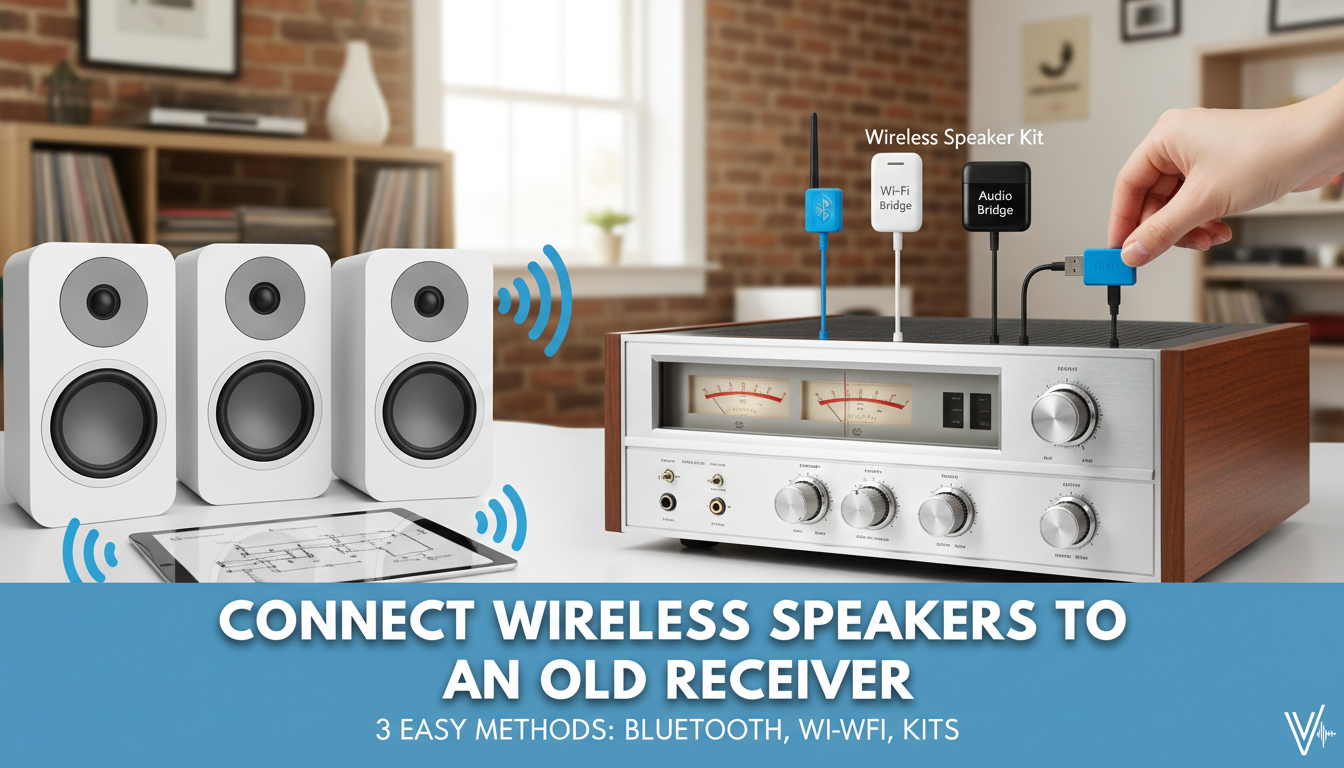
That beautiful, vintage stereo receiver you love has incredible warmth and power, but it’s tethered to a world of messy speaker wires. You’re wondering, can you connect wireless speakers to an old receiver and blend classic analog sound with modern convenience? The answer is a resounding yes. By using a simple external device, you can easily send audio from your classic amplifier to almost any wireless speaker, giving your cherished gear a new lease on life in a clutter-free setup.
Key Takeaways
- It’s Possible & Easy: You can connect wireless speakers to an old stereo receiver using one of three main methods.
- Bluetooth is Simplest: A Bluetooth transmitter is the cheapest and most common way to add wireless capability.
- Wi-Fi Offers Quality: A Wi-Fi audio streamer provides higher-fidelity, lossless audio and multi-room potential.
- Dedicated Kits are Reliable: A wireless speaker kit offers a dedicated, low-latency connection perfect for serious listening.
- Check Your Outputs: Your receiver must have an available audio output, like RCA (Tape Out), Pre-Out, or a headphone jack.
First, Check Your Old Receiver’s Connections
Before you buy anything, you need to identify the correct audio output on the back of your old receiver. This is where you’ll plug in your new wireless transmitter. From my experience setting up dozens of these systems, these are the most common options you’ll find.
RCA Outputs (The Best Option)
Look for a pair of red and white RCA jacks labeled TAPE OUT, REC OUT, LINE OUT, or PRE-OUT. These ports send a constant, line-level audio signal that is perfect for wireless transmitters.
- TAPE OUT / REC OUT: This is the most common and ideal connection. The volume is fixed, meaning you will control the loudness directly on your wireless speakers.
- PRE-OUT: This output is volume-controlled by the receiver’s main volume knob. It’s also a great option, giving you the choice to control volume from either the receiver or the speakers.
Headphone Jack (A Universal Workaround)
Nearly every receiver ever made has a headphone jack on the front, typically a larger 1/4-inch port. This is a perfectly viable output for a wireless transmitter. You will likely need a simple 1/4-inch to 3.5mm adapter to connect the transmitter’s standard cable.
When using the headphone jack, the receiver’s volume knob will control the signal strength sent to the transmitter. I recommend setting the receiver’s volume to about 50-75% and then making fine-tuned adjustments on the speaker itself.
Method 1: How to Connect Wireless Speakers Using a Bluetooth Transmitter
This is the most popular, affordable, and straightforward method. A Bluetooth transmitter is a small device that plugs into your receiver’s audio output and broadcasts the signal via Bluetooth to your speakers.
I’ve personally used the Avantree Oasis Plus and 1Mii B03 in various setups, and they perform reliably. They offer great range and support for codecs like aptX Low Latency, which is crucial for preventing audio lag if you’re watching video.
Step-by-Step Guide:
- Power the Transmitter: Connect the Bluetooth transmitter to a power source using its included USB cable. A spare phone charger or a USB port on a nearby device works perfectly.
- Connect to Receiver: Plug the transmitter’s audio cable (usually a 3.5mm or RCA cable) into an available output on your receiver (e.g., the TAPE OUT jacks).
- Enter Pairing Mode: Turn on the transmitter and put it into pairing mode. A blinking light, usually blue or red, will indicate it’s searching for a device.
- Pair Your Speaker: Put your Bluetooth speaker into pairing mode as well. Place it near the transmitter.
- Confirm Connection: The devices should find each other and connect within about 30 seconds. The blinking light on the transmitter will turn solid, indicating a successful connection.
- Play Your Music: Select the correct input on your receiver (e.g., Phono, FM, AUX) and play your music. The sound should now come through your wireless speaker.
Method 2: How to Use Wireless Speakers with a Wi-Fi Streamer
For those who prioritize audio quality, using a Wi-Fi audio streamer is the superior choice. These devices connect to your receiver and stream audio over your home Wi-Fi network, allowing for lossless, high-resolution sound that surpasses Bluetooth’s capabilities.
Popular models like the WiiM Mini or the more premium Sonos Port are excellent for this. Wi-Fi streaming also enables powerful multi-room audio, allowing you to sync music across multiple speakers throughout your home.
Step-by-Step Guide:
- Connect the Streamer: Connect the Wi-Fi streamer to an audio output on your receiver using the appropriate RCA or optical cable.
- Power and Network: Power on the streamer and connect it to your home Wi-Fi network using its companion app on your smartphone.
- Configure the Source: In the app, you’ll typically configure the streamer to receive audio from its “Line-In” source (the connection from your receiver).
- Group Speakers: Use the app to group the streamer (which represents your receiver) with the desired Wi-Fi-enabled wireless speakers on your network.
- Start Streaming: Play a source on your old receiver. The audio will be digitized by the streamer and sent over your network in perfect sync to the selected wireless speakers.
Method 3: Using a Dedicated Wireless Speaker Kit
A dedicated wireless speaker kit, like the SVS SoundPath Wireless Audio Adapter or the OSD Wireless Audio Transmitter/Receiver Kit, is another excellent option. These kits come with two boxes: a transmitter that connects to your receiver and a receiver that connects to powered speakers.
This method is less common for connecting to all-in-one wireless speakers but is the absolute best way to make existing powered speakers (speakers with their own amplifier) work wirelessly with your old receiver. They operate on their own frequency, resulting in an extremely stable, low-latency connection.
Step-by-Step Guide:
- Connect the Transmitter: Plug the transmitter unit into an output on your old stereo receiver.
- Connect the Receiver Unit: If your wireless speakers have an AUX input, connect the receiver unit to that. This works great for high-end powered bookshelf speakers.
- Power Both Units: Ensure both the transmitter and receiver units are plugged into a power outlet.
- Pair and Play: The units typically auto-pair once powered on. Play music from your receiver, and it will be sent directly to the speakers via the dedicated wireless link.
Comparison: Bluetooth vs. Wi-Fi vs. Dedicated Kits
To help you decide how to connect wireless speakers to your old stereo receiver, I’ve put together this table summarizing the key differences.
| Feature | Bluetooth Transmitter | Wi-Fi Streamer | Dedicated Wireless Kit |
|---|---|---|---|
| Audio Quality | Good (Compressed) | Excellent (Lossless, High-Res capable) | Very Good (Often uncompressed, low latency) |
| Ease of Use | Very Easy | Moderate (App-based setup) | Easy (Plug-and-play) |
| Cost | Low ($20 – $60) | Moderate to High ($80 – $450) | Moderate ($100 – $200) |
| Range | ~30-100 feet | Limited by your Wi-Fi network coverage | ~60-120 feet |
| Best For | Casual listening, simplicity, and budget setups. | Audiophiles, multi-room audio, and Hi-Fi. | Home theater surrounds, powered speakers. |
Frequently Asked Questions (FAQ)
Can I use any wireless speaker with an old receiver?
Yes, for the most part. If you use a Bluetooth transmitter (Method 1), you can connect to virtually any standard Bluetooth speaker. If you use a Wi-Fi streamer (Method 2), you must use speakers that are compatible with that streamer’s ecosystem (e.g., Sonos speakers with a Sonos Port, or AirPlay speakers with a WiiM streamer).
Will I lose audio quality when connecting wireless speakers?
It depends on the method. Bluetooth involves audio compression, so there may be a slight, often unnoticeable, reduction in fidelity compared to a wired connection. Using a Wi-Fi streamer or a good dedicated wireless kit can provide a lossless signal, preserving the full audio quality of your source.
How do I power the wireless transmitter or adapter?
Most transmitters and adapters are powered via a standard USB cable. You can plug this into a USB wall adapter (like a phone charger), a power strip with USB ports, or sometimes a powered USB port on a nearby TV or other component.
Can I make my existing wired speakers wireless?
Yes, but it requires a different device. To do this, you would connect a wireless amplifier or a wireless receiver unit (like the one in a dedicated kit) to your existing passive speakers. The transmitter would still connect to your old receiver’s output, sending the signal to the wireless amp that then powers your old speakers.