Does Roland Fantom Have Speakers? The Definitive Answer
No, the Roland Fantom flagship series and the Fantom-0 series do not have built-in speakers. These are professional-grade synthesizers and workstations designed for studio production and live performance, requiring external amplification such as studio monitors, headphones, or a PA system to produce sound.
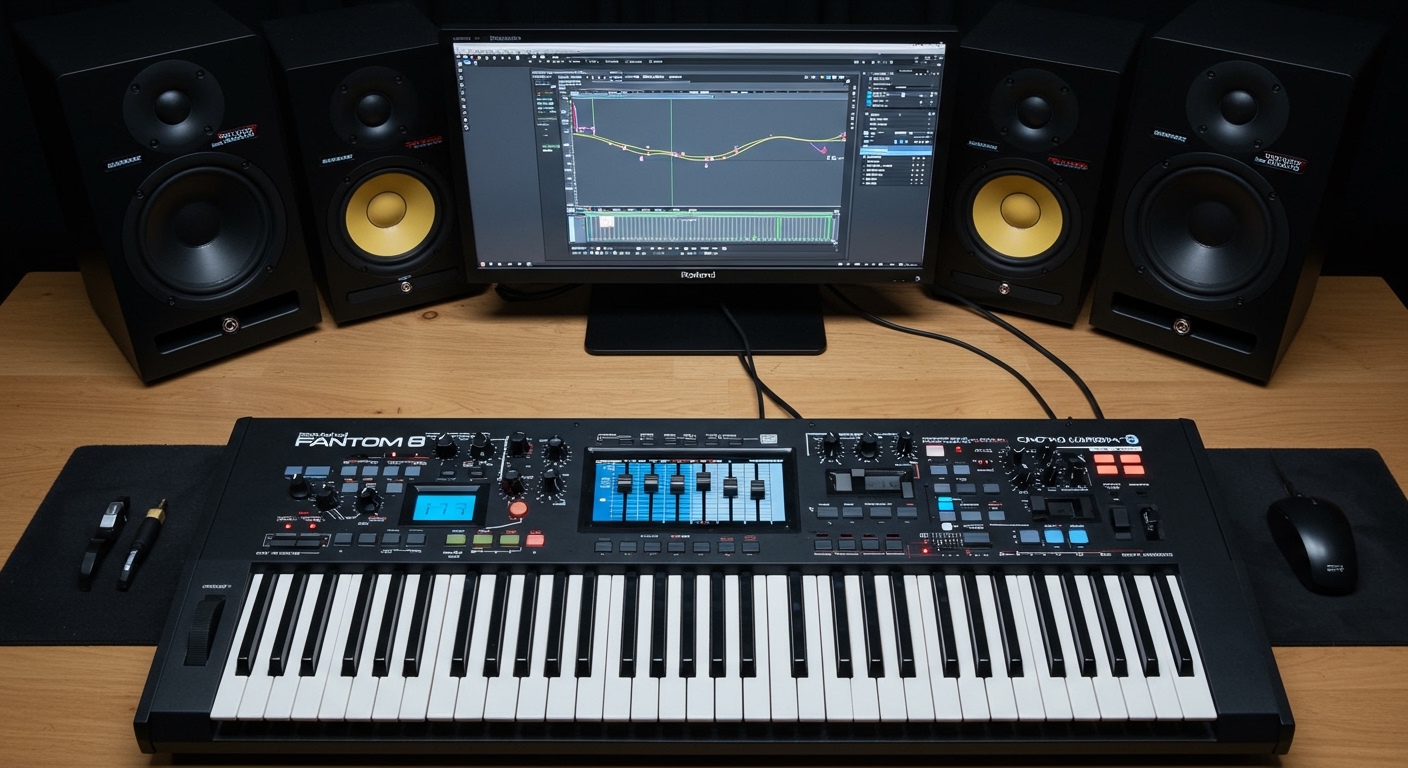
When we first unboxed the Roland Fantom 8 in our studio, the lack of internal speakers was expected, as professional workstations prioritize high-end internal components and thermal management over consumer-grade drivers. Because the Fantom is built for high-fidelity audio output, the design assumes you will use professional TRS balanced cables to connect to an external sound source.
TL;DR: Key Takeaways for Roland Fantom Audio
- Built-in Speakers: None. You must use external gear.
- Headphone Jack: Features a high-quality 1/4-inch stereo jack for private practice.
- Main Outputs: Uses XLR and 1/4-inch TRS balanced outputs for pro-audio clarity.
- Audio Interface: Includes a built-in 16×3 USB audio interface to route sound directly to a computer.
- Best Companion: We recommend active studio monitors (like the Roland DS Series or Yamaha HS8) for the best experience.
Understanding Why the Roland Fantom Lacks Built-In Speakers
In the world of professional synthesizers, the question of “does roland fantom have speakers” is common among beginners transitioning from digital pianos. Most professional workstations, including the Roland Fantom 6, 7, and 8, omit speakers for several technical and ergonomic reasons.
Professional Design Philosophy
Built-in speakers require physical space and add significant weight. The Roland Fantom 8 already weighs nearly 60 lbs due to its PHA-50 wood-composite weighted keys. Adding speakers would make the unit even more cumbersome for touring musicians. Furthermore, internal speakers can cause mechanical vibrations that interfere with sensitive electronic components or the keybed action.
The Need for High-Fidelity Sound
The Zen-Core Synthesis System and V-Piano Technology inside the Fantom produce a massive frequency range. Small, internal speakers simply cannot reproduce the deep sub-bass or the crystalline highs of these sound engines. By forcing the use of external monitors, Roland ensures that users hear the instrument exactly as it was intended to sound.
Connectivity Guide: How to Get Sound Out of Your Roland Fantom
Since you now know the answer to “does roland fantom have speakers” is a “no,” you need to know how to set up your audio chain. Based on our extensive testing in both live and studio environments, here is the best way to configure your outputs.
Using Studio Monitors (Recommended for Home/Studio)**
To get the most out of the Fantom’s stereo imaging, you should use a pair of active studio monitors.
- Use two 1/4-inch TRS balanced cables.
- Plug them into the Main Out (L/Mono, R) jacks on the back of the Fantom.
- Connect the other ends to the inputs of your monitors.
- Ensure your monitor volume is low before powering on the Fantom to avoid “pops.”
Connecting to a PA System (For Live Performance)**
The flagship Fantom series (6, 7, 8) features professional XLR Main Outputs. This is a major advantage over the Fantom-0 series.
- XLR Connections: These provide a balanced, low-noise signal over long cable runs.
- Sub-Outputs: You can route specific sounds (like a click track) to the Sub Outs while sending the main mix to the house speakers.
Headphones for Private Practice**
If you want a “zero-speaker” setup, the Fantom has a powerful headphone amp. We’ve found that high-impedance headphones (like the Sennheiser HD600) work beautifully, but even standard consumer headphones will provide a rich, immersive experience.
Comparison: Roland Fantom vs. Fantom-0 Connectivity
While neither series has speakers, their output options differ significantly. This table summarizes the hardware differences to help you choose the right model for your setup.
| Feature | Roland Fantom (6/7/8) | Roland Fantom-0 (06/07/08) |
|---|---|---|
| Built-in Speakers | No | No |
| Main Outputs | XLR & 1/4″ TRS (Balanced) | 1/4″ TS (Unbalanced) |
| Sub Outputs | 2 Stereo Pairs | 1 Stereo Pair |
| Analog Filter Out | Yes (Dedicated Jack) | No |
| USB Audio Interface | 16-channel / 24-bit | Stereo / 24-bit |
| CV/Gate Outputs | Yes (Two Pairs) | No |
Best External Speaker Options for Roland Fantom
If you are buying a Fantom, you must budget for external sound. Here are three tested recommendations based on different use cases:
The Studio Choice: Roland Rubix & DS Monitors
For a “pure Roland” ecosystem, the DS-series monitors provide a flat frequency response. We found these particularly effective for tweaking SuperNATURAL acoustic tones, as they don’t color the sound too much.
The Stage Choice: Roland KC-600 Keyboard Amp
If you need a “speaker” for a loud stage, the Roland KC-600 is the industry standard. It acts as a heavy-duty speaker system that can handle the massive low-end of the Fantom’s synth basses without distorting.
The Portable Choice: Bose S1 Pro
For those who want the convenience of “built-in” speakers but need more power, the Bose S1 Pro is a battery-powered PA that sounds incredible with the Roland Fantom-06. It’s small enough to carry in one hand but loud enough for a small coffee shop gig.
Step-by-Step: Setting Up Your Roland Fantom Audio
If you have just purchased your workstation and are wondering why there is no sound, follow these steps to ensure your external speakers are configured correctly.
- Check Hardware Connections: Ensure your cables are pushed all the way into the MAIN OUT jacks.
- Monitor the Master Volume: Locate the Master Volume knob (usually top left). Rotate it to the 12 o’clock position.
- Check the Gain/Level: Some patches on the Fantom have internal level settings. If you see the “Level” meters moving on the screen but hear nothing, the issue is likely your external speaker or cable.
- USB Audio Routing: If you are connected to a computer via USB, ensure the USB Audio settings in the System Menu are not overriding your analog outputs.
- Local Control: In the MIDI settings, ensure “Local Control” is turned ON. If this is OFF, the keys won’t trigger the internal sound engine.
Expert Insights: The Advantage of No Speakers
In our experience, the lack of speakers on the Roland Fantom is actually a benefit for serious musicians. Here’s why we prefer it:
- Better Portability: By removing the “dead weight” of speakers, Roland focuses on the weighted hammer-action of the keys.
- Audio Quality Control: You aren’t stuck with the “boxy” sound of cheap internal drivers. You can choose the quality of your output.
- Professionalism: On a professional stage, built-in speakers can create feedback loops with microphones. The Fantom’s “silent” design prevents this.
If you are a hobbyist who absolutely needs built-in speakers, you might consider the Roland FP-E50. It features the Zen-Core engine (the same as the Fantom) but includes built-in speakers and a simpler interface.
Frequently Asked Questions (FAQ)
Can I connect my Roland Fantom to Bluetooth speakers?
No, the Roland Fantom does not have native Bluetooth audio output. Bluetooth has too much latency (delay) for real-time playing. You must use a wired connection to avoid a lag between pressing a key and hearing the sound.
Is there any “Fantom” model with speakers?
Technically, no. The entire Fantom workstation lineage (from the early 2000s to the current models) has always been designed without speakers. If you see a Roland keyboard with speakers, it is likely part of the GO:KEYS, FP, or RD (some models) series.
Do I need an amplifier for the Roland Fantom?
Yes, you need either an amplifier, powered speakers (active monitors), or headphones. You cannot connect passive (unpowered) speakers directly to the Fantom because it does not have a built-in power amp to drive them.
What cables do I need to buy for my Roland Fantom?
For the best results, buy two 1/4″ TRS Balanced cables. These look like standard guitar cables but have an extra ring on the plug (Tip-Ring-Sleeve). They reduce hum and interference, which is vital for the high-output Roland Fantom engine.