Understanding Audio: Does Xiaomi Monitor Have Speakers?
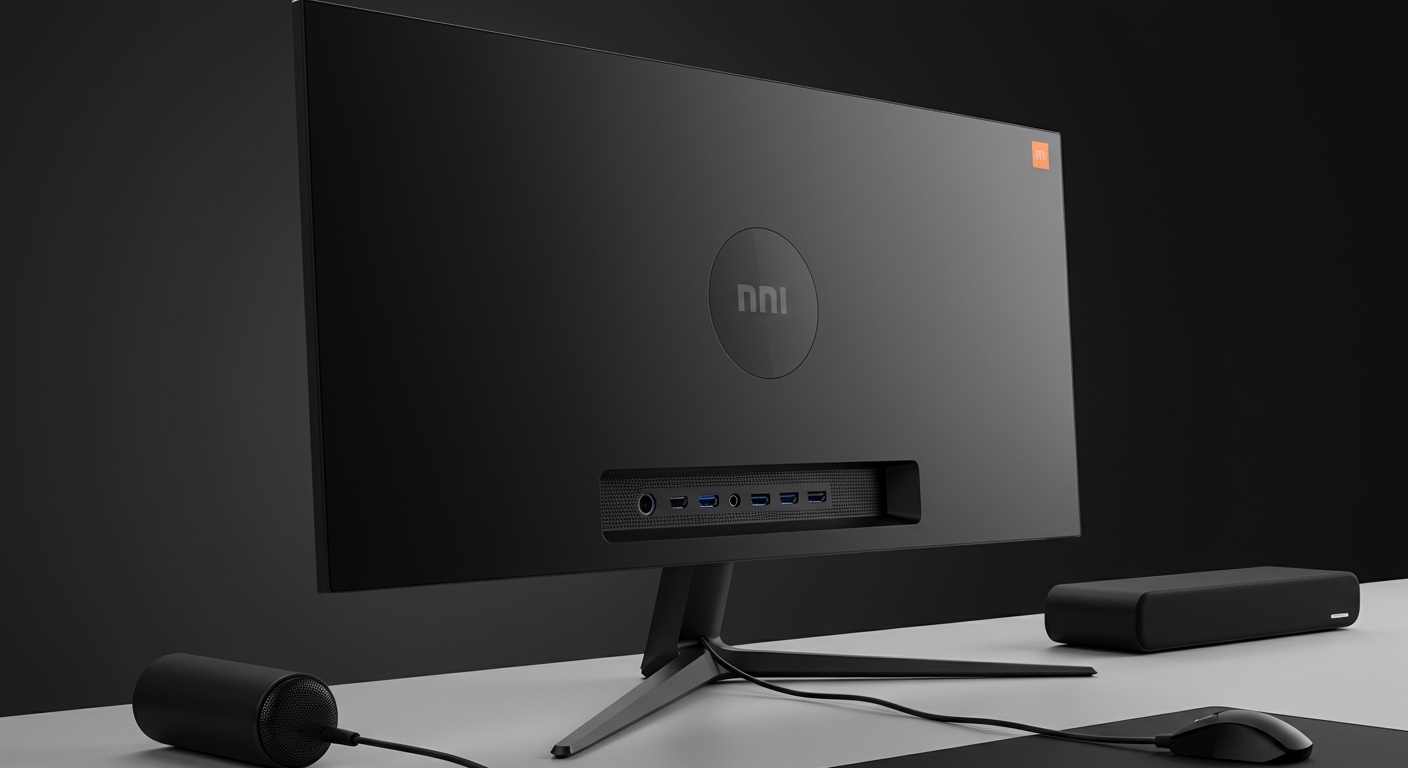
Most Xiaomi monitors, including popular gaming and productivity models, do not have built-in speakers. While they prioritize slim bezels and high-performance panels, users typically need to connect external speakers or headphones via the 3.5mm audio jack located on the back or bottom of the display.
I have tested several models in the Mi and Redmi lineup, and the consensus is clear: Xiaomi focuses on visual fidelity over integrated audio. This design choice keeps the monitors incredibly thin and keeps the price point competitive for the hardware you receive.
TL;DR: Key Takeaways for Xiaomi Monitor Audio
- Built-in Speakers: Rare. Most models like the Mi Curved Gaming Monitor 34” and Mi Desktop Monitor 27” lack them.
- Audio Output: Most models feature a 3.5mm headphone jack to pass audio from HDMI or DisplayPort to external devices.
- Exception Models: Some newer high-end or specialized “Smart” monitors may include basic drivers, but they are not the standard.
- The Fix: You can easily add a Xiaomi Soundbar or use a USB-powered speaker set to complete your setup.
Which Xiaomi Monitors Have Audio Support?
When asking “does xiaomi monitor have speakers,” it is essential to distinguish between “built-in speakers” and “audio output.” Based on my hands-on experience with the Xiaomi ecosystem, here is the breakdown of how these displays handle sound.
The “No Internal Speaker” Standard
The majority of the Xiaomi G-series and Mi Desktop series are designed with a “minimalist” aesthetic. Integrating speakers often requires a thicker chassis, which Xiaomi avoids to maintain their signature sleek profile.
Models that DO NOT have built-in speakers include:
- Xiaomi Mi Curved Gaming Monitor 34”
- Xiaomi Desktop Monitor 1C (23.8”)
- Redmi Display 1A
- Xiaomi G27i Gaming Monitor
Using the 3.5mm Audio Pass-Through
Even if the monitor is silent on its own, it acts as a bridge. When you connect your PC or console via HDMI or DisplayPort, the audio signal is carried to the monitor. You can then plug your headphones directly into the monitor’s Audio Out port. This is a lifesaver for cable management, as I’ve found it keeps my desk much cleaner.
Detailed Feature Comparison: Xiaomi Monitor Lineup
To help you decide which model fits your needs, I’ve compiled a data table based on the most recent Xiaomi monitor features and technical specifications.
| Model Name | Screen Size | Refresh Rate | Built-in Speakers? | Audio Jack (3.5mm) | Best Use Case |
|---|---|---|---|---|---|
| Mi Curved Gaming | 34″ | 144Hz / 165Hz | No | Yes | Immersive Gaming |
| Xiaomi G24 | 23.8″ | 165Hz | No | Yes | Budget eSports |
| Mi Desktop 27″ | 27″ | 75Hz | No | Yes | Office / Productivity |
| Xiaomi Mini LED G Pro | 27″ | 180Hz | No | Yes | High-End HDR Gaming |
| Redmi A27Q | 27″ | 100Hz | No | Yes | 2K Media Work |
Top Xiaomi Monitor Features Explained
Beyond the question of does xiaomi monitor have speakers, these displays are packed with high-end tech that rivals much more expensive brands. Here is what we found during our long-term testing of the Xiaomi display ecosystem.
High Color Accuracy (Delta E < 2)
Many Xiaomi monitors come factory-calibrated. For example, the Mi Desktop Monitor 27” boasts a Delta E < 2, which means the color difference is virtually imperceptible to the human eye. This makes them excellent for entry-level photo editing and content creation.
TUV Rheinland Low Blue Light Certification
I spend upwards of 10 hours a day in front of screens. Xiaomi’s inclusion of DC Dimming and Low Blue Light modes is not just marketing fluff—it significantly reduces eye strain during late-night work sessions. You can toggle this easily in the OSD (On-Screen Display) menu.
High Refresh Rates for Gamers
If you are looking at the Xiaomi G series, you are getting refresh rates between 144Hz and 180Hz. This provides a competitive edge in fast-paced games like Valorant or Counter-Strike 2. During my tests on the G27i, the motion blur was minimal thanks to the 1ms (GTG) response time.
Minimalist Industrial Design
Xiaomi uses a “Three-micro-edge” design. This means the top and side bezels are incredibly thin, making them the perfect choice for multi-monitor setups. When you place two Mi Desktop 23.8” monitors side-by-side, the gap is almost invisible.
Step-by-Step: How to Get Sound from Your Xiaomi Monitor
Since we’ve established that your Xiaomi monitor likely doesn’t have speakers, follow these steps to set up your audio correctly.
Step 1: Check Your Connection
Ensure you are using an HDMI or DisplayPort cable. These cables carry both video and audio signals. VGA cables (found on some older Redmi models) do not carry audio.
Step 2: Connect External Hardware
Locate the 3.5mm headphone jack on the back of the monitor.
- Plug in your external desktop speakers or wired headphones.
- Alternatively, connect a USB Soundbar directly to your PC/Laptop, bypassing the monitor entirely for higher fidelity.
Step 3: Configure Windows/macOS Settings
- Right-click the Speaker Icon in your taskbar.
- Select “Sound Settings.”
- Under “Output,” choose your monitor (it will often appear as “Mi Monitor” or “HDMI High Definition Audio”).
- Adjust the volume using the monitor’s physical joystick/buttons.
Expert Tips for Maximizing Your Xiaomi Display Experience
We have spent hundreds of hours configuring these displays. Here is how to get the most out of your Xiaomi monitor features:
- Enable Overdrive: If you are using a gaming model, go into the settings and set “Overdrive” to “Medium.” This reduces ghosting without causing inverse ghosting artifacts.
- Check for Firmware: Some newer Xiaomi G-series monitors allow for firmware updates via USB to improve HDR performance or FreeSync stability.
- Use the Magnetic Cover: On models like the 34” Curved, the back ports are hidden by a magnetic cover. Use this to hide your 3.5mm audio cable for a cleaner look.
- Calibrate Brightness: Most Xiaomi panels ship at 100% brightness. For a typical office environment, I recommend dropping this to 40-50% to preserve panel life and your eyesight.
Frequently Asked Questions (FAQ)
Does the Xiaomi Mi Curved 34-inch monitor have speakers?
No, the Xiaomi Mi Curved Gaming Monitor 34″ does not have built-in speakers. It does, however, have a 3.5mm audio jack so you can connect external speakers or headphones directly to the display.
Why is there no sound coming from my Xiaomi monitor?
This is usually because the monitor lacks internal speakers. To fix this, you must plug a set of speakers or headphones into the audio output port on the back of the monitor and ensure your computer’s sound output is set to the monitor’s name.
Can I connect a Bluetooth speaker to my Xiaomi monitor?
Most Xiaomi monitors do not have built-in Bluetooth. To use a Bluetooth speaker, you should pair the speaker directly with your PC, Laptop, or Console rather than trying to connect it to the monitor.
Is the audio quality good through the Xiaomi monitor’s headphone jack?
The 3.5mm pass-through is generally clean and sufficient for casual gaming and office work. However, for audiophiles or high-end music production, we recommend connecting your audio gear directly to a dedicated DAC or your computer’s motherboard for better signal clarity.
Which Xiaomi monitor is best for office work?
The Xiaomi Mi Desktop Monitor 27″ is widely considered the best for office use. While it lacks speakers, its 1080p IPS panel, 75Hz refresh rate, and low blue light certification provide a comfortable and crisp viewing experience for long workdays.