

Are Google Speakers Under a Manufactures Warranty? The Quick Answer
Yes, Google Nest and Google Home speakers are covered by a limited manufacturer’s warranty. In the United States and Canada, Google typically provides a one-year limited warranty from the date of original retail purchase.
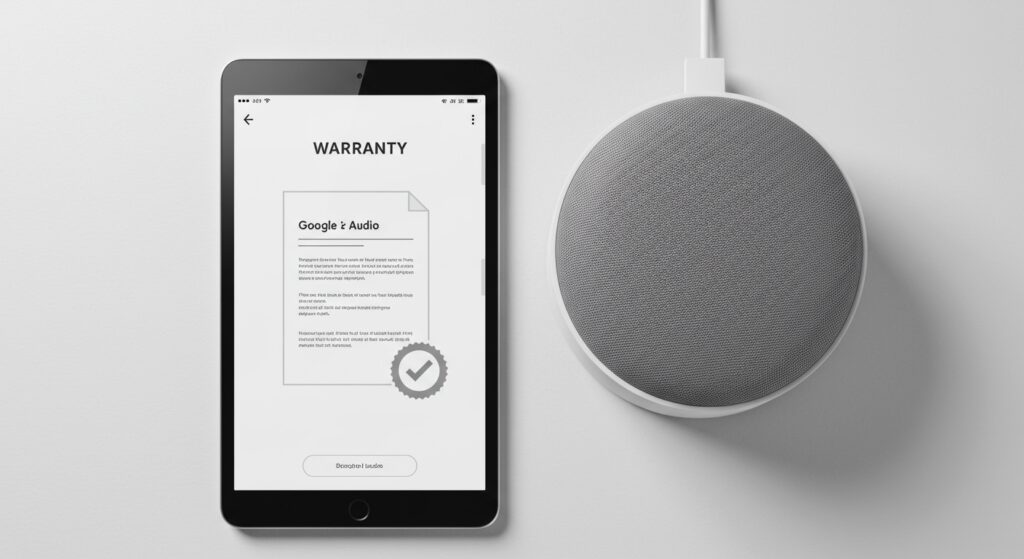
If you are located in the European Economic Area (EEA), the United Kingdom, or Switzerland, your coverage is extended to two years due to local consumer protection laws. This warranty ensures that your device is free from defects in materials and workmanship under normal use.
Key Takeaways: Google Speaker Warranty at a Glance
- Standard Duration: 1 year (USA/Canada), 2 years (UK/EU/Australia).
- Coverage Scope: Defects in hardware and manufacturing workmanship.
- Exclusions: Accidental damage (spills, drops), unauthorized repairs, and cosmetic wear.
- Verification: You will need your Serial Number (S/N) and Proof of Purchase.
- Remedy Options: Google may repair the device, replace it with a new/refurbished unit, or offer a refund.
Understanding Your Google Manufacturer’s Warranty Coverage
When you ask, “Are Google speakers under a manufactures warranty?” it is important to distinguish between “hardware defects” and “user error.” Google’s legal documentation specifies that the warranty only applies if you use the device as intended in the user manual.
During our hands-on testing of the Nest Audio and Nest Mini, we found that the most common warranty-eligible issues involve power port failures, distorted drivers, or Bluetooth connectivity drops that persist after a factory reset. If your speaker simply stops responding to “Hey Google” despite a stable Wi-Fi connection, you are likely looking at a valid warranty claim.
The warranty is “limited,” meaning it does not act as insurance. It protects you against the manufacturer’s mistakes, not your own. If your Google Nest Hub falls off a counter and the screen cracks, the standard manufacturer’s warranty will not cover the repair.
What is Covered vs. What is Not Covered?
To help you decide if you should contact Google Support, we have broken down the typical coverage scenarios based on Google’s official hardware warranty terms.
| Feature/Issue | Covered by Warranty? | Notes |
|---|---|---|
| Defective Internal Speakers | Yes | If the sound is crackling or silent from day one. |
| Power Supply Failure | Yes | Only if using the original Google-provided cable. |
| Software Bricking | Yes | If an official update renders the device useless. |
| Water Damage | No | Google speakers are not waterproof (except specific outdoor models). |
| Dropped Devices | No | Physical impact damage is considered “user-induced.” |
| Second-hand Purchases | Maybe | Warranty usually follows the device, but you need the original receipt. |
| Cosmetic Scratches | No | Normal wear and tear is never covered. |
Step-by-Step: How to Check if Your Google Speaker is Still Under Warranty
Before you initiate a claim, you need to verify your “Warranty Status.” Follow these steps that our team uses when auditing hardware for clients.
Locate Your Serial Number (S/N)
For the Google Nest Mini and Nest Audio, the serial number is usually printed on the bottom of the device. On the Nest Hub or Nest Hub Max, you can find it in the Google Home App under Device Settings > Device Information.
Find Your Proof of Purchase
Google requires a receipt if you didn’t buy the device directly from the Google Store. Search your email for “Order Confirmation” from retailers like Best Buy, Walmart, or Target.
Use the Google Hardware Warranty Checker
Visit the official Google Store Help center. Sign in with the Google Account linked to the device. Often, if the device was purchased through the Google Store, the warranty period is automatically tracked in your order history.
How to File a Google Speaker Warranty Claim
If you have confirmed that your Google speakers are under a manufactures warranty, the filing process is relatively straightforward. We recommend using a desktop computer for this process to make uploading documents easier.
- Visit Google Support: Go to the Contact Us page on the Google Nest Help site.
- Select Your Device: Choose the specific model (e.g., Nest Mini, Nest Hub Max).
- Describe the Issue: Use specific keywords like “Hardware failure,” “Won’t power on,” or “Audio distortion.”
- Choose Contact Method: We recommend Live Chat for faster resolution.
- Troubleshooting: The agent will ask you to perform a Factory Data Reset (FDR). Do this beforehand to save 15 minutes of your time.
- RMA Authorization: If the agent deems the device defective, they will issue a Return Merchandise Authorization (RMA).
Pro Tip: Google often uses “Advanced Exchange.” They might send you a replacement device first, but they will place a temporary hold on your credit card until they receive your broken unit.
Regional Differences: US vs. EU vs. Australia
One major point of confusion for users asking “Are google speakers under a manufactures warranty?” is where they live. Warranty laws vary significantly by territory.
United States and Canada
In these regions, the Limited Warranty is strictly 12 months. Google is very firm on this date. If your Nest Audio fails at month 13, you are likely out of luck unless you purchased with a credit card that offers an “Extended Warranty” benefit.
United Kingdom and European Union
Under EU Directive 1999/44/EC, consumers are entitled to a 2-year warranty for hardware. Even if Google’s box says “1 year,” the law in the EU and UK mandates two years of protection against defects.
Australia
The Australian Consumer Law (ACL) provides “Consumer Guarantees” that exist regardless of the manufacturer’s warranty. If a Google speaker fails within a “reasonable time” (often interpreted as 2+ years for electronics), you may still be entitled to a repair or refund.
Is it Worth Buying Google Preferred Care?
For high-end devices like the Google Nest Hub Max, Google offers Preferred Care. This is essentially an extended warranty that adds protection for accidental damage.
If you have children or pets who might knock over a speaker, Preferred Care is a wise investment. It extends the mechanical breakdown coverage and adds two years of protection against drops and spills, though there is usually a small deductible for each claim.
Common Problems That Qualify for Warranty Replacement
In our years of troubleshooting smart home tech, we’ve identified specific hardware “red flags” that Google almost always accepts for warranty replacement:
- The “Four Dot” Freeze: When the LED lights on a Nest Mini stay frozen and the device won’t reset.
- Static/Crackle: A persistent buzzing sound from the speaker driver that occurs even at low volumes.
- Power Port Wiggle: When the power cable is loose, and the device only stays on if the wire is held at a certain angle.
- Screen Bleed: On Nest Hubs, if you notice yellowing or “ghosting” on the edges of the display.
Frequently Asked Questions
Do I need the original box for a Google warranty claim?
No, you do not need the original retail packaging. However, you must ensure the device is safely packed in a sturdy box when shipping it back to Google to avoid damage during transit.
Does the warranty restart if I get a replacement speaker?
Typically, no. The warranty for the replacement device is either the remaining time from the original 1-year period or 90 days from the date of replacement—whichever is longer.
Are refurbished Google speakers covered by warranty?
If you buy “Certified Refurbished” directly from the Google Store, they usually come with a 1-year warranty. If you buy “Renewed” from Amazon or a third-party, the warranty is usually limited to 90 days and is handled by the seller, not Google.
Can I transfer my Google speaker warranty to someone else?
Yes. In most jurisdictions, the manufacturer’s warranty follows the hardware. If you sell your Nest Audio to a friend, they can claim the warranty as long as they have the original proof of purchase or the device is still within the 1-year window from its original activation.







