

Mastering Your Pioneer Audio Experience
Setting up a high-end audio system can be intimidating, but learning how to connect pioneer speakers correctly is the difference between mediocre sound and a true cinematic experience. To how to connect pioneer speakers, you must identify your output source (receiver or amplifier), prepare high-quality 16-gauge speaker wire, and ensure “in-phase” polarities by matching positive (red) to positive and negative (black) to black terminals.
Key Takeaways for Pioneer Setup
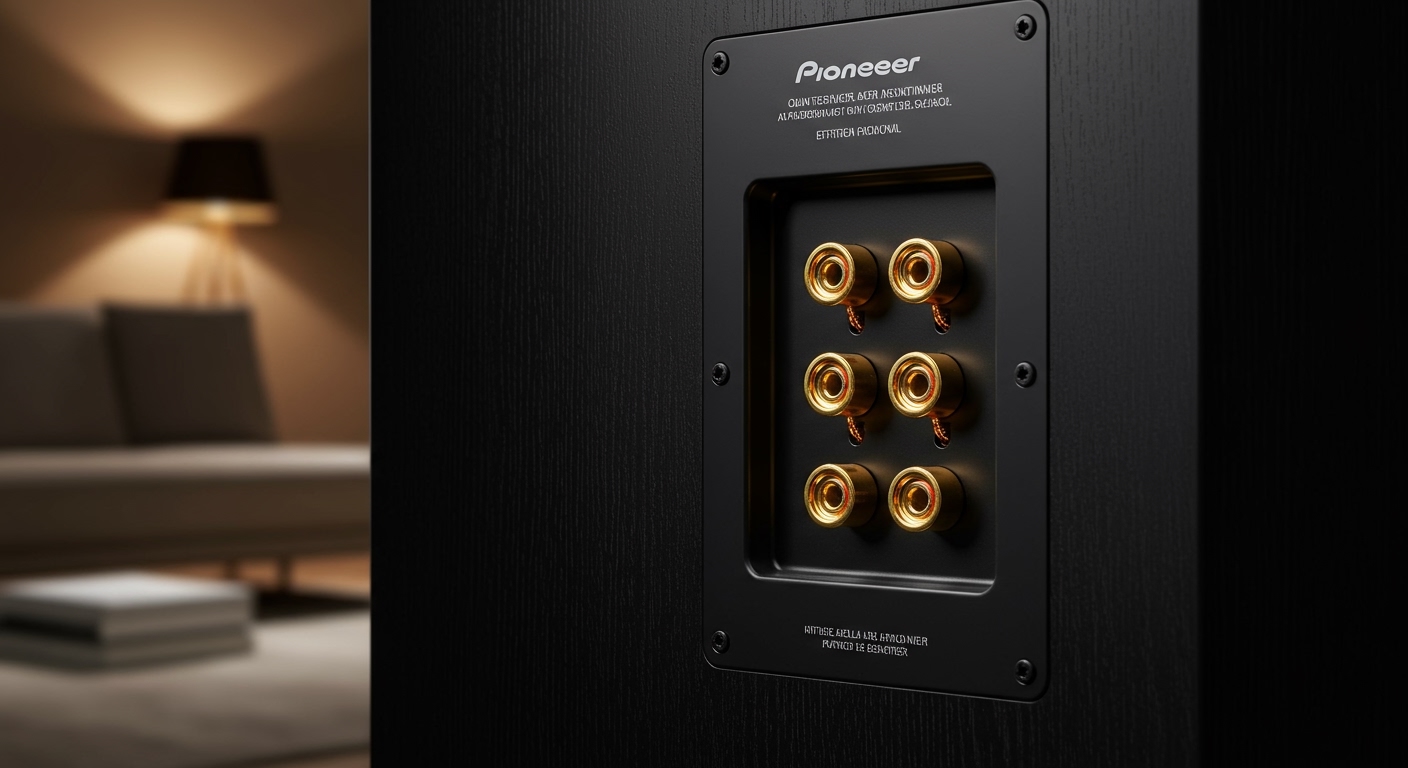
Identify Terminals: Most Pioneer speakers use gold-plated binding posts or spring clips.
Wire Matters: Use 16-gauge (AWG) CL2-rated wire for runs under 50 feet to maintain signal integrity.
Phase is Critical: Always match the Red (+) and Black (-) terminals to avoid “thin” sound and bass cancellation.
Calibration: Utilize Pioneer’s MCACC (Multi-Channel Acoustic Calibration) if using a modern Pioneer receiver.
Essential Tools and Materials for Setup
Before you begin to how to hook up pioneer speakers, gather these essential components to ensure a professional-grade installation.
| Component | Recommended Type | Purpose |
|---|---|---|
| Speaker Wire | 14 or 16 AWG Oxygen-Free Copper | Transfers audio signal from amp to speaker |
| Wire Strippers | Precision adjustable strippers | Removes insulation without damaging copper |
| Banana Plugs | Gold-plated (Optional) | Provides a secure, “plug-and-play” connection |
| Pioneer Receiver | VSX or Elite Series | The “brain” that powers your speakers |
| Measuring Tape | Standard | Ensures symmetrical speaker placement |
Step 1: Preparing Your Speaker Wires
The foundation of knowing how to install pioneer speakers starts with clean wiring. Poorly stripped wires lead to short circuits or “static” noise.
Measure and Cut
Measure the distance from your Pioneer receiver to each speaker location. Add an extra 2-3 feet of “slack” to allow for moving equipment during cleaning or adjustments.
Strip the Insulation
- Use your wire strippers to remove approximately 1/2 inch of the plastic jacket from both ends of the wire.
- Twist the exposed copper strands tightly together. This prevents “stray” strands from touching the opposite terminal, which can trigger the Pioneer receiver’s protection mode.
Expert Tip: Use Banana Plugs
If your Pioneer speakers have binding posts, I highly recommend using banana plugs. They offer a much more stable connection and prevent oxidation of the copper wire over time.
Step 2: How to Connect Speakers to Pioneer Receiver
The receiver is the heart of your home theater. Learning how to hook up speakers to pioneer receiver requires attention to the labeling on the back panel.
- Power Down: Ensure the Pioneer receiver is unplugged from the wall. Connecting live wires can cause a spark that damages the internal circuitry.
- Identify Channels: Look for labels like FRONT L/R, CENTER, and SURROUND.
- Match Polarities: Insert the wire with the “stripe” or “markings” into the Red (+) terminal. Insert the plain wire into the Black (-) terminal.
- Secure the Connection: If using binding posts, unscrew the cap, insert the wire into the hole, and tighten firmly. If using spring clips, press the lever, insert the wire, and release.
Step 3: How to Connect Speakers to Pioneer Amplifier
For audiophiles using a dedicated Pioneer amplifier (like the A-series), the process is similar but often involves higher-grade connections.
Understanding Impedance
Check the back of your Pioneer speakers for the Ohms (Ω) rating. Most Pioneer models are 6-ohm or 8-ohm. Ensure your Pioneer amplifier is rated to handle that load.
Step A: Locate the A and B speaker outputs on the amplifier.
Step B: If you are only using one pair of speakers, connect them to the “A” terminals.
Step C: Ensure the “Speaker A” button is selected on the front panel of the amp.
Step 4: How to Connect Pioneer Speakers to TV
A common question is how to connect pioneer speakers to tv. Most modern TVs do not have “powered” speaker outputs, meaning you cannot connect the speakers directly to the TV with raw wire.
Option 1: Using an HDMI ARC/eARC (Recommended)
- Connect an HDMI cable from the TV’s HDMI (ARC) port to the Pioneer receiver’s HDMI Out (ARC) port.
- Connect your speakers to the receiver as described in Step 2.
- Enable CEC (Consumer Electronics Control) in your TV settings so your TV remote controls the Pioneer volume.
Option 2: Optical (Toslink) Cable
If your TV or receiver is older, use a Digital Optical Cable.
Plug one end into the TV’s Optical Out.
Plug the other into the Pioneer receiver’s Optical In.
Set the receiver input to “TV” or “Optical.”
Step 5: How to Set Up Pioneer Speakers for Best Sound
Once the physical connections are made, you need to optimize the environment. Proper how to set up pioneer speakers involves “The Rule of Thirds” and toe-in angles.
Speaker Placement Strategy
Front Speakers: Place them at ear level, forming an equilateral triangle with your main seating position.
The Center Channel: Position this directly above or below your TV, perfectly centered. This handles 70% of movie dialogue.
Subwoofer Placement: Use the “Subwoofer Crawl” method. Place the sub in your seat, play bass-heavy music, and crawl around the room to find where the bass sounds cleanest. Place the sub there.
Running Pioneer MCACC Calibration
Most modern Pioneer receivers include a calibration microphone.
- Plug the microphone into the front jack labeled MCACC.
- Place the mic at ear height in your primary sitting spot.
- Follow the on-screen prompts. The receiver will send “pink noise” to each speaker to calculate distance, size, and EQ settings automatically.
Common Mistakes to Avoid
Phasing Issues: If your bass sounds weak or the vocals seem to come from “everywhere” instead of the center, check your wires. You likely swapped a positive and negative.
Gauge Too Thin: Using 22-gauge “bell wire” for long runs will result in significant power loss and muddy sound.
Over-tightening: Tighten binding posts until snug, but do not use pliers. You risk stripping the threads or cracking the terminal plate.
Ventilation: Never stack your Pioneer receiver in a closed cabinet without airflow. These units generate significant heat and will shut down if they overheat.
Frequently Asked Questions (FAQs)
Can I connect Pioneer speakers directly to my TV without a receiver?
No, most Pioneer speakers are “passive,” meaning they require an external Pioneer amplifier or receiver to provide power. You would need “active” or “powered” speakers to connect directly to a TV’s 3.5mm or RCA jacks.
What is the best wire gauge for Pioneer floorstanding speakers?
For high-performance floorstanding speakers, 14-gauge Oxygen-Free Copper (OFC) is ideal. It provides lower resistance, ensuring your Pioneer amplifier can deliver maximum current for deep bass response.
How do I fix static noise in my Pioneer speakers?
Static is usually caused by a loose connection or “stray” wire strands touching the metal chassis of the receiver. Turn off the power and re-terminate your wires, ensuring no copper is touching anything other than the intended terminal.
Does it matter which wire goes to the red or black terminal?
Yes, it is vital. While the speaker will still work if reversed, it will be “out of phase” with the other speakers. This causes sound waves to cancel each other out, resulting in a thin, hollow sound with almost no bass.
Conclusion: Enjoy Your Pro-Level Audio
Learning how to connect pioneer speakers is a rewarding process that unlocks the full potential of your audio investment. By using the right 16-gauge wire, ensuring perfect polarity (Red to Red), and utilizing Pioneer’s MCACC calibration, you create a soundstage that rivals professional cinemas.
Remember to double-check your connections for stray strands and give your receiver plenty of room to breathe. Now that your Pioneer speakers setup is complete, grab your favorite Blu-ray or vinyl record and experience the legendary Pioneer sound quality as it was meant to be heard.
**
