How to Set Up Speakers for a Party: The Ultimate Audio Guide
To learn how to set up speakers for a party effectively, you must focus on elevated placement, equidistant spacing, and stable connectivity. Ideally, place your main speakers at ear level (approx. 5-6 feet high), spaced 6 to 10 feet apart, and angled slightly toward the center of the dance floor to create a “sweet spot” for audio immersion.
TL;DR: Quick Setup Checklist
- Height: Place speakers at ear level using stands to avoid sound absorption by the crowd.
- Spacing: Keep speakers 6–10 feet apart for a wide stereo image.
- Cables: Use Wired (XLR/TRS) for reliability or Bluetooth 5.0+ for small gatherings.
- Power: Always use surge protectors and tape down cables to prevent tripping.
- Testing: Play a lossless audio track (FLAC or Tidal) at 80% volume to check for distortion before guests arrive.
Phase 1: Planning Your Party Audio Strategy
Before you move a single piece of gear, you need to assess your environment. Having spent years managing audio for high-end weddings and backyard bashes, I’ve learned that the room’s “acoustics” matter as much as the speakers themselves.
Understanding Your Space
Hard surfaces like hardwood floors and large windows reflect sound, creating a “tinny” or echoing effect. Conversely, thick carpets and heavy curtains absorb sound. If your party is in a minimalist loft, you’ll need to lower the treble to avoid ear fatigue.
Speaker Type Comparison
Choosing the right hardware is the first step in how to set up speakers for a party correctly.
| Speaker Type | Best For | Pros | Cons |
|---|---|---|---|
| PA Speakers (Active) | Large Crowds (50+) | Extreme volume, durable | Heavy, requires stands |
| Bluetooth Party Box | Medium Groups (20-50) | Portable, built-in lights | Battery life limits |
| Bookshelf/Hi-Fi | Intimate Dinners (<20) | High fidelity sound | Easy to blow out at high volumes |
| Multi-room (Sonos) | House Parties | Seamless flow between rooms | Requires strong Wi-Fi |
Phase 2: Step-by-Step: How to Set Up Speakers for a Party
Perfect Your Placement (The 60-Degree Rule)
We recommend the Equilateral Triangle setup. The distance between the two speakers should be the same as the distance from each speaker to the center of the dance floor. This creates a cohesive “sound stage.”
- Avoid Corners: Placing a speaker directly in a corner causes “bass build-up,” making the music sound muddy and boisterous. Keep them at least 12 inches away from walls.
- Height is Crucial: If speakers are on the floor, the sound hits people’s legs and gets muffled. Use speaker stands to get the high-frequency drivers (tweeters) above head level.
Wired vs. Wireless Connectivity
While Bluetooth is convenient, it is the enemy of professional party audio. In my experience, once a room fills with 30+ people (and 30+ smartphones), the 2.4GHz interference can cause music to stutter.
- The Pro Choice (Wired): Use XLR cables for long runs (over 25 feet) as they are balanced and resist hum. For shorter runs, 1/4-inch TRS or RCA works fine.
- The Wireless Choice: If you must go wireless, use Bluetooth 5.0 devices or dedicated Wi-Fi streamers (like WiiM or Sonos) which offer better range and stability than standard Bluetooth.
Power Management and Safety
Nothing kills a party faster than a tripped breaker. High-powered PA speakers like the JBL PartyBox 710 or QSC K12.2 can pull significant amperage.
- Dedicated Circuits: Try to plug your speakers into a different circuit than the refrigerator or heavy lighting rigs.
- Cable Management: Use Gaffer tape (not duct tape!) to secure cables to the floor. This prevents “the drunk uncle trip” which could send your expensive gear crashing down.
Phase 3: Optimizing Sound Quality for Large Groups
When learning how to set up speakers for a party, you must account for the “Human Muffler” effect. Human bodies are excellent sound absorbers. A system that sounds loud in an empty room will sound significantly quieter once the party starts.
Adjusting the EQ (Equalization)
- Boost the Mids: In a crowded room, the “presence” of the music is often lost. A slight boost in the 1kHz to 3kHz range helps the vocals cut through the chatter.
- Manage the Sub-Bass: If you are using a Subwoofer, place it on the floor (not a stage) to take advantage of “floor coupling,” which naturally increases bass output by 3dB.
- Avoid “The Smile” Curve: Don’t just crank the bass and treble to the max while cutting the mids. This makes the music sound hollow at high volumes.
Setting the Master Gain
We always follow the “Unity Gain” principle. Set your music source (phone or laptop) to about 90% volume, your mixer to 0dB, and then slowly turn up the speakers until the room is filled. This prevents “line noise” or “hissing” during quiet moments.
Phase 4: Outdoor Party Speaker Setup Tips
Setting up outdoors is a different beast because there are no walls to reflect sound back. Sound dissipates rapidly in open air.
- Use More Speakers, Not More Volume: Rather than having two speakers blasting at 100%, use four speakers at 50% distributed around the yard. This allows people to talk while still hearing the music everywhere.
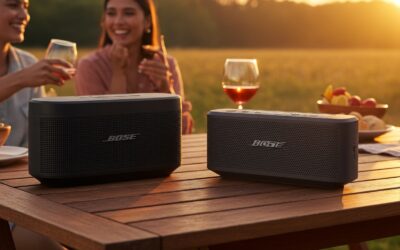
- Weatherproofing: Even if it isn’t raining, nighttime dew can fry electronics. Keep your amplifiers and non-waterproof speakers (like Bose S1 Pro) under a tent or use specialized outdoor covers.
- The Subwoofer “Boundary” Trick: To get more bass outdoors, place your subwoofer against the exterior wall of the house. The wall acts as a reflector, projecting the low-end frequencies further into the yard.
Phase 5: Troubleshooting Common Audio Issues
Even the best party speaker setup can run into glitches. Here is how I handle them in the field:
Problem: The “Hum” or “Buzz”
This is usually a ground loop.
- Solution: Ensure all audio equipment is plugged into the same power strip. If using a laptop, try unplugging the charger; if the buzz stops, you need a Ground Loop Isolator.
Problem: Distorted Sound
- Solution: Check your “levels.” If any red lights are blinking on your speakers or mixer (clipping), turn down the gain at the source immediately. Distortion can permanently damage speaker voice coils.
Problem: Delay between Rooms
- Solution: If using multiple Bluetooth speakers, they must support a Party Mode (like JBL Connect+ or Sony Party Connect). If you are mixing brands, you will likely need a wired splitter or a multizone transmitter to keep them in sync.
Frequently Asked Questions
How many watts do I need for a party?
For an indoor party of 50 people, 200-400 watts is sufficient. For an outdoor event or a crowd of 100+, you should aim for 1000 watts or more to maintain “headroom” (the ability to play loudly without distortion).
Where should I place a subwoofer for a party?
The best location for a subwoofer is on the floor, ideally in a corner or against a long wall to maximize bass response. For the most even distribution, perform a “Subwoofer Crawl”: place the sub where you will be sitting/dancing, then walk around the room to find where the bass sounds the punchiest. Place the sub in that spot.
Can I use my home theater speakers for a party?
Technically yes, but be careful. Home theater speakers are designed for “dynamic bursts” (explosions in movies), not “constant high-pressure output” (4 hours of heavy bass dance music). If you use them, keep the volume at a level where you can still hold a conversation to avoid overheating the voice coils.
How do I connect two different speaker brands together?
The most reliable way is to use a 3.5mm to Dual XLR/TRS splitter cable. Plug the 3.5mm end into your phone and the split ends into each speaker. This bypasses brand-specific wireless limitations and ensures zero-latency playback.