Understanding and Identifying Your Built-In Speaker System
Before you can enjoy your whole-home audio, you need to play detective. The first step in learning how to use the built in speakers in your house is to figure out exactly what you’re working with. This involves mapping out your speakers and, most importantly, finding where all the wires lead.
From my experience setting up dozens of these systems, the builder or previous owner almost always ran all the speaker wires to a central location. This is your command center.
- Speaker Mapping: Walk through your entire house and note the location of every single in-wall or in-ceiling speaker. Count them up. Do you have a pair in the living room? One in the kitchen? A full 5 or 7-speaker setup for surround sound?
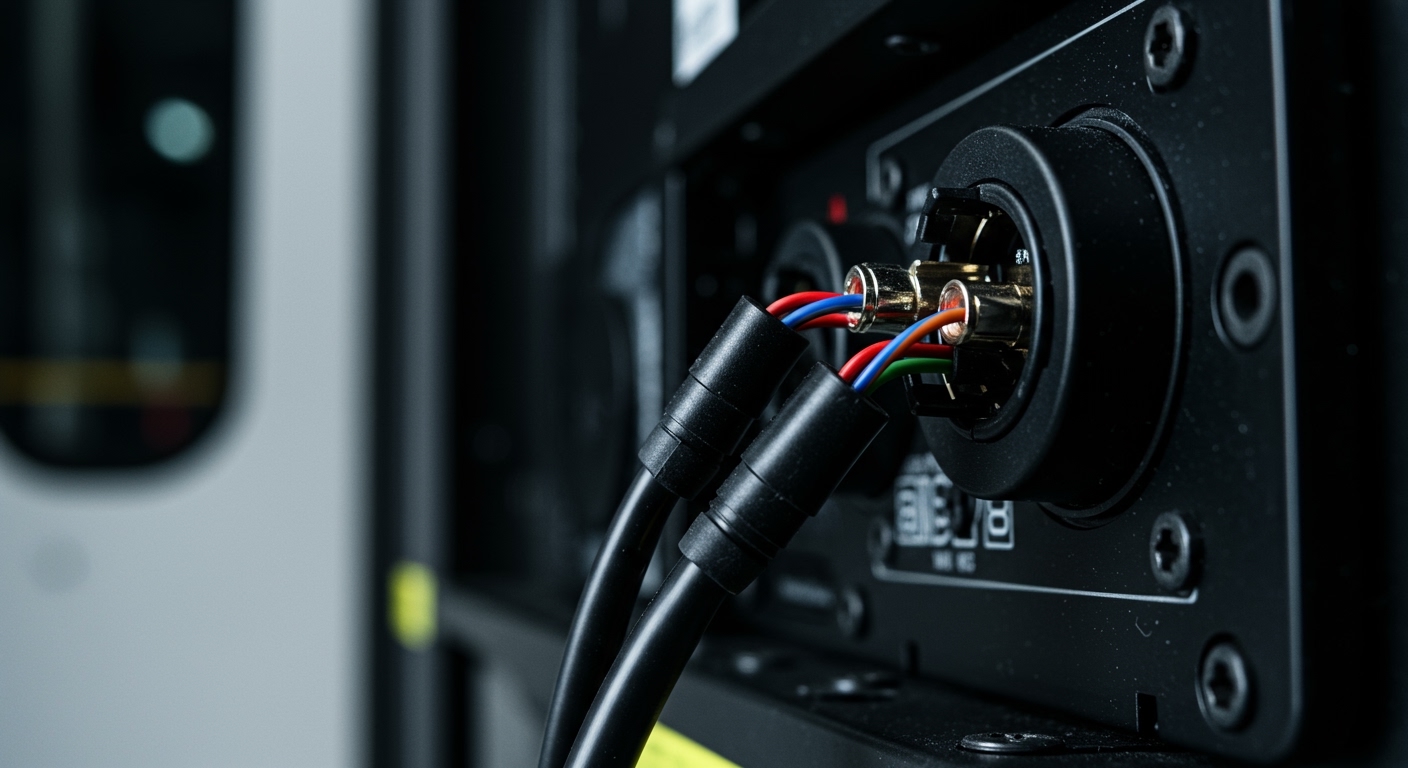
- Locating the Hub: Look for a wall plate with multiple sets of speaker terminals (the little red and black connectors). This is typically found near the main TV area, in a media closet, or sometimes in a basement or utility room. This is where you’ll connect your amplifier.
Decoding the Wall Plate: What Are These Connections?
The central wall plate might look intimidating, but it’s quite simple. You’ll likely see one of two types of connectors for each speaker wire run:
- Binding Posts: These are the most common and versatile. They look like small posts, often color-coded red and black. You can connect speaker wire to them by unscrewing the cap, inserting bare wire into the hole in the post, and tightening it down. They also accept banana plugs, which I highly recommend for a clean and secure connection.
- Spring Clips: These are simpler connectors where you press a lever, insert the bare speaker wire, and release the lever to hold it in place. They are functional but can be less reliable than binding posts over time.
The Pro Trick: Tracing Wires with a Tone Generator
What if nothing is labeled? You have a wall plate with ten terminals and speakers in five different rooms. You can’t just guess. The best tool for this job is an inexpensive tone generator and probe kit. I never start a whole-home audio project without one.
- Connect the Tone Generator: At the central wall plate, connect the alligator clips from the tone generator to one pair of speaker terminals.
- Activate the Tone: Turn the generator on to send a distinct audio signal through that specific speaker wire.
- Hunt with the Probe: Turn on the wand-like probe and hold it near each speaker throughout your house. When you get close to the speaker connected to the wire you’re toning, the probe will emit a loud, clear sound.
- Label Everything: Once you’ve identified a match, label both the speaker’s location (e.g., “Kitchen Ceiling”) and the corresponding terminal on the wall plate. Repeat for every set of terminals. This 20-minute process will save you hours of headaches.
Choosing the Right Amplifier for Your Built-In House Speakers
Your built-in speakers are “passive,” meaning they have no internal power source. They need an external amplifier or receiver to make sound. This is the single most important component you will buy. Choosing the right one is crucial for learning how to use the built in speakers in your house effectively.
Your choice depends entirely on how you plan to use the speakers. Do you want a home theater? Music in the kitchen? Or audio in every single room?
Option 1: The AV Receiver (For Home Theater and TV)
An Audio/Video (AV) Receiver is the best choice if your built-in speakers are located in your main TV room. It’s designed to be the central hub for all your audio and video sources.
- Best For: Creating a 5.1 or 7.1 surround sound system for an immersive movie and TV experience.
- Key Features: Multiple HDMI inputs for your cable box, game console, and streaming devices. It decodes surround sound formats like Dolby Atmos and DTS:X. Many also include streaming features.
- How It Works: You connect your TV and other devices to the receiver via HDMI. You then connect your built-in speakers (fronts, center, surrounds) to the corresponding speaker terminals on the back of the receiver.
- Top Brands: Denon, Yamaha, Marantz, and Onkyo.
Option 2: The Stereo Amplifier (For Music-Focused Rooms)
If your goal is high-quality music playback in a single room (like a living room or office) with just two speakers, a dedicated stereo amplifier (or integrated amplifier) is a fantastic choice.
- Best For: A simple, high-fidelity two-channel (left and right) music system.
- Key Features: Focuses purely on audio quality. It has inputs for sources like a CD player, turntable, or a network streamer, but generally lacks the video features of an AV receiver.
- How It Works: You connect a pair of built-in speakers and your audio sources. It’s a straightforward setup that often provides superior sound quality for music compared to a similarly priced AV receiver.
- Top Brands: NAD, Cambridge Audio, Rega, and Marantz.
Option 3: The Multi-Zone Amplifier (For True Whole-Home Audio)
If you have speakers in multiple rooms and want the ability to play music throughout the house, you need a multi-zone amplifier. These are workhorses designed specifically to power many pairs of speakers at once.
- Best For: Powering speakers in 3 or more rooms (zones).
- Key Features: Can power anywhere from 4 to 12+ pairs of speakers. More advanced models allow you to control the volume and even the audio source for each zone independently.
- How It Works: This amplifier sits at your central wiring hub and connects to all the speaker terminals on your wall plate. You then connect one or more audio sources to the amplifier’s inputs.
- Top Brands: OSD Audio, Monoprice, and AudioControl.
Option 4: The Wireless Streaming Amplifier (The Modern Solution)
For ultimate convenience and ease of use, a wireless streaming amplifier is the modern gold standard. These devices combine an amplifier with a network streamer, all controlled by an app on your phone.
- Best For: People who primarily listen to streaming services like Spotify, Apple Music, or Tidal and want a simple, app-controlled system.
- **