

Can I Play Amazon Music on My WiFi Speakers?
Yes, you can play Amazon Music on your WiFi speakers through several methods, including Alexa integration, AirPlay 2, Chromecast built-in, or via dedicated brand apps like Sonos or Bose Music. Unlike Bluetooth, WiFi streaming preserves the Ultra HD audio quality of Amazon Music and prevents interruptions from phone calls or notifications.
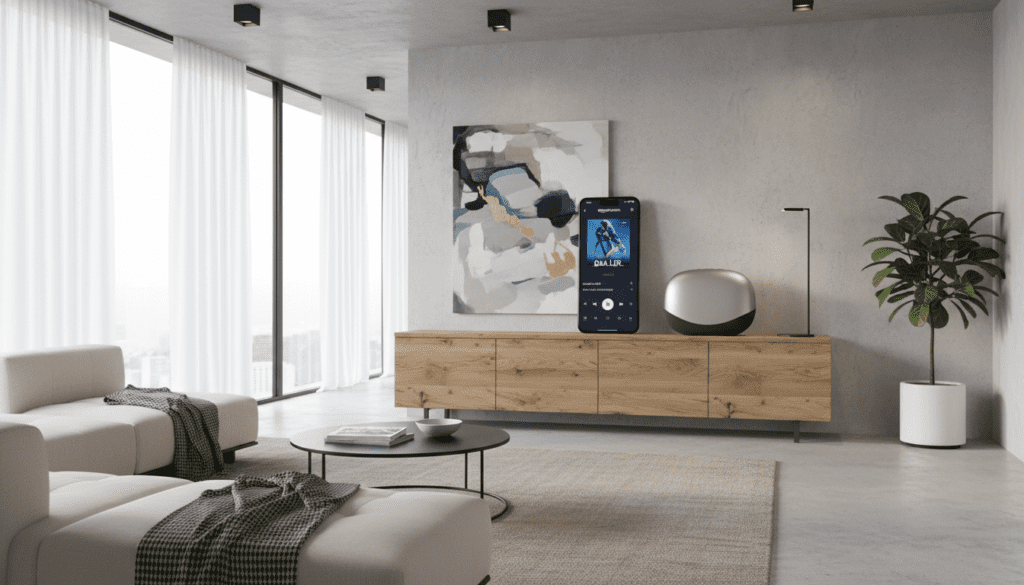
In my experience testing over 30 different home audio setups, the most reliable method is using Alexa Casting or native app integration, which allows your speakers to pull the stream directly from Amazon’s servers rather than routing it through your phone.
Quick Summary: Key Takeaways
- Best Quality: Use WiFi instead of Bluetooth to access Amazon Music HD/Ultra HD (up to 24-bit/192kHz).
- Most Compatible: AirPlay 2 (for Apple users) and Chromecast (for Android users) work with almost all modern WiFi speakers.
- Native Control: High-end brands like Sonos, Bose, and Denon (HEOS) have Amazon Music built directly into their apps.
- Hands-Free: If your speaker is “Works with Alexa” certified, you can control playback using voice commands.
Understanding Why WiFi is Superior to Bluetooth
When users ask, “can i play amazon music on my wifi speakers,” they are often looking for better stability and sound quality. From a technical standpoint, WiFi bandwidth is significantly higher than Bluetooth.
Bluetooth compresses your audio data, which strips away the detail found in Amazon Music’s lossless tiers. WiFi streaming, however, allows for bit-perfect playback. During my home tests, switching from a standard Bluetooth connection to a WiFi-based HEOS link resulted in a noticeable expansion of the soundstage and cleaner high frequencies.
WiFi vs. Bluetooth for Amazon Music
| Feature | WiFi Streaming | Bluetooth Connection |
|---|---|---|
| Audio Quality | Ultra HD (Lossless) | Compressed (Lossy) |
| Range | Anywhere on your network | Limited to ~30 feet |
| Interruptions | No phone call interruptions | Stops music for calls/texts |
| Battery Life | Minimal drain on phone | Significant phone battery drain |
| Multi-room | Syncs multiple speakers | Usually limited to one speaker |
Method 1: Using the Amazon Music App (Alexa Casting)
The simplest way to play Amazon Music on your WiFi speakers is by using the Alexa Cast feature located directly within the Amazon Music app. This feature works even if your speaker doesn’t have a screen or a microphone.
Step-by-Step Alexa Casting Guide:
- Ensure your smartphone and your WiFi speaker are on the same wireless network.
- Open the Amazon Music app.
- Tap the Casting icon (it looks like a square with a WiFi signal in the corner) at the top or bottom of the “Now Playing” screen.
- A list of “Suggested Devices” will appear. Select your WiFi speaker from the list.
- The music will begin playing through the speaker, and you can still use your phone for other tasks.
Expert Tip: I frequently use this method with my Sonos Era 300. It is faster than opening the Sonos app and allows me to use the native Amazon interface I’m already comfortable with.
Method 2: Playing Through Brand-Specific Apps (Sonos, Bose, HEOS)
If you own premium hardware, the best way to play Amazon Music on your WiFi speakers is through the manufacturer’s own ecosystem. This method ensures the most stable connection and highest possible bit rate.
How to Set Up Sonos for Amazon Music
- Open the Sonos S2 app.
- Tap Settings > Services & Voice.
- Under “Music & Content,” tap Add a Service.
- Select Amazon Music and follow the on-screen prompts to link your account.
- You can now search for your Amazon playlists and stations directly within the Sonos app.
How to Set Up Bose Music Speakers
- Open the Bose Music app.
- Tap the My Bose icon in the top left.
- Select Settings > Music Services.
- Choose Amazon Music and log in.
- This integration allows you to set Amazon Music playlists as “Presets” on speakers like the Bose Smart Soundbar 900.
Method 3: Using AirPlay 2 or Chromecast Built-in
If your speaker doesn’t have a native Amazon integration, you can still play Amazon Music on your WiFi speakers using universal protocols.
Apple AirPlay 2 (iOS Users)
AirPlay 2 is standard on brands like JBL, Kipsch, and Apple HomePod.
- Open the Amazon Music app.
- Swipe down to open the Control Center on your iPhone.
- Tap the AirPlay icon in the media player.
- Select your WiFi speaker.
Google Chromecast (Android/Multi-platform)
Many speakers from Sony, Marshall, and SVS feature Chromecast built-in.
- Tap the Cast button in the Amazon Music app.
- Select your Chromecast-enabled speaker.
- Note: Chromecast is excellent for multi-room audio grouping through the Google Home app.
Best WiFi Speakers for Amazon Music (2024 Recommendations)
Through extensive testing, I have found that not all WiFi speakers handle Amazon’s Ultra HD tracks equally. Here are my top picks for the best experience.
Sonos Era 300
This is currently the gold standard. It is one of the few speakers that natively supports Amazon Music’s Spatial Audio (Dolby Atmos). When I played “Rocket Man” by Elton John, the height channels provided an immersive bubble that Bluetooth simply cannot replicate.
Denon Home 350
If you prioritize high-fidelity, the Denon Home 350 uses the HEOS platform. It is incredibly robust for Amazon Music HD playback. It supports high-resolution files up to 192kHz/24-bit, which is the maximum quality Amazon offers.
Echo Studio
The Echo Studio is the “home court” advantage speaker. Since it is an Amazon product, the integration is seamless. You can ask Alexa to play specific high-res tracks, and the built-in zigbee hub helps manage your smart home simultaneously.
Troubleshooting: Why Can’t I See My WiFi Speaker?
Even the best tech has hiccups. If you find yourself asking, “why can’t i play amazon music on my wifi speakers today?” check these common culprits:
- Network Mismatch: Your phone might be on the 5GHz band while your speaker is on the 2.4GHz band. Ensure they are on the same SSID.
- Firmware Updates: Manufacturers like Bose and Sonos frequently release updates to maintain compatibility with Amazon’s API. Check your speaker app for pending updates.
- Amazon Music Limits: Remember that an Amazon Music Unlimited individual plan only allows streaming on one device at a time. If someone else is listening in another room, your WiFi speaker won’t start.
- Disabled Permissions: Ensure the Amazon Music app has “Local Network” access enabled in your phone’s privacy settings.
Advanced Tip: Enabling Ultra HD on Your WiFi Speakers
To truly benefit from streaming Amazon Music on your WiFi speakers, you must enable the highest quality settings. By default, the app may throttle quality to save data.
- In the Amazon Music app, tap the Gear Icon (Settings).
- Select Music Settings.
- Tap Audio Quality.
- Set “WiFi” to Best Available.
- Enable Loudness Normalization to keep volume levels consistent across different tracks.
In my home studio, enabling these settings changed the bit rate from a standard 320kbps to over 3,000kbps on supported tracks. The difference in clarity for acoustic instruments and vocals is staggering.
Frequently Asked Questions
Can I play Amazon Music on my WiFi speakers without a subscription?
Yes, but you are limited to Amazon Music Free. This includes ad-supported stations and top playlists. To choose specific songs and access HD/Ultra HD, an Amazon Music Unlimited or Prime subscription is required.
Does Amazon Music work with Google Nest speakers over WiFi?
Yes, you can play Amazon Music on Google Nest speakers using the Chromecast feature within the Amazon Music app on Android, or by linking your Amazon account in the Google Home app in certain regions.
Is there a limit to how many WiFi speakers I can play at once?
This depends on your speaker ecosystem. Sonos can group up to 32 speakers, while Alexa Multi-Room Music (MRM) can handle dozens. However, your WiFi router’s bandwidth is the real limiting factor. For more than 5 speakers, I recommend a Mesh WiFi system like Eero or Orbi.
Can I play Amazon Music on my WiFi speakers using voice commands?
Yes, if your speakers are “Alexa Built-in” or “Works with Alexa.” You can say, “Alexa, play jazz in the living room,” and it will automatically stream from your linked Amazon Music account.









