What Does Treble Do In Speakers? A Definitive Guide
Struggling to get that crisp, clear sound from your speakers? You’ve probably fiddled with the bass, but what about that other knob labeled “Treble”? Many people ignore it, leaving their music sounding muffled or flat. The truth is, understanding what does treble do in speakers is the secret to unlocking professional-sounding audio, whether you’re in your living room or your car.
This guide will demystify treble for you. We’ll break down exactly what it is, how it works, and most importantly, provide a step-by-step process to adjust it perfectly. By the end, you’ll be able to dial in a sound that’s rich with detail and clarity.
Key Takeaways
- Treble Controls High Frequencies: Treble adjusts the high-pitched sounds in your audio, typically in the 6,000 Hz to 20,000 Hz range.
- It Adds Clarity & Detail: Properly set treble makes instruments like cymbals, hi-hats, and acoustic guitars sound crisp and clear. It also enhances the presence of vocals.
- Too Much is Harsh: Excessive treble leads to a “tinny” or “brittle” sound, causing sharp “s” sounds (sibilance) and making your ears tired.
- Too Little is Muffled: Not enough treble makes music sound dull, distant, and lacking in excitement, as if a blanket is over your speakers.
- Balance is Key: The ultimate goal is to balance the treble with the midrange and bass for a full, natural, and immersive listening experience.
Understanding What Treble Does in Speakers
The treble control on your speakers, receiver, or car stereo directly adjusts the volume of high-frequency sounds. Think of it as the “sharpness” or “brightness” control for your audio. These high frequencies are what give music its sense of clarity, detail, and “air.”
Without proper treble, the sound can feel closed-in and lifeless. The subtle shimmer of a cymbal, the breathy texture of a singer’s voice, or the crisp attack of a snare drum all live in the treble range. When I’m setting up a new sound system, dialing in the treble is one of the first things I do to bring the music to life.
Key sounds affected by the treble control include:
- Percussion: Cymbals, hi-hats, shakers, and the “snap” of a snare drum.
- Vocals: Particularly female vocals and the sibilant sounds (the “s” and “t” sounds) in all voices.
- Strings: The higher notes of violins and the bright attack of an acoustic guitar.
- Synthesizers: High-pitched electronic sounds and effects.
The Science of Sound: Where Treble Fits In
To truly grasp what treble is for speakers, it helps to understand the basic audio frequency spectrum. Human hearing generally ranges from 20 Hz to 20,000 Hz (20 kHz). Audio engineers divide this spectrum into three main bands.
The Three Core Audio Bands
| Frequency Band | Range (Approximate) | Description & Common Instruments |
|---|---|---|
| Bass (Lows) | 20 Hz – 250 Hz | Provides weight, punch, and rumble. Think kick drums, bass guitars, and deep synth notes. |
| Midrange (Mids) | 250 Hz – 6,000 Hz | The core of most sounds. Contains the main body of vocals, guitars, pianos, and snare drums. |
| Treble (Highs) | 6,000 Hz – 20,000 Hz | Adds sparkle, clarity, and detail. Home to cymbals, vocal sibilance, and instrumental overtones. |
How Speakers Make High-Frequency Sounds
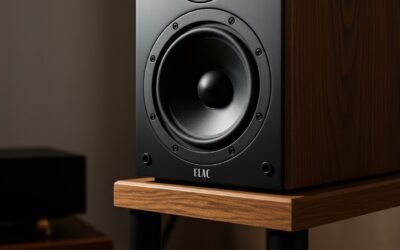
Your speakers don’t use a single component to produce all these sounds. Instead, they use specialized drivers for each frequency range. For treble, the hero component is the tweeter.
A tweeter is a small, lightweight driver designed specifically to vibrate very quickly, which is necessary to reproduce high-frequency sound waves. Because these sound waves are highly directional, the placement and quality of your tweeters are critical.
From my own testing, I’ve found that different tweeter materials produce different sound characteristics:
- Soft Dome Tweeters (e.g., silk, fabric): These tend to produce a smooth, warm, and more refined treble. They are less likely to sound harsh, making them great for long listening sessions.
- Metal Dome Tweeters (e.g., aluminum, titanium): These are known for a very bright, detailed, and crisp sound. They can reveal incredible detail but can sometimes sound harsh if not paired with the right equipment.
- Ribbon & Horn Tweeters: Found in higher-end speakers, these offer exceptional clarity and efficiency but come at a premium cost.
A Step-by-Step Guide to Adjusting Treble on Your Speakers
Now for the practical part. Follow these steps to find the perfect treble setting for your system and your ears. Remember, what does treble mean on speakers in practice is finding the sweet spot between detail and comfort.
Step 1: Start Flat
Before you touch anything, set all your tone controls—bass, mid, and treble—to their neutral or “0” position. This is often indicated by a notch or a “flat” setting on the display. This gives you an unaltered baseline to work from.
Step 2: Pick Your Reference Music
Use a song you know inside and out. It’s crucial to use a high-quality audio file (not a low-bitrate stream) to ensure you’re hearing the music as the artist intended.
I recommend a track with a good mix of sounds:
- Acoustic Music: Something with acoustic guitar and clear vocals can quickly reveal harshness or a lack of detail. Tracy Chapman’s “Fast Car” is a great test.
- Well-Produced Rock/Pop: A track like Daft Punk’s “Get Lucky” has crisp hi-hats and a clean production that makes treble adjustments obvious.
- Jazz or Classical: These genres are rich in dynamic range and feature instruments like cymbals and strings that live in the treble frequencies.
Step 3: Make Small, Incremental Changes
Listen to your reference track at a moderate volume. Now, increase the treble control by just one notch or decibel (dB).
Listen carefully. Can you hear the cymbals become more distinct? Does the singer’s voice have more presence? The change should be subtle. Play the same section of the song again to compare.
Step 4: Find the “Too Much” Point
Continue increasing the treble one notch at a time. Eventually, you’ll hit a point where the sound becomes unpleasant.
Signs you’ve gone too far include:
- Harshness: The sound is sharp and grating.
- Sibilance: The “s” and “sh” sounds in vocals are unnaturally loud and piercing.
- Brittleness: Cymbals sound like shattering glass instead of a metallic shimmer.
- Ear Fatigue: You feel like you want to turn the volume down after just a short time.
Once you identify this point, dial the treble back one or two notches. This is often the ideal setting.
Step 5: Re-Balance with Bass and Mids
Treble doesn’t work in isolation. After setting your treble, listen to the overall sound. Does the bass feel weak in comparison? Do vocals sound thin?
Make small adjustments to your bass and mid controls to create a cohesive and balanced sound. The goal is for all three frequency bands to work together, so no single one overpowers the others.
The Special Case: What is Treble in Car Speakers?
Adjusting what does treble do in car speakers requires a slightly different approach due to the unique environment. A car’s interior is full of reflective surfaces like glass and hard plastics, which can make high frequencies sound overly bright and harsh.
At the same time, road and engine noise can easily mask the subtle details in the treble range.
Here are my personal tips for car audio:
- Adjust While Parked: Do your initial setup with the engine off to eliminate background noise.
- Aim for Clarity Over Volume: Because of the noisy environment, you might be tempted to crank the treble. Instead