Understanding Audio Logic: What Does Fade Do on Speakers?
Imagine you are driving down the highway with sleeping toddlers in the back seat, but you want to keep your podcast playing. What does fade do on speakers in this scenario? Simply put, the fader control adjusts the volume distribution between the front and rear speakers of an audio system. By shifting the “fade” toward the front, you can effectively silence the rear speakers without turning off the entire system.
In my years of installing aftermarket car audio, I have found that the fader is the most underutilized tool for creating a perfect “soundstage.” While most people leave it centered, adjusting the fade allows you to compensate for cabin acoustics and passenger preferences. It is the primary tool for managing the front-to-back audio balance in any multi-speaker environment.
Key Takeaways: Fade vs. Balance
- Fade Definition: Controls the volume levels between the front and rear speaker sets.
- Balance Definition: Controls the volume levels between the left and right speaker sets.
- Primary Use Case: Redirecting sound away from passengers or centering the “sweet spot” for the driver.
- Troubleshooting: If your rear speakers aren’t working, the first thing to check is if your fader setting is pushed 100% to the front.
- Soundstage Tuning: Professional tuners use slight front-fading to mimic the feeling of a live concert stage.
The Technical Breakdown: What Does Fade Do on Speakers?
When you ask what does fade do on speakers, you are looking at the distribution of electrical gain. In a standard four-channel system, the head unit sends signals to four distinct areas: Front Left, Front Right, Rear Left, and Rear Right.
The fader acts as a variable attenuator. When you move the fader toward the “Front,” the head unit decreases the voltage sent to the rear channels. This makes the front speakers appear louder by comparison.
How Fade Affects Your Listening Experience
In a perfectly balanced car, the soundstage should feel like it is coming from the dashboard. However, because rear speakers are often closer to the passengers’ ears than the front speakers are to the driver, the sound can feel “pulled” backward.
By adjusting the fade setting, you can “push” that soundstage back to the front. We call this Front Imaging. It ensures that the vocals and primary instruments feel like they are right in front of you, rather than echoing from the trunk.
Fade vs. Balance: The Key Differences
It is easy to confuse these two settings, but they operate on different axes. Use this table to understand how to navigate your audio menu:
| Feature | Axis of Control | Primary Goal | When to Use It |
|---|---|---|---|
| Fade | Front to Back | Vertical Soundstage | When kids are sleeping in the back or for “Front Imaging.” |
| Balance | Left to Right | Horizontal Soundstage | To compensate for the driver sitting closer to the left speaker. |
| Gain | Overall Power | Volume Ceiling | Setting the maximum “clean” volume before distortion occurs. |
| EQ | Frequency | Tone Shaping | Adjusting Bass, Midrange, and Treble. |
Step-by-Step Guide: How to Properly Adjust Your Speaker Fade
Whether you are using a factory infotainment system (like Ford Sync or Toyota Entune) or an aftermarket head unit (like Pioneer or Alpine), the process is generally the same. Here is how I recommend setting your fade for the best audio performance.
Step 1: Center All Settings
Before touching the fader, ensure your Balance, Bass, Treble, and Mid settings are at “0” or “Center.” This gives you a neutral starting point.
Step 2: Access the Audio or Sound Menu
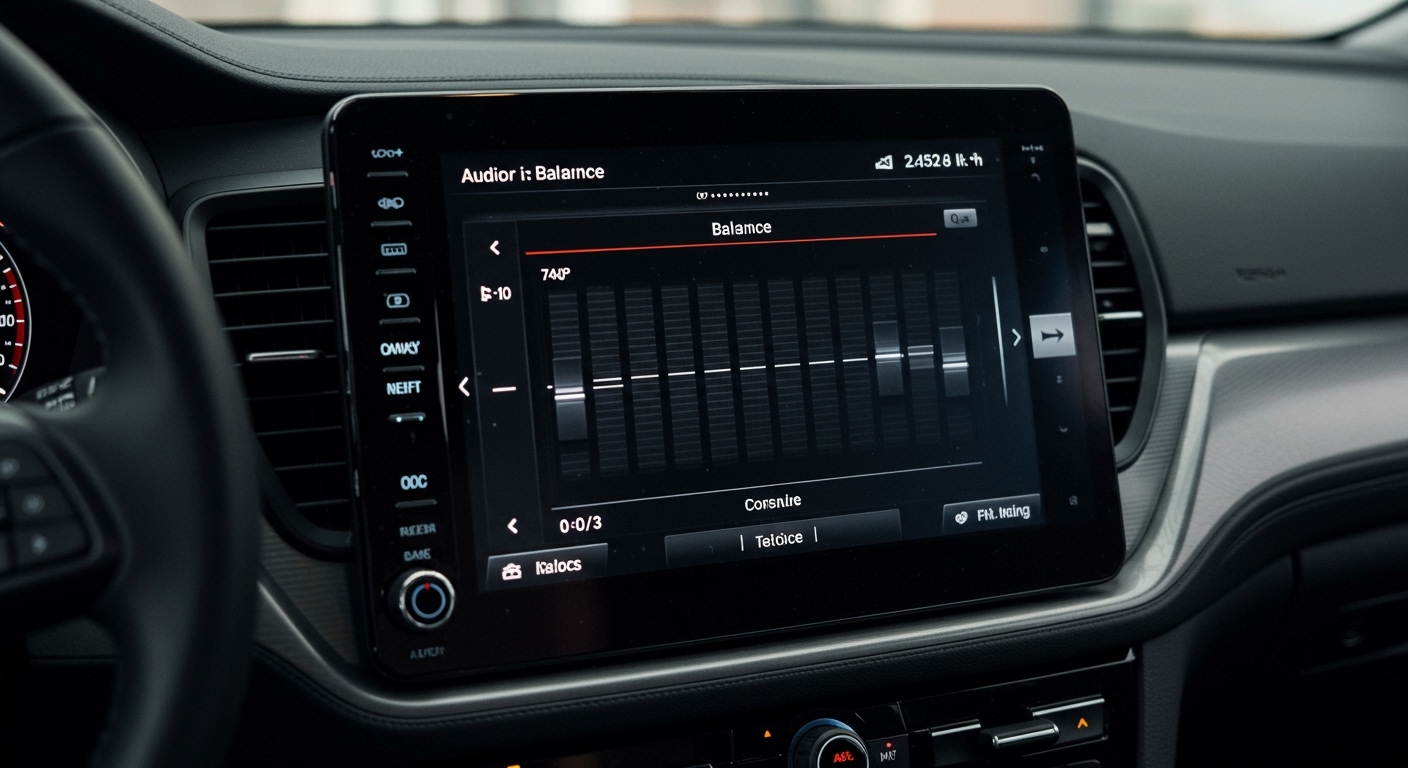
Navigate to your head unit’s settings. Look for a sub-menu labeled “Audio,” “Sound,” or “Speaker Settings.” Most modern touchscreens use a visual grid where you can drag a finger to move the sound.
Step 3: Identify the “Sweet Spot”
Sit in the driver’s seat in your normal driving position. Close your eyes and listen to a high-quality track. Does the singer sound like they are standing on your dashboard, or are they singing from the back seat?
Step 4: Adjust the Fade Toward the Front
If the sound feels like it’s coming from behind your head, shift the fade toward the front. I typically recommend a setting of Front +2 or +3. This subtly biases the sound toward the dashboard without completely killing the “fill” provided by the rear speakers.
Step 5: Test with Passengers
If you frequently have passengers, move to the back seat. Ensure the audio isn’t so quiet that they can’t hear the music at all. The goal is balance, not total elimination (unless the kids are actually sleeping!).
Why You Should Use Fade: Real-World Scenarios
Understanding what does fade do on speakers allows you to solve common daily problems. In my experience, these are the three most common reasons people adjust their fader.
The “Sleeping Passenger” Scenario
This is the classic use case. If you have a baby in a car seat or a passenger taking a nap in the back, you can move the fade 100% to the front. This cuts the signal to the rear speakers entirely, allowing you to enjoy your audio in the front seats while maintaining silence in the back.
Improving Front-Seat “Imaging”
In high-end SQ (Sound Quality) competitions, judges look for a defined soundstage. Most cars have better speakers in the front doors and dash than they do in the rear deck. By fading forward, you emphasize your high-quality components and reduce the “muddy” bass that often comes from cheap rear speakers reflecting off the back glass.
Troubleshooting Dead Speakers
If you suspect a speaker is blown or a wire is loose, use the fader to isolate the problem.
- Fade 100% to the front: Listen for any crackling or silence.
- Fade 100% to the rear: Listen again.
- If the rear is silent, you know the issue is in the rear wiring or the rear amplifier channel.
Advanced Tech: How Modern DSPs Handle Fade
In older cars, the fader was a physical potentiometer—a dial that physically resisted electricity to dim the speakers. Today, we use Digital Signal Processing (DSP).
When you adjust the fade on a modern Tesla or BMW, you aren’t just changing volume. The computer may also be adjusting Time Alignment. This ensures that the sound from the front-left and rear-right speakers reaches your ears at the exact same millisecond.
Expert Tip: If your car has a “Driver Focus” mode in the audio settings, it essentially automates the fade and balance for you. It uses the fader logic to optimize the “Time of Arrival” for the driver’s specific ear position.
Common Problems: When Fade Doesn’t Work
Sometimes, you might try to adjust the fader, and nothing happens. Here are the most common technical failures I’ve seen in the field:
- Bridged Amplifiers: If your speakers are wired in a “bridged” configuration to a 2-channel amp, the head unit may lose the ability to distinguish between front and rear.
- Incorrect Wiring: If an amateur installer swapped the front and rear wires, your “Front” setting will actually control the “Rear” speakers.
- Blown Channels: If the internal amplifier of your head unit has a blown rear channel, the fader will act like an “on/off” switch.
- Factory Amp Restrictions: Some premium systems (like Bose or Harman Kardon) have locked EQ profiles that prevent the fader from completely silencing certain speakers to maintain “surround sound” integrity.
Summary of Speaker Fade Settings
| Setting | Result | Best For |
|---|---|---|
| Full Front (F10) | Only front speakers play. | Sleeping kids or podcast listening for the driver only. |
| Mid-Front (F2-F3) | Front-biased soundstage. | Optimal daily driving for music lovers. |
| Centered (0) | Equal power to all speakers. | A full car of people who all want to hear the music. |
| Full Rear (R10) | Only rear speakers play. | Testing for blown rear speakers or “Tailgate” mode. |
Frequently Asked Questions
Does fading to the front make the speakers louder?
No, it does not increase the maximum power of the front speakers. It simply attenuates (lowers) the volume of the rear speakers. The front speakers will still hit their distortion limit at the same volume level regardless of the fader position.
Does using the fader drain the battery?
No. In fact, fading to the front can technically reduce the total power draw of your system because the rear speakers are consuming less energy. However, the difference is negligible and won’t affect your car’s battery life in any meaningful way.
Should I fade to the front if I have a subwoofer?
Generally, yes. Subwoofers are non-directional, meaning your ears can’t easily tell where the bass is coming from. By fading your mid-range and high-frequency speakers to the front, you keep the “clarity” in front of you while the subwoofer fills the cabin with low-end rumble from the back.
Why is my fader option greyed out?
This usually happens if your head unit is set to a specific mode, such as “2-Channel Mode” or “Network Mode.” It can also happen if you are using an optical output (Toslink) to an external processor that handles the fading externally.
Can fade affect the sound quality?
Yes. If you fade too far in one direction, you might lose the “ambience” of the recording. Most modern music is mixed in stereo, but car cabins are acoustically hostile. A little bit of rear “fill” (around 10-20%) helps make the music feel more three-dimensional.