Introduction
Wireless HDMI has always been the technology that promises more than it delivers. For years the category has been full of devices that claim “zero latency” and “4K everywhere,” then quietly collapse the moment you put a drywall partition between the transmitter and receiver. So when the EDUP Wireless HDMI Transmitter and Receiver shows up at $59 with a spec sheet advertising 4K decoding, 165 feet of range, and 0.1-second latency, the right response is skepticism, not excitement.
This review is written for people who already understand the difference between decode resolution and output resolution, who know why 2.4GHz and 5GHz behave differently, and who don’t need the term “line of sight” explained. The goal here is to figure out where this device actually breaks, what it does well within its real constraints, and — most importantly — whether $59 is the right amount of money to spend on a wireless HDMI extender at all, or whether you should go cheaper or considerably more expensive to get what you actually need.
Product Overview
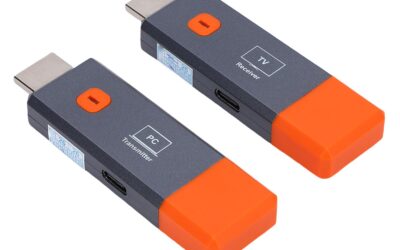
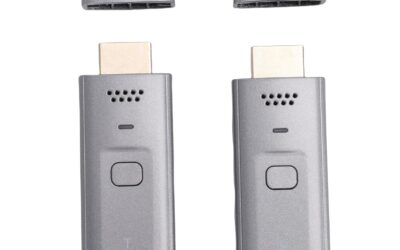
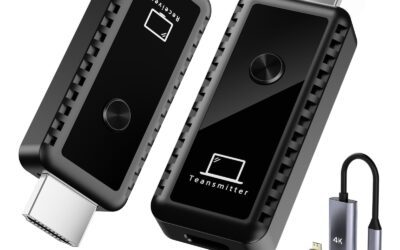
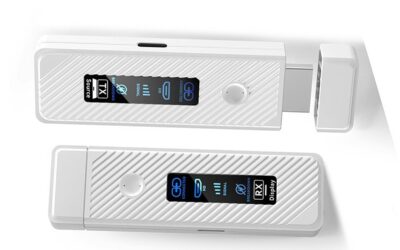
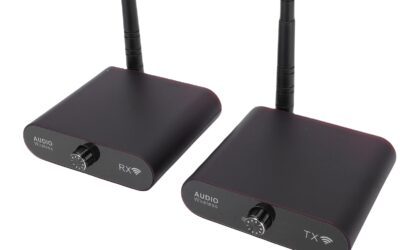
The EDUP kit is a two-piece system: a small HDMI transmitter (TX) that plugs into your source device and a receiver (RX) with an external antenna that connects to your display. The two units come pre-paired out of the box, which is the single most important thing about the entire product. There is no app, no Bluetooth handshake, no WiFi network to join, and no driver to install. You power both units over USB, connect the HDMI cables, and the signal shows up. For a certain kind of deployment — trade show booths, rental spaces, conference rooms where you can’t touch the network — that friction-free behavior is genuinely valuable.
Underneath the plug-and-play story is a fairly standard architecture. The system uses a dedicated video encoder on the transmit side and a decoder on the receive side, communicating over a private 2.4GHz/5GHz WiFi link. This is not screen mirroring in the Miracast or AirPlay sense; it is a raw HDMI signal capture and retransmit, which is why it works from a camera or a Blu-ray player just as easily as from a laptop.
Here is the first place the marketing needs correcting. The product title and bullets lean hard on “4K Decode,” but the actual video output tops out at 1080p at 60Hz. The “4K” refers only to the decoding chip’s ability to accept a 4K input signal, which it then downscales. If you feed it a 4K source, you get a 1080p picture on the other end. Anyone buying this expecting 4K on their display will be disappointed. Read the spec as what it is: a 1080p/60Hz wireless HDMI link with full RGB color and no compression artifacts at that resolution.
Other headline specs: up to 165 feet range in open air, dropping to about 32 feet through walls or floors; support for pairing up to 8 transmitters to a single receiver (one-to-many, not many-to-one); a claimed 0.1-second latency; and a 3-year replacement warranty with a 45-day return window.
Testing the extreme scenarios
The spec sheet is easy. The edges are where these devices live or die.
Range through obstructions. The 165-foot figure is a clean line-of-sight number and should be treated as a laboratory ceiling, not a room-to-room promise. The more honest number is the one EDUP buries in a note: 32 feet through a wall or floor. In practice, a single interior drywall wall is survivable. Two walls, or one wall plus a floor, and you start seeing intermittent dropouts and handshake renegotiations. If your plan is “set-top box in the living room, TV in an upstairs bedroom,” temper your expectations. Concrete, brick, and anything with metal studs or foil-backed insulation will punish this device hard.
Latency for gaming. The advertised 0.1 seconds is 100 milliseconds. For video playback, live sports, and presentations, 100ms is invisible — audio and video stay in sync and nobody notices. For gaming, 100ms is a dealbreaker. That is roughly six frames of input lag at 60fps, on top of whatever your display and game engine already add. Fast-paced shooters, fighting games, or rhythm games will feel mushy and disconnected. Turn-based or slow strategy games are fine. Treat this as a media and presentation device, not a gaming link. If a vendor tells you their consumer wireless HDMI is good for competitive gaming, they are selling you something.
Interference in dense RF environments. Because the link rides on 2.4GHz/5GHz, its worst enemy is a crowded spectrum. In a quiet home the dual-band radio finds clean air and holds a stable picture. In an apartment building, a busy office, or a convention hall with hundreds of access points, you will see the bitrate throttle, resolution soften, and occasional frame stutters. The 5GHz band helps considerably here, and keeping the receiver’s external antenna oriented vertically and away from metal makes a measurable difference.
One RX to eight TX. The one-to-many feature works as described for switching sources — think a conference room where up to eight presenters are pre-paired and you switch between them. It is not simultaneous multi-view, and it is not many-receivers-to-one-source. If you need one source shown on multiple displays across a building, this is the wrong architecture entirely and you want an HDMI-over-IP system instead.
Pros
- Genuinely plug-and-play. Pre-paired units with no app, no network join, and no drivers. For locked-down corporate networks or rental environments where you cannot configure WiFi, this is the whole reason to buy the product. It just works when you plug it in.
- Source-agnostic. Because it captures a raw HDMI signal rather than casting from an OS, it works identically with laptops, DSLRs, Blu-ray players, set-top boxes, and cameras. Anything with an HDMI output is a valid source, which is more flexible than Miracast or AirPlay-based solutions.
- Clean 1080p/60Hz with full RGB and no visible compression. Within its actual resolution ceiling, the image quality is solid. Color reproduction is accurate and there is no blocky compression noise on static content.
- Dual-band 2.4/5GHz radio. The 5GHz option gives you a real fallback in congested environments, which cheaper single-band units lack. This is a meaningful reliability advantage.
- Low latency for media and presentations. The ~100ms figure is invisible for video, sports, slideshows, and camera monitoring. Audio-video sync holds up well.
- Portable and self-contained. Both units are light, USB-powered, and easy to throw in a bag for a presentation or a multi-camera shoot. No base station, no bulky power bricks.
- Reasonable warranty. A 3-year replacement warranty plus a 45-day no-questions return window is generous for this price tier and suggests the manufacturer expects reasonable field reliability.
Cons
- “4K” is misleading. The device decodes 4K input but outputs only 1080p. The marketing invites a misunderstanding that will frustrate buyers who wanted actual 4K on their display. There is no 4K output here, full stop.
- Through-wall range collapses. The 165-foot headline applies only to clear line of sight. Real-world room-to-room use through walls and floors falls to around 32 feet and degrades quickly beyond a single partition.
- Not for gaming. 100ms of latency rules out any fast-paced or competitive gaming. This limitation is inherent to consumer wireless HDMI, not unique to EDUP, but it needs to be stated plainly.
- Sensitive to RF congestion. In dense wireless environments the picture quality and stability drop. The dual-band radio mitigates this but does not eliminate it.
- No 4K, no HDR, capped at 60Hz. Beyond resolution, there is no HDR passthrough and no high-refresh support. This is a 1080p/60Hz/SDR pipe and nothing more.
Customer Reviews Analysis
At the time of writing, this specific listing has no customer reviews, so there is no aggregate rating or verified-purchase feedback to weigh. That absence is itself worth factoring into a purchase decision. You are buying without the benefit of crowd-sourced reliability data, which for a category as failure-prone as wireless HDMI is a real consideration.
What we can do is set expectations based on how this class of device consistently behaves. Across the wireless HDMI category, the recurring themes in user feedback are predictable: buyers are happy when they use these kits for line-of-sight, same-room or adjacent-room 1080p media and presentation work, and they are frustrated when they push them through multiple walls, expect 4K, or try to game on them. The complaints almost always cluster around range through obstructions, occasional dropouts in congested RF, and the resolution gap between “4K decode” branding and 1080p output.
The practical takeaway: judge this product by its architecture and specs, not by a review count that does not yet exist. The 45-day return window is your real safety net here. Buy it, deploy it in your actual environment during that window, and confirm the range and stability hold up before you commit. Do not assume your through-wall scenario will work until you have tested it in your own space.
Who Should Buy This Product
This is a specialist tool, and it rewards buyers who match their use case to its real strengths.
Good fits
- Presenters and small conference rooms. The pre-paired, no-network setup is ideal where you cannot touch the corporate WiFi. The one-to-eight pairing lets multiple presenters switch cleanly.
- Camera operators and multi-camera shoots. Feeding a monitor from a DSLR or camcorder at 1080p over a short line-of-sight distance is exactly what this does well. Latency is fine for framing and focus checks.
- Same-room or adjacent-room media. Moving a set-top box signal to a TV across the room, or one room over with a single wall, is squarely in its comfort zone.
- Rental and temporary installs. Portable, USB-powered, and app-free makes it easy to deploy and tear down.
Poor fits
- 4K home theater enthusiasts. No 4K output, no HDR. Look elsewhere.
- Gamers. The latency kills any fast-paced play.
- Whole-house or through-multiple-walls distribution. The RF link will not hold up. This needs a wired backbone.
- One-source-to-many-displays setups. The architecture is one receiver, many transmitters — the opposite of what you need.
Final Verdict: Is $59 the Optimal Spend?
Here is the honest bottom line for a power user with a budget. At $59, the EDUP kit is a fair-value 1080p wireless HDMI link for line-of-sight and single-wall use. It is not overpriced and it is not a bargain — it sits right at the market rate for a dual-band, plug-and-play 1080p extender. Whether it is the optimal spend depends entirely on your scenario, and for a meaningful number of buyers the answer is no. Below are concrete paths in both directions.
If your budget is ~$59 and your use case is 1080p, line-of-sight, media or presentations
This is the optimal choice. You are paying for exactly what it delivers, and the pre-paired simplicity plus dual-band radio are worth the money at this price. Buy it, and use the 45-day return window to validate your specific range and RF conditions. Don’t spend more for capabilities you won’t use.
Downgrade path: spend less if you don’t need wireless at all
The uncomfortable truth about wireless HDMI is that a wired solution beats it on every technical axis — resolution, latency, reliability — for less money. If the transmitter and receiver are within cable reach and you can run a line, do that instead:
- A quality HDMI cable (under $20) handles 4K/60 with HDR and near-zero latency. If wireless is a want rather than a hard requirement, this is objectively the better purchase.
- An HDMI-over-CAT6 extender (roughly $30–$50) pushes 1080p or 4K over a single Ethernet run up to 100+ feet, through walls, with rock-solid stability and no RF interference. If you can pull a cable through the wall, this outperforms the EDUP for similar money and never drops out.
Upgrade path: spend more if you need 4K, longer range, or reliability
- For true 4K wireless, budget $200–$300+ for a 4K-capable wireless HDMI kit from a specialist brand. These deliver 4K/60 or at least 4K/30 with better error correction. Only worth it if 4K on the far display is non-negotiable.
- For whole-house or long, obstructed runs, an HDMI-over-IP system (transmitters and receivers on a managed gigabit switch, roughly $150–$400 per endpoint pair) is the correct architecture. It gives you one-source-to-many-displays, matrix switching, and reliable delivery through any number of walls — the exact things the EDUP cannot do.
- For low-latency needs that still must be wireless, established brands like J-Tech Digital, IOGEAR, or Nyrius offer kits in the $150–$250 range with better latency figures and more robust radios. Still not gaming-grade, but a step up for demanding presentation and monitoring work.
The decision in one line
If you need wireless, 1080p, and line-of-sight, the EDUP kit at $59 is the right amount to spend — no more, no less. If you can run a cable, spend less on a wired HDMI or CAT6 extender and get a better result. If you genuinely need 4K, long obstructed range, or one-to-many distribution, don’t compromise at $59 — spend more on a 4K wireless kit or an HDMI-over-IP system, because the EDUP will not stretch to cover those jobs no matter how you configure it. Match the tool to the constraint, and this is a competent, honestly-priced device for the narrow band of use cases it was actually built for.