

Understanding Why You Need to Delay Speakers
To delay speakers effectively, you must measure the distance between each speaker and your primary listening position, then input those values into your AV receiver (AVR) or Digital Signal Processor (DSP). Most modern audio systems allow you to set “Distance” in feet or meters, which the software automatically converts into milliseconds (ms) of delay. The goal is to ensure that sound waves from every speaker—regardless of how far away they are—reach your ears at the exact same moment for perfect imaging and phase alignment.
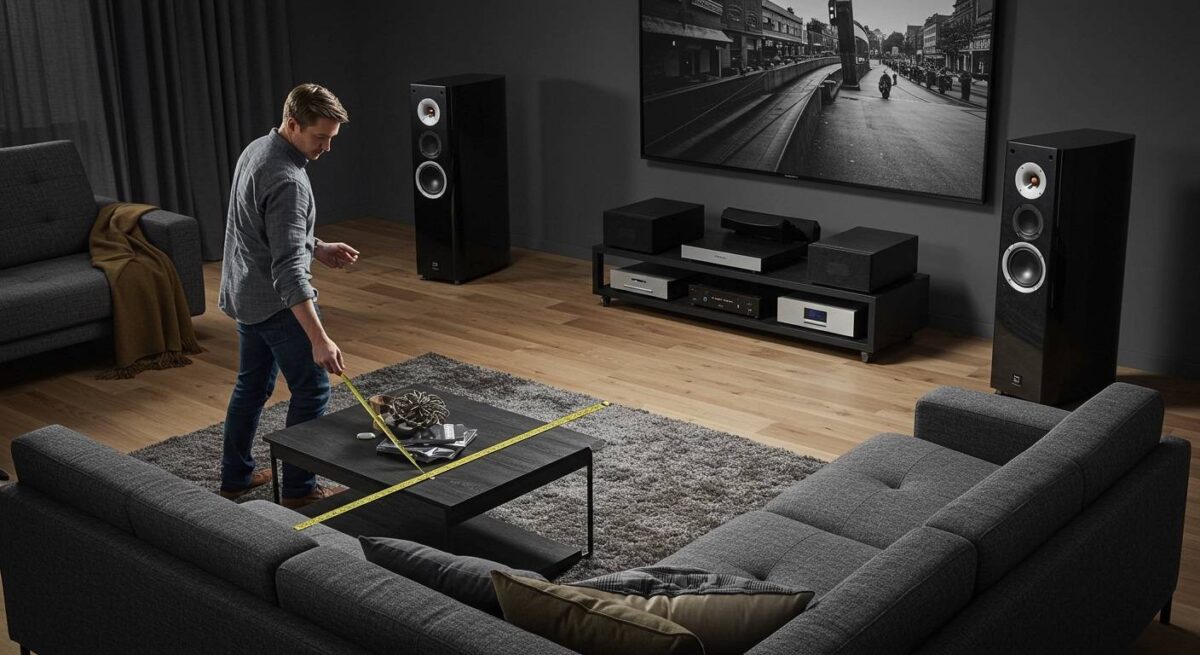
In my years of calibrating high-end home theaters, I have found that even a 1-millisecond error can make a vocal track sound “blurry” or shifted to one side. By mastering how to delay speakers, you transform a messy wall of sound into a laser-focused 3D soundstage.
Key Takeaways for Quick Audio Sync
- The Golden Rule: Every 1.1 feet (0.34 meters) of distance requires approximately 1 millisecond of delay.
- The Target: Align all speakers to the “farthest” speaker in the room.
- Required Tools: A physical measuring tape, an SPL meter (or smartphone app), and your system’s remote control.
- Common Settings: Look for menus labeled Distance, Time Alignment, or Speaker Delay.
- The Result: Improved dialogue clarity, tighter bass, and a wider soundstage.
The Physics of Sound: Why Distance Matters
Sound is relatively slow compared to light. It travels at roughly 1,125 feet per second (343 meters per second) at room temperature. In a typical living room, your Center Channel might be 8 feet away, while your Surround Left speaker is only 4 feet away.
If both speakers play a sound simultaneously, the sound from the Surround Left speaker will hit your ear about 3.6 milliseconds before the center channel. Our brains are highly sensitive to these timing differences. This phenomenon, known as the Precedence Effect (or Haas Effect), causes your brain to “lock on” to the first sound it hears, ruining the immersion of your 5.1 or 7.1 setup.
By learning how to delay speakers, you are essentially “holding back” the sound from the closer speakers so the sound from the farthest speaker has time to catch up.
Distance to Delay Conversion Table
| Distance Difference (Feet) | Distance Difference (Meters) | Required Delay (ms) |
|---|---|---|
| 1.1 ft | 0.34 m | 1.0 ms |
| 5.0 ft | 1.52 m | 4.5 ms |
| 10.0 ft | 3.05 m | 9.0 ms |
| 15.0 ft | 4.57 m | 13.5 ms |
| 20.0 ft | 6.10 m | 18.0 ms |
How to Delay Speakers in a Home Theater System
Most users will interact with speaker delay through an AV Receiver from brands like Denon, Marantz, Yamaha, or Onkyo. These devices simplify the process by asking for “Distance” rather than raw milliseconds.
Step 1: Establish Your Reference Point
Identify the primary listening position (PLP), usually the “sweet spot” on your couch. This is where your head will be during movies or music listening.
Step 2: Measure Every Speaker
Using a tape measure, find the exact distance from the tweeter (the small top driver) of each speaker to your ear’s location at the PLP. Don’t forget the Subwoofer. Pro Tip: In my experience, subwoofers often require a “mathematical” distance that is further than their physical distance due to the internal processing time of the sub’s amplifier.
Step 3: Access the Speaker Setup Menu
Navigate to your receiver’s Setup or Settings menu via your TV screen. Look for:
- Speaker Setup
- Manual Setup
- Distances
Step 4: Input the Values
Enter the measured distances for each speaker (Front Left, Center, Front Right, etc.). Most AVRs will automatically calculate the necessary speaker delay behind the scenes. If your receiver asks for Delay (ms) instead of Distance, use the formula: Distance in Feet ÷ 1.1 = Delay in ms.
Using Software to Delay Speakers on a PC
If you use a computer for your audio (gaming or studio work), you can apply how to delay speakers logic using free software tools like Equalizer APO and the Peace Interface.
Step 1: Install Equalizer APO and Peace
Download and install Equalizer APO. During installation, select your primary audio output device. Restart your PC, then install the Peace GUI for a more user-friendly experience.
Step 2: Open the Delay Settings
In the Peace interface, you will see a small icon that looks like a clock or “Delay.” Clicking this opens the Effects panel.
Step 3: Apply Individual Channel Delay
You can apply specific millisecond delays to the Left or Right channels independently. This is crucial for desktop setups where one speaker might be tucked into a corner further away than the other.
- Action: If the left speaker is 1 foot closer than the right, add 0.9ms of delay to the Left Channel.
How to Delay Speakers in Car Audio Systems
Car audio is the most challenging environment for time alignment because the listener is never centered. You are always closer to the left speakers (in a left-hand drive car).
The “Farthest Speaker” Method
- Measure the distance from your head to every speaker in the car (Front Left, Front Right, Subwoofer).
- Identify the farthest speaker (usually the Subwoofer or the Front Right).
- Subtract the distance of the closer speakers from the farthest speaker.
- Example: If the Front Right is 50 inches away and the Front Left is 20 inches away, the difference is 30 inches.
- Input that 30-inch difference into your Head Unit’s (like Pioneer NEX or Sony ES) time alignment settings for the Front Left speaker.
Applying this speaker delay makes the sound appear to come from the center of the dashboard rather than from your knees or the door panel.
Advanced Calibration: Using REW and a UMIK-1
For those seeking professional-grade results, “eyeballing” distances with a tape measure isn’t enough. We use Room EQ Wizard (REW) and a calibrated microphone like the miniDSP UMIK-1.
Why Use an Acoustic Reference?
A tape measure finds the physical center, but it doesn’t account for room reflections or internal hardware latency. REW uses an Acoustic Reference (a “chirp” sound) to measure the exact microsecond a sound hits the microphone.
- Place the UMIK-1 at the listening position.
- In REW, go to the Measure tab and enable “Use acoustic timing reference.”
- Run a sweep for the Left speaker, then the Right.
- The Impulse Response graph will show you exactly how many milliseconds the speakers are out of sync.
- Adjust your DSP (like a miniDSP 2×4 HD) until the impulse peaks align perfectly on the graph.
Common Mistakes When Delaying Speakers
Even experts can get tripped up when trying to delay speakers for the first time. Avoid these three common pitfalls:
- Ignoring the Subwoofer: Subwoofers have massive “group delay” because of their large drivers and internal processing. Always start your calibration by measuring the sub, and be prepared to add “artificial distance” to it in the menu to get the bass to “kick” at the same time as your main speakers.
- Over-complicating the Math: If your receiver asks for distance, give it distance. Don’t try to convert it to milliseconds yourself unless the manual specifically requires it. Modern Room Correction software like Audyssey, Dirac Live, or YPAO does this automatically.
- Mixing Units: Ensure your system is set to either Imperial (Feet) or Metric (Meters) and stick to it. Mixing these up will result in a disastrously unaligned system.
Frequently Asked Questions
What happens if I don’t delay my speakers?
Without proper speaker delay, you will experience “comb filtering.” This creates peaks and dips in your frequency response, making the audio sound thin, hollow, or lacking in bass. You will also lose the “phantom center,” where the singer’s voice sounds like it’s coming from the TV screen rather than the speakers.
Can I delay speakers using only my ears?
While possible, it is very difficult. You can use a mono vocal track and adjust the delay until the voice sounds perfectly centered between the speakers. However, using a measuring tape or calibration mic is significantly more accurate.
Does “Distance” in my receiver menu actually change the volume?
No. While some systems adjust level (volume) and distance simultaneously during auto-setup, the Distance setting specifically controls the timing (delay) of the audio signal.
Should I delay my rear speakers?
Yes. In most living rooms, rear speakers are much closer to the couch than the front speakers. Without delaying the speakers in the rear, the surround effects will arrive too early, pulling your attention away from the screen and ruining the immersive experience.









