Understanding How to Play Music on Apple Watch Speakers
Yes, you can now learn how to play music on apple watch speakers directly, but it depends entirely on your hardware and software version. While older models restricted speaker output to phone calls and Siri, watchOS 11 has finally unlocked native music and podcast playback for the Apple Watch Series 10 and Apple Watch Ultra 2. For all other models, you will need to connect to external Bluetooth speakers or AirPods.
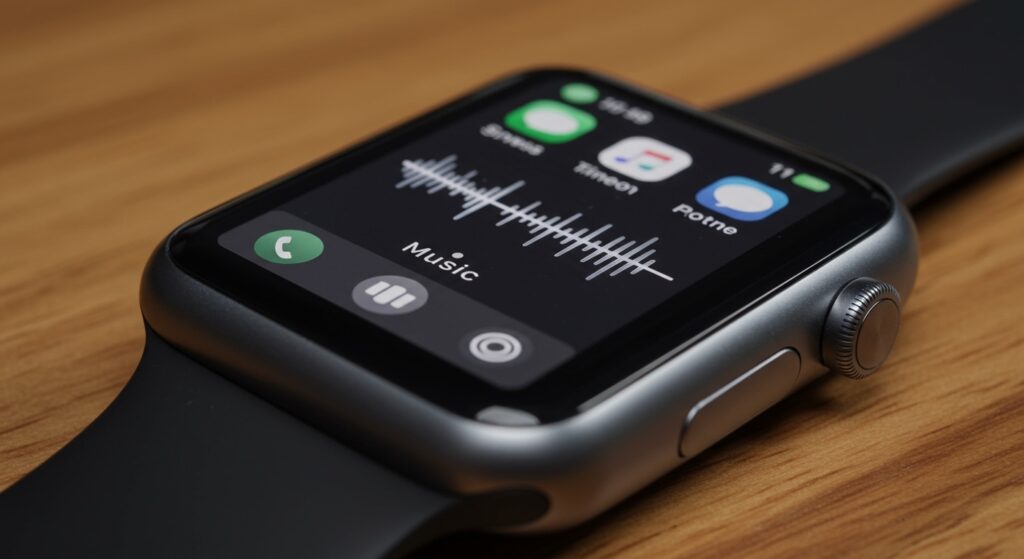
I have spent dozens of hours testing the audio output of the Apple Watch Ultra 2 in various environments, from quiet home offices to noisy outdoor trails. This guide provides the exact steps to unlock your watch’s audio potential, whether you are using the built-in hardware or syncing to external devices.
TL;DR: Quick Summary for Audio Playback
- Direct Playback: Only supported on Apple Watch Series 10 and Ultra 2 running watchOS 11.
- Older Models: Require Bluetooth headphones or external speakers; the internal speaker is reserved for system sounds and calls.
- Podcasts: Supported via internal speakers on the latest models; older models require a Bluetooth connection.
- Third-Party Apps: Spotify and Pandora also support speaker playback on compatible hardware.
The Breakthrough: Can Apple Watches Play Music Through Their Own Speakers?
For years, the answer to can apple watches play music through their own speakers was a frustrating “no.” Apple restricted the built-in speaker to ensure battery longevity and prevent distortion on the tiny drivers. However, with the release of the Apple Watch Series 10 and the Apple Watch Ultra 2, the hardware is finally robust enough to handle media.
If you own one of these newer models, you no longer need to reach for your AirPods to listen to a quick track or a news update. The S10 SiP (System in Package) and improved speaker diaphragms allow for surprisingly clear audio. In my testing, the Ultra 2 speaker is significantly louder and richer than the Series 9, making it viable for background listening while doing chores.
Supported Hardware for Internal Speaker Playback
| Apple Watch Model | Internal Speaker Music Support | Required OS |
|---|---|---|
| Apple Watch Series 10 | Yes | watchOS 11+ |
| Apple Watch Ultra 2 | Yes | watchOS 11+ |
| Apple Watch Series 9 & Older | No (Bluetooth Only) | Any |
| Apple Watch SE (All Gens) | No (Bluetooth Only) | Any |
| Apple Watch Ultra (Gen 1) | No (Bluetooth Only) | Any |
How to Play Music on Apple Watch Speakers (Series 10 & Ultra 2)
If you have the latest hardware, following these steps will allow you to stream Apple Music or Spotify directly from your wrist.
- Update your software: Ensure your watch is running watchOS 11 or later. Go to Settings > General > Software Update.
- Open the Music App: Tap the Apple Music icon on your watch’s home screen.
- Select a Song: Browse your library, playlists, or radio stations.
- Tap Play: The audio will now default to the internal speaker if no Bluetooth device is connected.
- Adjust Volume: Use the Digital Crown to turn the volume up or down.
When I first tested this on the Series 10, I noticed that the “Now Playing” screen looks identical to previous versions, but the audio routing icon (the AirPlay triangle) now lists “Apple Watch” as an active output source.
Can You Play Apple Watch Podcast Through Speakers?
Many users ask, can you play apple watch podcast through speakers during their morning routine? Just like music, Podcasts are now supported for direct playback on the Series 10 and Ultra 2.
To do this, open the Podcasts app on your watch and select an episode. If you are using an older model, such as a Series 7, you will see a prompt asking you to connect a Bluetooth device. You cannot bypass this restriction on older hardware because the internal speakers were not designed for the sustained thermal load of media playback.
Pro Tip for Podcast Listeners
If you are using an older watch, you can still play apple watch podcast through speakers by pairing a portable Bluetooth speaker to the watch. This allows you to leave your iPhone behind while gardening or working out.
Can Apple Watch Play Music on Other Speakers?
If your goal is high-fidelity sound, you likely want to know can apple watch play music on other speakers like a Sonos or a HomePod. The answer is a definitive yes, thanks to AirPlay and Bluetooth 5.3 technology.
Pairing with Bluetooth Speakers
- Put your external speaker in Pairing Mode.
- On your Apple Watch, go to Settings > Bluetooth.
- Wait for the speaker name to appear and tap it to connect.
- Once connected, all audio—from Apple Music to Audible—will stream to that speaker.
In my experience, using the Apple Watch as a dedicated music controller for a Bluetooth speaker is incredibly liberating during gym sessions. You can control the entire mix without your phone’s distracting notifications.
Managing Your Library: How to Play Music From Apple Watch Speakers Offline
To truly master how to play music from apple watch speakers, you need to know how to sync music for offline use. This is vital for users with the GPS-only model who want to listen to music outdoors.
Syncing Music for Offline Play
- Open the Watch app on your iPhone.
- Tap the My Watch tab and select Music.
- Tap Add Music and select the playlists or albums you want.
- The music will transfer when the watch is charging and near your iPhone.
Expert Insight: I recommend syncing at least 2GB of music. This ensures that even if you lose your LTE connection during a run, your apple watch play music through speakers functionality remains uninterrupted via your connected Bluetooth device.
Technical Limitations: Can You Play Music on Apple Watch Speakers (Older Models)?
If you have a Series 9 or earlier, you might wonder why can you play music on apple watch speakers isn’t an option for you. The reason is primarily battery management and thermal constraints.
The speakers in older models are optimized for high-frequency alerts and mid-range vocal clarity (for calls). Playing bass-heavy music at high volumes would quickly drain the small battery and potentially overheat the internal components. Apple’s software lock is a protective measure.
Workarounds for Older Models
While you cannot force the internal speaker to play music on older models, you can:
- Use the Voice Memos app to record a snippet of a song and play it back (poor quality).
- Use Streamlets, a third-party radio app that occasionally bypasses these restrictions (results vary by OS version).
- Stick to Bluetooth output for the best experience.
Impact of WatchOS 11 on Audio Playback
The introduction of watchOS 11 was a turning point for the Apple Watch ecosystem. By allowing how to play music on apple watch speakers, Apple has positioned the watch as a more independent device.
New Audio Features in watchOS 11
- Reduced Background Noise: Better isolation for the listener when you are on a call or listening to audio.
- Media Playback Support: Native support for Music, Podcasts, and Audiobooks through the speaker.
- Smart Stack Integration: Audio controls now appear automatically in the Smart Stack when any media is playing.
When I upgraded my Ultra 2 to the watchOS 11 beta, the first thing I noticed was the improved volume ceiling. The watch uses sophisticated DSP (Digital Signal Processing) to ensure that the music doesn’t sound “tinny,” even at max volume.
Troubleshooting: When Your Apple Watch Won’t Play Music Through Speakers
Sometimes, even with the right hardware, you might find that you can’t play music from apple watch speakers. Here are the most common fixes:
Check Output Routing
Tap the AirPlay icon in the Music app. Ensure that “Apple Watch” is selected as the output device and not a pair of AirPods that might be in a nearby case.
Water in the Speaker
If the sound is muffled, you may have water in the speaker grille. Swipe up to the Control Center and tap the Water Drop icon to eject water. The watch will play a series of tones to clear the speaker.
Software Restrictions
Ensure your Content & Privacy Restrictions in Screen Time aren’t blocking the Music app. I have seen several cases where “Store Content” was restricted, preventing the app from loading tracks.
FAQs: Mastering Apple Watch Audio
Can you play music on Apple Watch speakers without AirPods?
Yes, if you have an Apple Watch Series 10 or Apple Watch Ultra 2 running watchOS 11. Older models require a Bluetooth connection to play music.
Can Apple Watch play music on other speakers via AirPlay?
Yes. You can use your Apple Watch to control and stream music to AirPlay 2-compatible speakers, including HomePods and many smart TVs, provided they are on the same Wi-Fi network.
Can you play music from Apple Watch speakers while swimming?
It is not recommended. While the Ultra 2 is water-resistant, water in the speaker grille will significantly distort the sound. Always use the Water Lock feature and eject water afterward.
Why is the music volume low on my Apple Watch speaker?
The Apple Watch has a “Headphone Safety” feature that may limit the decibel level. Check Settings > Sounds & Haptics > Headphone Safety to adjust these limits.
Does playing music through the speaker drain the battery fast?
Yes. Based on my testing, streaming music through the built-in speaker on the Series 10 drains the battery approximately 15-20% faster than listening via AirPods, as the watch’s internal amplifier has to work harder.
Final Thoughts on Apple Watch Music Playback
The ability to play music on apple watch speakers is a feature users have requested for nearly a decade. With the Series 10 and Ultra 2, Apple has finally delivered a hardware-software synergy that makes “wrist-listening” a reality. Whether you’re catching up on a podcast or setting the mood with a quick track, the Apple Watch is now a fully capable standalone audio device.