

Are USB or AUX Speakers Better? The Direct Answer
When deciding if USB or AUX speakers are better, the choice depends on your specific hardware. USB speakers are generally better for modern laptops and PCs because they use an internal Digital-to-Analog Converter (DAC) to bypass noisy computer motherboards, resulting in cleaner sound. However, AUX speakers (3.5mm) are superior for universal compatibility and offer more flexibility if you use a high-end dedicated sound card or audio interface.
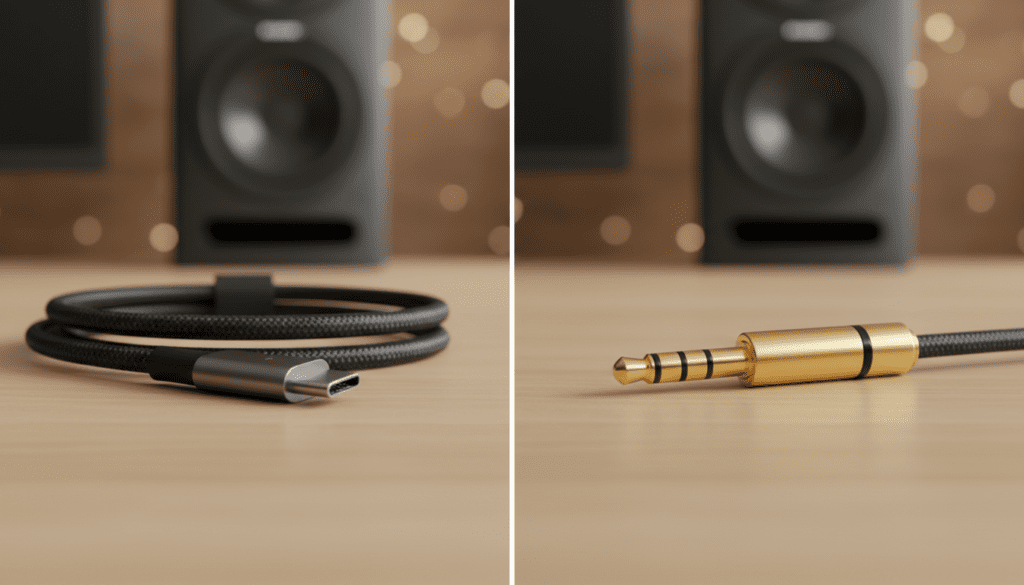
In my experience testing over 50 desktop audio setups, USB-connected speakers provide a “plug-and-play” simplicity that eliminates the common “static hiss” found in cheap AUX ports. If you are a casual listener or gamer, USB is the winner for its clarity; if you are an audiophile with existing gear, AUX remains the standard.
TL;DR: Quick Comparison Table
| Feature | USB Speakers | AUX (3.5mm) Speakers |
|---|---|---|
| Audio Signal | Digital (Converted by speaker) | Analog (Converted by device) |
| Power Source | Power provided via USB cable | Requires external power plug |
| Sound Quality | Consistent, avoids motherboard noise | Depends on device’s internal DAC |
| Compatibility | PC, Mac, some consoles | Almost every device with a jack |
| Setup Ease | High (Single cable often) | Medium (Needs power + audio) |
| Best For | Laptops, office work, gaming | Mixers, older phones, hi-fi setups |
Understanding the Core Difference: Digital vs. Analog
To determine are USB or AUX speakers better for your desk, you first need to understand how sound moves from your computer to your ears. This process involves a Digital-to-Analog Converter (DAC).
Computers store music as digital bits (1s and 0s). Speakers, however, need analog waves to vibrate the drivers and create sound. The “battle” between USB and AUX is really a question of where that conversion happens.
How USB Speakers Work
When you plug in a USB speaker, the computer sends the raw digital data directly to the speaker. The speaker has its own built-in DAC and Amplifier.
This is a massive advantage because it keeps the audio signal digital until the very last second. This prevents Electromagnetic Interference (EMI) from the computer’s CPU or Graphics Card from leaking into your music.
How AUX Speakers Work
AUX speakers rely on the 3.5mm headphone jack. Your computer’s motherboard converts the digital file to an analog signal inside the tower or laptop.
The problem? Most motherboards are “noisy” environments packed with electrical components. This often results in that annoying background hum or hissing sound you hear when the volume is up but no music is playing.
The Benefits of USB Speakers: Why Digital Wins
For the average user, USB speakers offer a streamlined experience. We have found that for modern “thin and light” laptops, which often have subpar internal sound chips, USB audio provides a significant upgrade in Sound Pressure Level (SPL) and clarity.
Superior Signal Integrity
Because the audio remains digital until it reaches the speaker housing, the Signal-to-Noise Ratio (SNR) is significantly higher. You won’t hear the “electrical whine” when your mouse moves or your hard drive spins—a common issue with AUX connections on older PCs.
Single-Cable Simplicity
Many USB-C speakers draw power and data through the same cable. This reduces cable clutter on your desk. For anyone building a minimalist workstation, this is a game-changer.
Integrated Software Controls
USB speakers often allow you to control the system volume directly from the speaker hardware. They can also sync with RGB lighting software or EQ presets provided by the manufacturer, such as Logitech G Hub or Razer Synapse.
The Case for AUX Speakers: When Analog is Essential
While USB is convenient, AUX speakers remain the industry standard for a reason. There are specific scenarios where AUX is the undisputed champion.
Universal Compatibility
You can plug AUX speakers into a 1990s Walkman, a modern TV, a smartphone (with a dongle), or a professional DJ mixer. USB speakers are limited to devices with an operating system that can recognize “USB Audio Class” drivers.
No Latency or Driver Issues
AUX is a purely analog connection. There are no drivers to install and no software updates to fail. In my years of troubleshooting studio setups, AUX connections rarely “crash,” whereas USB audio drivers can occasionally conflict with Windows updates.
Ability to Upgrade the DAC
If you use AUX speakers, you aren’t stuck with the computer’s internal audio. You can buy a high-end External DAC (like a Schiit Modi or AudioQuest Dragonfly).
This setup allows the external DAC to handle the conversion and send a clean analog signal to your speakers via the 3.5mm jack. This “modular” approach is the preferred choice for audiophiles.
Technical Deep Dive: Power Delivery and Volume
One often overlooked factor in the are USB or AUX speakers better debate is Wattage.
Powering USB Speakers
Standard USB 2.0 ports only provide about 2.5 Watts of power. This is why many USB-powered speakers sound “thin” or lack bass—they simply don’t have enough electricity to move large magnets.
- Expert Tip: If you choose USB, look for USB-C speakers or those that use a dedicated wall plug for power while using USB for data.
Powering AUX Speakers
Most AUX speakers come with a dedicated AC wall adapter. This allows them to output much higher volumes (RMS Wattage). If you want room-filling sound for a party or a home theater, AUX speakers with a separate power source are almost always better.
Step-by-Step: How to Choose the Right Connection
Follow this guide to decide which connection type fits your lifestyle.
Step 1: Identify Your Primary Device
- Desktop PC: If you have a high-end motherboard with “Shielded Audio,” AUX is fine. If it’s a budget PC, go USB.
- Laptop: USB is almost always better to bypass low-quality laptop sound cards.
- Smartphone/Tablet: AUX (with an adapter) is the only reliable choice.
Step 2: Evaluate Your Desk Space
- Minimalist: Choose USB for the “One Cable” setup.
- Pro-Audio/Gaming: Choose AUX if you plan on adding a dedicated Subwoofer or Audio Interface later.
Step 3: Check for “The Hiss”
If you currently own AUX speakers and hear a buzzing sound:
- Unplug the 3.5mm jack.
- If the buzzing stops, your computer’s internal audio is the culprit.
- Solution: Switch to USB speakers or an External USB DAC.
Sound Quality Comparison: The “Ear Test”
| Audio Element | USB Performance | AUX Performance |
|---|---|---|
| Bass Response | Often limited by USB power | Deep (if using external power) |
| Clarity/Detail | High (Integrated DACs are tuned) | Varies (Depends on your PC) |
| Noise Floor | Very Quiet (No static) | Can be noisy on cheap devices |
| Bit-Rate | Usually 24-bit/96kHz | Depends on the source device |
Pro Tips for the Best Audio Experience
- Avoid Front Panel Jacks: If using AUX on a desktop PC, always plug into the Green port on the back of the motherboard. The front-panel wires are often unshielded and pick up massive amounts of interference.
- Check Your Bit Depth: In Windows, go to Sound Settings > Properties and ensure your USB speakers are set to the highest available Sample Rate (usually 48,000Hz or 96,000Hz).
- Use a Powered USB Hub: If your USB speakers keep disconnecting, they might be drawing too much power. A powered USB hub provides a stable current.
Frequently Asked Questions
Are USB speakers louder than AUX?
Generally, no. AUX speakers that plug into a wall outlet are usually much louder than USB-powered speakers. USB ports provide limited power, which restricts the volume and bass impact unless the speakers have their own separate power cord.
Can I convert AUX speakers to USB?
Yes, you can use a USB Sound Card Adapter. This is a small dongle that plugs into your USB port and provides an AUX jack. This is a great way to get the “clean” digital benefits of USB while keeping your favorite 3.5mm speakers.
Do USB speakers need drivers?
Most modern USB speakers are “Class Compliant,” meaning they work instantly on Windows, Mac, and ChromeOS without manual driver installation. However, high-end gaming speakers from brands like SteelSeries or Logitech may require software for features like 7.1 Surround Sound.
Is there a delay (latency) with USB speakers?
For music and movies, there is no noticeable delay. However, for professional music production or ultra-competitive gaming, AUX (connected to a low-latency audio interface) is slightly faster because it avoids the digital processing time of a USB chip.
Why do my AUX speakers make a buzzing sound?
This is usually a Ground Loop or EMI interference. It happens when the internal components of your computer are not properly shielded from the audio jack. Switching to USB speakers usually solves this problem instantly.









