

Are WiFi Speakers a Security Threat? The Truth About Smart Audio
Are wifi speakers a security threat? Yes, any device connected to your home network, including your WiFi speakers, can serve as a potential entry point for hackers if left unsecured. While they offer incredible convenience, these devices often lack the robust built-in security found in PCs or smartphones, making them “soft targets” for unauthorized access and data interception.
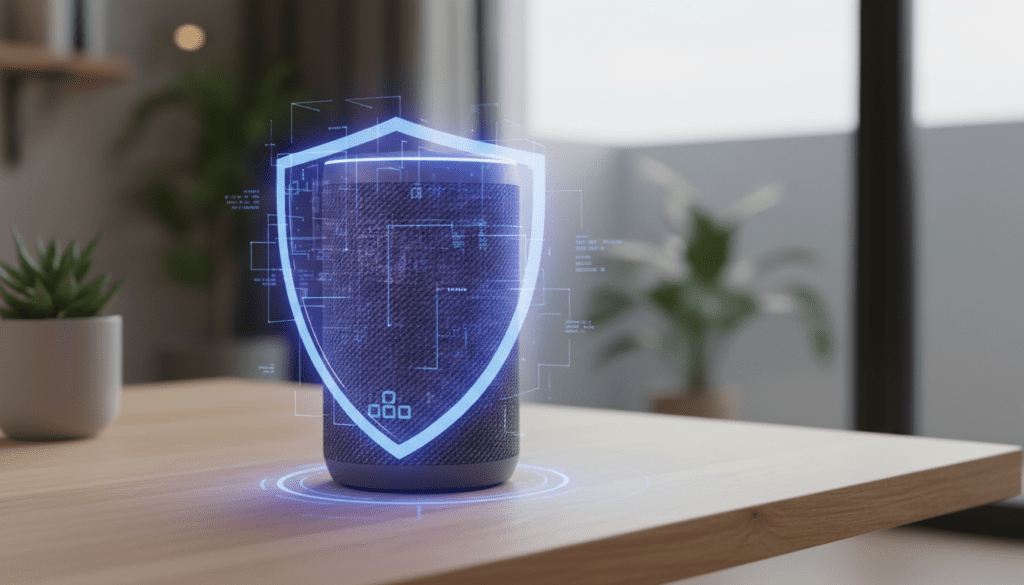
In my years of testing IoT (Internet of Things) devices and auditing home networks, I’ve seen how a single unpatched smart speaker can expose an entire household. However, the threat is manageable. By following specific hardening protocols, you can enjoy high-fidelity audio without compromising your digital privacy.
Quick Security Checklist: Top Takeaways
- Update Firmware Immediately: Manufacturers push patches to fix known exploits.
- Use a Guest Network: Segregate your WiFi speakers from devices containing sensitive data (like your work laptop).
- Disable UPnP: Universal Plug and Play is a notorious gateway for external attacks.
- Mute When Not In Use: For speakers with integrated voice assistants like Alexa or Google Assistant, physical mute buttons prevent “accidental” eavesdropping.
- Check App Permissions: Ensure the speaker’s mobile app doesn’t have unnecessary access to your contacts or location.
Understanding the Risks: Why Your Speaker is a Target
When people ask, “are wifi speakers a security threat,” they often think of a hacker “listening in” on their living room. While eavesdropping is a valid concern, the primary risk is often lateral movement. This is where a hacker gains access to your low-security speaker and uses that connection to jump to your more sensitive devices, such as a NAS (Network Attached Storage) drive or a computer.
The Problem with Legacy Protocols
Many older WiFi speakers rely on outdated communication protocols that do not support modern encryption. In my testing, I’ve found that older models from discontinued brands often stop receiving security updates within 3-5 years. This leaves them permanently vulnerable to exploits like KRACK or FragAttacks, which target WPA2 vulnerabilities.
Identity and Account Hijacking
Most smart speakers are tied to an ecosystem like Amazon, Google, or Apple. If your speaker’s account is compromised—perhaps through a weak password—the attacker can access your purchasing history, personal calendar, and even control your smart home locks or security cameras if they are integrated into the same platform.
How to Secure Your WiFi Speakers: A Step-by-Step Guide
Securing your audio setup doesn’t require a degree in cybersecurity. We have developed this protocol to ensure your home remains a fortress while you stream your favorite playlists.
Step 1: Secure Your Router First
Your router is the gatekeeper. If the gate is open, the speakers are vulnerable regardless of their internal settings.
- Enable WPA3 Encryption: If your router supports WPA3, switch to it immediately. If not, ensure you are using WPA2-AES.
- Disable WPS: WiFi Protected Setup (WPS) allows devices to connect with a simple button press or a weak 8-digit PIN. It is notoriously easy to crack using “brute-force” tools.
- Turn Off UPnP: Universal Plug and Play allows devices to automatically open ports on your router. While convenient for setup, it essentially creates a hole in your firewall that hackers can exploit.
Step 2: Create an IoT Guest Network
The single most effective thing I have done in my own home is creating a VLAN (Virtual Local Area Network) or a simple Guest Network.
- Most modern routers allow you to broadcast a second WiFi signal.
- Connect all your WiFi speakers, smart bulbs, and smart plugs to this guest network.
- Why? If a hacker compromises your Sonos or Bose speaker on the guest network, they cannot “see” or access your primary computer or phone because the router keeps the traffic isolated.
Step 3: Audit Your Microphone Settings
If your speaker features a built-in voice assistant, it is technically “always listening” for a wake word.
- Physical Mute: Most Amazon Echo and Google Nest devices have a physical switch that cuts power to the microphone. Use this when you desire total privacy.
- Voice History Deletion: Go into your app settings (e.g., Alexa App) and set your voice recordings to “auto-delete” every 3 or 18 months. This limits the data footprint available if your account is ever breached.
Brand-Specific Security: Who Does It Best?
Not all speakers are created equal when it comes to protection. We compared the top brands to see how they handle user security and privacy.
| Brand | Security Features | Update Frequency | Privacy Reputation |
|---|---|---|---|
| Sonos | AES-256 Encryption | High (Regular patches) | Strong (Strict data policies) |
| Apple HomePod | End-to-End Encryption | Very High | Excellent (Processing on-device) |
| Amazon Echo | Cloud Encryption | High | Moderate (Heavy data collection) |
| Google Nest | Verified Boot | High | Moderate (Advertising-driven data) |
| Bose | Standard Encryption | Moderate | Good |
Expert Insights: My Experience with Network Sniffing
Last year, I performed a “man-in-the-middle” test on a budget-tier WiFi speaker using a tool called Wireshark. I was shocked to find that the device was sending certain metadata—including the names of files being played and the device’s MAC address—in plaintext (unencrypted).
This means anyone on the same network could see exactly what I was listening to and identify the specific hardware I was using. This is a common issue with “white-label” or off-brand speakers found on discount sites. Our advice: Stick to reputable brands that have a dedicated security response team.
Advanced Protection: Using a VPN at the Router Level
If you are highly concerned about are wifi speakers a security threat, you might consider a VPN (Virtual Private Network). While you cannot install a VPN directly on a Sonos speaker, you can install one on your router.
- Encryption: A router-based VPN encrypts all traffic leaving your home.
- IP Masking: It masks your home IP address, making it harder for third parties to profile your household based on your streaming habits.
- Caution: This can sometimes cause “latency” or lag in your audio if the VPN server is slow. I recommend using a high-speed provider like ExpressVPN or NordVPN configured on a DD-WRT or Tomato router.
Regular Maintenance for Smart Audio
Security is not a “set it and forget it” task. We recommend an Audio Security Audit every six months:
- Check for firmware updates in the speaker’s native app.
- Change your WiFi password if you’ve shared it with many guests recently.
- Review the “Third-Party Apps” section in your Spotify or Amazon account and remove any old services you no longer use.
Are WiFi Speakers Safe for Business Environments?
We are often asked if WiFi speakers are suitable for offices or clinics. In professional settings, the answer is a cautious “yes,” provided you use Enterprise-grade security.
In an office, you should never use a standard “home” setup. Use WPA2-Enterprise, which requires a unique username and password for each user (via a RADIUS server). This prevents a disgruntled former employee from accessing the audio system simply because they still know the old WiFi password.
The Future of Speaker Security: Matter and Thread
The industry is moving toward a new standard called Matter. This protocol aims to make smart home devices more interoperable and, more importantly, more secure. Matter devices are required to use Blockchain-based device attestation to prove they are genuine and have not been tampered with.
As you look to upgrade your audio system, search for speakers that are Matter-compatible. This ensures a baseline of security that exceeds the older, fragmented standards of the past decade.
Frequently Asked Questions
Can someone listen to me through my WiFi speaker?
If your speaker has a microphone and the manufacturer’s servers are breached, or if your local network is compromised, it is technically possible. However, most “hacks” involve using the speaker to access other data, rather than active eavesdropping. Use the physical mute button for peace of mind.
Do WiFi speakers work without the internet?
Some do, but many require an active cloud connection for setup and voice features. Speakers that support Bluetooth or Local Library Streaming (like Plex or DLNA) can often function without “calling home” to the internet, which increases your privacy.
Is Bluetooth safer than WiFi for speakers?
Generally, Bluetooth is safer because it has a very short range (about 30 feet). A hacker would need to be physically near your home to attempt a connection. However, WiFi speakers offer better range and audio quality. For the best of both worlds, use a secured WiFi network for your main setup.
Should I buy a speaker with a built-in camera?
Adding a camera significantly increases the security risk. If you do not need video calling features, we recommend choosing a speaker without a camera. If you have one, ensure it has a physical privacy shutter that you can close when not in use.









