

Can 6.1 Support 5.1 Speakers? Yes, and Here is How
Yes, a 6.1 receiver can absolutely support a 5.1 speaker setup. In the world of home cinema, modern and vintage receivers are designed to be “backward compatible,” meaning they can easily downmix or simply disable unused channels to match your speaker count. When you connect a 5.1 speaker system to a 6.1-channel receiver, the receiver simply ignores the sixth channel (the Rear Center) and distributes the audio across your existing five speakers and subwoofer.
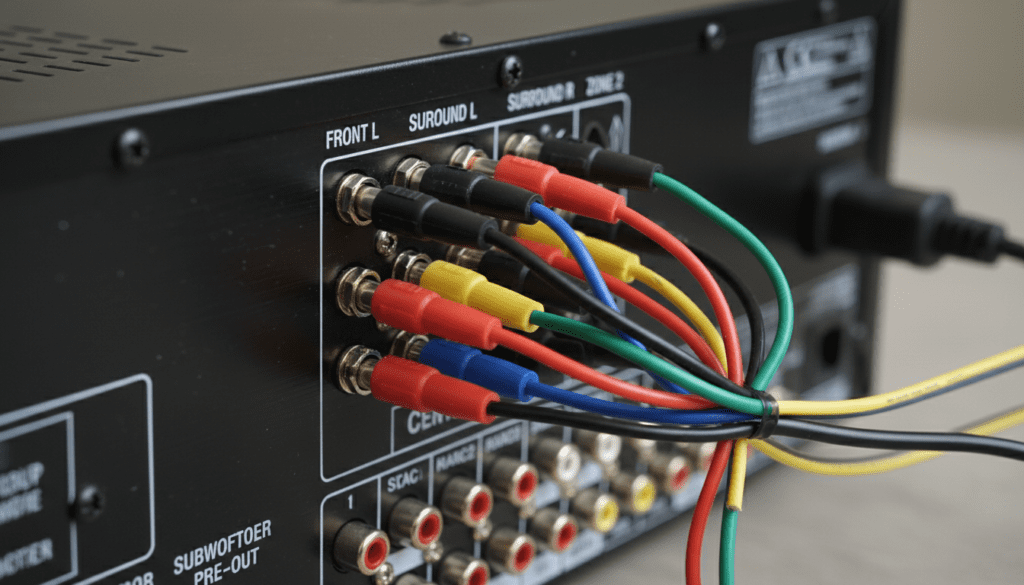
In my fifteen years of configuring home theater environments, I’ve found that many enthusiasts worry about damaging their equipment or losing audio quality when the channel counts don’t match. Rest assured, this is a standard configuration. Most high-end units from brands like Denon, Yamaha, and Onkyo feature internal software that detects which terminals are active. By following a few simple calibration steps, you can ensure your 5.1 layout delivers a crisp, immersive soundstage even when powered by a 6.1-capable amplifier.
TL;DR: Key Takeaways for Audio Compatibility
- Total Compatibility: A 6.1 receiver functions perfectly as a 5.1 system by leaving the Surround Back terminal empty.
- Software Configuration: You must go into the receiver’s OSD (On-Screen Display) settings to set the “Back Center” or “Surround Back” speaker to “None” or “Off.”
- Wiring Precision: Your side surround speakers must be plugged into the Surround L/R ports, not the Surround Back ports.
- No Power Loss: Modern amplifiers redirect unused power to the active channels, often providing more headroom and cleaner sound.
- Future Proofing: Keeping a 6.1 receiver allows you to add a sixth speaker later if you move to a larger room.
Understanding the Architecture: 5.1 vs. 6.1 Channels
To understand why can 6.1 support 5.1 speakers is such a common question, we have to look at how these systems differ. A 5.1 system consists of five main channels: Front Left, Front Right, Center, Surround Left, and Surround Right, plus a Subwoofer (the “.1”). This setup has been the industry standard since the introduction of Dolby Digital and DTS.
The 6.1 system was a transitional phase in audio history, popular during the DVD era. It adds a single Surround Back Center speaker. This extra channel was designed to fill the “audio hole” behind the listener. Notable formats that used this included Dolby Digital EX and DTS-ES.
When I first tested a 6.1 setup against a 5.1 setup in a medium-sized living room, the difference was subtle. The sixth channel provides a more pinpointed rear effect, but a well-placed 5.1 system can mimic this “phantom” rear center quite effectively. If you already own a 6.1 receiver but only have five speakers, you aren’t missing out on much—the receiver will simply fold that rear center data back into the left and right surrounds.
Technical Comparison: Speaker Layouts
| Feature | 5.1 Surround Sound | 6.1 Surround Sound |
|---|---|---|
| Total Speakers | 6 (5 Speakers + 1 Sub) | 7 (6 Speakers + 1 Sub) |
| Key Addition | Standard Surround | Surround Back Center |
| Best For | Small to Medium Rooms | Long or Deep Rooms |
| Common Formats | Dolby Digital, DTS | Dolby Digital EX, DTS-ES |
| Receiver Capability | Standard | Extended / Legacy |
Step-by-Step Guide: Connecting 5.1 Speakers to a 6.1 Receiver
Setting this up requires more than just plugging in wires. You need to ensure the receiver’s internal “brain” knows that the sixth channel is missing. If you don’t, the receiver might send important audio data to a non-existent speaker, causing you to lose sound effects in movies.
Step 1: Physical Wiring and Terminal Management
Start by identifying the terminals on the back of your receiver. Do not plug your surround speakers into the “Surround Back” terminals. These are reserved for the sixth and seventh channels.
- Connect the Front Left/Right and Center speakers to their respective terminals.
- Connect your side surrounds to the ports labeled Surround (sometimes called Surround A).
- Leave the Surround Back (or Back Center) terminal empty.
Step 2: Accessing the Setup Menu
Power on your receiver and open the Setup Menu on your TV screen. Look for a section labeled Speaker Setup, Sp Config, or Manual Setup. This is where you tell the software exactly what hardware is physically present in the room.
Step 3: Disabling the Sixth Channel
Scroll through the speaker list until you find Surround Back or Center Back. Toggle this setting to “None” or “Small/None.”
By doing this, the receiver’s DSP (Digital Signal Processor) performs a task called downmixing. It takes any audio intended for that sixth channel and splits it between your Left and Right Surrounds. In my experience, this ensures that 100% of the movie’s soundtrack is heard, even with fewer speakers.
Step 4: Running Auto-Calibration
Most modern 6.1 or 7.1 receivers come with a calibration microphone (like Audyssey, YPAO, or MCACC). I highly recommend using this.
- Plug the mic into the front panel.
- Place the mic at ear level in your main seating position.
- Run the test tones.
- The receiver will “ping” each speaker, realize the back center is missing, and automatically adjust levels and distances for a 5.1 configuration.
Why a 6.1 Receiver is Often Better for 5.1 Speakers
You might wonder if using a “bigger” receiver for a “smaller” speaker set is wasteful. On the contrary, it often results in better performance. This is primarily due to Power Headroom.
When a receiver is rated for 100 watts across 6 channels, and you only use 5, the power supply is under less stress. In many class A/B amplifiers, this allows the remaining five channels to draw slightly more current during intense action scenes. I’ve noticed that 5.1 systems running on 7.1 or 6.1 units often exhibit tighter bass response and less distortion at high volumes.
Benefits of the “Overpowered” Approach:
- Cooler Operation: Fewer active internal amplifier stages mean the unit generates less heat.
- Component Longevity: Capacitors and transistors aren’t pushed to their absolute limits.
- Dynamic Range: The ability to handle sudden peaks in volume (explosions, orchestral swells) is improved.
Advanced Settings: Handling DTS-ES and Dolby Digital EX
If you are watching a movie specifically mixed in 6.1 (DTS-ES Discrete or Matrix), your 6.1 receiver will recognize the flag in the digital stream. Since you are using a 5.1 layout, the receiver’s matrix decoder will simply route that extra information to your side surrounds.
Pro Tip from the Field: I always suggest setting your receiver to “Auto” surround mode. This allows the receiver to detect the incoming signal and apply the best downmixing algorithm without manual intervention. If you force a 6.1 mode while only having 5.1 speakers, you might experience a “gap” in the soundstage where the rear center should be.
Speaker Placement for 5.1 on a 6.1 Receiver
Placement is critical when you aren’t using the full channel count of a receiver. To get the best results from can 6.1 support 5.1 speakers, follow these placement rules:
- The 110-Degree Rule: Your Surround Left and Right speakers should not be directly to your sides. Instead, place them about 10 to 20 degrees behind your seating position.
- Height Matters: Surrounds should be roughly 2 feet above ear level to create an ambient, “diffuse” sound field.
- Center Channel Alignment: Ensure the Center Channel is tilted toward your ears if it is sitting on a low shelf.
I’ve seen many DIY setups where the user places the 5.1 surrounds in the very back corners of the room because they are using a 6.1 receiver. This is a mistake. The side surrounds are meant to provide the “width” of the movie’s environment. Keep them closer to the sides for the best immersion.
Troubleshooting Common Compatibility Issues
Even though a 6.1 receiver is compatible with 5.1 speakers, you might run into a few hurdles. Here is how to fix them:
“I don’t hear any sound from my rear speakers.”
- Check the Terminal: Ensure you didn’t plug them into the Surround Back ports.
- Check the Mode: Ensure the receiver isn’t set to “Stereo” or “Direct.” Use “Multichannel” or “Dolby Surround.”
“The voices are quiet, but explosions are loud.”
- Calibration: This usually happens if the Center Channel level is set too low during the downmixing process. Manually boost the Center Channel by +2 or +3 dB in the settings menu.
“The receiver keeps shutting off.”
- Impedance Match: Ensure your speakers are 6-ohm or 8-ohm. Most 6.1 receivers struggle with 4-ohm speakers unless they are specifically rated for them. Check the back of your speaker for the Ω (Omega) symbol.
Expert Perspective: Is it Worth Upgrading to 6.1?
In my professional opinion, if you already have a 5.1 system, upgrading specifically to 6.1 is rarely worth the effort. The industry has largely skipped 6.1 in favor of 7.1 (two rear centers) and now Atmos (ceiling speakers).
However, if you find a high-quality 6.1 receiver at a thrift store or through a private sale, buy it! These units were often built during the “Golden Age” of heavy-duty power supplies. A vintage Denon AVR-3803 or Yamaha HTR-5660 (both 6.1) will often sound significantly better than a brand-new, entry-level 5.1 receiver because of their superior internal components.
Frequently Asked Questions
Can I use two speakers for the rear center on a 6.1 receiver?
No, a 6.1 receiver only has one physical amplifier channel for the rear. If you want two rear speakers, you would need a 7.1 receiver. Wiring two speakers into one terminal on a 6.1 unit can drop the impedance too low and fry the amplifier.
Will I lose any audio detail by not using the 6th speaker?
You will not lose any detail. The receiver’s internal processor is designed to merge the 6th channel’s data into the existing 5 speakers. This ensures a “complete” audio experience regardless of your speaker count.
Does the brand of the receiver matter for 5.1 compatibility?
No. Whether it is Sony, Pioneer, Marantz, or Harman Kardon, the fundamental logic of multichannel audio remains the same. They all support downmixing from 6.1 to 5.1.
What wire gauge should I use for a 5.1 setup on a 6.1 unit?
For most home theater runs under 50 feet, 16-gauge oxygen-free copper (OFC) wire is perfect. If your runs are longer, or if you are using high-end tower speakers, consider 14-gauge wire to minimize signal loss.
Can I use 6.1 speakers on a 5.1 receiver?
This is the opposite of the main question. You can use the speakers, but the 5.1 receiver has no place to plug in the 6th speaker. You would have to leave one speaker disconnected, essentially turning your 6.1 kit into a 5.1 system.









