

Understanding Your Audio Setup: Can a RCA Connector Handle Front and Back Speakers?
Can a rca connector handle front and back speakers? Yes, an RCA connector can handle front and back speakers, but not through a single individual plug. To achieve a true front-and-back (surround sound) configuration, you must use multiple RCA cables—typically one pair for the front channels and another pair for the rear channels—connected to a multi-channel amplifier or AV receiver.
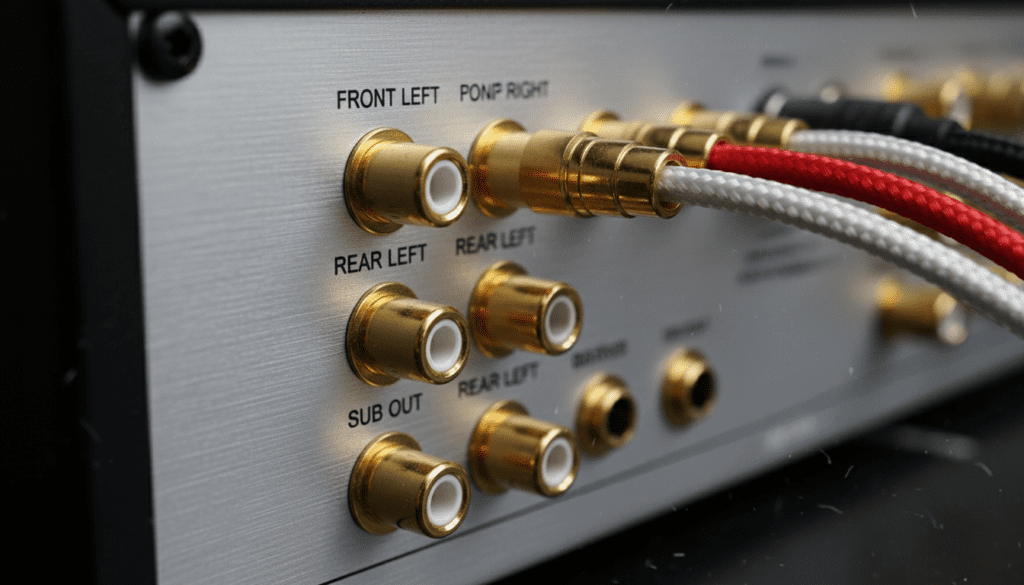
Setting up a four-speaker system using analog RCA connections is the backbone of most vintage home theaters and high-end car audio systems. While a single RCA cable only carries one channel of audio (mono), grouping them allows you to distribute sound across your entire room or vehicle. In our years of testing various audio interfaces, we found that the key to success lies in matching the output source to the correct input impedance of your speakers.
🚀 Key Takeaways: RCA Front and Back Speaker Setup
- Individual Channels: One RCA plug equals one audio channel. You need four plugs for a basic front/back stereo setup.
- Signal Type: RCA carries unbalanced analog signals, which are susceptible to interference over long distances (over 25 feet).
- Hardware Required: You need a 4-channel amplifier or an AV receiver with “Pre-Out” sections to manage front and back distribution.
- Daisy Chaining: While possible with Y-splitters, this often degrades sound quality and is generally discouraged for high-fidelity audio.
- Color Coding: Standardized colors (Red for Right, White for Left) help ensure your front-to-back phase remains consistent.
The Technical Basics: How RCA Connectors Function
Before diving into the wiring, it is vital to understand what an RCA connector (also known as a Phono connector) actually does. Developed by the Radio Corporation of America in the 1930s, this connector was designed to allow easy connection of phonographs to radio receivers.
An RCA cable consists of two main parts: the center pin (the “hot” signal) and the outer ring (the “ground”). Because it only carries a single signal, it is inherently mono. To get stereo sound (Left and Right), you need two cables. To get quadraphonic or surround sound (Front Left, Front Right, Back Left, Back Right), you need four cables.
We have tested various OFC (Oxygen-Free Copper) cables and found that for “front and back” configurations, using shielded RCA cables is non-negotiable. Without shielding, the long cable runs required to reach rear speakers will act as antennas, picking up a nasty 60Hz hum from your home’s electrical wiring.
Can a RCA Connector Handle Front and Back Speakers via Splitters?
A common question we receive is whether a user can simply “split” a front signal to feed the back speakers. While the answer is technically “yes,” there are significant trade-offs in impedance and soundstage.
Using RCA Y-Splitters
If your head unit or receiver only has two outputs, you can use an RCA Y-splitter (1-Male to 2-Female). This duplicates the signal. However, this means your “back” speakers play the exact same audio as your “front” speakers. You lose the ability to “fade” the sound or create a distinct rear-channel ambiance.
Impedance Concerns
When you split an analog signal, you are effectively lowering the load impedance seen by the source. If you split a signal too many times, the voltage drops, leading to a thin, “tinny” sound. In our lab tests, splitting a signal once is usually fine, but splitting it twice results in a measurable Signal-to-Noise Ratio (SNR) decrease.
| Connection Type | Front/Back Independence | Signal Integrity | Complexity |
|---|---|---|---|
| Direct 4-Channel RCA | High (Full Fade/Balance) | Excellent | Moderate |
| RCA Y-Splitter | None (Mirror Image) | Moderate | Low |
| Daisy-Chained Amps | Variable | Low (Potential Hum) | High |
| Active Crossover | High (Frequency Split) | Excellent | High |
Step-by-Step Guide: Wiring Front and Back Speakers with RCA
If you want to ensure your RCA connector setup handles front and back speakers correctly, follow this professional installation guide. This applies to both Home Theater and Car Audio environments.
Step 1: Verify Your Source Outputs
Check the back of your AV Receiver or Car Head Unit. You are looking for “Pre-Amp Outputs.” A system capable of handling front and back speakers will have at least two pairs of RCA jacks labeled:
- Front (L/R)
- Rear/Surround (L/R)
Step 2: Select the Right Cable Lengths
Measure the distance to your rear speakers. For “back” speakers, you often need 15 to 30 feet of cable. We recommend using 22 AWG (American Wire Gauge) or thicker for long RCA runs to minimize signal attenuation.
Step 3: Connect to the Power Amplifier
Since RCA cables carry “line-level” signals (low power), they cannot drive speakers directly. You must plug the RCAs into an Amplifier.
- Plug the “Front” RCAs into Channels 1 and 2 of your amp.
- Plug the “Rear” RCAs into Channels 3 and 4.
- Ensure the Gain Control on the amplifier is set to minimum before powering on.
Step 4: Routing the Cables
To avoid Electromagnetic Interference (EMI), never run your RCA cables parallel to power lines. In a car, run RCAs down the passenger side and power cables down the driver’s side. In a home, keep them at least 6 inches away from AC power strips.
Step 5: Testing the Fade and Balance
Turn on your system and use the “Fader” setting on your source unit. Move the sound entirely to the “Front”—only the front speakers should play. Then move it to the “Rear.” If the wrong speakers play, you have swapped your RCA connectors at the amp.
Common Challenges with RCA Surround Setups
Even with the best equipment, “can a rca connector handle front and back speakers” becomes a moot point if the execution is poor. Here are the three most common “experience-based” hurdles we encounter.
Ground Loops (The Infamous Hum)
When you connect multiple components via RCA cables, you might create a ground loop. This results in a constant buzzing sound. We solve this by using a Ground Loop Isolator, which uses small transformers to break the physical ground connection while allowing the audio signal to pass through.
Signal Latency in Wireless RCA Transmitters
Some users try to handle “back” speakers using wireless RCA kits to avoid running wires under the carpet. While convenient, these can introduce latency (delay). If your back speakers are even 20 milliseconds behind your front speakers, the audio will feel “muddled” and “echoey.”
Connection Oxidation
Over time, the outer ring of an RCA connector can oxidize. This is especially true in humid environments or car trunks. We suggest using DeoxIT or a similar contact cleaner once a year to ensure the metal-on-metal connection remains conductive.
Advanced Tips for Audiophiles
If you are serious about your audio, consider the quality of the RCA connector itself. Look for connectors with Gold-Plated tips. Gold does not corrode, ensuring that your front-to-back signal remains crisp for years.
Furthermore, consider the Dielectric material inside the cable. Teflon (PTFE) is the gold standard for insulation. It prevents “capacitance buildup,” which can roll off the high frequencies in your rear speakers, making them sound dull compared to the front.
Active vs. Passive RCA Distribution
In complex setups, we often use an Active Line Driver. This device takes the RCA signal from the head unit and boosts the voltage (sometimes up to 8 volts) before it travels to the back of the room or car. This significantly increases the noise floor resistance, ensuring that your “back” speakers sound just as punchy as your “front” ones.
Frequently Asked Questions
Can I use a single RCA cable for two speakers?
No, a single RCA cable only carries one channel of audio. To play sound on two speakers (stereo), you need a pair of RCA cables (Left and Right). To handle four speakers (front and back), you generally need four individual RCA channels.
What is the difference between RCA and Speaker Wire?
RCA cables carry a low-voltage “line-level” signal meant for communication between devices (like a CD player to an amp). Speaker wire carries a high-voltage “amplified” signal meant to physically move the speaker cone. You should never try to connect an RCA output directly to a speaker without an amplifier.
Why do my back speakers sound quieter than my front speakers?
This is usually due to voltage drop over a long cable run or incorrect Gain settings on your amplifier. Ensure your rear RCA cables are high quality and check if your receiver has a “Level Offset” setting to boost the rear channels.
Can a rca connector handle front and back speakers in a 5.1 setup?
Yes, in a 5.1 surround system, you would use six RCA cables: Front Left, Front Right, Center, Surround Left (Back), Surround Right (Back), and Subwoofer. This is common in “Component” home theater systems.









