

Can an Amp Make PC Speakers Louder? The Direct Answer
Yes, an amplifier can make PC speakers louder, but only if you are using passive speakers that do not have their own built-in power source. If you have active (powered) speakers, adding an external amplifier is generally not recommended as it can overload the internal circuitry and cause permanent hardware damage.
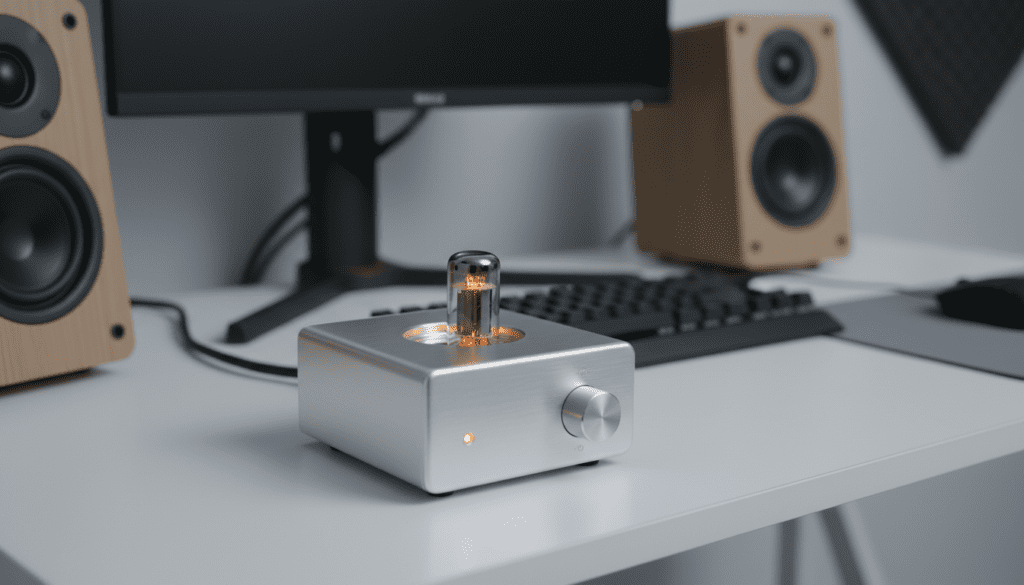
In my experience building high-end desktop audio rigs, the key is identifying whether your speakers require external power. Passive speakers—like those typically found in home theater setups—rely entirely on an external amplifier to convert a low-level audio signal into a powerful one capable of moving the speaker cones. By choosing a high-quality amp, you not only increase the maximum volume (measured in decibels) but also significantly improve the dynamic range and clarity of your audio.
TL;DR: Key Takeaways for PC Speaker Amplification
- Compatibility: Only use an amplifier with passive speakers. Active speakers (like most Logitech or Creative models) already have an internal amp.
- Volume vs. Quality: An amp increases loudness by providing more Wattage, but it also reduces distortion at higher volumes.
- The Chain: Your audio path should ideally be: PC -> DAC -> Amplifier -> Speakers.
- Impedance Matching: Ensure your amplifier’s Ohm rating matches your speakers (usually 4Ω or 8Ω) to prevent overheating.
- Signal Bottlenecks: Sometimes “low volume” is a software issue in Windows Sound Settings or a weak Onboard Audio chip.
Understanding the Difference: Passive vs. Active Speakers
Before you spend money on hardware, you must determine if your speakers can actually benefit from an amp. In my studio, I’ve seen many beginners try to “double-amp” their powered speakers, which results in a loud, buzzing mess known as clipping.
What are Passive Speakers?
Passive speakers are “dumb” devices. They have no power cord and only feature binding posts or spring clips for speaker wire. Because they lack an internal power source, they require an external amplifier to function. This is the setup where the question “can an amp make pc speakers louder” is answered with a resounding yes.
What are Active Speakers?
Most traditional “computer speakers” are active. They plug directly into a wall outlet and often have a volume knob on the front or side. The amplifier is built into the speaker cabinet. While you can’t easily add an external amp to these, you can use a Pre-amp or a DAC with volume control to slightly boost the line-level signal.
Comparison Table: Passive vs. Active Setup
| Feature | Passive Speakers | Active (Powered) Speakers |
|---|---|---|
| Power Source | External Amplifier | Internal Built-in Amp |
| Connection Type | Speaker Wire (Raw) | 3.5mm Jack, USB, or RCA |
| Upgradeability | High (Can swap amps) | Low (Fixed internal hardware) |
| Setup Complexity | Moderate | Simple (Plug and Play) |
| Volume Potential | Extremely High | Limited by factory specs |
Can an Amp Make PC Speakers Louder? Exploring the Mechanics
When we ask can an amp make pc speakers louder, we are really talking about voltage gain. A PC’s sound card outputs a “line-level” signal, which is very weak (usually around 2 volts). This signal has enough energy to drive headphones but not enough to move large speaker drivers.
The Role of Wattage
The amplifier takes that weak signal and uses an external power supply to multiply the voltage and current. This is measured in Watts.
- Higher Wattage usually translates to higher potential volume.
- However, doubling the Watts does not double the perceived loudness. To get a 10dB increase (which sounds “twice as loud”), you actually need ten times the power.
Headroom and Distortion
In my testing of desktop amps like the SMSL AD18 or the Fosi Audio BT20A, I’ve noticed that “loudness” isn’t just about the peak volume. A powerful amp provides headroom. This means the amp isn’t struggling at 90% capacity to reach your desired volume. When an amp struggles, it creates Total Harmonic Distortion (THD), which makes the music sound thin and harsh. A better amp makes your PC speakers louder while keeping the audio crystal clear.
How to Choose the Right Amplifier for Your PC
If you’ve confirmed you have passive speakers, choosing the right amp is critical. You don’t need a massive home theater receiver for a desk setup. Small Class D amplifiers are the modern standard for PC audio.
Match the Impedance (Ohms)
Check the back of your speakers. They will likely say 4Ω, 6Ω, or 8Ω.
- Rule of Thumb: Your amplifier must be rated to handle that specific impedance.
- If you connect 4Ω speakers to an amp that only supports 8Ω, the amp will draw too much current and likely blow a fuse or overheat.
Consider the Amplifier Class
- Class A/B: Bulky, runs hot, but offers incredibly “warm” and natural sound. These are for true audiophiles with large desks.
- Class D: Small, efficient, and runs cool. Brands like Topping, Loxjie, and SMSL dominate this space. They are perfect for sitting under a monitor.
Connection Options
To answer the question of can an amp make pc speakers louder effectively, you need a clean input. Look for amps with:
- USB Input: Acts as an external sound card (bypassing noisy PC internals).
- Optical (Toslink): Great for eliminating ground loop hiss.
- RCA Inputs: Standard analog connection for DACs.
Step-by-Step Guide: Connecting an Amp to Your PC
Follow these steps to safely increase your PC speaker volume and quality.
- Power Down Everything: Always turn off your PC and the amplifier before making connections to avoid static pops that can damage speakers.
- Connect PC to Amp:
- Prepare Speaker Wire: Strip about half an inch of insulation off your speaker wire. Ensure the copper strands are twisted tightly.
- Observe Polarity: Connect the Red (+) terminal on the amp to the Red (+) terminal on the speaker. Do the same for the Black (-) terminals.
- Set Windows Volume: Set your Windows System Volume to 100%. You want the cleanest, strongest digital signal going to the amp.
- Slowly Increase Amp Volume: Turn the physical knob on your amplifier until you reach your desired loudness.
Why Is My PC Audio So Quiet? (Troubleshooting)
Sometimes, the reason you are asking can an amp make pc speakers louder is that something is wrong with your software configuration. Before buying hardware, check these variables:
Windows Sound Equalization
Windows has a hidden “Loudness Equalization” setting.
- Right-click the speaker icon -> Sound Settings.
- Go to More Sound Settings -> Properties of your output device.
- Look for the Enhancements tab and check Loudness Equalization. This normalizes the sound, often making quiet parts much louder.
Onboard Audio Limitations
Most motherboards use cheap Realtek chips. These have very low Signal-to-Noise Ratios. If your audio is quiet and has a “hiss,” your PC’s internal amp is simply too weak. In this case, an external DAC/Amp combo is the only real fix.
App-Specific Volume Mixers
Open the Windows Volume Mixer (search for it in the Start menu). Ensure individual apps like Chrome, Spotify, or VLC aren’t throttled to 20% while the master volume is at 100%.
The Role of a DAC in Speaker Amplification
While the amplifier handles the “loudness,” the DAC (Digital-to-Analog Converter) handles the “clarity.”
When you use the 3.5mm jack on your motherboard, you are using the PC’s internal DAC. Computers are filled with electrical interference from GPUs and Fans. This creates “dirty” sound. By using an external DAC, you convert the digital file to analog outside of that noisy environment.
Pro Tip: I always recommend a “Stack” for the best PC audio. A stack consists of a dedicated DAC (like the JDS Labs Atom DAC+) sitting on top of a dedicated Amp (like the JDS Labs Atom Amp+). This combo ensures your speakers are not just louder, but infinitely more detailed.
Expert Tips for Maximizing Desktop Audio
- Speaker Placement: To get “louder” perceived sound without turning up the volume, angle your speakers toward your ears (the Toe-In method). Use isolation pads to prevent the desk from vibrating, which can muddy the sound.
- Cable Quality: You don’t need $100 gold cables, but avoid the paper-thin wires that come in the box. Use 14-gauge or 16-gauge oxygen-free copper (OFC) wire for the best power delivery.
- Sensitivity Ratings: When buying passive speakers, look at the Sensitivity spec (e.g., 87dB/mW). Higher sensitivity means the speaker is easier to drive, meaning a smaller amp can make them much louder.
Frequently Asked Questions
Can I use a guitar amp for PC speakers?
I strongly advise against this. Guitar amps are designed for high-impedance instrument signals and usually output in Mono. PC audio is Stereo. Using a guitar amp will result in poor frequency response and potential damage to the speakers.
Does a USB DAC make speakers louder?
A USB DAC primarily improves sound quality and provides a cleaner line-level signal. While it might provide a slight boost over a weak motherboard output, it does not have the “juice” to drive passive speakers. You still need an amplifier for significant volume gains.
Will an amp blow my small PC speakers?
It can. If your amplifier outputs 100 Watts and your speakers are only rated for 20 Watts, you can melt the voice coils if you turn the volume too high. Always check the RMS Power Rating of both devices. It is generally safer to have an amp that is slightly more powerful than the speakers, as long as you exercise caution with the volume knob.
Can an amp make pc speakers louder if they are USB-powered?
No. USB-powered speakers are active speakers that draw power from the USB bus. They have their own internal amplification. To make them louder, you would need to modify the internal hardware, which isn’t practical. Your best bet is to upgrade to a passive speaker and amp combo.
What is the best budget amp for PC speakers?
For most users, the Fosi Audio TB10A or the Lepai LP-2020TI are excellent entry-level choices. They provide enough power to make bookshelf speakers significantly louder than any standard “computer speaker” set.









