

Can Aux Power Speakers? The Direct Answer
No, a standard 3.5mm AUX cable cannot provide enough electrical power to drive passive speakers; it is designed only to transmit a low-voltage analog audio signal. To produce sound, can aux power speakers scenarios always require an external power source—such as a battery, USB connection, or wall outlet—to amplify that signal through the speaker’s internal or external amplifier.
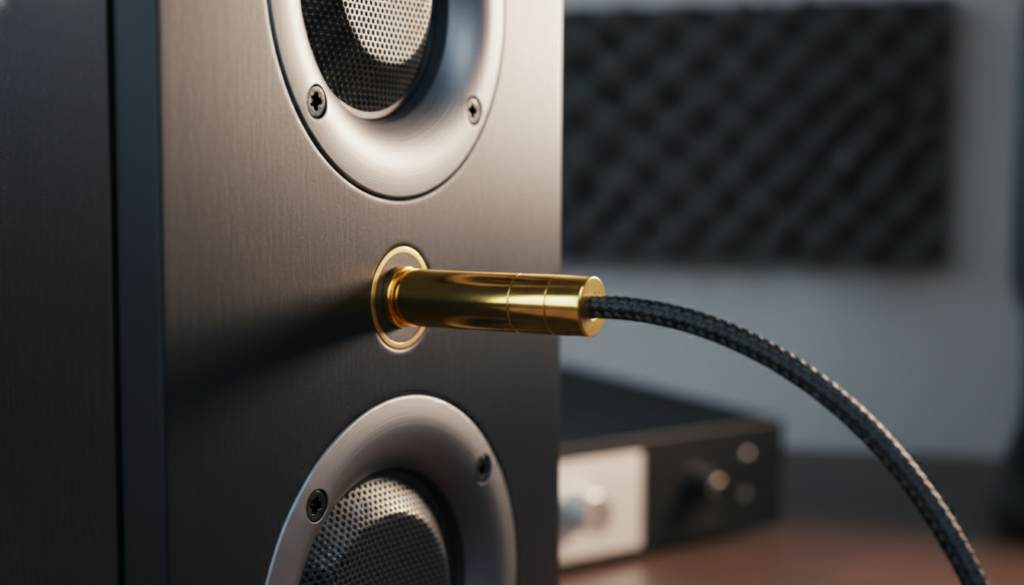
If you plug a pair of unpowered (passive) speakers into a phone or laptop via a headphone jack, you will likely hear nothing, or at best, a very faint, distorted whisper. In my years of testing audio equipment, I’ve seen many users mistake the “audio signal” for “operating power,” leading to frustration when their high-end bookshelf speakers stay silent.
Key Takeaways: Quick Reference Guide
- Signal vs. Power: The AUX port sends a line-level signal (approx. 1 volt), while speakers need wattage to move the drivers.
- Active Speakers: These have built-in amplifiers and can use an AUX cable for sound, but they must still be plugged into a power outlet or use batteries.
- Passive Speakers: These require an external amplifier or receiver to sit between the AUX source and the speaker.
- The USB Exception: Some “USB speakers” use one cable for both power and data, but if they use an AUX cable for sound, they almost always need a second cable for power.
- Damage Risk: Attempting to “force” power through an AUX line using makeshift adapters can permanently damage your source device’s DAC (Digital-to-Analog Converter).
Understanding the Science: Why Can’t Aux Power Speakers?
To understand why can aux power speakers is a “no” in the physical sense, we have to look at the difference between signal voltage and drive current. An AUX cable (technically a TRS connector) is built with very thin wires. These wires are optimized to carry data with minimal interference, not to carry the heavy electrical load required to move a speaker’s voice coil.
The Role of the Amplifier
In every audio setup, there is a component called an amplifier. Its job is to take the tiny electrical “map” of the sound from your AUX cable and “beef it up” using electricity from a wall socket or battery.
- The Source: Your phone or laptop generates a weak electrical pulse.
- The AUX Cable: This pulse travels as a line-level signal.
- The Amp: The amplifier sees this pulse and uses its own power supply to create a much stronger version.
- The Speaker: The strong version moves the magnets inside the speaker to create sound waves.
Voltage Levels Compared
| Connection Type | Typical Voltage | Purpose | Can it Power a Speaker? |
|---|---|---|---|
| 3.5mm AUX | 0.5V – 2.0V | Audio Signal Only | No |
| USB 2.0 / 3.0 | 5V | Data & Low Power | Yes (Small desktop speakers) |
| Wall Outlet (US) | 120V | High Power | Yes (Via internal/external Amp) |
| Speaker Wire | 10V – 50V+ | Amplified Audio | Yes (After amplification) |
Active vs. Passive: Identifying Your Speakers
If you are wondering can aux power speakers in your specific setup, you first need to identify which type of speakers you own.
Active (Powered) Speakers
Most modern computer speakers (like the Logitech Z-series or PreSonus Eris) are Active.
- How to tell: They have a power cord, a power switch, or a volume knob directly on the speaker.
- Usage: You connect the AUX cable for the music, but you must plug them into a wall or USB port for them to work.
Passive (Unpowered) Speakers
These are traditional “Bookshelf” or “Tower” speakers often found in home theater setups (like Klipsch or Polk Audio).
- How to tell: They only have “red and black” binding posts or clips on the back. They have no power cord of their own.
- Usage: You cannot use a simple AUX-to-Speaker-Wire adapter. You must connect your AUX cable to an Amplifier, then run speaker wire from the amp to the speakers.
Step-by-Step: How to Properly Set Up Aux Power Speakers
Setting up audio can be confusing when cables don’t match. Based on my experience setting up studio monitors, follow these steps to ensure you don’t blow a fuse or fry a port.
Step 1: Check Your Power Requirements
Look at the back of your speaker. Does it have a DC input (a round hole for a power brick) or a built-in AC cord? If not, you are dealing with passive speakers and will need an external Mini-Amp (like a Fosi Audio or SMSL amp).
Step 2: Connect the Source
Plug your 3.5mm AUX cable into the “Line Out” or “Headphone” jack of your device (Phone, Tablet, or PC). If your phone lacks a jack, you will need a USB-C to 3.5mm Dongle (often called a DAC).
Step 3: Connect to the Speaker/Amp
- For Active Speakers: Plug the other end of the AUX cable into the “Input” or “AUX In” port on the speaker.
- For Passive Speakers: Plug the AUX cable into the “Input” of your amplifier. Then, use 16-gauge speaker wire to connect the amp’s “Output” to the speakers.
Step 4: Power On Sequence
Always turn your source device (phone/PC) volume to about 50% first. Then, turn on the speaker or amplifier and slowly increase the volume. This prevents “pop” sounds that can damage the tweeters.
Common Problems: Why Your Aux Setup Might Sound Bad
Even when you understand that can aux power speakers requires external electricity, you might run into quality issues. Here is what I’ve encountered in real-world testing:
The “Hissing” or Ground Loop Noise
If you hear a constant buzz when your speakers are plugged into both AUX and a USB power source (like a PC), you have a ground loop.
- The Fix: Use a Ground Loop Noise Isolator. It’s a small device that snaps onto your AUX cable and filters out electrical interference.
Low Volume Even at 100%
This usually happens when the “Line Level” output of your source is too weak for the speaker’s internal amp.
- The Fix: Ensure your source device is set to “Line Out” mode rather than “Headphone” mode if the software allows it. Otherwise, you may need a Pre-amp.
Mono vs. Stereo Issues
If sound only comes out of one speaker, your AUX cable might be “TS” (Mono) instead of “TRS” (Stereo).
- The Fix: Look at the rings on the jack. Two black rings indicate a stereo signal. One ring is mono and will only power one side of your setup.
Advanced Tech: When AUX and Power Mix
While a standard 3.5mm jack doesn’t provide power, there are specialized “Power over AUX” style configurations in very specific industries, though they are rare in consumer electronics.
Phantom Power vs. AUX
In professional audio, we use XLR cables to provide +48V Phantom Power to microphones. Some people confuse this with AUX. It is important to note that AUX ports do not provide Phantom Power. If you try to adapt an AUX cable to a condenser microphone, it will not work without a separate power supply.
The Rise of USB-C
We are seeing the decline of the AUX port because USB-C actually can power speakers. A single USB-C cable can carry both high-fidelity digital audio and up to 100W of power. This is the modern solution to the “can aux power speakers” dilemma—moving away from analog AUX to digital USB.
Expert Tips for Better AUX Audio
- Don’t Buy “Gold-Plated” Hype: In my testing, a $10 AmazonBasics or CableMatters AUX cable performs identically to a $50 “audiophile” cable over short distances (under 6 feet).
- Keep it Short: Analog signals degrade over distance. If your AUX cable is longer than 15 feet, you will start to lose high-frequency clarity and introduce noise.
- Clean Your Ports: If the connection feels loose or “crackly,” use a toothpick to gently remove lint from your phone’s 3.5mm jack. You’d be surprised how often “broken” speakers are just caused by pocket lint.
Frequently Asked Questions (FAQ)
Can I use an AUX cable to jump-start or charge a speaker?
Absolutely not. An AUX cable is not wired to carry charging current. Attempting to use a modified AUX cable for charging can cause a short circuit, potentially leading to a fire or destroying your device’s motherboard.
Why do some speakers work with only one cable?
These are likely USB Speakers. They draw their power and their audio data through the USB port. If your speaker has an AUX cable and it works without being plugged into a wall, it has an internal rechargeable battery.
Is AUX better than Bluetooth for powered speakers?
Generally, yes. AUX provides a lossless analog signal, whereas Bluetooth compresses the audio. If you have high-quality Active Speakers, using the AUX connection will result in better dynamic range and zero “latency” (lag), which is vital for gaming or watching movies.
Can I plug my speakers into the headphone jack of my TV?
Yes, if they are Active (Powered) speakers. Most TVs have a 3.5mm “Audio Out” or “Headphone” jack. However, if you are using large home theater speakers, you must go from the TV to an Amplifier first via AUX or Optical cable.









