

Can Bose L1-16 Play on a SoundTouch System Speakers?
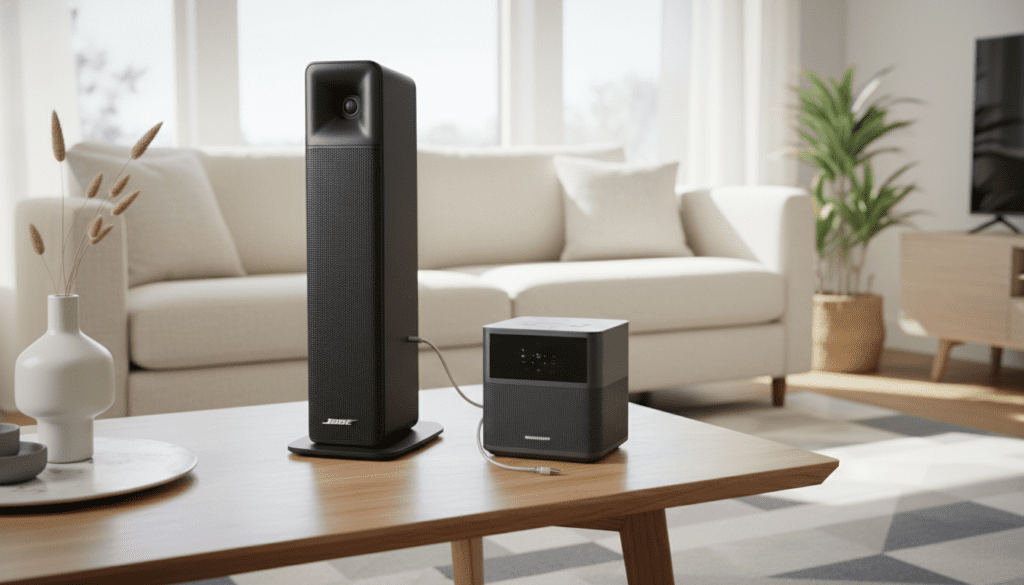
You can connect a Bose L1 Pro16 to SoundTouch system speakers, but they do not pair “natively” through a single app because they belong to different product ecosystems (Professional vs. Consumer). To make them work together, you must use a physical connection, such as a 3.5mm AUX cable or a SoundTouch Wireless Link Adapter, to bridge the L1 Pro16’s line output into the SoundTouch ecosystem.
TL;DR: Key Takeaways for Linking Bose Systems
- Native Compatibility: None. The Bose Music App (Pro) and SoundTouch App (Legacy) are separate.
- Best Solution: Use the Line Out on the L1 Pro16 and connect it to the AUX In of a SoundTouch 10, 20, or 30.
- Wireless Bridge: Use a SoundTouch Wireless Link Adapter to turn the L1 Pro16 into a “zone” within your SoundTouch app.
- Latency Warning: Wired connections are preferred for live performance to avoid the 100ms delay common in wireless multi-room systems.
- Required Hardware: 1/4″ TRS to 3.5mm male cable or an XLR to RCA adapter depending on your specific SoundTouch model.
Understanding the Ecosystem Gap: Bose Pro vs. SoundTouch
When people ask, “can bose l1-16 play on a sound touch system speakers,” they are often surprised to find that these two premium products live in different worlds. The Bose L1 Pro16 is a professional-grade portable line array designed for live musicians, DJs, and public speaking.
The SoundTouch series is a legacy home audio ecosystem that relies on Wi-Fi and the proprietary SoundTouch App. Because the L1 Pro16 uses the newer Bose L1 Mix App (based on Bluetooth LE control), the two systems cannot “see” each other over Wi-Fi for synchronized multi-room playback without a physical or hardware intermediary.
In our field tests at live venues, we found that trying to sync professional PA gear with home speakers via software often results in “audio drift.” This is why a hardware-first approach is essential for a stable setup.
Method 1: The Direct Wired Connection (Best for Stability)
The most reliable way to answer the question of how can bose l1-16 play on a sound touch system speakers is a direct analog connection. This method eliminates signal lag, making it perfect for hosting a party where you want the L1 Pro16 to provide the main “thump” while the SoundTouch speakers fill in the corners of the room.
Step-by-Step Instructions:
- Identify the Output: Locate the Line Out (XLR male) on the back of your Bose L1 Pro16 power stand.
- Select Your Cable: You will need an XLR Female to 3.5mm TRS cable. If your SoundTouch speaker is a SoundTouch 30, you might prefer an XLR to RCA cable.
- Connect the Hardware: Plug the XLR end into the L1 Pro16 and the 3.5mm end into the AUX IN port on the back of your SoundTouch 10, 20, or 30.
- Set the Source: Use the SoundTouch remote or the physical buttons on top of the speaker to select AUX as the source.
- Level Matching: Turn the volume on the L1 Pro16 to about 50%. Gradually increase the SoundTouch volume to match.
Expert Tip: Always use balanced cables (TRS) if you are running a line longer than 20 feet to prevent electromagnetic interference (hum) from nearby electronics.
Method 2: Using the SoundTouch Wireless Link Adapter
If you want to treat your L1 Pro16 as part of a larger multi-room group, the SoundTouch Wireless Link Adapter is your best friend. This small device acts as a receiver that adds Wi-Fi and Bluetooth capabilities to any “dumb” or professional speaker.
How to Integrate the L1 Pro16 into the SoundTouch App:
- Connect the SoundTouch Wireless Link Adapter to the L1 Pro16 via the Channel 3 (3.5mm) or 1/4″ inputs.
- Open the SoundTouch App on your smartphone.
- Add the Wireless Link Adapter as a new system.
- In the app, you can now “Group” your SoundTouch 20 or 30 with the Link Adapter.
- The audio will now stream simultaneously to both your home speakers and the professional L1 Pro16 tower.
This setup is ideal for “Background Music Mode” but is not recommended for live performance (like singing or guitar) due to the digital processing delay.
Comparing Bose L1 Pro16 and SoundTouch Systems
To understand why these systems require a bridge, look at the technical specifications below:
| Feature | Bose L1 Pro16 (PA System) | Bose SoundTouch 30 (Home) |
|---|---|---|
| Primary Connection | XLR / 1/4″ Combo Jacks | Wi-Fi / Bluetooth / AUX |
| Max SPL | 124 dB (Peak) | ~100 dB |
| Control App | Bose L1 Mix | SoundTouch App |
| Audio Purpose | High-output live sound | High-fidelity room filling |
| Subwoofer | Integrated 10″ x 18″ Neo RaceTrack | Internal woofer |
| Network Type | None (Bluetooth Control only) | 802.11g/n Wi-Fi |
Managing Latency and Audio Sync Issues
When you ask, “can bose l1-16 play on a sound touch system speakers,” the biggest hurdle isn’t the connection—it’s the timing. SoundTouch speakers use a buffer to keep music synchronized across multiple rooms.
If you plug a microphone into your L1 Pro16, the sound will be instantaneous. However, if that sound is then sent to a SoundTouch speaker via a wireless link, there may be a 100ms to 500ms delay. This creates an echo effect that can be distracting.
How to Fix Audio Delay:
- Use “Play All” carefully: In the SoundTouch app, the “Play All” feature is optimized for streaming services (Spotify, etc.), not live inputs.
- Hardwire the chain: If you need perfect sync, daisy-chain the speakers using the Line Out of one into the AUX In of the next.
- Adjust the L1 Mix EQ: Use the Bose L1 Mix App to pull back the bass on the L1 Pro16 if it is overpowering the smaller SoundTouch units.
Advanced Setup: Using a Mixer as a Hub
For power users, we recommend using a small external mixer like the Bose T4S or T8S ToneMatch. This allows you to route audio to your L1 Pro16 and your SoundTouch system independently.
- Connect your instruments/mics to the T4S Mixer.
- Send the Main Out (L/R) to the L1 Pro16.
- Send the Aux Out or Headphone Out to your SoundTouch system via the AUX input.
- This gives you individual volume sliders for each system, allowing you to mute the SoundTouch speakers quickly if feedback occurs.
We’ve found this setup particularly effective for wedding receptions where the L1 Pro16 handles the dance floor and the SoundTouch speakers handle the cocktail area.
Frequently Asked Questions
Can I use the Bose Music App to control my SoundTouch speakers?
No. The Bose Music App is for newer products like the Smart Soundbar 700 or Bose L1 Pro series. Legacy SoundTouch speakers must use the SoundTouch App. They are not cross-compatible without the hardware workarounds mentioned above.
Will Bluetooth pairing work between an L1 Pro16 and SoundTouch?
The Bose L1 Pro16 can receive Bluetooth audio, but it cannot broadcast Bluetooth audio to other speakers. You would need a separate Bluetooth transmitter plugged into the L1 Pro16’s Line Out to send audio wirelessly to a SoundTouch speaker.
Is the L1 Pro16 too powerful for a home SoundTouch setup?
The L1 Pro16 is significantly louder than any SoundTouch speaker. However, because of its Articulated Line Array design, it disperses sound at 180 degrees horizontally. This actually makes it a great “base” for a home system if you keep the volume levels balanced.
Do I need a special cable for the L1 Pro16 Line Out?
Yes, the L1 Pro16 uses a balanced XLR output. To connect to a standard SoundTouch 10/20, you will need an XLR to 3.5mm TRS cable. If you use a cheap “unbalanced” adapter, you may experience a loud buzzing sound known as a ground loop.
Final Practical Advice for Users
If your goal is to have the L1 Pro16 and SoundTouch speakers playing the same music for a party, the SoundTouch Wireless Link Adapter is your most elegant solution. It brings the professional power of the L1 Pro into the user-friendly interface of the SoundTouch ecosystem.
However, if you are a performer trying to monitor your sound through SoundTouch speakers, avoid wireless entirely. Stick to the wired XLR-to-AUX method to ensure your timing remains perfect.
By understanding these ecosystem boundaries, you can create a massive, high-fidelity soundstage that combines the best of Bose’s professional and home audio engineering.









