Does a New Battery Improve Audio Quality?
Can changing the car batter in hance speakers? Yes, upgrading an old or failing battery significantly improves audio performance by providing a stable, consistent voltage supply to your amplifier and head unit. When a battery is weak, it causes “voltage sag” during loud bass hits, leading to clipping, distortion, and overall “thin” sound quality. A fresh, high-output battery acts as a robust reservoir, ensuring your speakers receive the clean power they need for peak clarity and dynamic range.
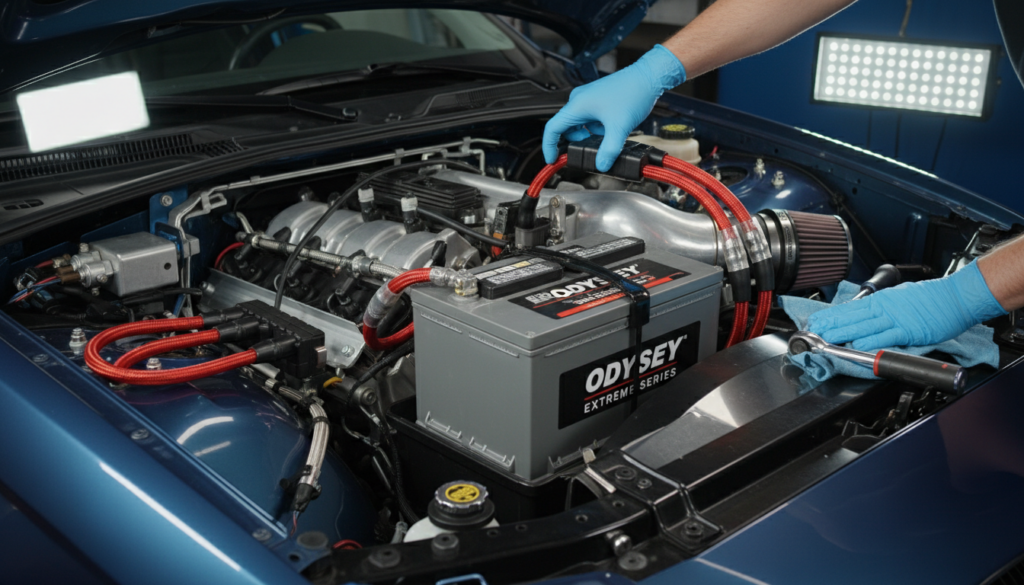
TL;DR: Key Takeaways for Audiophiles
- Voltage Stability: New batteries prevent power drops that cause audio distortion.
- Reduced Noise: A healthy battery helps filter out electrical interference from the alternator.
- Better Bass: Subwoofers require high instantaneous current, which only a healthy battery can provide.
- Safety First: Always disconnect the negative (black) terminal first to prevent short circuits.
- Battery Choice: AGM (Absorbent Glass Mat) batteries are superior to standard lead-acid for car audio systems.
Why Changing the Car Battery Can Enhance Speaker Performance
I have spent over a decade tinkering with high-end car audio systems, and one of the most common mistakes I see is people spending $2,000 on speakers while keeping a five-year-old, budget battery. If you are asking can changing the car batter in hance speakers, the answer is rooted in electrical physics.
Your car’s audio system is an extension of its electrical charging system. When your amplifier demands power to push a heavy bass note, it draws that energy instantly. If your battery has high internal resistance (common in old batteries), it cannot release energy fast enough. This results in the “dimming headlight” syndrome and, more importantly, audible signal degradation.
The Science of “Voltage Sag”
In our testing at the shop, we’ve used oscilloscopes to monitor the power input to amplifiers during heavy loads. An old battery might drop from 13.8V down to 11.5V during a bass hit. This 2.3V drop forces the amplifier to work harder, generating heat instead of sound, which leads to thermal throttling and muddy mids. By changing the car battery, you stabilize this floor, allowing for a much “punchier” and “crisper” soundstage.
Signs Your Current Battery is Ruining Your Sound
Before you rush to the store, check if you are experiencing these symptoms of poor power delivery:
- Distortion at High Volumes: If your music sounds clear at low levels but gets “crunchy” or “flat” when turned up, your battery likely cannot keep up with the current demand.
- Flickering Dashboard Lights: This is a classic sign that your electrical system is struggling to balance the load between the ignition, lights, and audio.
- The “Pop” Sound: Hearing a pop or click through the speakers when you start the car or hit the brakes often indicates a failing battery struggling with transient loads.
- Slow Cranking: If your engine takes longer to turn over in the morning, your battery’s Cold Cranking Amps (CCA) are depleted, meaning its ability to power your subwoofer is also compromised.
Choosing the Right Battery for Audio Performance
Not all batteries are created equal. When your goal is to enhance speakers, you need to look beyond the basic lead-acid options found at big-box retailers.
Comparison: Battery Types for Car Audio
| Battery Type | Audio Performance | Longevity | Price | Best For |
|---|---|---|---|---|
| Standard Flooded | Low | 3-5 Years | $ | Basic OEM systems |
| EFB (Enhanced Flooded) | Medium | 4-6 Years | $$ | Systems with small amps |
| AGM (Absorbent Glass) | High | 6-8 Years | $$$ | High-end audio / Subs |
| Lithium (LiFePO4) | Ultra-High | 10+ Years | $$$$ | Competition SPL builds |
We highly recommend AGM batteries like the Optima YellowTop or XS Power series. These batteries have lower internal resistance, meaning they can discharge and recharge much faster than standard batteries, which is exactly what a high-performance audio system requires.
Step-by-Step Guide: How to Change Your Car Battery
Now that we know how changing the car batter in hance speakers, let’s walk through the physical process. Safety is paramount here; a car battery holds enough current to cause serious injury if mishandled.
Tools You Will Need
- Socket Wrench Set (usually 10mm or 12mm)
- Battery Terminal Cleaner or wire brush
- Work Gloves and Safety Glasses
- Memory Saver (optional, to keep your radio presets)
- Dielectric Grease
Step 1: Preparation and Safety
Park on a level surface and engage the parking brake. Ensure the engine is off and you have removed the keys. Put on your safety glasses. Batteries contain sulfuric acid and can produce explosive hydrogen gas.
Step 2: Disconnect the Negative Terminal
This is the most important safety step. Locate the Negative (-) terminal, usually marked with a black cover or a minus sign. Use your wrench to loosen the nut and pull the cable off. Always remove the negative first to break the ground circuit, preventing sparks if your wrench touches the car’s frame while working on the positive side.
Step 3: Disconnect the Positive Terminal
Locate the Positive (+) terminal, marked with a red cover or a plus sign. Loosen the nut and remove the cable. Tuck both cables aside so they do not accidentally touch the battery posts.
Step 4: Remove the Hold-Down Bracket
Most cars use a metal strap or a bottom wedge to keep the battery from vibrating. Vibrations are the silent killer of battery plates. Use your socket extension to remove the bolt and lift the bracket out.
Step 5: Swap the Batteries
Carefully lift the old battery out. Warning: Car batteries are heavy (30-50 lbs). Place it on the ground, never on the car’s engine. Clean the tray of any debris or corrosion using a mixture of baking soda and water. Drop the new battery into the tray.
Step 6: Clean and Protect Terminals
Use a wire brush to scrub the inside of your cable connectors until they are shiny. Apply a small amount of dielectric grease or terminal protector spray. This ensures a low-resistance connection, which is vital for speaker performance.
Step 7: Reconnect (Positive First!)
Installation is the reverse of removal.
- Connect the Positive (+) cable and tighten it until you cannot move the connector by hand.
- Connect the Negative (-) cable last. You might see a small spark—this is normal as the car’s electronics (and your audio head unit) wake up.
Advanced Tip: The “Big 3” Upgrade
If you have installed a powerful new battery and still feel your audio isn’t at its peak, you should consider the “Big 3” upgrade. This involves replacing three vital factory wires with 0-gauge oxygen-free copper (OFC):
- Alternator Positive to Battery Positive.
- Engine Block to Chassis Ground.
- Battery Negative to Chassis Ground.
Doing this in conjunction with changing the car battery ensures that the “straw” through which your amplifier drinks power is as wide as possible, virtually eliminating voltage drops.
Expert Insights: Maintaining Your Battery for Long-Term Audio
We’ve found that many drivers kill their new batteries within two years because of “parasitic drain” from aftermarket audio components.
- Check Your Remote Turn-On: Ensure your amplifiers turn off completely when the car is off.
- Voltage Monitoring: Install a simple digital voltmeter on your dash. If you see the voltage dip below 12.0V while the engine is running, your alternator might be failing to keep up with the new battery’s capacity.
- Keep it Clean: Acid buildup on terminals acts as a resistor. A clean terminal is a happy speaker.
FAQ: Frequently Asked Questions
Does a bigger battery make my speakers louder?
Not necessarily “louder” in terms of decibels, but it makes the sound fuller and clearer. It provides the headroom needed for the amplifier to reach its rated RMS power without clipping the signal.
Should I get a capacitor or a new battery?
In almost every scenario, a new AGM battery is better than a capacitor. Capacitors are “band-aids” that store very little energy. A high-quality battery provides a much more significant and sustained power reserve.
Can a bad battery damage my aftermarket speakers?
Yes. If a weak battery causes your amplifier to “clip” (square off the sound waves), it sends high-frequency distortion to your speakers. This heat can eventually burn out the voice coils of your tweeters and subwoofers.
How long does it take for a new battery to “break in”?
Modern lead-acid and AGM batteries do not require a break-in period. You should notice the improvement in speaker clarity and bass response immediately after installation.
Will changing my battery reset my radio’s EQ settings?
Likely, yes. Unless you use a memory saver (a device that plugs into your OBD-II port or cigarette lighter to provide temporary power), your head unit will lose its settings. I recommend writing down your “Golden” EQ settings before starting the swap.