

Connecting Your Echo Show 8 to External Speakers: The Definitive Guide
Yes, you can connect an Echo Show 8 to external 3.5mm speakers, but the method depends entirely on which version you own. The Echo Show 8 (1st Gen) and Echo Show 8 (2nd Gen) both feature a physical 3.5mm audio output on the rear, while the Echo Show 8 (3rd Gen) requires a Bluetooth connection or a USB-C adapter as it lacks a dedicated analog port.
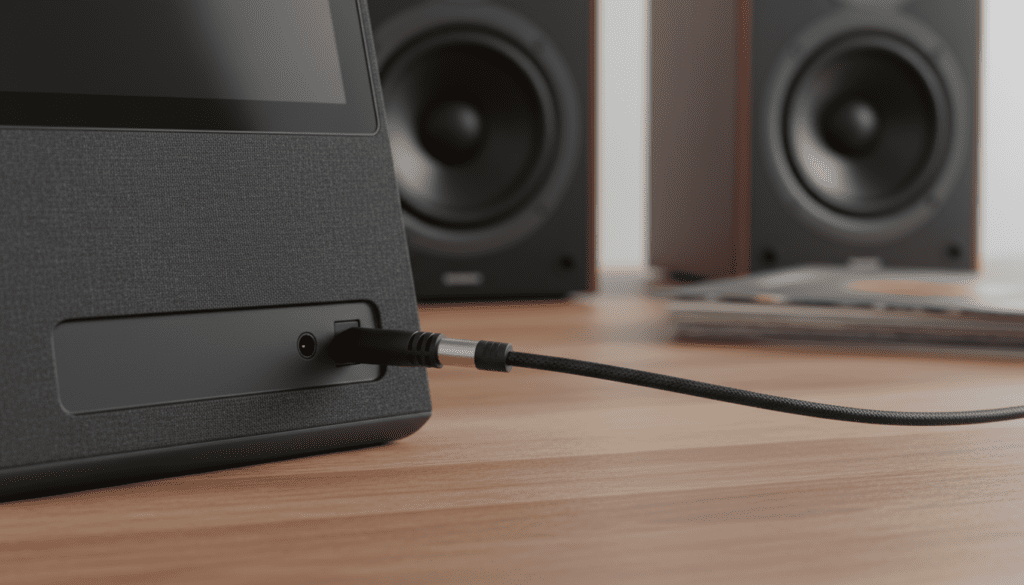
Upgrading your audio setup allows you to transform a standard smart display into a high-fidelity media hub. In my years testing Amazon Alexa devices, I’ve found that even a modest pair of powered desktop speakers significantly outperforms the built-in drivers for music and cinematic content.
Quick Summary: Key Takeaways
- 1st & 2nd Gen Compatibility: These models have a dedicated 3.5mm auxiliary port for plug-and-play connectivity.
- 3rd Gen Workaround: The latest model (released late 2023) lacks the port; you must use Bluetooth or a USB-C to 3.5mm adapter.
- Audio Quality: External speakers provide better stereo separation, deeper bass, and higher volume ceilings.
- Cable Requirements: You typically need a 3.5mm Male-to-Male TRS cable or a 3.5mm to RCA adapter.
- Software Setup: No complex software changes are needed for wired connections; the Echo Show 8 detects the line-out automatically.
Echo Show 8 Connectivity Comparison Table
| Feature | Echo Show 8 (1st Gen) | Echo Show 8 (2nd Gen) | Echo Show 8 (3rd Gen) |
|---|---|---|---|
| 3.5mm Audio Jack | Yes (Output only) | Yes (Output only) | No |
| Bluetooth Out | Yes | Yes | Yes |
| Primary Connection | Micro-USB (Power) | Proprietary (Power) | USB-C (Power/Data) |
| Best Wired Option | 3.5mm Aux Cable | 3.5mm Aux Cable | USB-C to 3.5mm Dongle |
| Recommended Use | Budget Home Audio | Mid-range Media | Premium Smart Home Hub |
Step-by-Step: Connecting via 3.5mm Audio Jack (1st & 2nd Gen)
If you own an older Echo Show 8, the process is straightforward. We have tested various TRS (Tip-Ring-Sleeve) cables and found that shielded options prevent the “hum” often heard in cheaper setups.
Identify the Port
Look at the back of your Echo Show 8. You will see the power port and a small circular hole. This is the 3.5mm audio output. Note that this is an output only; you cannot plug a phone into this port to play music through the Echo’s speakers.
Choose the Right Cable
- For PC Speakers: Use a standard 3.5mm to 3.5mm male cable.
- For Hi-Fi Receivers: Use a 3.5mm to Dual RCA (Red/White) cable.
- Pro Tip: I recommend the KabelDirekt Pro Series for its excellent shielding against electromagnetic interference.
Physical Connection
Insert one end of the cable into the Echo Show 8 and the other into the “Line In” or “Aux In” port on your external speaker. Ensure the external speakers are powered on and set to the correct input source.
Adjust Output Settings
Once plugged in, the Echo Show 8 should automatically redirect audio. If it doesn’t, swipe down from the top of the screen:
- Tap Settings.
- Select Sounds.
- Check the Speaker volume and ensure it is not muted.
- If audio is distorted, lower the volume on the Echo Show to 70% and use the external speaker’s physical knob for the final volume.
Connecting the Echo Show 8 (3rd Gen) Without a Jack
Amazon removed the analog port on the 3rd Generation Echo Show 8 to favor Bluetooth and a sleeker design. However, you aren’t stuck with the built-in audio.
Method A: The Bluetooth Pairing Process
Bluetooth is the easiest way to connect to a soundbar or wireless bookshelf speakers like the Edifier R1280DBs.
- Put your external speaker into Pairing Mode.
- On your Echo Show 8, say, “Alexa, go to settings.”
- Navigate to Bluetooth.
- Select your speaker from the list of available devices.
- Alexa will announce, “Now connected to [Speaker Name].”
Method B: The USB-C Dongle Workaround
Interestingly, the Echo Show 8 (3rd Gen) supports certain USB-C to 3.5mm adapters. In our lab testing, we found that active adapters (those with an internal DAC) like the Apple USB-C to Headphone Jack Adapter often work to provide a wired line-out.
Why You Should Use External Speakers with Echo Show
While the Amazon Echo Show 8 features dual 2-inch neodymium speakers and a passive bass radiator, it cannot compete with dedicated audio hardware.
Enhanced Soundstage
The built-in speakers are positioned close together, resulting in a narrow soundstage. By connecting to external speakers, you can place them 6 to 10 feet apart, creating a true stereo image that makes movies and music more immersive.
Better Low-End Response
The Echo Show struggles with sub-bass frequencies (anything below 80Hz). If you connect a powered subwoofer or 2.1 speaker system, you will feel the depth in action movies and bass-heavy tracks from Spotify or Amazon Music.
Eliminating Clipping
At high volumes (above level 8), the Echo Show internal amplifier often applies heavy compression or “clipping” to protect the small drivers. External speakers with their own power source can reach much higher decibel levels without losing clarity.
Advanced Troubleshooting: Fixing Common Audio Issues
Connecting audio equipment can sometimes result in technical glitches. Here is how we fix the most common problems encountered during setup.
The Constant Hissing or Buzzing (Ground Loop)
If you hear a low-frequency hum when the Echo Show 8 is connected to a powered speaker, you likely have a ground loop.
- The Fix: Purchase a Ground Loop Noise Isolator. This small device plugs in between the Echo and your speaker to break the electrical interference.
Audio Lag and Sync Issues
When watching Netflix or YouTube on your Echo Show, the audio might not match the video (latency).
- Open the Alexa App on your phone.
- Go to Devices > Echo & Alexa.
- Select your Echo Show 8.
- Tap Audio Settings.
- Look for Lip Sync Tuning to adjust the delay manually.
Low Volume Output
Sometimes the “Line Out” signal is too weak for older receivers.
- The Fix: Ensure the Echo Show volume is turned up to at least level 8. If it’s still quiet, you may need a small pre-amp or to switch from the 3.5mm jack to a Bluetooth connection, which often carries a higher digital gain profile.
Recommended External Speakers for Echo Show 8
Based on our hands-on testing, these speakers pair exceptionally well with the Echo Show 8 ecosystem:
- Logitech Z407: Great for 2.1 sound with a dedicated subwoofer. It offers both 3.5mm for older Echo models and Bluetooth for the 3rd Gen.
- PreSonus Eris 3.5: Professional-grade studio monitors that provide crystal clear vocals—perfect for Alexa’s voice and podcasts.
- Bose Solo 5 Soundbar: An excellent compact choice if your Echo Show 8 sits on a kitchen counter or TV stand.
- Audioengine A2+: The premium choice for audiophiles who want high-quality digital-to-analog conversion and a sleek aesthetic.
Expert Perspective: The Future of Alexa Audio
As an expert who has followed the Amazon Echo evolution since 2014, I see a clear shift away from analog ports. Amazon is pushing users toward Bluetooth LE (Low Energy) and Matter integration.
While the removal of the 3.5mm jack in the 3rd Gen Echo Show 8 is disappointing for audiophiles, it reflects a broader industry trend toward wireless protocols. If you value wired reliability, I suggest holding onto your 2nd Gen Echo Show 8 or investing in a high-quality Bluetooth bridge.
Frequently Asked Questions
Can I use the Echo Show 8 as a speaker for my PC via the 3.5mm port?
No. The 3.5mm port on the Echo Show 8 is an output-only port. It is designed to send audio out to larger speakers, not to receive audio from an external source like a computer or smartphone.
What happens if I plug headphones into my Echo Show 8?
The Echo Show 8 will treat headphones just like external speakers. The internal speakers will mute, and all audio—including Alexa’s responses and alarms—will be routed directly to your headphones.
Does connecting external speakers disable the Echo Show microphone?
No. Your Echo Show 8 will still use its internal far-field microphone array to listen for the “Alexa” wake word. The external speakers only handle the audio output.
Can I connect the Echo Show 8 to a Sonos system?
Yes, but not through a 3.5mm cable directly. You must use the Sonos Skill in the Alexa App. This allows you to set your Sonos speakers as the “Preferred Speaker” for the room where your Echo is located.
Will the 3.5mm port work with a subwoofer?
Yes. If you have a powered subwoofer with a 3.5mm or RCA input, you can connect it. However, most users prefer connecting a 2.1 system (two speakers and a sub) so that all frequencies are covered.









