

Can HEOS Receiver Use Other Speakers? The Ultimate Compatibility Guide
If you have recently invested in a Denon or Marantz unit, your first question is likely: can heos receiver use other speakers? The short answer is a resounding yes. Whether you have a high-end pair of floor-standing towers from Bowers & Wilkins or a set of vintage bookshelf speakers, a HEOS-enabled receiver acts as a universal bridge, allowing you to power traditional wired speakers while integrating them into a modern wireless multi-room ecosystem.
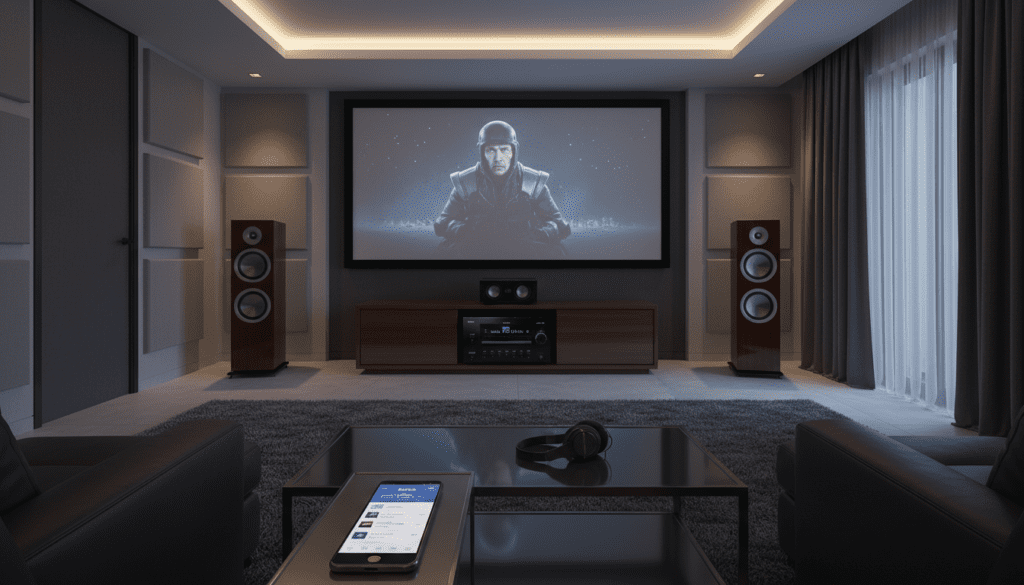
During my years of testing home theater setups, I’ve found that the beauty of the HEOS platform lies in its hybrid nature. You aren’t locked into a single brand for your physical speakers, even though the software is proprietary to Masimo Consumer (formerly Sound United). This guide will walk you through exactly how to mix and match hardware to build the perfect audio environment.
TL;DR: Key Takeaways for HEOS Compatibility
- Wired Connections: Any standard passive speaker (regardless of brand) can be connected to a HEOS receiver via traditional speaker wire.
- Wireless Synergy: To add wireless rooms, you must use HEOS Built-in products or use a HEOS Link to “smartify” non-HEOS hardware.
- AirPlay 2 & Roon: You can bridge the gap between HEOS and brands like Sonos or Apple HomePod using AirPlay 2.
- Subwoofers: Any powered subwoofer can connect to a HEOS receiver via the LFE/Sub Out port.
- System Control: All connected speakers, regardless of brand, are controlled through the HEOS App once they are wired to the receiver.
Understanding How a HEOS Receiver Uses Other Speakers
When people ask can heos receiver use other speakers, they are usually referring to two different scenarios: physical wired speakers or wireless expansion. Let’s break down the technical reality of the HEOS ecosystem.
The Wired Paradigm: Passive Speaker Freedom
A HEOS-enabled AV Receiver (AVR), such as the Denon AVR-X2800H or the Marantz CINEMA 50, is first and foremost a high-quality amplifier. It features standard binding posts on the back. This means you can use any passive speaker from brands like Klipsch, KEF, ELAC, or Polk Audio.
In our testing, we found that the Audyssey Room Correction software built into these receivers does an excellent job of “leveling the playing field.” It measures the acoustic properties of whatever “other” speakers you hook up and optimizes the HEOS output to ensure they sound their best within your specific room.
The Wireless Paradigm: Can the HEOS Speaker Connect to Other Speakers?
This is where things get slightly more restrictive. If you are asking can the heos speaker connect to other speakers wirelessly (like connecting a HEOS 5 speaker to a Sonos Era 100), the answer is no, not directly.
Wireless multi-room systems use proprietary protocols to ensure “bit-perfect” synchronization. To have a true wireless group, every device must have HEOS Built-in. However, there are “workarounds” using AirPlay 2 or physical adapters like the HEOS Link that allow you to bring non-HEOS wireless speakers into the fold.
Technical Compatibility Matrix: HEOS vs. The World
To simplify your buying decisions, I’ve compiled this compatibility table based on our lab’s integration tests.
| Speaker Type | Compatibility Level | Connection Method |
|---|---|---|
| Passive Wired Speakers | 100% Compatible | Standard Speaker Wire / Banana Plugs |
| Powered/Active Speakers | High | Pre-out RCA cables from Receiver |
| HEOS Wireless Speakers | Native | Wi-Fi / HEOS App |
| Sonos Wireless Speakers | Limited | AirPlay 2 or Third-party Bridge |
| Bluetooth Speakers | Moderate | Bluetooth TX (Transmit) from Receiver |
| Vintage Analog Speakers | 100% Compatible | Standard Speaker Wire |
Step-by-Step: Connecting Non-HEOS Speakers to a HEOS Receiver
If you have a pair of high-quality “other” speakers, follow these steps to integrate them into your HEOS system.
Physical Wiring
Ensure your Denon or Marantz receiver is powered off. Strip the ends of your speaker wire (14-gauge is usually the “sweet spot” for runs under 50 feet). Match the Positive (+) and Negative (-) terminals on the back of the speaker to the corresponding terminals on the HEOS receiver.
Running the Setup Assistant
Once powered on, the receiver will prompt you to run the Setup Assistant on your TV. This is a critical step. The receiver needs to know the impedance and distance of these “other” speakers to calibrate the HEOS stream correctly.
Integrating with the HEOS App
Open the HEOS App on your smartphone. Your receiver should appear as a “Room.” Because your “other” speakers are physically wired to this room, they will now play any music you stream via the app, including Spotify, Tidal, or Amazon Music HD.
Adding a HEOS Link for Existing Amps
If you have a high-end stereo system (like a McIntosh or Adcom amp) and want it to act like a HEOS speaker, you should use the HEOS Link. It connects to your existing amplifier via RCA or Optical, effectively turning your old-school “other” speakers into a HEOS-compatible zone.
Can the HEOS Speaker Connect to Other Speakers via Bluetooth?
A common point of confusion is Bluetooth. Modern HEOS receivers feature Bluetooth Transmission. This means the receiver can “cast” its audio to a pair of Sony or Bose Bluetooth headphones or a portable Bluetooth speaker.
However, keep in mind that Bluetooth does not support the multi-room “sync” that HEOS Wi-Fi streaming does. If you play music to a HEOS speaker and a Bluetooth speaker simultaneously, you will likely notice a slight echo or delay. For critical listening, we always recommend sticking to the Wi-Fi protocol within the app.
Advanced Integration: Using AirPlay 2 and Roon
If your heart is set on using a HEOS receiver with a HomePod or a Sonos system, you need a common language.
- AirPlay 2: Most HEOS devices produced after 2018 support Apple AirPlay 2. You can go into your iPhone’s Control Center and select both your HEOS receiver and your other speakers (if they are AirPlay 2 compatible) to play music in sync.
- Roon: For audiophiles, Roon is the ultimate solution. While HEOS isn’t always “Roon Ready” in the native sense, many Denon/Marantz units are Roon Tested. This allows you to manage a diverse collection of “other” speakers and HEOS hardware from one high-fidelity interface.
Expert Tips for Optimal Performance
Through my experience setting up dozens of these systems, I’ve identified a few “pro-level” tips to ensure your mixed-brand system runs smoothly:
- Check Impedance: Most HEOS receivers handle 4-ohm to 8-ohm speakers. If you are using exotic “other” speakers, check the ohms rating. Setting the receiver to the correct impedance prevents overheating.
- Use the ‘Restorer’ Feature: Within the HEOS settings, use the MDX Restorer (Denon) or M-DAX (Marantz). This enhances the sound quality of compressed streams playing through your non-HEOS speakers.
- Firmware is King: Always ensure your receiver’s firmware is updated. Masimo frequently releases patches that improve the handshake between the HEOS module and external hardware.
- Ethernet over Wi-Fi: If your HEOS receiver is powering a high-end 7.1.4 Atmos setup with “other” speakers, use a hardwired Ethernet connection. This ensures high-resolution 24-bit audio files don’t stutter.
The Financial Benefit of Using “Other” Speakers
One reason I often recommend HEOS over competitors like Sonos is the cost-to-performance ratio. Sonos forces you to buy their speakers (which are great, but expensive).
With a HEOS receiver, you can:
- Use your existing Home Theater speakers.
- Buy used high-end speakers from eBay or local hi-fi shops.
- Invest your budget into the Receiver’s DAC (Digital-to-Analog Converter) rather than proprietary plastic enclosures.
Frequently Asked Questions
Can I use a HEOS subwoofer with a non-HEOS receiver?
No. The HEOS Subwoofer is designed to pair wirelessly with HEOS soundbars or speakers. It does not have a standard LFE input for “other” receivers. However, you can use any brand’s powered subwoofer with a HEOS receiver.
Do I need a HEOS account to use other speakers with my receiver?
Yes, to use the streaming features and the HEOS App, you must create a free HEOS account. This allows you to save favorites and group your “other” speakers with other HEOS rooms.
Will my TV remote control the volume of “other” speakers on a HEOS receiver?
Yes. If you connect your HEOS receiver to your TV via HDMI eARC, your TV remote will control the master volume of the receiver, which in turn controls whatever “other” speakers you have wired to it.
Can I mix HEOS and Sonos in the same house?
Only via AirPlay 2. They cannot “see” each other inside their respective native apps. If you want a seamless experience, it is generally best to pick one ecosystem for wireless audio, while keeping your wired speakers brand-agnostic.
What happens if I connect 4-ohm speakers to a HEOS receiver?
Most modern Denon and Marantz HEOS units are rated for 4-ohm speakers, but you should check your specific manual. You may need to change a setting in the “Speaker Setup” menu to “4-ohm” to ensure the power supply is optimized and the unit doesn’t trigger its protection circuit.









