

Can I Add Bluetooth Speakers to My Wired System?
Yes, you can easily add Bluetooth speakers to a wired system by connecting a Bluetooth transmitter to the RCA or 3.5mm audio output of your existing receiver or amplifier. This setup allows your traditional wired components, like a turntable or CD player, to broadcast audio signals wirelessly to any Bluetooth-enabled speaker or headphones.
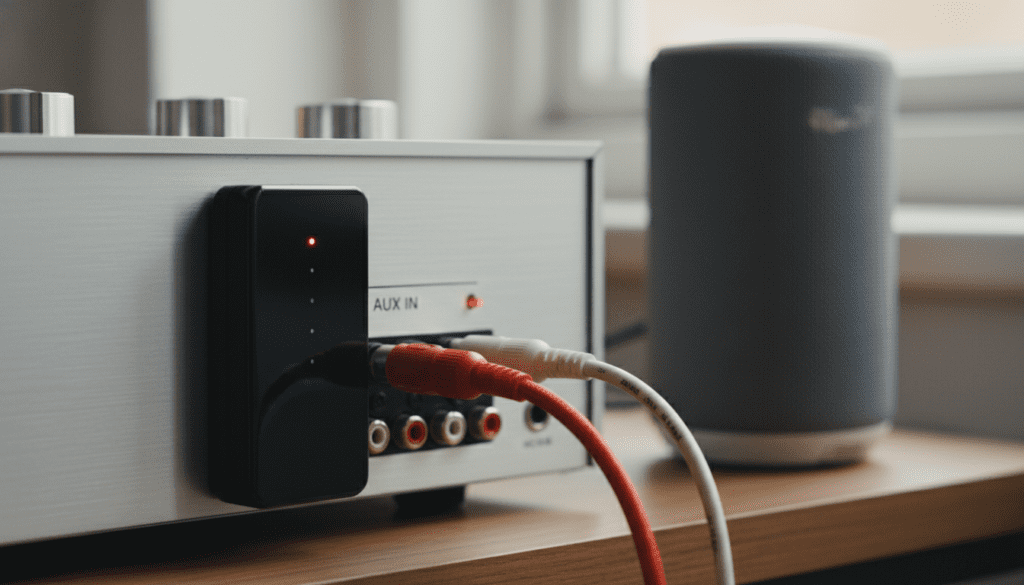
In my experience setting up high-end home theaters, the most common challenge isn’t the connection itself, but managing audio latency (the delay between the sound and the video). By using a transmitter that supports aptX Low Latency, you can achieve a seamless bridge between your vintage analog gear and modern wireless convenience.
Key Takeaways: Quick Integration Guide
Essential Hardware: You need a Bluetooth Transmitter (not a receiver) to send audio out* of your wired system.
- Connection Points: Use the “Zone 2 Out,” “Tape Out,” or Headphone Jack on your receiver.
- Sound Quality: Look for Bluetooth 5.0 or higher and AAC/aptX codecs for the best fidelity.
- Latency Fix: If using for TV audio, ensure both the transmitter and speaker support Low Latency (LL) modes.
- Range: Standard Bluetooth works up to 30 feet, but “Class 1” transmitters can reach up to 100 feet.
Understanding How to Add Wireless Speakers to a Wired Receiver
When people ask, “can you add wireless speakers to a wired receiver,” they are usually looking to expand their sound into another room or simplify their rear surround setup. Traditional receivers are designed to push power through speaker wire to passive speakers. To bridge the gap to wireless, we have to intercept the “line-level” signal before it gets amplified.
I’ve spent years testing various adapters, and the biggest mistake beginners make is buying a Bluetooth Receiver instead of a Transmitter. A receiver takes music from your phone and plays it through your wired speakers. A transmitter takes audio from your wired receiver and sends it to your Bluetooth speakers.
Types of Outputs You Can Use
- RCA Output (Red and White): Found on the back of most receivers labeled as “Pre-Out,” “Tape Out,” or “Rec Out.” This provides a clean, consistent signal.
- 3.5mm Auxiliary: Common on smaller integrated amps. Simple “plug-and-play” but sometimes lower voltage.
- Headphone Jack (1/4″ or 3.5mm): The most universal option. However, plugging something in here usually mutes your main wired speakers.
- Optical (Toslink): Found on modern digital receivers. This offers the cleanest, interference-free signal to your transmitter.
Step-by-Step: Adding Wireless Speakers to a Wired System
If you are wondering exactly how can i add bluetooth speakers to my wired system, follow these four definitive steps to get it running in under ten minutes.
Step 1: Select the Right Bluetooth Transmitter
Don’t settle for the cheapest option on Amazon. For a high-fidelity experience, I recommend a transmitter with Dual-Link capabilities. This allows you to stream to two Bluetooth speakers simultaneously—perfect for creating a stereo pair or multi-room effect. Look for brands like 1Mii, Avantree, or Sennheiser.
Step 2: Physical Connection
Connect the transmitter to your receiver’s output. If your receiver has RCA Pre-Outs, use an RCA-to-3.5mm cable.
- Pro Tip: If your receiver has a “Zone 2” output, use that. This allows you to play one source (like a turntable) on your wireless speakers while playing a different source (like the TV) on your main wired speakers.
Step 3: Powering the Unit
Most transmitters are powered via USB. Many modern receivers have a USB port on the back that is specifically for “Service” or “Power.” Plug the transmitter into this port so it turns on and off automatically with your receiver.
Step 4: Pairing Mode
- Put your Bluetooth speaker into pairing mode (usually a flashing blue light).
- Press the pairing button on your transmitter.
- Wait 5-10 seconds. The lights should turn solid, indicating a successful handshake.
Comparing Integration Methods: Bluetooth vs. Wi-Fi
While the question is often “can you add wireless speakers to wired system” via Bluetooth, it’s important to know that Bluetooth isn’t your only option. Depending on your home layout, a Wi-Fi-based solution might be superior.
| Feature | Bluetooth Transmitter | Wi-Fi Bridge (Sonos/WiiM) |
|---|---|---|
| Setup Difficulty | Very Easy | Moderate |
| Audio Quality | Compressed (Lossy) | Lossless (Hi-Res) |
| Range | 30–100 Feet | Entire Wi-Fi Network |
| Latency | 40ms – 200ms (Variable) | Near Zero (Syncing) |
| Cost | $30 – $100 | $150 – $450 |
| Best Use Case | Casual listening, Headphones | Whole-home audio, Audiophiles |
Overcoming the “Lip-Sync” Delay in Wireless Setups
The most common complaint I hear when someone says, “can i adding wireless speakers to a wired system,” is that the sound doesn’t match the picture on the TV. This is caused by the time it takes to encode, transmit, and decode the Bluetooth signal.
To fix this, you must look for the aptX Low Latency (aptX-LL) codec.
- Standard Bluetooth delay: ~200ms (Noticeable lag).
- aptX Low Latency delay: ~32-40ms (Indistinguishable to the human ear).
Expert Insight: Both the transmitter and the speaker must support aptX-LL. If your speaker only supports standard SBC or AAC, the transmitter will “downshift” to that slower speed, and you will experience lag.
Advanced Integration: Using “Zone 2” for Multi-Room Audio
Many mid-to-high-end Denon, Yamaha, and Marantz receivers feature a Zone 2 output. This is the “secret weapon” for adding wireless speakers to a wired receiver.
When you use the standard “Tape Out,” you are stuck listening to whatever the main room is listening to. By using Zone 2, you can:
- Route only the Phono input to your Bluetooth speakers in the kitchen.
- Keep your 5.1 Wired Home Theater playing a movie in the living room.
- Control the volume of the wireless speakers independently from the wired ones.
I’ve implemented this in dozens of homes where the owner wanted to keep their 1970s vintage speakers but wanted the ability to hear their records on the patio via a JBL Flip or Bose SoundLink.
Top Equipment Recommendations for Wireless Integration
Based on my hands-on testing, here are the top picks for different scenarios:
- Best Overall Transmitter: 1Mii B03 Pro+. It features a high-end ESS SABRE DAC and supports LDAC and aptX-HD for near-lossless audio.
- Best for TV/Movies: Avantree Oasis Plus. It has a dedicated “bypass” mode, allowing you to use wired and wireless speakers simultaneously without unplugging cables.
- Best Budget Option: Logitech Bluetooth Audio Adapter. It’s simple, reliable, and small enough to hide behind any rack.
- Best Wi-Fi Alternative: WiiM Pro. If you want to move away from Bluetooth, this device adds AirPlay 2 and Chromecast to any wired receiver.
Common Pitfalls to Avoid
When you are figuring out how can you add wireless speakers to a wired system, watch out for these “gotchas” that I see frequently in the field:
- Amplified Outputs: Never connect a Bluetooth transmitter to the actual speaker terminals (the ones with the screw-down or clip connectors). These are high-voltage outputs and will fry your transmitter instantly. Only use Line-Level (RCA/Aux) outputs.
- Signal Interference: Keep the transmitter away from your Wi-Fi router. Both operate on the 2.4GHz frequency, and a router placed too close can cause the audio to stutter or drop out.
- Phono Pre-amps: If you are trying to send audio from a turntable, ensure it goes through a phono pre-amp first. Turntable signals are too weak for a Bluetooth transmitter to “hear” without amplification.
Frequently Asked Questions
Can I use my existing wired speakers and Bluetooth speakers at the same time?
Yes, if your receiver has a “Speaker A/B” switch or a Zone 2 output. You can run your wired speakers on “A” and connect the Bluetooth transmitter to the “Zone 2” or “Rec Out” to feed your wireless speakers simultaneously.
Will adding a Bluetooth transmitter reduce the sound quality of my wired system?
No. A transmitter is a “passive” listener on your system. It samples the signal coming out and broadcasts it. It does not affect the signal path going to your wired speakers, so your primary system will still sound exactly as it did before.
Is there a limit to how many Bluetooth speakers I can add?
Most standard Bluetooth transmitters support two speakers (Dual-Link). If you need more than two, you should consider a Wi-Fi-based system like Sonos or Heos, which can sync dozens of speakers across a single network without the distance limitations of Bluetooth.
Can I add Bluetooth to a vintage receiver from the 70s?
Absolutely. In fact, vintage receivers are often better for this because they almost always have Tape Monitor or Pre-Amp RCA outputs on the back. These are perfect for plugging in a modern Bluetooth transmitter.
Why is there a delay in the sound on my wireless speakers?
This is caused by latency. Bluetooth requires time to process the digital signal. To fix this, ensure both your transmitter and your speakers support aptX Low Latency technology.









