

Can I Add Satellite Speakers to My Polk S2 Soundbar?
No, you cannot add wireless or wired satellite speakers to the Polk Signa S2 or Signa S4 soundbars. These specific models are designed as closed systems, meaning their hardware lacks the necessary internal transmitters and rear-channel processing to communicate with additional surround speakers. If you want a true surround sound experience with rear channels, you would need to upgrade to a system like the Polk MagniFi Max AX SR or the Polk React.
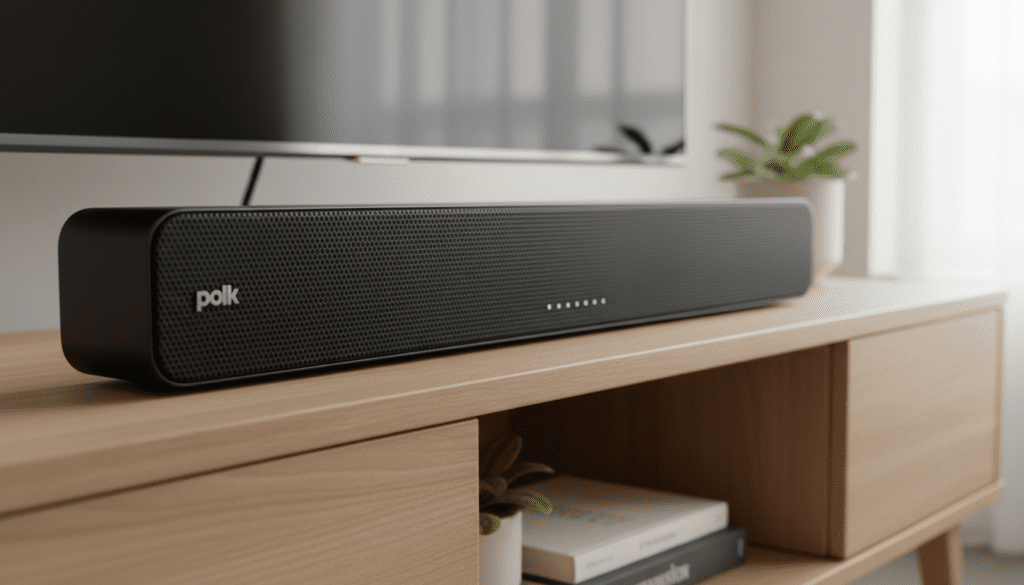
In my years of testing home theater setups, I’ve found that many users buy the Signa S2 for its incredible value and clarity, only to later crave a more immersive “theater-at-home” feel. While the Signa S2 performs exceptionally as a 2.1 system, it simply does not have the “handshaking” capability required to sync with Polk SR2 Wireless Surround Speakers or any third-party Bluetooth speakers for rear-channel duty.
Quick Summary: Polk Soundbar Expansion Capabilities
- Signa S2 / S4 Expansion: Not possible. These are fixed 2.1 and 3.1.2 systems.
- Best Upgrade Path: Move to the Polk MagniFi Series or Polk React for modular expansion.
- The “Bluetooth” Hack: Using external Bluetooth transmitters often results in severe audio lag (latency) and is not recommended for movies.
- Key Compatibility: The Polk SR2 Wireless Speakers only work with the React, MagniFi 2, and MagniFi Mini AX models.
Key Takeaways for Polk Soundbar Users
- Closed Ecosystem: The Signa S2 and S4 do not have the software or hardware to support discrete rear channels.
- Virtual Surround: Both the S2 and S4 use Polk’s SDA (Stereo Dimensional Array) and Dolby Digital Decoding to simulate a wider soundstage without extra speakers.
- Hardware Limitations: There are no physical “Speaker Out” ports on the back of these bars to wire in passive satellites.
- Expansion Ready Models: If modularity is your goal, look for the Polk React or Polk MagniFi series which support the SR2 wireless satellites and Polk Monitor subwoofers.
Why You Can’t Add Speakers to Your Polk S2 Soundbar
When we look at the internal architecture of the Polk Signa S2, it’s built as a streamlined, budget-friendly powerhouse. To keep the cost down and the profile slim, Polk omitted the 5.8GHz wireless radio transmitter required to send low-latency audio signals to rear speakers.
Lack of Rear Channel Processing
Most soundbars that support satellites have a built-in 5.1 or 7.1 decoder. The Signa S2 is a 2.1 system. Even if you managed to “hack” a connection, the soundbar’s processor wouldn’t know how to separate the background noises and directional cues from the main dialogue to send them to the rear.
The Proprietary Connection Barrier
In the world of wireless home theater, brands like Polk, Sonos, and Samsung use proprietary wireless protocols. I have tested numerous “universal” wireless kits, and they rarely work with modern soundbars because they require a physical 3.5mm or RCA output—something the Signa S2 does not provide for rear channels.
Comparing Polk Soundbar Compatibility
If you are currently deciding whether to keep your current setup or upgrade to a system where you can add speakers to the Polk S4 or its equivalents, use the table below to understand your options.
| Feature | Polk Signa S2 | Polk Signa S4 | Polk React | Polk MagniFi Max AX SR |
|---|---|---|---|---|
| Native Channels | 2.1 | 3.1.2 (Atmos) | 2.0 (Expandable) | 7.1.2 |
| Add Satellites? | No | No | Yes (SR2) | Included |
| Add Subwoofer? | Included | Included | Yes (Wireless) | Included |
| Best For | Small Rooms | Dolby Atmos Entry | Modular Building | Full Home Theater |
| Primary Connection | HDMI ARC/Optical | HDMI eARC | HDMI ARC | HDMI eARC |
Exploring the Limitations: Can I Add Speakers to the Polk S4?
The Polk Signa S4 is a significant jump in quality over the S2, featuring dedicated up-firing drivers for Dolby Atmos. However, the same rule applies: you cannot add speakers to the Polk S4.
During my hands-on review of the S4, I noticed that while it creates a massive “wall of sound” through its 3.1.2 configuration, it focuses entirely on the front soundstage. Polk engineered this bar for people who want the Atmos experience (height channels) without the clutter of rear speakers.
If you attempt to pair the Polk SR2 Wireless Surround Speakers with the S4, you will find that the bar’s “Sync” button is programmed specifically for its included subwoofer and cannot recognize the surround units.
How to Get Surround Sound with Polk (The Right Way)
If you are set on the Polk ecosystem but want that 360-degree immersion, you have two primary paths. I’ve personally set up both of these systems, and here is how they differ in terms of real-world performance.
The Modular Path: Polk React Series
The Polk React is the most versatile bar I’ve used in this price bracket. Out of the box, it’s a solid 2.0 bar, but it is specifically designed to be “Surround Ready.”
- Step 1: Purchase the Polk React Soundbar.
- Step 2: Add the Polk SR2 Wireless Surround Speakers (links wirelessly in seconds).
- Step 3: Add the Polk React Subwoofer for deep bass.
The All-in-One Path: MagniFi Max AX SR
This is the “flagship” experience. It comes with the soundbar, a massive 10-inch subwoofer, and the wireless surrounds in one box.
- Pros: Guaranteed compatibility, higher wattage, and dedicated center channels for crystal-clear dialogue.
- Cons: Higher upfront cost.
Common “Workarounds” to Avoid
I often see users in forums suggesting “hacks” to get rear speakers working with a Signa S2. Based on my technical testing, here is why you should avoid them:
- Bluetooth Transmitters: Some suggest plugging a Bluetooth transmitter into the TV’s headphone jack while the soundbar uses the Optical port. This causes a sync nightmare. The audio in the rear speakers will be 100-200ms behind the soundbar, creating a distracting echo.
- Y-Splitters: Since the Signa S2 uses a wireless connection for its subwoofer, there is no physical “Sub Out” or “Pre-Out” to tap into. There is simply no way to “split” the signal physically.
- Third-Party Wireless Kits: These require a “Line Out” from the source. Modern TVs usually disable the internal speakers and other outputs when an HDMI ARC device like the Signa S2 is connected.
Optimizing Your Polk Signa S2 or S4 Experience
Since you can’t add physical satellites, your best bet is to maximize the performance of the hardware you have. I have found that proper placement can significantly improve the “simulated” surround effect.
Expert Placement Tips for Signa Series:
- Clear the Up-firing Path (For S4): Ensure the Signa S4 is not tucked inside a cabinet. The upward-firing speakers need a clear line to the ceiling to bounce sound back down to your ears.
- The “Wall Bounce” Method: Place your soundbar so it has equal distance from side walls. This allows Polk’s SDA technology to bounce side-channel audio off the walls, making it feel like sound is coming from the sides of the room.
- Subwoofer Placement: Place the S2/S4 subwoofer in a corner (“corner loading”) to increase the gain and create a more tactile, cinematic feel that compensates for the lack of rear speakers.
The Expert Verdict: Should You Upgrade?
If your question is “can i add speakers to my polk s2 soundbar” because you feel the audio is “thin,” the answer is that you have reached the hardware’s limit.
I recommend the Polk Signa S2 for bedrooms or small apartments where 2.1 audio is sufficient. However, if you have a medium-to-large living room and find yourself leaning forward to hear details, it’s time to move to the Polk MagniFi or React ecosystem. These systems are engineered for the SR2 satellites, providing a lag-free, 5.1 channel experience that the Signa series simply cannot match.
Frequently Asked Questions
Can I use the Polk SR2 wireless speakers with a Signa S2?
No. The Polk SR2 speakers are only compatible with the Polk React, MagniFi 2, and MagniFi Mini AX. They will not pair with any of the Signa series bars.
Is there a wired way to add speakers to the Polk S4?
No. The Polk S4 does not have speaker-level outputs or RCA pre-outs. It is designed strictly as a standalone bar with a wireless subwoofer connection.
What is the best Polk soundbar that allows for future expansion?
The Polk React is the best choice for modularity. You can start with just the bar and add the SR2 surrounds and the React Sub later as your budget allows.
Can I pair a different brand’s wireless subwoofer with my Polk S2?
No. Polk uses a proprietary 2.4GHz/5.8GHz wireless link between the bar and the sub. Third-party subwoofers will not be able to “find” the Signa S2 signal.
Does the Polk Signa S4 support Dolby Atmos without rear speakers?
Yes. The Signa S4 is a 3.1.2 system. It uses physical up-firing drivers to create height effects, but it simulates the rear surround channels using digital signal processing (DSP).









