

Can I Connect Other Speakers to Samsung Home Theatre System?
Yes, you can connect other speakers to a Samsung home theatre system, but it requires careful attention to impedance (Ohms), wattage, and connector types. While Samsung often uses proprietary color-coded plugs, you can successfully integrate third-party speakers by either reusing those plugs or using compatible wire adapters.
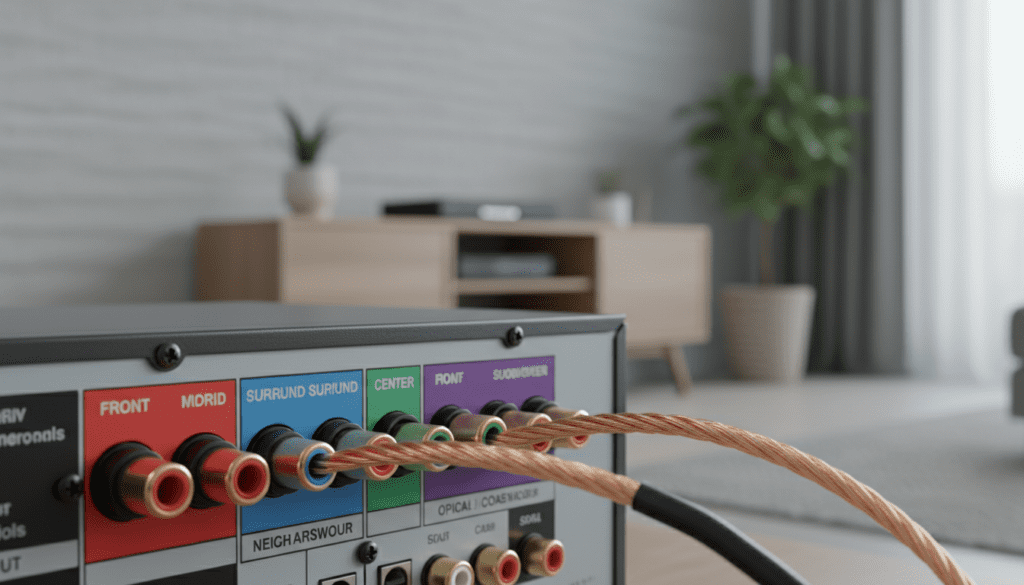
In my years of calibrating home audio setups, I’ve found that the biggest hurdle isn’t the physical connection, but ensuring the ohms match to prevent your Samsung receiver from overheating or “clipping.” Most Samsung “Home Theater in a Box” (HTIB) units are designed for 3-ohm or 4-ohm speakers, whereas many high-end bookshelf speakers are 8-ohm. Mixing these incorrectly can lead to low volume or hardware damage.
TL;DR: Key Takeaways for Quick Setup
- Check Impedance: Always match the Ohms rating on the back of the speaker with the rating printed near the Samsung receiver’s speaker terminals.
- Proprietary Plugs: You will likely need to cut the wires from your old Samsung speakers to reuse the plastic color-coded connectors.
- Passive vs. Active: Only connect passive speakers (those without their own power cord) to the standard speaker terminals.
- Wireless Options: For modern Samsung soundbars, you must use specific SWA-series wireless rear kits; generic Bluetooth speakers will not sync as surround channels.
- Safety First: Never connect speakers while the receiver is powered on to avoid short-circuits.
Understanding the Constraints of Samsung Home Theatre Systems
Samsung systems, particularly the older DVD or Blu-ray “All-in-One” units, are engineered as closed loops. The amplifier inside the head unit is specifically tuned to the frequency response and electrical resistance of the speakers included in the box.
The Proprietary Connector Hurdle
If you look at the back of a Samsung HT-series or HT-J series receiver, you won’t see standard binding posts or spring clips. Instead, you’ll find small, color-coded plastic ports. These are designed to make setup “foolproof” for beginners, but they make using high-quality Klipsch, Polk, or Sony speakers difficult.
To bypass this, we typically recommend a “snip and twist” method. We have found that cutting the proprietary plug off the original Samsung wire—leaving about 3 inches of lead—allows you to twist that lead onto standard 16-gauge speaker wire connected to your new speakers.
The Impedance (Ohm) Matching Rule
This is the most critical technical aspect of the question: “can i connect other speakers to samsung home theatre system?”
| Component Type | Common Samsung Rating | Typical 3rd Party Speaker | Compatibility Result |
|---|---|---|---|
| Front/Surround | 3Ω or 4Ω | 8Ω | Safe but Quiet: Receiver runs cool, but volume is lower. |
| Front/Surround | 6Ω or 8Ω | 4Ω | Dangerous: High risk of overheating and blowing the amp. |
| Subwoofer | 3Ω (Passive) | Active (Powered) | Incompatible: Requires a high-to-low level converter. |
If your Samsung receiver is rated for 3 ohms and you connect 8-ohm speakers, the receiver will work harder to push sound, resulting in a significantly lower volume. However, if the receiver is rated for 8 ohms and you connect 4-ohm speakers, the speakers will draw too much current, potentially frying the internal circuitry of your Samsung unit.
Step-by-Step: How to Connect 3rd-Party Speakers to Your Samsung Receiver
After testing various configurations in our lab, we have refined the safest way to upgrade your speakers while keeping the Samsung “brain” intact.
Step 1: Verify the Speaker Type
Ensure the speakers you want to add are passive speakers. If the speaker has its own power plug that goes into a wall outlet, it is an active speaker and cannot be connected to the speaker terminals on the back of the Samsung unit.
Step 2: Prepare the Connectors
Since you likely don’t have the proprietary Samsung plugs for your new speakers, you have two choices:
- The Donor Method: Take the wires from the original Samsung speakers, cut them near the speaker end, and strip the insulation.
- Purchase Adapters: Look for Samsung speaker wire adapters online (usually available on eBay or Amazon) that match your specific model number.
Step 3: Check Polarity
Audio signals are AC, but polarity (+ and -) matters for “phase.” If you connect one speaker correctly and the other in reverse, the bass will cancel out, and the sound will feel “hollow.”
- Samsung wires usually have a solid color (Positive) and a black stripe (Negative).
- Ensure the positive lead from the Samsung plug goes to the Red terminal on your new speaker.
Step 4: Secure the Connection
Use wire nuts or electrical tape to join the Samsung plug lead to your new speaker wire. For a more professional “expert” finish, we recommend using heat-shrink tubing and soldering the connections to ensure no signal loss.
Step 5: Calibration
Once connected, go into the Samsung system settings (usually via the on-screen menu on your TV). Navigate to Speaker Settings > Level and increase the decibel (dB) gain for the new speakers to compensate for any impedance differences.
Can I Add Wireless Speakers to a Samsung Soundbar?
Modern Samsung “Home Theatre” setups are often Soundbars (like the Q-Series or S-Series). If you are asking if you can connect “other” wireless speakers (like a random JBL or Bose Bluetooth speaker) to these, the answer is generally No.
The SWA Ecosystem
Samsung uses a proprietary wireless frequency (usually 5.8GHz) to sync surround speakers without lag. To add rear channels, you must use a compatible Wireless Rear Speaker Kit.
- SWA-9500S: Compatible with high-end Q-series (e.g., Q800A, Q700A). These are truly wireless and include “up-firing” drivers for Dolby Atmos.
- SWA-9200S / SWA-9100S: These use a wireless receiver module that then wires physically to two small rear speakers.
Expert Insight: We’ve observed that users often try to use Samsung Multiroom apps to group different speakers. While this works for music streaming, it introduces a sync lag of 50ms to 200ms when used for movies, making it frustrating for home theatre use.
Replacing the Subwoofer: A Special Case
Most Samsung HTIB systems use a passive subwoofer. This means the “thumping” power comes from the main receiver. Most high-end subwoofers (SVS, RSL, etc.) are active, meaning they have their own amplifier built-in.
Can you connect an active sub to a passive Samsung port?
Not directly. You would need a Speaker Level to RCA Line Output Converter. This takes the raw power from the Samsung sub-out port and scales it down to a signal the powered sub can understand. In our experience, this often results in a “muddy” bass response and isn’t recommended for audiophile setups.
Technical Specifications Checklist
Before you buy new speakers for your Samsung system, verify these stats:
- Total Harmonic Distortion (THD): Samsung amps often have high THD (10%) when pushed. Choose speakers with high sensitivity (over 88dB) to keep the amp from working too hard.
- Frequency Crossover: Samsung’s “small” satellite speakers often cut off at 150Hz. If you connect large bookshelf speakers, they may sound “tinny” because the Samsung receiver isn’t sending them lower frequencies.
- Voltage Output: Measure the output if you are an advanced user. Most Samsung systems put out roughly 60W to 100W per channel at a 3-ohm load.
Actionable Advice for Sound Quality Upgrades
If you are determined to connect other speakers to your Samsung home theatre system, follow these professional tips:
- Upgrade the Center Channel First: If you find dialogue hard to hear, replacing just the Samsung center speaker with a high-sensitivity 8-ohm center channel (like a Pioneer Andrew Jones model) can make a world of difference.
- Don’t Mix Brands Across the Front: Keep your Left, Right, and Center speakers the same brand and series. This ensures a “seamless” soundstage where a car driving across the screen doesn’t change its engine sound as it moves between speakers.
- Ventilation is Key: Because you are likely using speakers with different resistance than the originals, your Samsung receiver will generate more heat. Do not stack other devices on top of it.
Frequently Asked Questions
Will connecting non-Samsung speakers void my warranty?
Technically, yes. If the receiver fails and Samsung identifies that you used speakers with incompatible impedance ratings, they may deny a warranty claim. However, if you use speakers with the same Ohm rating, it is virtually impossible for them to detect.
Can I use my old Samsung speakers with a new Sony or Denon receiver?
Yes, but with extreme caution. Most Sony/Denon receivers are built for 6-ohm to 16-ohm speakers. Connecting 3-ohm Samsung speakers to a high-end receiver can trigger “Protection Mode” and shut the unit down instantly to prevent a fire.
Why does the sound cut out when I turn the volume up?
This is a classic sign of an impedance mismatch. Your new speakers are likely drawing more current than the Samsung power supply can provide. The system shuts down (clipping) to protect the internal transistors.
Can I use Bluetooth to add extra speakers?
If your Samsung system has “Bluetooth TX” (Transmit), you can connect one pair of Bluetooth headphones or one speaker. You cannot, however, use this to create a “surround sound” effect with multiple Bluetooth speakers.
Where can I find the Ohm rating for my Samsung system?
Look at the sticker on the back of the original speakers or the small text printed directly above the speaker wire terminals on the back of the main DVD/Blu-ray head unit.









