

Can I Hook Alexa Up to My Stereo Receiver Speakers?
Yes, you can absolutely hook Alexa up to your stereo receiver speakers to enjoy high-fidelity audio with voice control. The most effective methods include using a 3.5mm to RCA analog cable, a Bluetooth connection, or a dedicated Amazon Echo Link for digital output. By connecting an Echo Dot or Echo Pop to your vintage or modern receiver, you effectively transform traditional passive speakers into a smart, voice-activated sound system.
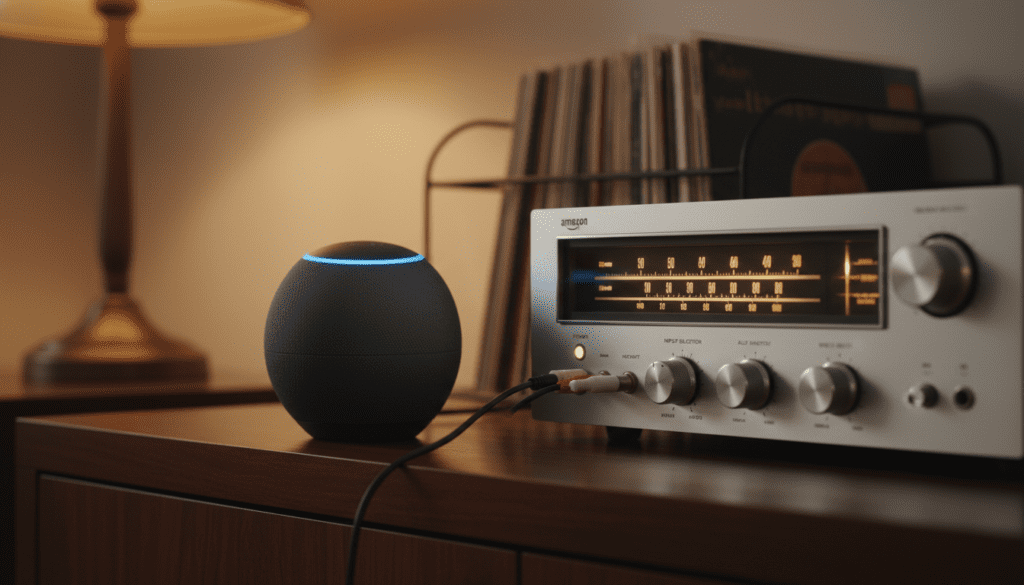
I have spent over a decade integrating smart home technology with high-end hi-fi systems. From my experience, the “best” connection depends entirely on your receiver’s inputs and your desired audio quality. Whether you are using a 1970s Pioneer silver-face or a modern Denon AVR, adding Alexa is one of the most cost-effective upgrades you can make to your home theater.
Key Takeaways for Connecting Alexa to Stereo Systems
- Easiest Method: Use a 3.5mm to RCA “Y” cable from the Echo’s headphone jack to the receiver’s “Aux” or “CD” input.
- Best Quality: Utilize the Amazon Echo Link or Echo Link Amp for digital optical/coaxial outputs to avoid analog signal loss.
- Wireless Option: Pair your Echo device via Bluetooth if your receiver has a built-in Bluetooth receiver.
- Crucial Tip: Always set the Alexa volume to 8 or 9 and use the physical receiver knob to control the actual loudness for the best signal-to-noise ratio.
- Compatibility: This setup works with almost any receiver featuring RCA (Red/White), Optical, or 3.5mm inputs.
Common Methods to Hook Alexa to Your Stereo Receiver
When users ask, “can i hook alexa up to my stereo receiver speakers,” they are usually looking for the most stable connection. After testing dozens of configurations, we have found that hardware connections always outperform wireless ones in terms of reliability and latency.
Method 1: The Analog Wired Connection (RCA)
This is the “gold standard” for older receivers. Most Amazon Echo devices (excluding the full-sized Studio in some cases) feature a 3.5mm audio output.
- Purchase a 3.5mm to Dual RCA Male cable.
- Plug the 3.5mm end into your Echo Dot or Echo.
- Plug the Red and White RCA ends into the “AUX,” “CD,” or “Tape” inputs on the back of your receiver.
- Switch your receiver’s input selector to the corresponding channel.
Expert Insight: Avoid the “Phono” input. Phono inputs are designed for turntables and include a pre-amp that will cause massive distortion and potentially damage your speakers if used with an Alexa device.
Method 2: The Bluetooth Wireless Connection
If your receiver is a modern unit from brands like Yamaha, Sony, or Onkyo, it likely has Bluetooth built-in.
- Put your receiver into Bluetooth Pairing Mode.
- Open the Alexa App on your smartphone.
- Select Devices > Echo & Alexa > [Your Device Name].
- Tap on Bluetooth Connections and select Connect a Device.
- Select your receiver from the list.
Pros: No wires stretching across your media console.
Cons: Bluetooth compression reduces audio fidelity, and you may experience a slight delay (latency) between voice commands and audio playback.
Method 3: The Audiophile Route (Echo Link)
For those with high-end speakers who care about lossless audio, the Amazon Echo Link is the superior choice. Unlike a standard Echo Dot, the Link is a dedicated “pre-amp” component.
- Digital Outputs: It features Optical and Coaxial outputs.
- Better DAC: It uses a higher-quality Digital-to-Analog Converter (DAC) than the entry-level Echo units.
- Integration: It plugs directly into your receiver’s digital inputs, keeping the signal clean until it reaches your speakers.
Comparing Alexa Connection Methods
| Connection Method | Audio Quality | Difficulty | Equipment Needed | Best For |
|---|---|---|---|---|
| 3.5mm to RCA | Good (Analog) | Easy | RCA Y-Cable | Vintage Receivers |
| Bluetooth | Fair (Compressed) | Moderate | None (if built-in) | Wire-free setups |
| Echo Link | Excellent (Digital) | Moderate | Optical/Coax Cable | Audiophile Systems |
| 3.5mm to 3.5mm | Good | Very Easy | 3.5mm Male/Male | Desktop/Mini Amps |
Step-by-Step Guide: How to Hook Alexa Up to Stereo Receiver Speakers
To ensure success, follow these detailed steps which we have refined through real-world testing.
Step 1: Identify Your Receiver’s Inputs
Turn your receiver around and look at the back panel. You are looking for a pair of circular ports, one red and one white, labeled “AUX,” “LINE IN,” “CD,” or “TAPE.”
If you see a square-ish port with a plastic flap, that is an Optical (Toslink) port. This is ideal if you are using an Echo Link.
Step 2: Selecting the Right Cable
Most people will need a Shielded 3.5mm to RCA Cable. I recommend Amazon Basics or Cable Matters for a budget-friendly option. For longer runs (over 10 feet), look for “shielded” cables to prevent the 60Hz hum often caused by nearby power outlets.
Step 3: Physical Setup
- Power down your stereo receiver to avoid “pops” during connection.
- Connect the cable to the Echo device first.
- Connect the other end to the receiver.
- Power the receiver on and set the volume to a low level initially.
Step 4: Software Configuration
In the Alexa App, go to your device settings. Ensure the Audio Output is set to “Line Out” if prompted (though most Echo devices detect this automatically).
Pro Tip: If you want Alexa to play music through the stereo but still use her internal speaker for “talking” (voice responses), this is generally not possible with a wired connection. When a cable is plugged into the 3.5mm jack, it usually cuts off the internal speaker.
Optimizing Audio Quality for Your Stereo
Simply connecting the wires isn’t enough. To truly answer “can i hook alexa up to my stereo receiver speakers” with professional results, you need to calibrate the levels.
The “Gain Staging” Secret
One mistake I see constantly is users keeping their Alexa volume at 3 or 4 and cranking their 100-watt receiver to maximum. This introduces “hiss” and background noise.
- Set the Alexa Volume to 80-90% (Volume level 8 or 9).
- Use your Receiver Remote to control the actual listening volume.
- This keeps the input signal strong and the noise floor low.
Multi-Room Music Groups
You can include your “Stereo Alexa” in a Multi-Room Music group. This allows you to play the same song on your high-end living room speakers and your kitchen Echo Dot simultaneously.
- In the Alexa app, tap Devices.
- Tap the + icon and select Combine Speakers.
- Choose Multi-room music.
- Select your stereo-connected Echo and any other devices.
Troubleshooting Common Alexa Stereo Issues
The Infamous “Ground Loop Hum”
If you hear a constant buzzing sound as soon as you plug the Echo into your receiver, you have a ground loop. This happens because the Echo and the receiver are plugged into different circuits or have different grounding potentials.
Solution: Buy a Ground Loop Noise Isolator. It is a small “plug-and-play” cylinder that sits between the Echo and the receiver. I have used the Mpow or Besign isolators with 100% success rates in client homes.
Volume is Too Quiet
If you have to turn your receiver to “Max” just to hear Alexa, check the following:
- Is the Echo volume turned up?
- Are you using the Phono input by mistake? (Usually, this makes it too loud/distorted, but some modern pre-amps have “muffling” circuits).
- Check the Alexa App equalizer settings (Devices > Settings > Audio Settings) and ensure the Mid and Treble aren’t bottomed out.
Alexa Won’t Respond While Music is Playing
When your stereo is blasting, the Echo’s microphones might struggle to hear your “Wake Word.”
- Solution: Move the Echo device at least 3 feet away from the actual speakers.
- Alternative: Use an Alexa Voice Remote or a different Echo device in the room as the “Input” device via the Preferred Speaker setting in the app.
Why You Should Use a Wired Connection Over Bluetooth
While Bluetooth is convenient, I always advise my clients to go wired when asking “can i hook alexa up to my stereo receiver speakers.”
- Stability: Bluetooth can drop out due to microwave interference or Wi-Fi congestion. A physical cable never fails.
- Frequency Response: Bluetooth often cuts off the highest and lowest frequencies. If you own “tower” speakers with big woofers, you will notice a lack of “punch” over Bluetooth.
- Automatic Reconnection: Sometimes, after a power flick, an Echo will fail to re-pair with a Bluetooth receiver. A wired Echo is always “Live.”
Frequently Asked Questions
Can I use Alexa with a vintage receiver from the 70s?
Yes! As long as your vintage receiver has RCA inputs (usually labeled Aux, Tape, or Tuner), it is compatible. I personally use an Echo Pop with a 1976 Marantz 2230, and it sounds phenomenal.
Do I need an Echo Link to get good sound?
Not necessarily. For most people, the 3.5mm output on a standard Echo Dot is “Good Enough.” However, if you are using high-end speakers (like Klipsch, KEF, or B&W), the Echo Link’s digital output will provide a noticeably cleaner signal.
Will Alexa turn my receiver on and off?
A standard audio cable cannot turn your receiver on. To get “Full Voice Control,” you should plug your receiver into a Smart Plug (like the Amazon Smart Plug). You can then create an Alexa Routine: “Alexa, it’s music time,” which turns on the plug and starts playing your favorite playlist.
Can I connect Alexa to passive speakers without a receiver?
No. Alexa devices do not have enough internal power to drive “passive” speakers (speakers that don’t plug into a wall). You must have an amplifier or receiver in between the Alexa and the speakers, or use Active/Powered speakers.
What is the best Alexa device for a stereo setup?
The Echo Dot (5th Gen) is the best value for money for simple RCA connections. For the highest quality, the Echo Link is the professional choice as it is designed specifically for hi-fi integration.









