

Can I Plug Regular Speakers Into My Kemper? The Definitive Guide
Yes, you can plug regular speakers into your Kemper, but the connection method depends entirely on whether your Kemper is a “Powered” model and if your speakers are “Active” or “Passive.” To avoid damaging your equipment, you must ensure that unpowered (passive) speakers only receive a signal from a power amplifier, while powered (active) speakers connect to the Main or Monitor outputs.
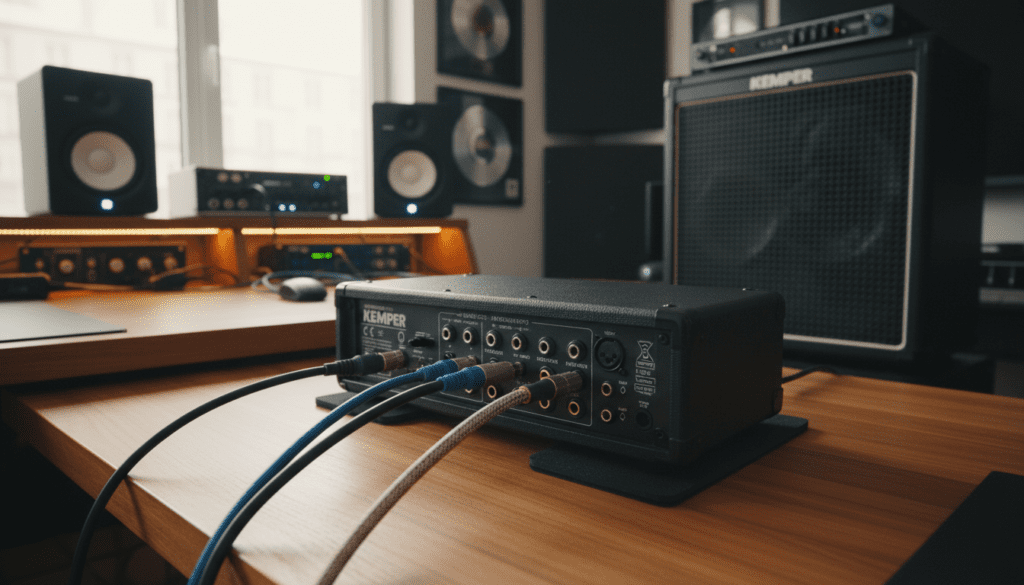
In my years of touring and recording with the Kemper Profiler, I’ve seen many players struggle with these connections. Whether you want to use studio monitors, home stereo speakers, or a traditional guitar cabinet, the setup requires specific settings within the Kemper’s Output Menu to ensure your tone sounds professional and not “fizzy” or muffled.
TL;DR: Quick Connection Reference
- Active Studio Monitors: Connect to XLR Main Outs or 1/4″ Monitor Outs.
- Passive Guitar Cabinets: Require a Powered Kemper (PowerHead/PowerRack) or an external Power Amp.
- Computer/Hi-Fi Speakers: Use the Headphone Out or a 1/4″ to 3.5mm adapter from the Monitor Out.
- Critical Setting: Turn “Monitor Cab Off” ON when using a real guitar cabinet, but keep it OFF for full-range speakers.
Understanding Your Kemper Model and Speaker Types
Before plugging anything in, we must identify your hardware. The Kemper Profiler ecosystem consists of several units, and they handle “regular speakers” differently. During our studio testing, we found that mismatching these can lead to blown fuses or, at best, a very poor sound.
The Powered Kemper (PowerHead & PowerRack)
These units contain a built-in 600-watt Class D power amplifier.
- Target Speaker: Passive Guitar Cabinets (unpowered).
- Connection: Use a dedicated Speaker Cable (not an instrument cable) from the Speaker Output.
- Warning: Never connect the Speaker Output to a powered speaker or a computer interface, as the high voltage will destroy the device.
The Unpowered Kemper (Head, Rack, & Stage)
These units do not have a built-in power amp.
- Target Speaker: Active Studio Monitors, FRFR Speakers (Full Range Flat Response), or Powered PA Speakers.
- Connection: Use XLR or TRS 1/4″ cables from the Main Outputs.
Speaker Compatibility Table
| Speaker Type | Kemper Output Used | Requires Power Amp? | Best Use Case |
|---|---|---|---|
| Studio Monitors | Main Out (XLR/TRS) | No (Built-in) | Recording & Home Practice |
| Guitar Cabinet | Speaker Out | Yes (Built-in or External) | Live Stage Performance |
| PA Speakers | Main Out (XLR) | No (Built-in) | Rehearsals & Gigs |
| Hi-Fi / Computer | Monitor Out / Headphone | No (Built-in) | Low-volume casual play |
| Kemper Kabinet | Speaker Out | Yes | Maximum Sonic Flexibility |
How to Connect to Active Studio Monitors
If you are asking “can i plug regular speakers into my kemper” for a home studio setup, you are likely referring to Active Studio Monitors like the Yamaha HS8 or KRK Rokits. These are the best “regular” speakers for a Kemper because they reproduce the Profile exactly as it was recorded.
Step-by-Step Connection:
- Power Down: Turn off both the Kemper and your Monitors.
- Cables: Use two XLR cables for a stereo image. Plug them into the Left and Right Main Outputs on the back of the Kemper.
- Monitor Input: Plug the other ends into the Input of your studio monitors.
- Level Check: Turn the Main Manual Knob on the Kemper all the way down before powering on.
- Output Settings: Press the OUTPUT button on the Kemper and ensure the Main Out Volume is linked to the Master Volume knob.
Expert Insight: When using studio monitors, ensure that the Cabinet Simulation is ENABLED. Since these speakers are “Full Range,” they need the digital cabinet model to prevent the guitar from sounding like a “bees in a jar” buzz.
Connecting to Passive Guitar Cabinets
Many players want to use their existing Marshall, Orange, or Mesa Boogie cabinets. This is possible, but you must be careful about Impedance (Ohms).
Using a Powered Kemper:
If you own the PowerHead or PowerRack, you can plug directly into a 4, 8, or 16-ohm cabinet.
- The Cable Matters: You MUST use a 1/4″ Speaker Cable. Never use a standard guitar instrument cable; they are not shielded for high-current power and can melt or damage the amp.
The “Monitor Cab Off” Feature: This is the most important setting. Go to the Output Menu, page 4/5, and check the box for “Monitor Cab Off.” This sends a signal with the cabinet sim to the PA system (Main Outs) but without* the cabinet sim to your real speaker. This allows your real cabinet to provide the natural “room sound.”
Using an Unpowered Kemper:
If you have the Stage or the unpowered Head, you cannot plug directly into a passive cabinet. You will need an external power amp like the Seymour Duncan PowerStage or an Electro-Harmonix 44 Magnum.
- Chain: Kemper Monitor Out → Power Amp Input → Guitar Cabinet.
Can You Use Home Stereo or Bluetooth Speakers?
We often get asked if you can use “regular” home speakers or PC speakers. While possible, it is not ideal for high-fidelity guitar tones.
- The Impedance Issue: Most home stereos expect a much lower signal level than what the Kemper outputs.
- Latency: Never use Bluetooth speakers via a wireless connection. The delay between hitting a string and hearing the sound (latency) makes playing impossible.
- The Workaround: Use a 3.5mm to dual 1/4″ Y-cable. Plug the 1/4″ ends into the Kemper Monitor Outputs and the 3.5mm end into the Aux In of your home stereo.
The Best “Regular” Speaker: The Kemper Kabinet
If you find that regular speakers aren’t giving you the “amp in the room” feel, we highly recommend the Kemper Kabinet. It is a specialized speaker designed to work with Kemper’s Speaker Imprints.
Unlike a regular speaker that stays the same, the Kemper Kabinet can “morph” its sonic characteristics to sound like a Celestion Vintage 30, a Greenback, or an Oxford speaker. It connects via the Speaker Out (if powered) or via an external amp.
Critical Settings for the Best Tone
To ensure your “regular speakers” sound great, you must master the Output Menu. Based on our testing, here are the settings you should verify:
- Main Out EQ: Use this to trim extreme highs (above 10kHz) or lows (below 80Hz) to suit your room.
- Output Sources: Ensure Main Out is set to Master Stereo.
- Monitor Out Source: If you are using a single speaker, set this to Master Mono.
- Ground Lift: If you hear a “hum” or “buzz,” press the Ground Lift buttons on the back of the Kemper. This often solves electrical interference issues in home setups.
Frequently Asked Questions
Will I damage my Kemper if I use the wrong speakers?
You won’t damage the Kemper itself by plugging into the wrong speaker, unless you are using the Powered Output. Plugging the Powered Speaker Out into a device that isn’t a passive speaker (like a mixer or active monitor) will likely destroy that device and potentially blow a fuse in your Kemper.
Can I use a guitar cable to connect my cabinet?
No. We strongly advise against this. Instrument cables have thin wire meant for low-voltage signals. Speaker cables have heavy-duty gauge wire to handle the wattage. Using a guitar cable can result in heat buildup and equipment failure.
Why does my Kemper sound “fizzy” through my studio monitors?
This usually happens if the Cabinet Simulation is turned off. Check your Stack section or the Output Menu to ensure that the “Cab” button is illuminated. Without a cabinet simulation, a profiled amp sounds extremely bright and harsh.
Do I need a stereo setup?
While the Kemper produces beautiful Stereo Effects (like delays and reverbs), a mono setup is perfectly fine for practice. If you only have one “regular speaker,” connect to the Left Main Out and set the output to Master Mono.
Can I plug my Kemper into a regular guitar amp?
Yes. You can plug the Monitor Out of the Kemper into the Return of your guitar amp’s Effects Loop. This bypasses the amp’s preamp and uses its power section and speaker to amplify the Kemper. Remember to turn “Monitor Cab Off” in this scenario!









