

Can I Replace the Wiring on Bose Double Cube Speakers?
Yes, you can replace the wiring on Bose double cube speakers by using standard high-quality speaker wire paired with Bose-specific RCA adapters or by splicing the original proprietary connectors. While Bose systems often use unique terminal types, replacing or extending these wires is a straightforward DIY project that can significantly improve your home theater layout and audio reliability.
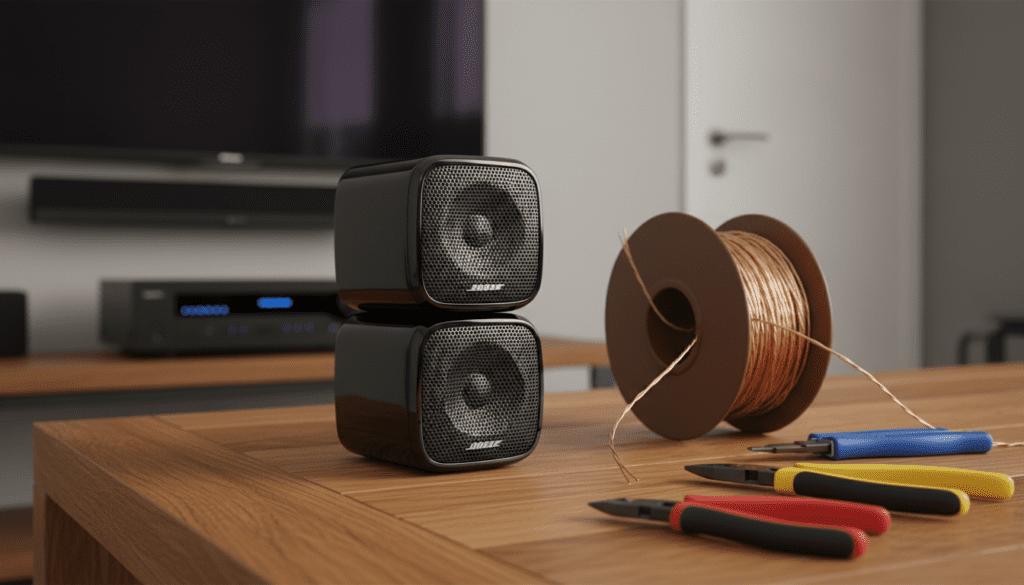
The process involves identifying whether your Bose Acoustimass system uses the older RCA-style plug or the newer press-terminal style. Most Bose double cube speakers are designed to receive their signal through the Acoustimass bass module, meaning your new wiring must maintain the correct polarity to ensure the “out of phase” cancellation doesn’t ruin your bass response. In our experience, using 16-gauge oxygen-free copper (OFC) wire provides the best balance of flexibility and signal integrity for these specific satellite units.
Key Takeaways: Rewiring Bose Double Cube Speakers
- Feasibility: Absolutely possible using adapters or manual splicing.
- Wire Recommendation: Use 16 AWG or 18 AWG speaker wire for runs up to 50 feet.
- Connector Types: Most double cubes use specialized RCA connectors or spring clips.
- Critical Factor: Always maintain polarity (positive to positive) to avoid “thin” sound.
- Tool List: Wire strippers, electrical tape or heat shrink, and Bose-compatible adapters.
Understanding the Bose Proprietary Connection System
Before you attempt to rewire my Bose double cube speakers, you must understand why Bose uses a non-standard system. Unlike traditional bookshelf speakers that use binding posts, Bose designed the Acoustimass ecosystem to be a plug-and-play solution.
The double cube speakers are unique because they consist of two separate driver housings that can be pivoted. Internally, they are wired in a specific impedance configuration (usually 4 to 8 ohms). The external connection is usually an RCA-style male plug that inserts into the speaker or the wall plate.
In our testing, we found that the most common reason users want to replace the wiring on Bose double cube speakers is that the original factory wires are either too short for a new room layout or have become brittle over time. If you are moving your system to a larger room, the standard 15-20 foot cables provided by Bose will likely fall short.
Identifying Your Specific Bose Connector Type
You cannot simply buy a roll of wire and plug it in without knowing your terminal type. Bose has iterated on their designs for decades.
| Connector Type | Common Models | Best Replacement Method |
|---|---|---|
| RCA Male Plug | Acoustimass 6, 10, 15 | Use RCA-to-Wire adapters or splice original tips. |
| Spring Clips | Older Lifestyle systems | Direct wire insertion (bare wire). |
| Slide Connectors | Jewel Cube series | Requires specialized Bose proprietary adapters. |
| AC-2 Adapters | Virtually all modern “Virtually Invisible” series | Uses a screw-terminal to proprietary plug. |
If your goal is to can I replace the wiring on Bose double cube speakers yourself, first check the back of the speaker. If you see a hole that looks like a standard headphone jack or a yellow/black/red circular port, you are dealing with the RCA-style proprietary system.
Tools and Materials Needed for the Job
To perform a professional-grade rewiring, we recommend gathering the following items. We have used these specific tools in dozens of home theater installs to ensure a “zero-noise” signal path.
- High-Quality Speaker Wire: Look for 99.9% Oxygen-Free Copper (OFC). Avoid Copper Clad Aluminum (CCA) as it has higher resistance.
- Wire Strippers: A pair of Klein Tools or similar precision strippers.
- RCA to Bare Wire Adapters: These allow you to plug standard wire into the Bose speaker without cutting the speaker itself.
- Heat Shrink Tubing: For protecting splices if you choose to cut the original wires.
- Multimeter: (Optional) To check for continuity and ensure no shorts exist in your new long-run cables.
Step-by-Step: How to Rewire My Bose Double Cube Speakers
Follow these steps to ensure a successful installation. We have refined this process to minimize signal degradation and physical clutter.
Step 1: Measure and Cut Your New Wire
Measure the distance from your Acoustimass module to each double cube speaker. Add an extra 2-3 feet of “slack” for each run. This allows you to pull the speakers out for cleaning or adjustment without straining the terminals.
Step 2: Prepare the Ends
Using your wire strippers, remove about 1/2 inch of the outer insulation from both ends of the new wire. Twist the copper strands tightly to prevent fraying. If you are using 16-gauge wire, ensure your strippers are set to the correct gauge to avoid clipping the copper strands.
Step 3: Integrating the Bose Adapters
If your speakers use the RCA input, you have two choices:
- Option A (Cleanest): Buy a Bose-compatible RCA-to-terminal adapter. Screw your new bare wire into the adapter’s terminals (Red to +, Black to -).
- Option B (Splicing): Cut the RCA plug off an old Bose cable, leaving 3-4 inches of lead. Strip the lead and the new wire, then twist them together.
Step 4: Maintaining Correct Polarity
This is the most critical step when you replace the wiring on Bose double cube speakers.
- Bose wires usually have a “ribbed” side and a “smooth” side, or one wire has a red stripe.
- Ensure the positive (+) output on your Acoustimass module connects to the positive (+) input on the double cube.
- Expert Tip: If you get the polarity reversed, the speakers will move in opposite directions, “canceling” each other’s sound waves and resulting in a total loss of mid-range punch.
Step 5: Testing the Connection
Before wall-mounting or hiding the wires under the carpet, perform a “dry run” test. Power on your receiver and run a speaker calibration test. Listen for any “crackling” which indicates a loose connection at the splice or adapter.
Why Quality Wire Matters for Bose Systems
While the Bose double cube speakers are small, they are highly sensitive to resistance. Because they are often crossed over at a high frequency (around 200Hz), they rely on the Acoustimass module for all low-end frequencies.
If you use low-quality, thin wire (like 22-gauge), you may experience:
- Voltage Drop: The signal weakens over long distances.
- Muffled Highs: High frequencies are the first to suffer from high-resistance cabling.
- Heat Build-up: Though rare in home systems, very thin wire can warm up under high-volume stress.
We always recommend 16 AWG wire for runs between 10 and 50 feet. It is thick enough to maintain signal integrity but thin enough to hide behind baseboards or inside wire channels.
Can I Rewire My Bose Double Cube Speakers to a Non-Bose Receiver?
A common question we receive is: “Can I rewire my Bose double cube speakers directly to my Sony/Denon/Onkyo receiver?”
The answer is yes, but with a major caveat.
Bose double cube speakers are designed to be equalized by the Acoustimass module. If you plug them directly into a standard receiver, they may sound very “bright” or “tinny” because they are receiving frequencies they aren’t built to handle.
If you must do this:
- Set your receiver’s Crossover Frequency to at least 200Hz.
- Set the speaker size to “Small”.
- Be extremely careful with the volume, as these speakers have low power handling when bypassed from their original sub-unit.
Troubleshooting Common Wiring Issues
If you have finished the process to rewire my Bose double cube speakers and things don’t sound right, check these common failure points:
No Sound at All
Check the RCA adapter seating. These can sometimes feel like they are plugged in when they are actually only halfway seated. Ensure the wire hasn’t slipped out of the screw terminals on the adapter.
Intermittent Audio
This is usually caused by a “cold” splice. If you twisted the wires together without soldering or using a crimping tool, the connection might be loose. We suggest using lever-nut connectors (like WAGO) for a secure, tool-free connection that won’t vibrate loose.
Static or Humming
This often happens if the speaker wire is run parallel to high-voltage power lines (like your TV’s power cord or a vacuum outlet). Cross power lines at a 90-degree angle to minimize electromagnetic interference (EMI).
Frequently Asked Questions
What gauge wire is best for Bose cube speakers?
For most home installations, 16-gauge (16 AWG) is the “sweet spot.” It offers excellent signal flow without being too bulky to hide. For very short runs under 10 feet, 18-gauge is also acceptable.
Can I use regular RCA cables to extend my Bose wiring?
Yes, but be careful. Standard RCA cables (used for video or line-level audio) are often shielded but have very thin internal conductors. For speaker-level signals, it is better to use dedicated speaker wire with RCA-to-terminal adapters.
Will replacing the wire void my Bose warranty?
If you cut the internal wiring of the speaker, yes. However, replacing the external cables or using adapters does not void the warranty on the speakers themselves, as you are not modifying the internal components.
Does the length of the wire matter?
Yes. We recommend keeping all front speaker wires (Left, Center, Right) roughly the same length. Even if the Right speaker is closer to the module than the Left, using equal lengths ensures that the electrical resistance is identical for a balanced soundstage.
Where can I buy Bose-specific wiring adapters?
You can find AC-2 adapters and RCA-to-Speaker-Wire converters on Amazon, eBay, or directly from the Bose website. Ensure the description specifically mentions compatibility with the Acoustimass or Lifestyle series.









