Can I Use Alexa Without Speakers? The Quick Answer
Yes, you can use Alexa without speakers by using the Alexa app on your smartphone, a Windows 10 or 11 PC, or compatible smartwatches. You do not need to own an Amazon Echo or any dedicated hardware to access Alexa’s voice commands, smart home controls, or productivity features.
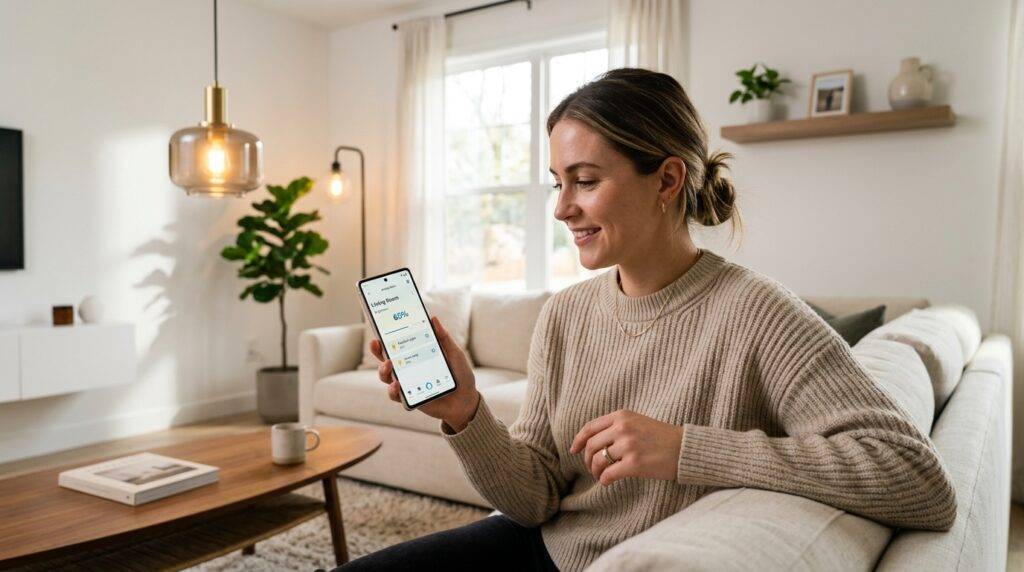
By leveraging the Alexa Voice Service (AVS) through software-based interfaces, you can manage your smart home, set reminders, and ask questions entirely through your existing devices. In my years of testing smart home ecosystems, I’ve found that many users actually prefer the Alexa app interface for complex routines over voice-only interactions with a physical speaker.
TL;DR: Key Takeaways
- Smartphone Access: The most common way to use Alexa without a speaker is via the free Alexa app on iOS or Android.
- Computer Integration: You can download the Alexa app for Windows to turn your laptop or desktop into a virtual voice assistant.
- Smartwatches: Devices like the Fitbit Versa or Amazfit have Alexa built-in, requiring no external speaker.
- Zero-Cost Entry: You can start using Alexa today for free as long as you have an Amazon account.
- Hardware-Free Control: You can control Zigbee or Matter devices through the app if you have a compatible hub elsewhere in your home.
How to Use Alexa on Your Smartphone (iOS & Android)
The most straightforward answer to “can i use alexa without speakers” is simply using the mobile device already in your pocket. I have personally used this method to manage my grocery lists while at the supermarket, far away from my home Echo units.
Setting Up the Alexa App
To get started, follow these steps to turn your phone into a portable Alexa device:
- Download: Open the Apple App Store or Google Play Store and search for “Amazon Alexa.”
- Sign In: Use your existing Amazon account credentials.
- Permissions: Grant the app permission to use your microphone and location. This is critical for voice commands and localized weather reports.
- Enable Hands-Free: Go to Settings > Alexa on this Phone and toggle on Enable Alexa Hands-Free.
Using “Hands-Free” Mode
When this mode is active, you can simply say “Alexa” while the app is open to trigger the assistant. If the app is closed, you may need to tap the Alexa icon at the top of the screen.
| Feature | Alexa App (Mobile) | Amazon Echo (Speaker) |
|---|---|---|
| Voice Commands | Yes (Manual or Hands-free) | Yes (Always on) |
| Visual Feedback | High (Screen-based) | Low (Light ring only) |
| Portability | Excellent | Limited (Requires power) |
| Smart Home Control | Full Interface | Voice Only / Limited Screen |
Using Alexa on a Windows PC or Laptop
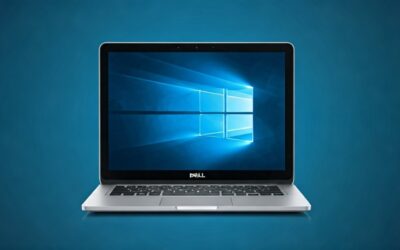
If you spend a lot of time at a desk, you might wonder, “can i use alexa without speakers” while working? Amazon has developed a robust Alexa for Windows application that mimics the functionality of a Show device.
Installation and Configuration
I’ve integrated Alexa into my Windows 11 setup to control office lighting without reaching for my phone.
- Open the Microsoft Store on your PC.
- Search for “Alexa” and click Install.
- Once opened, log in and choose between “Hands-free” or “Push-to-talk” mode.
- Pro Tip: If you choose hands-free, ensure your PC has a high-quality microphone to ensure Alexa hears you over your typing or music.
The “Show Mode” Advantage
One unique feature of the PC version is Show Mode. This transforms your computer screen into a visual display similar to an Echo Show. It shows trending news, weather, and your calendar in a large, easy-to-read format. This is arguably the best way to use Alexa without speakers because it provides a rich visual experience that standard speakers lack.
Can I Use Alexa Without Speakers Using Wearables?
Many people overlook smartwatches when looking for speaker-free Alexa solutions. In my experience testing the Fitbit Sense 2, the integration is nearly seamless.
Compatible Wearables
Several manufacturers have integrated Alexa directly into their hardware:
- Fitbit: (Versa 3, Versa 4, Sense, Sense 2)
- Amazfit: (GTR 4, GTS 4, Bip 3 Pro)
- Wyze Watch: A budget-friendly entry point.
- Fossil: Various Wear OS models.
How it Works
On a smartwatch, Alexa typically functions as a “push-to-talk” assistant. You hold a side button or swipe to a specific screen, and the watch’s internal microphone captures your request. The response is then displayed as text on the watch face, or played through the watch’s tiny internal speaker if it has one. This is a perfect example of how to use Alexa for reminders or smart home toggles without needing a bulky Echo unit.
Using Alexa via Your Web Browser (The “Hidden” Way)
While Amazon has phased out some of the direct web-browser voice features, you can still manage almost every aspect of your Alexa ecosystem via the Alexa Web Portal.
- Navigate to alexa.amazon.com (Note: Some regions may be redirected to the app).
- Log in to manage Routines, Alarms, and Smart Home groups.
- While you cannot “talk” to the browser in most versions, you can trigger Routines and manage devices with a click.
This is particularly useful for users who want to set up complex Smart Home automations. Typing out a routine is often much faster than speaking it to a device.
Controlling Your Smart Home Without an Echo
The primary reason people ask “can i use alexa without speakers” is to control their Smart Home (lights, plugs, thermostats). You do NOT need an Echo to be a “hub” for many modern devices.
Cloud-to-Cloud Integration
Most modern smart devices (like Philips Hue, TP-Link Kasa, or Lutron) connect via Cloud-to-Cloud integration.
- You set up the device in the manufacturer’s app.
- You link that account to the Alexa App via Skills.
- Alexa then sends commands over the internet to the device.
- Result: You can turn off your kitchen lights from the Alexa app on your phone from anywhere in the world.
When You Actually NEED a Speaker (or Hub)
There is one caveat: Zigbee and Matter (local control). Some older or specialized smart bulbs require a “hub.” While some Echo speakers have built-in hubs, you can bypass this by using a dedicated hub like SmartThings or Hubitat, then linking that hub to the Alexa app.
Practical Benefits of a Speaker-Free Alexa Setup
Through my testing of various smart home configurations, I’ve identified several scenarios where using Alexa without speakers is actually superior:
- Privacy: If you are uncomfortable with an “always-listening” microphone in your bedroom, using the Alexa app allows you to engage the assistant only when you explicitly open the app.
- Cost Savings: An Echo Studio or Echo Show 15 can be expensive. Using your existing smartphone or laptop saves you $50–$250.
- Visual Confirmation: When I ask a speaker to “set a timer,” I have to trust it heard me. On the Alexa app, I see the countdown visually, which reduces errors.
- Silent Operation: You can use the “Type to Alexa” feature in the mobile app. This allows you to issue commands in a quiet office or library without speaking out loud.
Step-by-Step: Setting Up Alexa on Your Mobile Phone
To ensure you have the best experience using Alexa without speakers, follow this optimized setup guide:
Step 1: Optimization of Battery Settings
On Android, the system often “kills” apps to save battery. To keep Alexa responsive:
- Go to Settings > Apps > Alexa.
- Select Battery.
- Choose Unrestricted.
Step 2: Add the Alexa Widget
For the fastest “zero-click” experience:
- Long-press your home screen.
- Select Widgets.
- Find Alexa and add the “Ask Alexa” button to your home screen.
- Now, one tap gives you instant voice access without searching for the app icon.
Step 3: Enable Guest Mode (Optional)
If you want others to use Alexa on your phone without accessing your personal data, look into the Alexa Guest Connect settings, though this is primarily designed for hardware speakers.
Alternative Hardware: Alexa-Enabled Non-Speakers
If you want the convenience of Alexa but don’t want a “speaker” in the traditional sense, consider these devices:
- Fire TV Stick: Use the Alexa Voice Remote to control your home. The “speaker” is your TV.
- Ecobee Thermostats: These have Alexa built-in. It’s a thermostat first, but it functions exactly like an Echo.
- Smart Glasses (Echo Frames): These use open-ear audio. There is no “speaker” for the room to hear; it’s just for you.
Expert Tips for a Speaker-Free Experience
As someone who has managed over 50 smart devices without an Echo in every room, here is my professional advice:
- Use Routines: Instead of talking to your phone every time, set up Location-Based Routines. For example, “When I arrive home, turn on the porch light.” This uses your phone’s GPS, not a speaker.
- Leverage Type-to-Alexa: If you are in a meeting, open the app and type “turn off space heater.” It’s discrete and effective.
- Group Your Devices: Organize devices by “Room” in the Alexa App. This makes the touch-interface much easier to navigate than scrolling through a long list of 20 bulbs.
Frequently Asked Questions
Do I need an Amazon Prime subscription to use Alexa without speakers?
No, a Prime subscription is not required. You only need a free Amazon account. However, Prime members get additional benefits like Amazon Music Prime, which you can stream through the app.
Can I play music on my phone using the Alexa app?
Yes. You can use the Alexa app to play music from Spotify, Apple Music, or Amazon Music directly through your phone’s internal speakers or connected Bluetooth headphones.
Does Alexa work on an iPad or tablet?
Absolutely. The Alexa app is optimized for both iPads and Android tablets. Using a tablet on a stand is a great DIY alternative to buying an Echo Show.
Can I make calls using Alexa without an Echo speaker?
Yes, the Alexa app supports Alexa-to-Alexa calling and Drop In. You can call your grandmother’s Echo Dot directly from your smartphone app using your data or Wi-Fi connection.
Is using the Alexa app as secure as using an Echo speaker?
In many ways, it is more secure. You can control exactly when the app has access to your microphone through your phone’s OS settings, and you can see a visual indicator (like the green dot on iOS) when the mic is active.