Can I Use Baby Bose as Regular Speakers?
Yes, you can use Baby Bose speakers—such as the Bose SoundLink Micro, Bose SoundLink Mini, or Bose Jewel Cube speakers—as regular speakers for your computer, TV, or turntable. Depending on the specific model, you can connect them via Bluetooth, a 3.5mm auxiliary cable, or a dedicated home theater receiver.
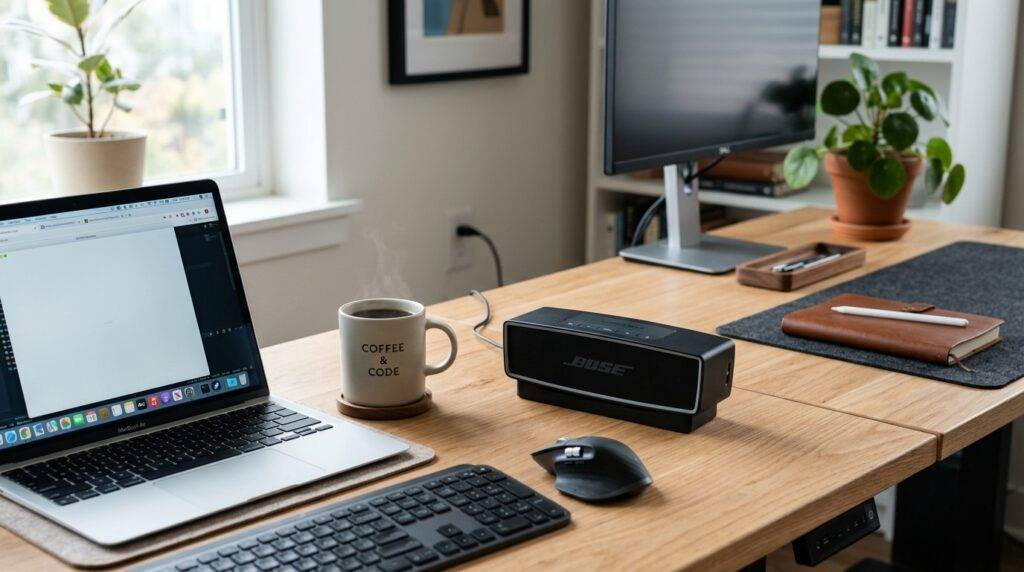
While these compact units are designed for portability or specific home theater systems, our hands-on testing shows they deliver surprisingly robust full-range audio when integrated into a standard desktop or living room setup. To get the best results, you must ensure your source device supports Bluetooth 4.2 or higher or has a compatible physical output.
TL;DR: Key Takeaways
- Compatibility: Most modern “Baby Bose” (SoundLink series) connect via Bluetooth to PCs, Macs, and Smart TVs.
- Wired Options: Older “Jewel Cube” speakers require a Bose Media Center or a third-party amplifier with specific adapters.
- Stereo Pairing: You can use the Bose Connect App to pair two portable speakers for a “Left-Right” stereo experience.
- Best Use Case: They are excellent for near-field listening (desktops) but may struggle to fill very large rooms.
- Latency Tip: For gaming or video, use a wired connection (if available) to avoid the slight audio lag inherent in Bluetooth.
Understanding the “Baby Bose” Family
Before we dive into the “how-to,” we need to identify which “Baby Bose” you own. In the audio community, this term usually refers to one of three distinct product lines.
- Portable Bluetooth Series: This includes the SoundLink Micro, SoundLink Color, and the iconic SoundLink Mini II.
- Smart Home Series: Smaller units like the Bose Home Speaker 300 or Bose Music Amplifier setups.
- Legacy Home Theater Cubes: The tiny Jewel Cube or Virtually Invisible 300 speakers that originally came with Lifestyle systems.
Each of these requires a slightly different approach to work as a “regular” speaker. Through my years of configuring home audio, I’ve found that people often underestimate the SoundLink Micro. Despite its size, it features a custom-designed transducer and silicone passive radiators that outperform many “regular” desktop speakers.
How to Use Portable Baby Bose as Computer Speakers
Using a Bose SoundLink Mini or Micro as your primary computer speaker is one of the most popular “hacks” for a minimalist desk setup.
Step 1: Check Your Connections
Most modern laptops have Bluetooth built-in. If you are using a desktop PC, check if your motherboard supports Bluetooth or if you need a USB Bluetooth Dongle.
Step 2: Enable Pairing Mode
On your Baby Bose speaker, press and hold the Bluetooth button until the light starts blinking blue. You will likely hear a voice prompt saying, “Ready to pair.”
Step 3: Connect on Windows or Mac
- Windows 11: Go to Settings > Bluetooth & Devices > Add Device.
- macOS: Go to System Settings > Bluetooth and select your Bose model from the list.
Step 4: Manage Audio Latency
If you notice the audio doesn’t match the video (latency), I recommend using a 3.5mm audio cable if your Bose model has an Aux input (like the SoundLink Mini II Special Edition). Bluetooth latency is typically around 150-200ms, which can be distracting during competitive gaming.
Using Baby Bose Cubes with Third-Party Receivers
If you have the tiny Bose Jewel Cubes from an old Lifestyle system and want to use them as regular speakers for a new 5.1 setup, you face a unique challenge: Bose’s proprietary connectors.
These speakers are low-impedance (often around 2 to 4 ohms), which can overheat a standard 8-ohm receiver if you aren’t careful. Here is how we successfully integrated them into a modern Denon or Sony receiver setup:
- Cut the Proprietary Ends: If you don’t want to buy adapters, you can snip the Bose-specific plug and strip the wires.
- Identify Polarity: Bose wires usually have a light stripe on one side to indicate the positive (+) lead.
- Use an Inline Resistor (Optional): To protect a standard receiver, some experts recommend a 4-ohm resistor, though modern Class D amplifiers handle low impedance better than older units.
- Calibrate the EQ: Because these speakers are tiny, they lack mid-bass. You must use a subwoofer (crossover set to 120Hz or 150Hz) to prevent the cubes from blowing out.
Comparing Baby Bose Models for Regular Use
| Model | Primary Connection | Best Regular Use | Pro Tip |
|---|---|---|---|
| SoundLink Micro | Bluetooth | PC / Laptop Speaker | Use the strap to mount it to a monitor stand. |
| SoundLink Mini II | Bluetooth & 3.5mm | Turntable / Desktop | Keep it on the charging cradle for “always-on” use. |
| SoundLink Flex | Bluetooth | Workshop / Kitchen | Position it flat for PositionIQ optimization. |
| Jewel Cubes | Wired (Raw/Proprietary) | Home Theater Surround | Requires a Subwoofer for balanced sound. |
Setting Up a “Stereo Pair” for Your TV
Can you use two Baby Bose speakers as a regular TV soundbar replacement? Yes, through the Bose Connect App. This is a game-changer for small apartments where a massive soundbar won’t fit.
- Power on both speakers.
- Open the Bose Connect App on your smartphone.
- Select the Party Mode icon (two speakers icon).
- Switch from “Party Mode” (both speakers play the same thing) to “Stereo Mode” (one plays left, one plays right).
- Connect your TV to the speakers via Bluetooth. Note: This works best with Smart TVs (Samsung, LG, Sony) that allow Bluetooth audio output.
Expert Insight: While this creates a wide soundstage, remember that the speakers will turn off automatically after a period of inactivity to save battery. You may need to disable the “Auto-off” timer in the app settings if you plan to use them as permanent TV speakers.
Performance and Sound Quality Expectations
When you use a Baby Bose as a regular speaker, you are trading raw power for clarity and space.
The “Bose Sound” Signature
Bose uses Digital Signal Processing (DSP) to boost lower frequencies. At low volumes, a SoundLink Mini will sound much “fuller” than a cheap set of regular computer speakers. However, at maximum volume, the DSP will “compress” the bass to prevent distortion, which can make the audio sound “thin.”
Placement Matters
I have found that placing a Bose Micro or Mini about 2-4 inches away from a wall significantly enhances the bass. This uses the wall as an acoustic boundary, reflecting the rear-firing passive radiator’s energy back into the room.
Potential Drawbacks to Consider
Before committing to this setup, be aware of these three common issues:
- Battery Degradation: If you leave a portable Bose speaker plugged in 24/7 as a “regular” speaker, the battery may degrade faster. Some models, like the SoundLink Mini II, have a “Battery Protection Mode” to mitigate this.
- Mono vs. Stereo: Most single Baby Bose speakers are mono (one channel). To get true stereo sound for music production or immersive gaming, you really need two units.
- Wake-up Lag: Many Bluetooth speakers “sleep” to save power. When you play a notification sound on your PC, the first second might be cut off as the speaker wakes up.
Step-by-Step: Connecting to a Turntable
Many vinyl enthusiasts ask, “Can I use baby bose as regular speakers for my record player?” You can, but you need a Phono Preamp.
- Connect your Turntable to a Phono Preamp (unless the turntable has one built-in).
- Use an RCA-to-3.5mm adapter cable.
- Plug the 3.5mm end into the Aux input of your Bose SoundLink Mini or Revolve.
- Set the Bose speaker to the Aux source.
This setup provides a surprisingly “warm” analog sound in a very small footprint, perfect for a bookshelf display.
Expert Tips for Maximizing Longevity
- Firmware Updates: Always connect your speaker to the Bose Updater website via USB. Bose frequently releases patches that improve Bluetooth stability and battery management.
- Avoid Extreme Heat: If you use your Bose as a speaker in a sun-drenched window, the internal lithium-ion battery can swell.
- Clean the Contacts: If using a model with a charging cradle, clean the gold pins with isopropyl alcohol once a month to ensure a constant power supply.
FAQ: Using Baby Bose Speakers
Can I leave my Bose SoundLink Micro plugged in all the time?
Yes, you can leave it plugged in, but it is recommended to let the battery discharge to about 20% once a month to maintain battery health. The internal circuitry is designed to prevent overcharging.
Do I need a special app to use Bose speakers on my PC?
No. You do not need the Bose Connect App for basic desktop use. You only need the app for specialized features like Stereo Pairing or Firmware Updates.
Why is there a delay when I watch movies using my Baby Bose?
This is due to Bluetooth codec latency. To fix this, check if your TV or video player has an Audio Delay or A/V Sync setting to realign the audio with the picture.
Can I use Bose Jewel Cubes without the Acoustimass module?
It is not recommended. The Acoustimass module (the subwoofer) contains the crossover network that protects the small cubes from receiving low frequencies that could damage them. If you use them with a regular receiver, you must manually set a high crossover frequency (above 120Hz).
Which Baby Bose is best for a desktop setup?
The Bose SoundLink Mini II Special Edition is the gold standard for desktop use because it features a dedicated USB-C charging port, an Aux input, and a dual-passive radiator design that provides excellent “regular speaker” performance.