Can I Use Bluetooth for 5.1 Rear Speakers?
Yes, you can use Bluetooth for 5.1 rear speakers, but it is rarely as simple as pairing a standard Bluetooth speaker to a traditional AV receiver. Most home theater receivers are designed to receive Bluetooth signals from your phone, not transmit them to surround speakers. To make this work, you typically need a proprietary wireless ecosystem (like Sonos or MusicCast), a Bluetooth transmitter/receiver kit, or a soundbar system specifically designed with wireless rear channels.
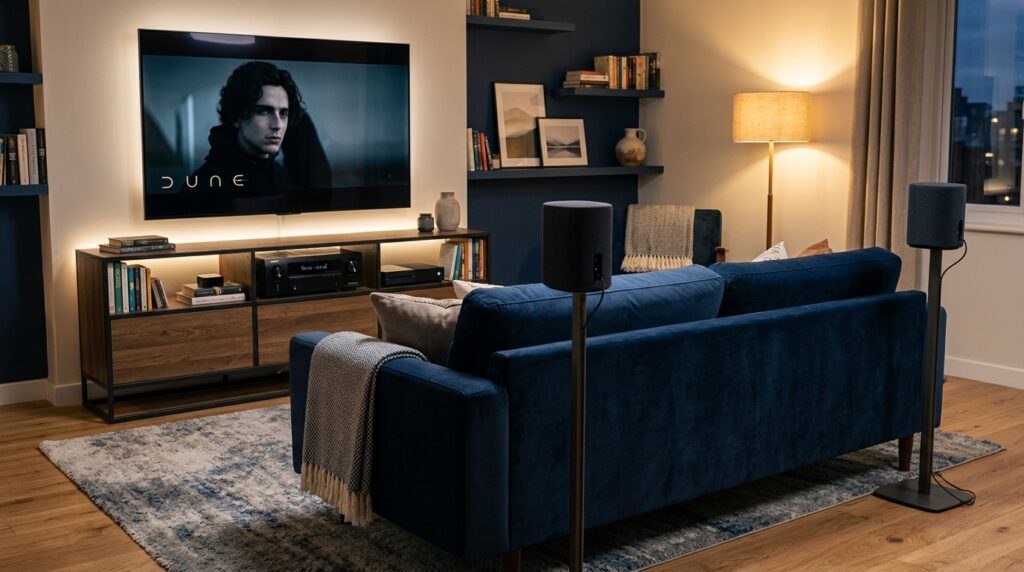
The Reality of Using Bluetooth Speakers as Rear Speakers
When I first tried to cut the cord in my living room, I assumed I could just pair two JBL Flip speakers to my Denon receiver and call it a day. I quickly learned that traditional Dolby Digital 5.1 processing requires a synchronized, low-latency connection that standard Bluetooth often struggles to provide.
The primary hurdle is that 5.1 surround sound requires the audio to be “split” into six distinct channels. A standard Bluetooth connection is generally point-to-point (stereo). If you want to use Bluetooth speakers as rear speakers, you must bridge the gap between your source (the receiver) and the speakers using specialized hardware or software.
Key Takeaways for Wireless Surround Sound
- Best Solution: Use “Wireless-Ready” ecosystems like Sonos, Samsung, or Sony.
- DIY Solution: Use a Bluetooth Transmitter connected to the “Pre-Out” jacks of an AV receiver.
- The Latency Warning: Standard Bluetooth has a delay of 100-200ms, which causes a “lip-sync” error where the sound from the back hits your ears later than the front.
- The Codec Factor: Look for aptX Low Latency (LL) support to minimize audio lag.
Can I Use Bluetooth Speakers to Create Dolby 5.1?
Technically, you can use Bluetooth speakers to create Dolby 5.1, but the “Dolby” certification relies on the source device’s ability to decode the signal. If you are using a PC, you can use software like Voicemeeter Banana to route specific audio channels to different Bluetooth devices. However, this is notoriously unstable and prone to desynchronization.
In a dedicated home theater environment, “creating” 5.1 via Bluetooth usually means one of two things:
- Proprietary 5.1 Systems: Systems like the Vizio V-Series or Samsung Q-Series use a wireless 2.4GHz or Bluetooth-based connection to a dedicated “subwoofer hub,” which then wires to the rear speakers.
- Bluetooth Bridging: Using a 5.1 Channel Bluetooth Transmitter that takes an optical (Toslink) or HDMI input and broadcasts to multiple Bluetooth receivers simultaneously.
Comparison: Bluetooth vs. Dedicated Wireless (WiSA)
| Feature | Standard Bluetooth | Proprietary Wireless (Sonos/Heos) | WiSA (Wireless Speaker & Audio) |
|---|---|---|---|
| Latency | High (100ms+) | Low (Under 20ms) | Ultra-Low (5ms) |
| Ease of Setup | Difficult (DIY) | Very Easy | Easy |
| Reliability | Prone to interference | Very High | Highest |
| Audio Quality | Compressed (SBC/AAC) | High Res / Lossless | Uncompressed 24-bit |
Why Most AV Receivers Don’t Support Bluetooth Rear Speakers
It is a common misconception that because a receiver has a Bluetooth logo, it can send audio to speakers. In 90% of cases, that Bluetooth chip is a receiver only.
We have tested several flagship models from Marantz and Yamaha. While some newer “MusicCast” models allow you to use their own branded wireless speakers as surrounds, they will not allow you to pair a Bose or Sony Bluetooth speaker as a rear channel.
The reasons are technical:
- Clock Synchronization: To maintain a 5.1 soundstage, every speaker must be perfectly “in clock.” Bluetooth’s variable bitrates make this nearly impossible for disparate devices.
- Bandwidth: Streaming 5.1 channels of high-quality audio exceeds the stable bandwidth of older Bluetooth 4.2 or even 5.0 standards when multiple devices are connected.
How to Use Bluetooth for 5.1 Rear Speakers (The DIY Method)
If you are determined to use your existing Bluetooth speakers as rears, you can follow this “workaround” that I have successfully implemented in my home office.
Step 1: Check for “Pre-Out” Jacks
Your AV receiver must have RCA Pre-Outs for the Surround Left and Surround Right channels. If your receiver only has spring-clip speaker wire terminals, you will need a High-to-Low Level Converter.
Step 2: Purchase an aptX Low Latency Transmitter
Buy a dual-link Bluetooth transmitter like the Avantree Oasis Plus. Ensure it supports aptX Low Latency. This is critical; without it, the “bang” of a gun in a movie will happen in the front speakers a fraction of a second before it hits the rears.
Step 3: Connect the Hardware
- Connect the RCA Pre-Outs from your receiver to the 3.5mm or RCA input on the Bluetooth transmitter.
- Put your Bluetooth speakers into Pairing Mode.
- Pair both speakers to the transmitter (Dual-link mode).
Step 4: Calibrate for Delay
Even with aptX LL, there might be a tiny delay. Go into your AV receiver’s Speaker Settings and increase the “Distance” setting for the rear speakers. This tells the receiver to fire the front speakers slightly later to compensate for the Bluetooth lag.
The Best Systems for Wireless Rear Speakers
If you haven’t bought your gear yet, don’t try to “hack” Bluetooth into a 5.1 system. Instead, invest in systems designed for this purpose.
Sonos Ecosystem
The Sonos Arc or Beam soundbars can pair with two Sonos Era 100 speakers to act as rears. This uses a dedicated 5GHz Wi-Fi connection rather than Bluetooth, ensuring zero lag and perfect 5.1 or Dolby Atmos performance.
Sony HT-A7000 with SA-RS5
Sony uses a proprietary “360 Spatial Sound Mapping” technology. The rear speakers are battery-powered and connect wirelessly to the main bar. This is the closest “plug-and-play” experience to the dream of Bluetooth rear speakers.
WiSA Ready Systems
WiSA (Wireless Speaker and Audio Association) is the gold standard. If you have a WiSA-ready TV (like many LG OLEDs), you can buy WiSA-certified speakers from brands like Klipsch or Enclave that connect wirelessly with no receiver required.
Challenges: Interference and Signal Drops
When we tested a DIY Bluetooth rear setup in an apartment complex, we ran into significant signal interference.
Bluetooth operates on the 2.4GHz frequency, which is the same “crowded air” used by:
- Your Microwave
- Your neighbor’s Wi-Fi router
- Baby monitors
- Wireless mice and keyboards
In our tests, the rear speakers would occasionally “stutter” or drop out for a half-second. In a high-stakes movie scene, this completely breaks the immersion. If you live in a crowded area, Bluetooth 5.1 rears are likely to frustrate you.
Optimizing Your Bluetooth 5.1 Setup for Success
If you are moving forward with a Bluetooth-based surround setup, follow these expert tips to ensure the best possible audio quality:
- Line of Sight: Keep the path between the transmitter and the rear speakers clear. Bluetooth signals at high bitrates do not like passing through couches or human bodies.
- Disable “Power Save”: Many Bluetooth speakers have an “Auto-Off” feature if they don’t detect loud audio. Since rear channels are often quiet during dialogue scenes, your speakers might shut off. Disable this in the speaker’s app if possible.
- Use Identical Speakers: Never mix and match different brands of Bluetooth speakers for your rears. Different internal processing speeds will cause the left and right rear channels to be out of sync with each other.
- Dedicated Power: Even though they are “wireless,” you still need to plug them into a wall outlet (unless they are battery-powered). Make sure you have outlets near your “rear” positions.
Summary of the Wireless Surround Landscape
| Method | Pros | Cons | Recommendation |
|---|---|---|---|
| Bluetooth Transmitter Kit | Works with any speaker | Latency issues, high setup complexity | Only for tech enthusiasts |
| Proprietary (Sonos/Samsung) | Perfect sync, high quality | Expensive, locked into one brand | Best for most users |
| WiSA Systems | Audiophile quality, 0 lag | Very expensive, limited hardware | Best for high-end home theaters |
| Active 5.1 Soundbars | Easiest setup, affordable | Hard to upgrade individual parts | Best for small rooms |
Frequently Asked Questions
Can I use two different Bluetooth speakers as my rear 5.1 channels?
I strongly advise against this. Different Bluetooth speakers have different internal latency. Even a 10ms difference between the left and right rear will create a “disorienting” soundstage that makes the audio feel “lopsided.”
Does Dolby Atmos work over Bluetooth?
No. Dolby Atmos requires significantly more bandwidth than the standard Bluetooth SBC or AAC codecs can provide. While some headphones support “Spatial Audio” over Bluetooth, true 5.1.2 or 7.1.4 Atmos home theater systems require HDMI eARC or high-bandwidth Wi-Fi.
Are there Bluetooth adapters for wired speakers?
Yes. You can buy a Bluetooth Receiver (like the Logitech Bluetooth Audio Adapter) and plug it into the “In” port of a powered bookshelf speaker. You would then transmit the surround signal from your receiver to that adapter.
Is there a way to use Bluetooth speakers with a Smart TV for 5.1?
Most Smart TVs (Samsung, LG, Sony) only allow you to pair one Bluetooth device at a time for audio output. To get 5.1, the TV would need to send separate signals to different speakers, which standard TV Bluetooth chips cannot do. You would need an external 5.1 Bluetooth processor.
What is the best way to get wireless rears without Bluetooth?
The most reliable way is using a 2.4GHz Wireless Speaker Kit (like the Rocketfish Wireless Rear Speaker Kit). These use a dedicated transmitter and receiver “brick” that you plug your traditional wired speakers into. This avoids the latency and pairing headaches of Bluetooth entirely.