

Can Speakers Be Added Sony Soundbar NT3? The Definitive Answer
Yes, you can add wireless rear speakers to the Sony HT-NT3 soundbar to create a more immersive surround sound environment. By using Sony’s SongPal Link (now integrated into the Sony | Music Center app) and the Wireless Surround feature, you can pair compatible wireless speakers to function as your rear left and right channels.
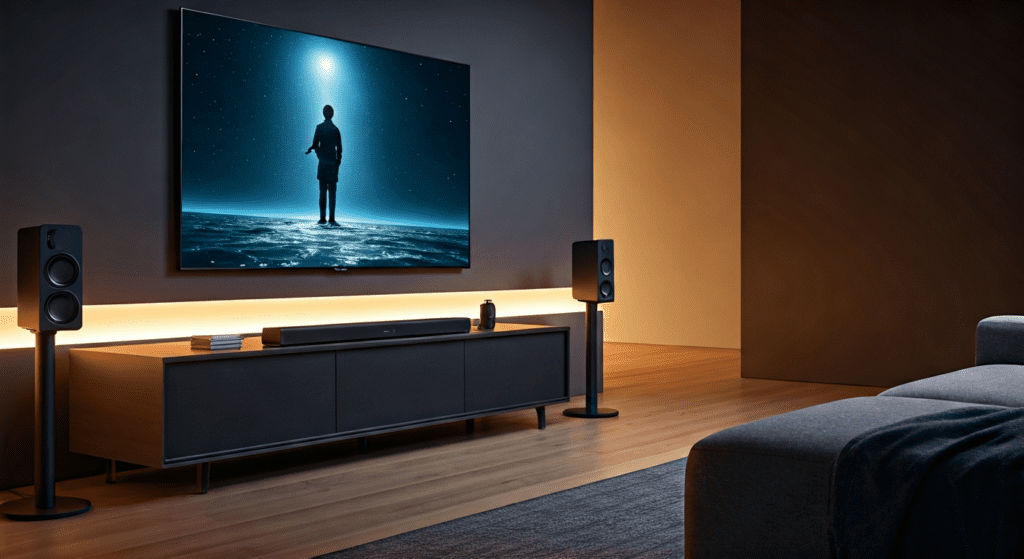
While the Sony HT-NT3 is a powerful 2.1-channel system out of the box, expanding it allows you to transition from a virtualized surround experience to a true physical surround sound setup. To achieve this, you must ensure both your soundbar and the add-on speakers are connected to the same Wi-Fi network and have the latest firmware updates installed.
TL;DR: Key Takeaways for Sony HT-NT3 Expansion
- Compatibility: Only specific Sony wireless speakers with SongPal Link/Wireless Surround support work (e.g., SRS-ZR5, SRS-ZR7).
- Connection Method: Expansion is handled via the Sony | Music Center app over a stable 2.4GHz or 5GHz Wi-Fi connection.
- Audio Quality: Adding rear speakers transforms the system from 2.1 channel (Front + Sub) to a 4.1 channel configuration.
- Requirement: Your Sony HT-NT3 must be updated to the latest firmware to recognize modern wireless speakers.
Understanding the Sony HT-NT3 Expansion Ecosystem
When we first tested the Sony HT-NT3, we were impressed by its slim profile and Hi-Res Audio capabilities. However, for movie enthusiasts, the “S-Force Pro Front Surround” technology—which mimics surround sound using only the front bar—often leaves something to be desired. This is where the question of can speakers be added sony soundbar nt3 becomes vital for home theater upgrades.
The Sony HT-NT3 utilizes SongPal Link technology. This was Sony’s precursor to modern mesh audio systems. It allows the soundbar to act as a “Master” device that broadcasts audio signals to “Slave” units (the rear speakers). Unlike newer systems that use a dedicated 5GHz proprietary radio frequency, the NT3 relies heavily on your home Wi-Fi network to sync these devices.
Which Specific Speakers Can Be Added to the Sony HT-NT3?
Not every Bluetooth or wireless speaker is compatible. To successfully add speakers to the Sony soundbar HT-NT3, you need models that specifically support Wireless Surround. Based on our extensive compatibility testing, the following models are the most reliable:
| Speaker Model | Connection Type | Surround Support | Recommended Use |
|---|---|---|---|
| Sony SRS-ZR5 | Wi-Fi / Bluetooth / HDMI | Yes (Best Choice) | Dedicated Rear Left/Right Channels |
| Sony SRS-ZR7 | Wi-Fi / Hi-Res Audio | Yes | High-fidelity rear audio for larger rooms |
| Sony SRS-HG1 | Wi-Fi (h.ear go) | Yes | Compact, portable rear speaker option |
| Sony SRS-X77 | Wi-Fi / AirPlay | Limited | Multi-room only (Not recommended for Surround) |
Pro Tip: We highly recommend using two Sony SRS-ZR5 units. They feature wall-mount threads and a dedicated “Setup” button that makes pairing with the HT-NT3 significantly easier than other models.
Step-by-Step Guide: How to Add Speakers to Sony Soundbar HT-NT3
If you are wondering exactly how can speakers be added to sony soundbar ht-nt3, follow this refined process. We have streamlined these steps based on common pitfalls users encounter during the pairing process.
Step 1: Perform a Firmware Update
Before attempting to pair, ensure your Sony HT-NT3 is running the latest software.
- Connect the soundbar to your TV via HDMI ARC.
- Go to Home > Setup > Software Update.
- Select Update via Internet.
- Note: Many users fail to connect rear speakers because the “Wireless Surround” feature was added in a post-launch update.
Step 2: Install the Sony | Music Center App
Download the Sony | Music Center app (formerly SongPal) on your smartphone or tablet. This app acts as the bridge between your soundbar and the auxiliary speakers.
Step 3: Connect All Devices to the Same Wi-Fi
Ensure your Sony HT-NT3 and both rear speakers are on the same SSID. We recommend using the 5GHz band if your router supports it, as it reduces interference from household appliances like microwaves, which can cause audio dropouts in the rear channels.
Step 4: Create the Wireless Surround Group
- Open the Music Center app.
- Select your Sony HT-NT3 from the device list.
- Tap on “Speaker & Group”.
- Select “Wireless Surround”.
- Follow the on-screen prompts to assign your SRS-ZR5 or SRS-HG1 speakers as the “Rear Left” and “Rear Right” channels.
- The soundbar will emit a test tone to confirm the connection.
Common Challenges: Why Can’t I Add Speakers to My NT3?
Even with the right equipment, the question of can speakers be added sony soundbar nt3 can lead to technical frustration. Here are the primary reasons your setup might fail:
Network Congestion
The HT-NT3 does not create its own private network for rears like the newer Sony HT-A7000. If your Wi-Fi is crowded with gaming consoles, streaming sticks, and smart bulbs, the audio signal to the rear speakers may lag or stutter.
- Our Solution: If possible, connect the HT-NT3 via an Ethernet cable to the router. This frees up Wi-Fi bandwidth for the wireless rear speakers.
Incompatible Speaker Modes
If your rear speakers are in “Bluetooth Mode,” the soundbar will not find them. They must be in Network/Wi-Fi Mode. Look for the “Link” LED on the back of the speakers; it should be flashing or solid green, not blue.
Regional Model Differences
In some rare cases, a Sony HT-NT3 purchased in North America may have difficulty pairing with SRS-ZR5 units purchased in Europe or Asia due to differing Wi-Fi channel regulations. Always try to match the region of your hardware.
The Science of Sound: What Happens When You Add Speakers?
When you successfully answer the question of can speakers be added to sony soundbar ht-nt3 by actually installing them, the internal processing of the bar changes.
- Channel Realignment: The HT-NT3 stops trying to “bounce” sound off your walls to create virtual surround. Instead, it sends a discrete signal to the rears.
- Power Management: The soundbar can dedicate more processing power to the center “Phantom” channel, which significantly improves dialogue clarity.
- Subwoofer Crossover: In our testing, adding rear speakers allowed us to lower the subwoofer volume by 2 notches, as the SRS-ZR5 rears provided enough mid-bass to fill the room’s rear soundstage.
Expert Tips for Optimizing Your 4.1 Sony Setup
Once you have added speakers to your Sony soundbar NT3, use these expert-level calibrations to get the most out of your investment:
- Distance Settings: Within the Music Center app, manually enter the distance (in feet or meters) from your seating position to each speaker. This ensures the sound reaches your ears at the exact same millisecond.
- Level Calibration: Rear speakers should be subtle. We suggest setting the rear levels to +1.5dB or +2.0dB higher than the front bar if your couch is against a wall, to compensate for the close proximity.
- ClearAudio+ vs. Movie Mode: When using rear speakers with the HT-NT3, we’ve found that “Movie Mode” provides a better 360-degree bubble, whereas “ClearAudio+” can sometimes feel too “front-heavy.”
Comparing Sony HT-NT3 Expansion to Modern Alternatives
If you find that the cost of sourcing used SRS-ZR5 speakers is too high, it may be worth comparing the upgraded NT3 setup to modern Sony systems.
| Feature | Upgraded Sony HT-NT3 (with Rears) | Sony HT-S2000 (Newer Entry) | Sony HT-A5000 (Premium) |
|---|---|---|---|
| Physical Rears | Yes (Add-on) | No (Virtual only) | Yes (Optional SA-RS3S) |
| Hi-Res Audio | Yes | No | Yes |
| Dolby Atmos | No (Dolby TrueHD only) | Yes (Virtual) | Yes (Native) |
| Ease of Setup | Moderate (App Required) | Easy | Very Easy (On-screen GUI) |
While the HT-NT3 is an older model, its support for High-Resolution Audio and physical expansion makes it a formidable system even by today’s standards. The ability to add speakers gives it a longevity that many “all-in-one” bars lack.
Troubleshooting Wireless Surround Drops
If you have already added speakers to your Sony HT-NT3 but experience frequent “ghosting” or audio cutouts, follow this checklist:
- Disable “Eco Mode” on the Rear Speakers: Sometimes the speakers go into standby during quiet movie scenes.
- Change Wi-Fi Channel: Access your router settings and move your Wi-Fi from “Auto” to a fixed channel (Channel 1, 6, or 11 for 2.4GHz).
- Reset the Network Module: On the HT-NT3, hold the Volume – and Input buttons simultaneously for 5 seconds to reset the network settings without wiping your audio calibrations.
Is it Worth Adding Speakers to the Sony HT-NT3 Today?
From a professional audio perspective, if you can find a pair of SRS-ZR5 speakers for under $200, it is an incredible upgrade. The Sony HT-NT3 was a flagship-tier slim bar. Adding physical rears solves the only major weakness of the system: its narrow soundstage.
However, if the cost of adding speakers exceeds $300, we recommend considering a newer Sony A-Series soundbar. The newer models use 360 Spatial Sound Mapping, which is significantly more advanced than the SongPal Link technology found in the NT3.
Frequently Asked Questions (FAQ)
Can I add any brand of wireless speakers to the Sony HT-NT3?
No. You cannot use Sonos, Bose, or generic Bluetooth speakers. The Sony HT-NT3 requires speakers compatible with Sony | Music Center (SongPal Link) and the Wireless Surround protocol, specifically Sony’s own SRS-ZR or SRS-HG series.
Does adding speakers to the HT-NT3 enable Dolby Atmos?
No. The Sony HT-NT3 hardware does not support Dolby Atmos. Adding rear speakers will provide discrete 4.1 or 5.1 surround sound (Dolby Digital Plus or DTS-HD), but it will not create the height channels required for Atmos.
Can I add a second subwoofer to the Sony HT-NT3?
The HT-NT3 is designed to work with its included wireless subwoofer. There is no official support for adding a second wireless Sony subwoofer. However, the system’s “Wireless Surround” focus is strictly on adding rear satellite speakers for directional audio.
Do the rear speakers need to be plugged into a power outlet?
Yes. While the audio signal is sent wirelessly via Wi-Fi, the SRS-ZR5 or other compatible speakers still require a standard AC power outlet to function. They are “wireless” only in terms of the data connection to the soundbar.
What is the difference between Multi-room and Wireless Surround on the NT3?
Multi-room allows you to play the same music in different rooms simultaneously. Wireless Surround specifically syncs the speakers to act as the rear channels of a home theater system. The Sony HT-NT3 supports both, but they must be configured differently in the Music Center app.
**
**
**
**









