

Can Speakers Distort the Image on a TV? The Short Answer
Yes, speakers can distort the image on a TV, but this effect is almost exclusively limited to older Cathode Ray Tube (CRT) televisions. Because CRT TVs use electron beams and magnets to project images, the powerful magnets inside unshielded speakers can pull those beams off course, causing color bleeding and warping. Modern LED, LCD, and OLED screens are generally immune to magnetic distortion but can still suffer from vibrational distortion if powerful subwoofers are placed too close.
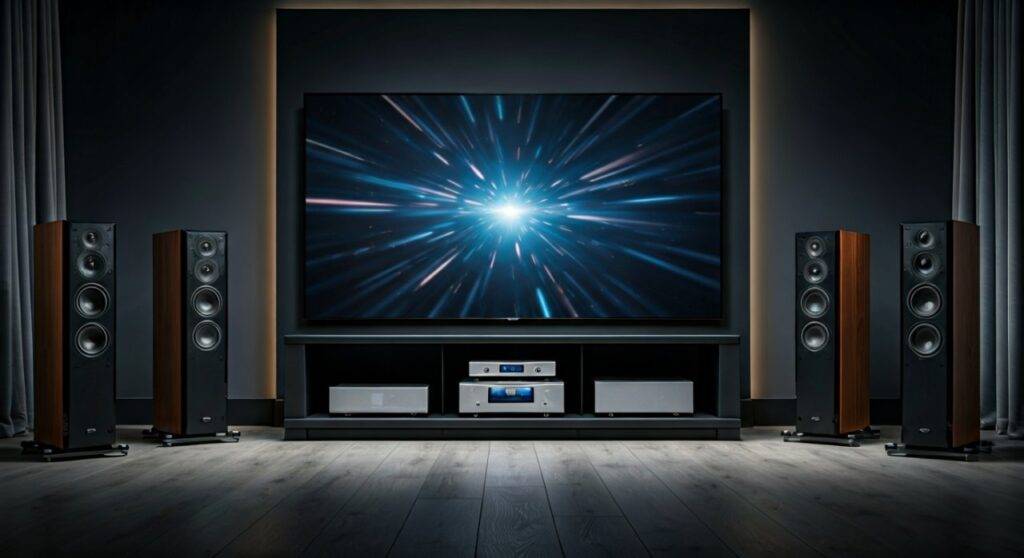
TL;DR: Key Takeaways for TV Image Safety
- CRT TVs are vulnerable: Large magnets in speakers can permanently “stain” or warp the colors on an old-school tube TV.
- Modern TVs (OLED/LCD) are safe: These technologies do not use electron beams and are not affected by magnetic fields in the same way.
- Vibration is the new enemy: While magnets won’t hurt a 4K LED TV, heavy bass vibrations can loosen internal ribbon cables or cause “image jitter.”
- Shielding Matters: Professional home theater speakers are often magnetically shielded to prevent any interference.
- The 2-Foot Rule: Keep unshielded floor-standing speakers at least two feet away from sensitive electronics to be safe.
The Science: How Can Speakers Distort the Image on a TV?
To understand why a speaker might ruin your viewing experience, we have to look at how different displays function. During my years of calibrating home theaters, I’ve seen everything from “purple corners” on vintage sets to flickering pixels on high-end monitors caused by poor placement.
The Magnetic Field (EMI) Explained
Every speaker contains a permanent magnet (usually ferrite or neodymium) and a voice coil. These components create an electromagnetic field to move the speaker cone and produce sound. When this field interacts with a television’s internal components, it is known as Electromagnetic Interference (EMI).
Why CRT TVs Are “Magnet Magnets”
Older televisions work by firing a stream of electrons from an “electron gun” at a phosphor-coated screen. To ensure the electrons hit the right spot, the TV uses deflection yokes (which are essentially magnets).
If you place a large, unshielded speaker next to a CRT, its magnetic field overpowers the TV’s internal magnets. This pulls the electron beam toward the speaker, resulting in:
- Color Fringing: Vivid purples, greens, and yellows appearing where they shouldn’t.
- Geometry Warp: The edges of the image curving inward or outward.
- Permanent Damage: If left too long, the internal shadow mask can become magnetized, requiring a professional “degaussing” tool to fix.
Modern Displays: LCD, LED, and OLED
Unlike CRTs, Liquid Crystal Displays (LCD) and Light Emitting Diodes (LED) use a grid of fixed pixels or organic compounds. There is no electron beam to “pull.” In my testing with Neodymium magnets held directly against an OLED panel, there was zero color shift. However, that doesn’t mean speakers are completely harmless to modern sets.
Comparing TV Technologies and Speaker Interference
| TV Technology | Vulnerable to Magnets? | Vulnerable to Vibration? | Recommended Distance |
|---|---|---|---|
| CRT (Old Tube) | YES (High Risk) | Low | 2 – 3 Feet |
| Plasma | No | Moderate | 1 Foot |
| LCD / LED | No | Moderate | 6 Inches |
| OLED | No | High (Thin Panels) | 1 Foot (for Subs) |
| QLED | No | Moderate | 6 Inches |
Step-by-Step: How to Identify and Fix Speaker-Induced Distortion
If you suspect your audio setup is affecting your visual quality, follow this diagnostic process. I’ve used these steps to troubleshoot dozens of high-end media rooms where “ghosting” or “jitter” was reported.
Step 1: The “Power Down” Test
First, determine if the distortion is magnetic or vibrational.
- Turn off the speakers entirely.
- If the image distortion (color swirls) remains, it is likely magnetic magnetization (on a CRT).
- If the distortion only happens when the music is loud, it is mechanical vibration.
Step 2: Check for Color Purity (CRT Only)
Display a solid white or solid gray image on your screen. Look for “blooming” or “rainbow effects” near the corners closest to your speakers. If you see discoloration, immediately move the speakers back at least 12 inches and see if the color settles.
Step 3: Distance Adjustment
Move your speakers away from the TV in 6-inch increments. For unshielded floor speakers, I recommend a minimum of 2 feet of clearance. This not only protects the image but usually improves the soundstage and stereo separation as well.
Step 4: Degaussing the Screen
If you have an old TV that is permanently discolored, look for a “Degauss” option in the TV menu. You will hear a loud “thump” or “boing” sound. This resets the magnetic field of the shadow mask. If your TV doesn’t have this, you may need a handheld degaussing coil.
Understanding Vibrational Distortion in Modern TVs
While we’ve established that magnets won’t warp the colors of an LG OLED or a Samsung QLED, physical vibrations are a different story.
The “Jiggle” Effect
If a powerful Subwoofer is placed directly under a thin-panel TV, the low-frequency sound waves can cause the screen to vibrate. This leads to a perceived “blurring” of the image. In extreme cases, constant vibration can:
- Loosen Internal Ribbon Cables: Leading to vertical lines on the screen.
- Damage Solder Joints: Causing the TV to shut off randomly.
- Micro-fracture Thin Glass: Particularly on older Plasma or very thin OLED models.
Expert Advice: Decoupling Your Audio
To prevent vibrational distortion, I always recommend decoupling your speakers from the same furniture that holds your TV. Use isolation pads or Sorbothane hemispheric bumpers under your speakers to absorb the kinetic energy before it reaches your display.
Shielded vs. Unshielded Speakers: What’s the Difference?
When shopping for home theater gear, you might see the term “Magnetically Shielded.” This is a critical feature if you plan on placing a center-channel speaker directly on top of or below a TV.
- Shielded Speakers: These contain a second magnet placed in “opposing polarity” or a metal “can” (bucking magnet) that traps the magnetic field inside the speaker cabinet.
- Unshielded Speakers: Often found in high-end audiophile gear or vintage speakers. These allow the magnetic field to radiate outward freely.
Pro Tip: If your speaker’s manual doesn’t mention shielding, assume it is unshielded. Most modern “Bookshelf” speakers designed for PC use are shielded, but large “Tower” speakers rarely are.
Other Factors That Mimic Speaker Distortion
Sometimes, what looks like speaker interference is actually a different technical glitch. Before you move your heavy subwoofers, check these common culprits:
- Loose HDMI Cables: A poorly seated HDMI 2.1 cable can cause “sparkles” or digital “snow” that looks like interference.
- Ground Loops: If your speakers and TV are plugged into different outlets, you might get a “hum” in the audio and “rolling bars” on an analog video signal.
- LED Backlight Failure: Dark patches on an LCD screen are often just failing LEDs, not magnetic interference.
- Wi-Fi Interference: Placing a Wireless Router too close to a TV can cause “stuttering” in smart apps, which users often mistake for hardware distortion.
Actionable Advice for a Distortion-Free Setup
- Use a Dedicated Stand: Never place a high-excursion Subwoofer on the same shelf as your TV.
- Invest in Quality Cables: Use shielded HDMI cables to prevent the speaker’s EMF from affecting the digital signal as it travels to the TV.
- Check for “Center Channel” Labels: Only use speakers specifically labeled as “Center Channel” near your TV, as these are almost always shielded.
- Angle Your Speakers: “Toeing in” your speakers toward the listener’s ears often moves the rear of the speaker (where the magnet is) further away from the TV chassis.
Frequently Asked Questions (FAQ)
Can a soundbar distort my TV image?
Most Soundbars are specifically designed to be placed directly under a TV and are magnetically shielded. It is highly unlikely a soundbar will distort a modern LED or OLED image. However, the vibrations from a built-in subwoofer could cause slight screen shaking at max volume.
How far should speakers be from a TV?
For modern LED/OLED TVs, 6 to 12 inches is usually sufficient to avoid any issues. For older CRT TVs, you should maintain a distance of at least 2 to 3 feet unless the speakers are explicitly labeled as magnetically shielded.
Will a magnet ruin my 4K TV?
A household magnet will not “ruin” the pixels of a 4K LED or OLED TV like it would a CRT. However, I still advise against it. Strong magnets can potentially interfere with the internal power supply or the integrated speakers of the TV itself, leading to hardware malfunctions.
Can speaker wires cause image interference?
Unshielded speaker wires carrying high-level signals can occasionally cause cross-talk if they are bundled tightly with old analog video cables (like RCA or Component). For digital HDMI connections, this is rarely an issue, but it’s still best practice to keep power, speaker, and data cables separated.









