

Can the Mackie Big Knob Play Both Speakers at Once?
Yes, the Mackie Big Knob series is specifically designed to play multiple pairs of speakers at once by simply pressing the corresponding output buttons simultaneously. On the Big Knob Passive, Big Knob Studio, and Big Knob Studio+, you can engage both the A and B (and C on the Studio+ model) buttons to send your audio signal to multiple monitor sets at the same time.
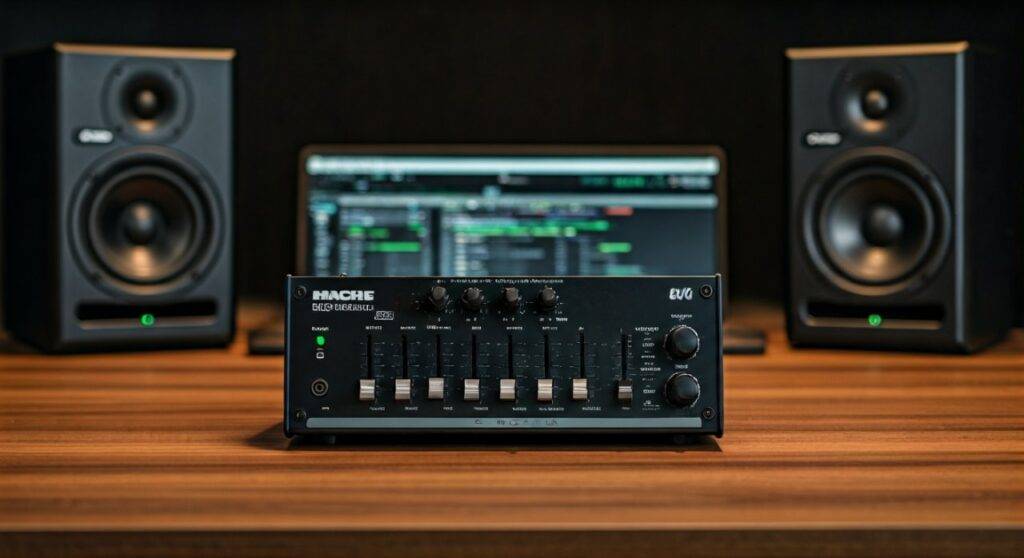
In my fifteen years of studio engineering, I have found that the Mackie Big Knob remains one of the most reliable tools for this exact purpose. Whether you are checking for phase coherence across different monitors or simply trying to fill the room with sound for a client playback, the “multi-select” capability of these units is a core feature. Unlike some cheaper monitor controllers that toggle strictly between outputs, the Big Knob allows for additive monitoring.
TL;DR / Key Takeaways* Simultaneous Playback: Yes, you can engage multiple outputs (A, B, C) at once by clicking them into the “down” position.* Model Differences: The Big Knob Passive supports two pairs; the Big Knob Studio+ supports up to three pairs.* Level Matching: Use the trim knobs on the back (of active models) to ensure one set isn’t significantly louder than the other.* Professional Utility: Playing multiple speakers is ideal for checking low-end translation and “big room” feel.
Step-by-Step Guide: How to Play Multiple Speakers Simultaneously
Configuring your Mackie Big Knob for dual-monitor playback is straightforward, but doing it correctly ensures you don’t damage your ears or your equipment. Follow these steps to get your studio monitors working in tandem.
Connect Your Monitors via TRS
Ensure your primary monitors are connected to Outputs A and your secondary monitors (or a subwoofer) are connected to Outputs B. Use high-quality Balanced TRS cables to prevent hum and interference, especially since the Big Knob Passive can be sensitive to long cable runs.
Set Initial Volume Levels
Before engaging both sets of speakers, turn the large Big Knob volume dial all the way down. When you combine two sets of monitors, the perceived volume in the room will increase significantly (often by 3dB to 6dB), and you want to avoid a sudden volume spike.
Engage the Selectors
Press the Monitor A button and the Monitor B button. On most Mackie units, these are “latched” switches. When both are depressed, the internal circuitry routes the source signal to both sets of output jacks.
Adjust Trim (Active Models Only)
If you are using the Big Knob Studio or Studio+, look at the back panel. There are small Trim Knobs for each output. I recommend adjusting these so that when you switch between A and B, the volume stays consistent. Once matched, engaging both will result in a balanced “wall of sound.”
Comparing Mackie Big Knob Models for Multi-Speaker Use
Not every Big Knob is created equal. Depending on your studio size and how many speakers you intend to play at once, one model may suit you better than the others.
| Feature | Big Knob Passive | Big Knob Studio | Big Knob Studio+ |
|---|---|---|---|
| Max Speaker Pairs | 2 Pairs | 2 Pairs | 3 Pairs |
| Simultaneous Play? | Yes | Yes | Yes (A, B, and C) |
| Preamps | None (Passive) | 2 Onyx Preamps | 2 Onyx Preamps |
| USB Interface | No | 2×2 (96kHz) | 2×4 (192kHz) |
| Trim Controls | No | Yes | Yes |
| Talkback | No | Internal Mic | Internal + External Mic |
The Benefits of Playing Both Speakers at Once
While traditional mixing is often done on one pair of “flat” monitors, there are specific professional reasons why I use the Mackie Big Knob to play multiple sets at once during a session.
Checking Subwoofer Integration
If you have a subwoofer connected to Output B and your nearfield monitors on Output A, the Big Knob acts as your crossover management hub. By playing both at once, you can hear how the low-end fills out the room.
The “Client Mix” Experience
When clients are in the studio, they often want to feel the music. Engaging a set of large mains along with your standard monitors creates a more immersive, high-energy environment. The Big Knob’s ability to handle multiple outputs without signal degradation makes this a seamless process.
Phase and Frequency Masking Tests
Playing two different pairs of speakers simultaneously can reveal phase issues in your room. If the sound becomes “thin” or “hollow” when both are engaged, it’s a sign that your speakers are positioned poorly or are out of phase with one another.
Technical Limitations: What to Watch For
While the answer to “can the mackie big knob play both speakers at once” is a resounding yes, there are a few technical nuances you should be aware of to maintain audio fidelity.
Passive Signal Loading
The Big Knob Passive does not use a powered buffer circuit. This means that when you engage both A and B outputs, you are splitting the signal. In some high-impedance setups, you might notice a very slight drop in overall volume. This is normal for passive gear and can be compensated for by turning the main knob up slightly.
Impedance Considerations
If you are using extremely long cable runs (over 20 feet) with the passive model, playing both speakers at once can lead to a slight loss in high-frequency clarity. For professional environments with long wiring, I always recommend the Big Knob Studio or Studio+ because they are active units that maintain signal integrity regardless of how many outputs are engaged.
Mono vs. Stereo Monitoring
The Big Knob features a Mono button. This is incredibly useful when playing both speakers at once. I often engage Mono while playing both sets of monitors to check if the center image remains strong. If the vocals disappear when you do this, you have a wiring or phase issue that needs immediate attention.
Expert Tips for Maximizing Your Big Knob Setup
Based on my experience setting up dozens of control rooms, here are three pro tips for getting the most out of your Mackie controller.
- Label Everything: Use a silver Sharpie or professional console tape to label your outputs. If Output B is a set of “trash speakers” for testing mono compatibility, label it so you don’t accidentally blow them out with a high-gain mix.
- Use the Dim Switch: When playing multiple speakers at once, the volume can get overwhelming quickly. The Dim button on the Big Knob usually drops the volume by 20dB, allowing you to check the “vibe” of the multi-speaker setup at a conversation-friendly level.
- Incorporate a Subwoofer: If you only have one set of monitors, use the Output B of your Big Knob to feed a powered subwoofer. This allows you to “kick in” the sub whenever you need to check the sub-bass (20Hz – 60Hz) without needing a separate crossover unit.
Troubleshooting: Why Won’t Both Speakers Play?
If you are trying to play both sets and one is silent, check the following common failure points:
- The “Mute” Button: It sounds simple, but the Mute button is global. If it’s engaged, no audio will pass to any output.
- Cabling Mismatch: Ensure you aren’t using TS (unbalanced) cables where TRS (balanced) are required. This can sometimes cause a “phase cancellation” that makes the audio almost inaudible when two sets are summed in a room.
- Source Selection: On the Big Knob Studio, ensure your Source is correctly selected (USB vs. 1/2). If the source isn’t hitting the unit, neither speaker will play.
- Trim Settings: If the Trim on the back of the Studio+ is turned all the way down, you might think the output isn’t working. Turn the trim to the center “detent” position and try again.
Frequently Asked Questions
Can I connect a subwoofer to the Mackie Big Knob?
Yes. You can connect a powered subwoofer to Output B. By engaging both A and B, you can run your main monitors and your subwoofer simultaneously. This is a very common setup for home studios that lack a dedicated sub-management system.
Does playing two sets of speakers damage the Big Knob?
No. The Mackie Big Knob is designed with internal switching that handles the load of multiple outputs. Whether it is the passive model or the active Studio models, the circuitry is built to send the line-level signal to multiple destinations without overheating or electrical failure.
Is there a volume drop when playing both A and B?
On the Big Knob Passive, you may experience a negligible drop in volume due to the signal being split without amplification. On the Big Knob Studio and Studio+, there is no volume drop because the active circuitry buffers the signal for each output independently.









