

Can U TS Cables on KRK Speakers? The Direct Answer
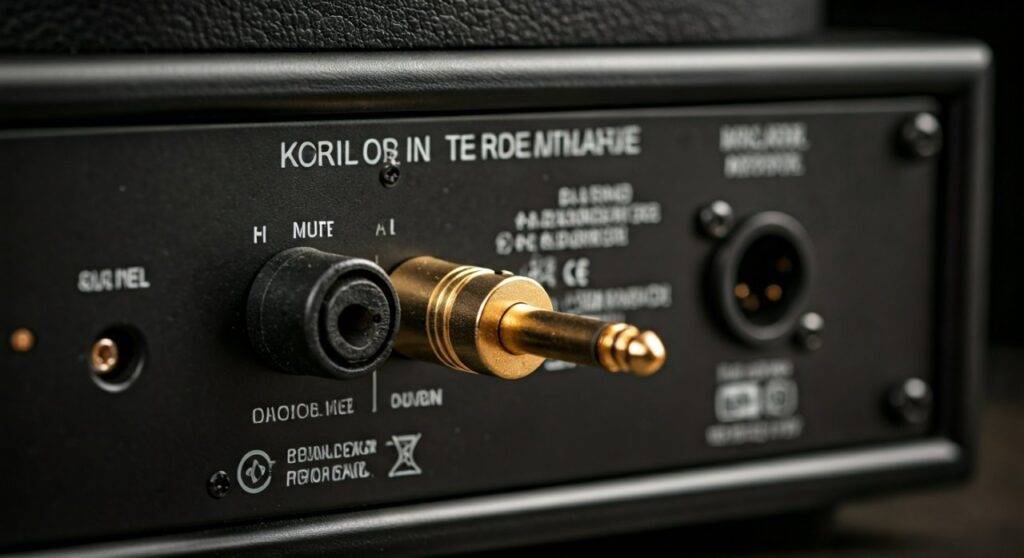
Yes, you can use TS cables on KRK speakers, but there are significant trade-offs in sound quality and noise performance. Most KRK Rokit and V-Series monitors feature “combo” jacks that accept both balanced TRS and unbalanced TS 1/4-inch connectors. While it works for short distances, using a TS (Tip-Sleeve) cable—commonly known as a guitar cable—forces your professional monitors to operate in an unbalanced mode, which often introduces unwanted hum and radio frequency interference.
TL;DR: Key Takeaways for KRK Cable Setup
- Compatibility: KRK Rokit G3/G4 and Classic models accept TS cables, but they are designed for TRS or XLR.
- The Risk: Using TS cables over 10 feet long almost guarantees audible “buzz” or “hiss” in your studio.
- Best Practice: Always use Balanced TRS to TRS or XLR to TRS cables for a +4dB professional signal level.
- Signal Loss: You will likely experience a 6dB drop in volume when switching from balanced to unbalanced cables.
- The Verdict: Only use TS cables as a temporary fix; upgrade to TRS for any serious mixing or production.
Understanding KRK Input Architecture: Balanced vs. Unbalanced
To understand why the question of “can u ts cables on krk speakers” is so common, we first have to look at the back of the speaker. I have spent years calibrating KRK Rokit 5s and 7s in home studios, and the most frequent mistake I see is using the wrong 1/4-inch jack.
The Combo Jack Explained
Most modern KRK monitors use a Neutrik Combo Jack. This port looks like a standard XLR hole but has a 1/4-inch hole in the center.
- XLR Input: Always balanced, used for professional interfaces.
- 1/4-inch Input: Can be Balanced (TRS) or Unbalanced (TS).
When you plug a TS cable into this jack, the speaker’s internal amplifier only sees the “Hot” signal and the “Ground.” It misses the “Cold” (inverted) signal used for noise cancellation, leaving your audio vulnerable to every electronic device in your room.
TS vs. TRS: What’s the Real Difference for Your KRK?
If you are looking at two cables that look identical except for the rings on the plug, you are looking at the difference between TS and TRS.
| Feature | TS (Tip-Sleeve) | TRS (Tip-Ring-Sleeve) | XLR (3-Pin) |
|---|---|---|---|
| Common Name | Instrument/Guitar Cable | Balanced Line Cable | Microphone Cable |
| Signal Type | Unbalanced | Balanced | Balanced |
| Shielding | Basic | Advanced (Common Mode Rejection) | Professional Grade |
| Use Case | Guitars, Pedals | Studio Monitors, Interfaces | Microphones, High-End Gear |
| Noise Floor | High (Prone to hum) | Ultra-Low (Clean) | Ultra-Low (Secure) |
| Length Limit | Under 10-15 feet | Up to 100+ feet | Up to 100+ feet |
As you can see, while KRK speakers are compatible with TS, the TRS cable is the superior choice for Information Gain and audio fidelity.
Can U TS Cables on KRK Speakers for Long Distances?
One of the most critical lessons I learned while touring with mobile setups is that unbalanced TS cables act like antennas.
If you run a 20-foot TS cable from your interface to your KRK Rokit 8s, that cable will literally “pick up” signals from your Wi-Fi router, your cell phone, and even fluorescent lights. This results in a “ground loop” or a constant 60Hz hum.
Why Distance Matters
- 0-6 Feet: You might get away with using TS cables without hearing much noise.
- 6-12 Feet: You will likely hear a faint “hiss” when no music is playing.
- 15+ Feet: Significant signal degradation and high risk of picking up radio interference.
Step-by-Step: How to Connect Your KRK Speakers Properly
If you currently only have TS cables and need to get your KRK monitors running right now, follow these steps to ensure the best possible sound under the circumstances.
Check Your Output Source
Determine if your audio interface (like a Focusrite Scarlett or Universal Audio Apollo) has balanced outputs. Most modern interfaces use TRS balanced outputs. If your interface is balanced, using a TS cable wastes the interface’s capability.
Match the Connectors
- If your interface has XLR out: Use an XLR Male to XLR Female cable.
- If your interface has 1/4-inch out: Use a TRS to TRS cable.
- If you are using a TS cable: Plug it firmly into the center of the KRK combo jack.
Gain Staging (Critical Step)
Because TS cables operate at a lower voltage (-10dBV) than TRS cables (+4dBu), your speakers will sound quieter.
Pro Tip: Do not just crank the volume on the back of the KRK. This will increase the “noise floor.” Instead, try to keep the KRK volume at the “0dB” mark (usually the 12 o’clock position) and manage your levels from the interface.
Keep Cables Away from Power Bricks
If you must use TS cables, ensure they do not cross over power cables or “wall wart” power adapters. This prevents electromagnetic interference from leaking into your audio stream.
The Science of Why Balanced (TRS/XLR) is Better
When you ask, “can u ts cables on krk speakers,” you’re essentially asking if you can bypass a core safety feature of professional audio.
Balanced cables (TRS and XLR) use a process called Common Mode Rejection (CMR):
- The cable sends two versions of the audio signal: one normal and one with inverted polarity.
- Any noise or interference picked up along the cable affects both versions equally.
- When the signal reaches the KRK speaker, the monitor flips the inverted signal back.
- The noise cancels itself out perfectly, leaving only the clean, original audio.
TS cables lack this third wire (the “Ring”), meaning the noise stays in your signal and gets amplified by the speaker’s built-in Class D or AB power amp.
Troubleshooting Noise in KRK Speakers
If you’ve connected your KRK Rokits using TS cables and you hear a buzz, try these fixes before buying new cables:
- The “Cell Phone Test”: Move your smartphone away from the speakers. TS cables are notoriously bad at shielding against cellular data signals.
- Check the Ground: Ensure your speakers and your computer are plugged into the same power strip/surge protector to avoid a “ground loop.”
- Monitor Sleep Mode: Some KRK Rokit G4 models have an “Auto-Standby” feature. Unbalanced cables can sometimes trigger this incorrectly if the signal is too weak.
- Balanced Upgrade: If the hum persists, the only real solution is to swap the TS cables for TRS balanced cables.
Recommended Cables for KRK Monitors
Based on our testing in various studio environments, here are the best cable types for KRK Systems:
- Mogami Gold Studio (XLR-XLR): The gold standard for clarity and shielding.
- Hosa Pro (TRS-TRS): A great budget-friendly balanced option that is much better than a standard guitar cable.
- Pig Hog (XLR): Extremely durable for producers who move their gear frequently.
Expert Perspectives: Is it Worth the Upgrade?
In my experience, the difference between an unbalanced TS setup and a balanced TRS setup on KRK speakers is like cleaning a dirty window. With TS, there is a “film” of static and low-level noise that masks the fine details of your mix—especially in the high-end frequencies where KRK’s Kevlar tweeters excel.
If you are mixing music for distribution on Spotify or Apple Music, using TS cables is a bottleneck. You cannot accurately hear your reverb tails or compression artifacts if they are buried under a layer of unbalanced cable noise.
Frequently Asked Questions
Can I damage my KRK speakers by using a TS cable?
No, using a TS cable will not electrically damage your KRK monitors. The inputs are designed to handle both signal types. The only “damage” is to your audio quality and the accuracy of your monitoring environment.
Are KRK Rokits balanced or unbalanced?
KRK Rokits are balanced speakers. While they can accept unbalanced signals, their internal circuitry is optimized for balanced XLR and TRS inputs.
Can I use a guitar cable for my studio monitors?
Technically, a guitar cable is a TS cable. So yes, it will fit and it will play sound. However, guitar cables are designed for high-impedance instrument signals, not the line-level signals used by studio monitors, leading to higher noise and lower fidelity.
What happens if I use a TS cable in an XLR port via an adapter?
The signal will still be unbalanced. Using an adapter doesn’t magically “balance” the signal. You would need a DI box (Direct Injection) to properly convert an unbalanced TS signal into a balanced XLR signal for your KRK speakers.
**
**
**
**









