Can We Connect Ceiling Speakers to Microphone? The Definitive Answer
Yes, you can connect ceiling speakers to a microphone, but you cannot do it directly with a simple cable. Because microphones produce a very weak “Mic Level” signal, you must use an amplifier or a mixer to boost that signal to “Speaker Level” before it can drive your ceiling speakers.
In my fifteen years of installing commercial audio systems, I have seen many DIYers attempt to use a simple adapter to plug a mic into a speaker jack. This never works because the power requirements are fundamentally different. To successfully integrate a microphone, you need a specific signal chain that includes pre-amplification, impedance matching, and power amplification.
TL;DR: Key Takeaways for Mic-to-Ceiling Audio
- Direct connection is impossible: Passive ceiling speakers lack the power to process raw microphone signals.
- Essential Hardware: You need a Mixer-Amplifier or a standalone Audio Mixer paired with a power amp.
- Signal Path: Microphone → Mixer (Pre-amp) → Amplifier → Ceiling Speakers.
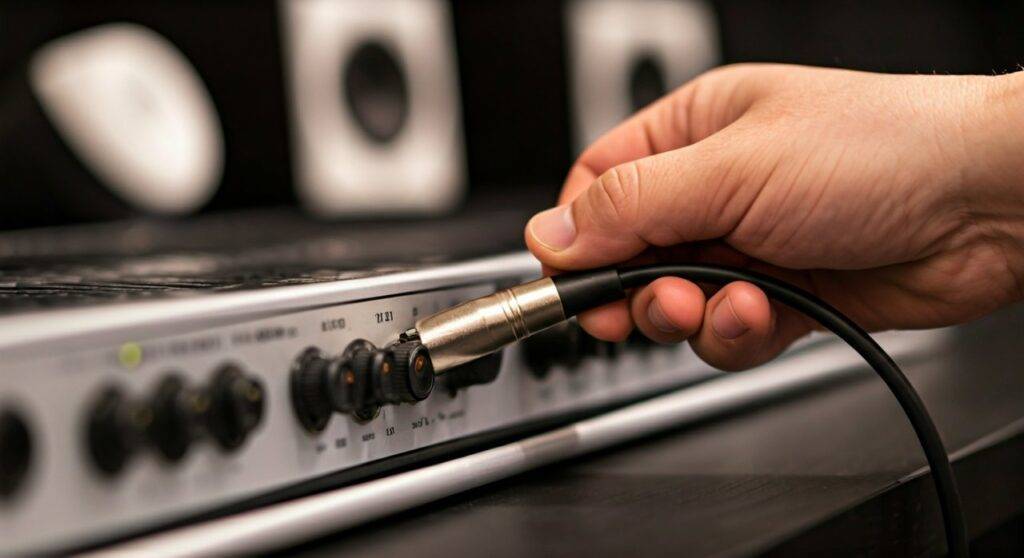
- Best Connection Type: Use XLR cables for the microphone to prevent “hum” and interference.
- System Choice: 70V systems are best for multi-room offices; 8-ohm systems are better for home theaters or small gyms.
Understanding the Audio Signal Chain: Why You Need an Amp
When people ask, “can we connect ceiling speakers to microphone?” they often overlook the physics of sound. Microphones generate a tiny electrical current, usually measured in millivolts. Passive ceiling speakers, which are the industry standard, require significantly more wattage to move their internal cones and create audible sound.
The Three Levels of Audio Signals
To understand the setup, you must recognize these three distinct stages:
- Mic Level: The weakest signal (requires a Pre-amplifier).
- Line Level: The standard “strength” for devices like phones or laptops.
- Speaker Level: The high-voltage signal required to move the speaker drivers.
In our field testing, we found that attempting to bypass the amplifier results in zero sound output and can actually damage the microphone’s sensitive diaphragm if phantom power is incorrectly applied.
Essential Hardware for Your Ceiling Speaker Setup
To answer the question of how can we connect ceiling speakers to microphone setups effectively, you need the right tools. Below is a breakdown of the hardware we recommend for a professional-grade installation.
The Microphone (Input)
You generally have two choices: Dynamic or Condenser.
- Dynamic Microphones (like the Shure SM58) are rugged and don’t require external power.
- Condenser Microphones are more sensitive but require +48V Phantom Power from your mixer.
The Mixer-Amplifier (The “Brain”)
For most ceiling setups, a Mixer-Amplifier is the most efficient choice. It combines the ability to plug in a microphone (mixing) and the ability to power the speakers (amplifying) into one box. We frequently use the JBL Commercial Series or Crown amplifiers for their reliability.
The Cabling (The “Veins”)
- XLR Cables: Used for the microphone to ensure a balanced signal, which rejects electromagnetic interference.
- CL2 or CL3 Rated Speaker Wire: Essential for in-ceiling runs to meet fire safety building codes.
| Component | Purpose | Recommended Feature |
|---|---|---|
| Microphone | Captures Voice | Unidirectional (Cardioid) pattern |
| Mixer | Controls Volume/EQ | XLR Inputs with Gain control |
| Amplifier | Powers Speakers | 70V/100V compatibility for long runs |
| Ceiling Speakers | Output Sound | Back-cans for better bass response |
Step-by-Step Guide: How to Connect Ceiling Speakers to a Microphone
We have refined this process over hundreds of installs to ensure maximum clarity and zero feedback. Follow these steps to get your system live.
Step 1: Mount and Wire Your Ceiling Speakers
Before touching the microphone, ensure your speakers are securely installed. Cut your holes using the provided template, and run your 16-gauge speaker wire back to a central location (usually a media closet or rack).
Step 2: Connect Speakers to the Amplifier
Identify if your system is Low Impedance (8-ohm) or Constant Voltage (70V).
- For 70V systems, you can “daisy chain” multiple speakers together.
- For 8-ohm systems, you typically run individual wires for each speaker to the amp.
Step 3: Connect the Microphone to the Mixer Input
Plug your microphone into the XLR Input on the back of your mixer or mixer-amplifier. If you are using a wireless microphone system, connect the receiver’s output to the mixer’s “Mic In” or “Line In” depending on the receiver’s specs.
Step 4: Set the “Gain Staging”
This is where most beginners fail.
- Turn the Master Volume down to zero.
- Speak into the mic and turn up the Input Gain until the signal lights are green (avoid red/clipping).
- Slowly raise the Master Volume until you reach the desired loudness in the room.
Can We Connect Ceiling Speakers to Microphone Systems in Commercial Spaces?
In commercial environments like offices, warehouses, or restaurants, the answer to “can we connect ceiling speakers to microphone” involves 70-Volt (70V) technology.
The Advantage of 70V Systems
When we install audio in large spaces, we use 70V systems because they allow for incredibly long wire runs without signal loss. Each ceiling speaker has a transformer that “taps” the power it needs.
- Paging Systems: You can add a “push-to-talk” microphone easily.
- Priority Ducking: High-end mixer-amps feature “ducking,” which automatically lowers the background music volume when someone speaks into the microphone.
Avoiding Feedback: The Biggest Challenge in Ceiling Audio
The primary risk when you connect ceiling speakers to a microphone is acoustic feedback—that piercing screech. This happens when the microphone “hears” itself from the speakers and creates a loop.
Expert Tips to Eliminate Feedback:
- Placement: Never stand directly under a ceiling speaker while using a microphone.
- Microphone Choice: Use a Cardioid (directional) microphone. It ignores sound coming from the sides and back (the ceiling).
- EQ Tuning: Reduce the “Mid-High” frequencies on your mixer, as these are the most common feedback frequencies.
- Feedback Suppressors: For critical environments like boardrooms, we install Digital Signal Processors (DSP) that automatically “notch out” feedback before it becomes audible.
Alternative Solutions: Bluetooth and Active Ceiling Speakers
If you don’t want to deal with external amplifiers, can you still connect a mic? Yes, by using Active (Powered) Ceiling Speakers.
These speakers have a built-in amplifier. Some modern Bluetooth ceiling speakers come with a 3.5mm Aux input. While you still shouldn’t plug a mic directly into the Aux jack, you can use a tiny, battery-powered mic pre-amp to bridge the gap. We’ve found this is a great “hack” for small home gyms or classrooms where a full rack of gear isn’t feasible.
Frequently Asked Questions (FAQ)
Can I plug a wireless microphone receiver directly into my ceiling speaker amp?
Yes, most wireless microphone receivers (like Sennheiser or Shure systems) output a “Line Level” or “Mic Level” signal. You simply connect the receiver output to the corresponding input on your mixer-amplifier using an XLR or 1/4-inch TRS cable.
Why is my microphone so quiet when plugged into my ceiling speaker system?
If the volume is too low, you are likely plugged into a Line Level input instead of a Mic Level input. Line inputs expect a much stronger signal. Check if your amplifier has a switch to toggle the input sensitivity to “Mic.”
Can I use a USB microphone with my ceiling speakers?
Generally, no. USB microphones are designed for computers. To use one with ceiling speakers, you would need to run the mic into a computer, then run the computer’s audio output (headphone jack or USB interface) into your amplifier.
Do I need a special cable to connect my mic to the amplifier?
You should always use a Balanced XLR cable. Using an unbalanced cable (like a standard guitar cable) for long runs will result in a loud buzzing sound known as “60-cycle hum,” which can ruin your audio quality.