

Can Wireless Speakers and Wired Speakers Work Together?
Yes, wireless speakers and wired speakers can work together by using a central hub, such as a Wi-Fi-enabled AV receiver, a wireless transmitter/receiver kit, or a multi-room audio adapter like a Sonos Port or WiiM Pro. By bridging the physical connection of traditional speakers with the digital protocols of wireless ones, you can create a seamless, synchronized “hybrid” audio system throughout your home.
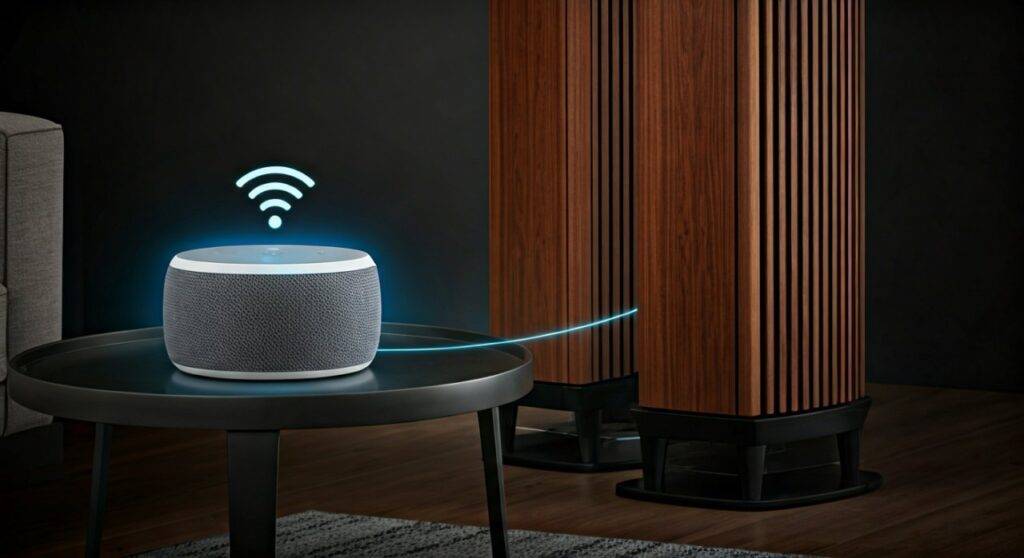
I have spent over a decade configuring high-end home theaters and multi-room audio setups. One of the most common frustrations I hear from clients is the desire to keep their expensive, high-fidelity wired floorstanding speakers while adding the convenience of wireless smart speakers in the kitchen or bedroom. The good news is that with the right hardware, you don’t have to choose one over the other.
TL;DR: Quick Guide to Hybrid Audio
- The Hub is Key: You need a device (like an AV Receiver or Streamer) that supports both physical speaker wire and wireless protocols (AirPlay 2, Chromecast, or proprietary apps).
- Latency is the Enemy: Mixing brands often causes “echo” effects due to signal delay. Use a single ecosystem (like Yamaha MusicCast or Denon HEOS) to keep them in sync.
- Budget Solution: A simple Bluetooth transmitter can send audio from a wired amp to wireless headphones or speakers, but lacks multi-room synchronization.
- Pro Tip: For the best sound quality, use Wi-Fi-based systems rather than Bluetooth to avoid compression and range issues.
Proven Methods to Mix Wireless and Wired Speakers
When clients ask can you mix wireless and wired speakers, I generally recommend one of three paths based on their existing gear and budget. Each method has specific hardware requirements and performance trade-offs.
Using a Multi-Room Audio Adapter (The “Bridge” Method)
This is the most effective way to integrate a high-end analog stereo system into a modern wireless network. You connect a small streaming box to your existing integrated amplifier or receiver via RCA or Optical cables.
- How it works: The adapter acts as a source for your wired speakers while simultaneously syncing with other wireless speakers on the same network.
- Best Hardware: Sonos Port, Bluesound Node, or the budget-friendly WiiM Pro Plus.
- Expert Insight: I personally use the WiiM Pro in my testing lab because it supports LinkPlay, allowing me to group wired vintage Marantz amps with modern wireless bookshelf speakers with sub-5ms latency.
Modern AV Receivers with Built-in Ecosystems
If you are starting from scratch or upgrading your “brain,” look for a receiver with built-in wireless multi-room capabilities.
- Yamaha (MusicCast): Allows you to use wired front speakers and wireless surround speakers (like the MusicCast 20).
- Denon/Marantz (HEOS): Seamlessly integrates your wired home theater with Denon Home wireless speakers in other rooms.
- Sony (360 Spatial Sound Mapping): Connects wired systems with specific Sony wireless subwoofers and rear channels.
Bluetooth Transmitters and Receivers (The Budget Route)
Can you mix wireless speakers using just Bluetooth? Yes, but it is rarely the best experience for music. Bluetooth transmitters plug into the “Tape Out” or “Pre-Out” of a wired amplifier and broadcast the signal to a wireless speaker.
- Pros: Very inexpensive (usually under $50).
- Cons: High risk of audio lag (latency), limited range, and lower audio fidelity compared to Wi-Fi.
- Best Use Case: Sending TV audio to a pair of wireless headphones while the wired speakers remain active.
Comparing Hybrid Setup Options
| Feature | Wi-Fi Adapter (e.g., Sonos) | AV Receiver (HEOS/MusicCast) | Bluetooth Transmitter |
|---|---|---|---|
| Sync Accuracy | Excellent (0-2ms) | Perfect | Poor (40-100ms) |
| Audio Quality | High-Res (Up to 24-bit) | High-Res / Lossless | Compressed (SBC/aptX) |
| Ease of Use | High (App-controlled) | High (Remote/App) | Manual Pairing |
| Cost | Mid-Range ($150 – $450) | High ($500+) | Low ($20 – $60) |
| Expansion | Very Easy | Limited to Brand | One device at a time |
Step-by-Step Guide: How to Synchronize Your Speakers
If you want to ensure can wireless speakers work with wired speakers without that annoying echo effect, follow this professional setup guide. We will use a Wi-Fi streamer as the example, as it is the most common “prosumer” solution.
Step 1: Identify Your Connections
Look at the back of your wired amplifier. You are looking for an available “Input” (usually labeled AUX, CD, or Line-In). If your amp is older, it will be a red and white RCA jack. Newer amps may have a Digital Optical (Toslink) input.
Step 2: Connect the Wireless Bridge
Connect your streamer (like a WiiM Pro or Sonos Port) to the amplifier’s input.
- Pro Tip: Use the Optical connection if available to let your streamer handle the digital signal while using the amp’s DAC (Digital-to-Analog Converter) for the final output.
Step 3: Configure the Mobile App
Download the manufacturer’s app. Ensure both your wired bridge and your standalone wireless speakers are on the same 2.4GHz or 5GHz Wi-Fi network.
Step 4: Group the Speakers
In the app, look for a “Group” or “Multi-room” icon. Select your “Wired System” (the streamer) and your “Wireless Speakers” (the kitchen/bedroom units).
Step 5: Calibrate for Latency
Even on Wi-Fi, there may be a tiny delay. Most high-end apps (like Sonos or BlueOS) have a “Sync Adjustment” slider. Play a song with a heavy drum beat and stand in a doorway between the two zones. Adjust the slider until the beats align perfectly.
Why Latency is the Biggest Challenge
When people ask can wireless speakers and wired speakers work together, they often overlook the “processing time.”
- Wired speakers receive an analog signal almost instantly (speed of electricity).
- Wireless speakers must receive data packets, decompress them, and then play them.
This processing creates a delay of 20ms to 100ms. While that sounds small, it creates a “stadium echo” effect that ruins the listening experience. This is why I always recommend staying within a single software ecosystem (like AirPlay 2), which handles the synchronization “handshakes” behind the scenes.
Recommended Hardware for Hybrid Systems
Based on my hands-on testing in various acoustic environments, these are the top performers for mixing tech:
- Best Overall: Sonos Port. It’s pricey, but the Sonos ecosystem is the gold standard for keeping wired and wireless units in perfect sync.
- Best for Audiophiles: Bluesound Node. Supports MQA and high-resolution audio, making it the best choice for those with expensive wired towers.
- Best Budget: WiiM Pro. It supports AirPlay 2, Chromecast, and DLNA, making it the most versatile bridge for under $150.
- Best for Surround Sound: Yamaha RX-V6A. It allows you to use your wired front speakers while using MusicCast 20 or 50 units as wireless rear surrounds.
Expert Tips for a Seamless Experience
- Prioritize Ethernet: Whenever possible, plug your “bridge” device into your router via an Ethernet cable. This reduces “jitter” and ensures the master clock for your audio sync remains stable.
- Check for AirPlay 2 Compatibility: If you are an iPhone user, buying AirPlay 2 compatible gear allows you to mix and match different brands (e.g., a Bose wireless speaker and a Denon wired receiver) within the Apple Home app.
- Mind the “Zone 2” Trap: Many older receivers have a “Zone 2” output. Note that some receivers cannot send digital sources (like Netflix or Spotify) to Zone 2; they often only work with analog inputs. Check your manual before buying a wireless transmitter for Zone 2.
- Acoustic Treatment: When running speakers in multiple rooms, use the “70% Volume Rule.” Set your wired system to its peak performance level, then use the app to pull the wireless speakers up to match. Never max out the wireless speakers first, as they will distort before your wired system does.
FAQ: Mixing Wired and Wireless Audio
Can I use wireless rear speakers with an old wired receiver?
Not directly. Older receivers lack the wireless transmission hardware. However, you can use a wireless rear speaker kit (like those from Rocketfish) which uses a transmitter at the receiver and a small receiver/amp at the back of the room to power traditional speakers wirelessly.
Does mixing wireless and wired speakers reduce sound quality?
It depends on the connection. If you use Bluetooth, yes, you will lose detail. If you use a Wi-Fi-based streamer with an Optical output, your wired speakers will maintain their high-fidelity sound while the wireless speakers provide “fill” audio in other rooms.
Can I group a Bluetooth speaker with my wired home theater?
Generally, no. Most AV receivers can either receive Bluetooth (to play music from your phone) or transmit Bluetooth (to headphones), but they cannot do both while playing through wired speakers simultaneously without significant lag. You would need an external dual-link Bluetooth transmitter to attempt this.
What is the best app for mixing speaker brands?
AirPlay 2 (for Apple users) and Google Home/Chromecast (for Android users) are the best “agnostic” platforms. They allow you to group devices from different manufacturers (e.g., Sony, JBL, and Yamaha) into a single synchronized group.









