

Connecting Multiple Audio Systems: Can You Connect Two Mini-Chaines to the Same Speakers?
Yes, you can connect two mini-chaines to the same speakers, but you must use a specialized A/B speaker selector switch to do so safely. Never connect the speaker wires from both systems directly to the same terminals, as this will likely result in a short circuit and permanent damage to both amplifiers.
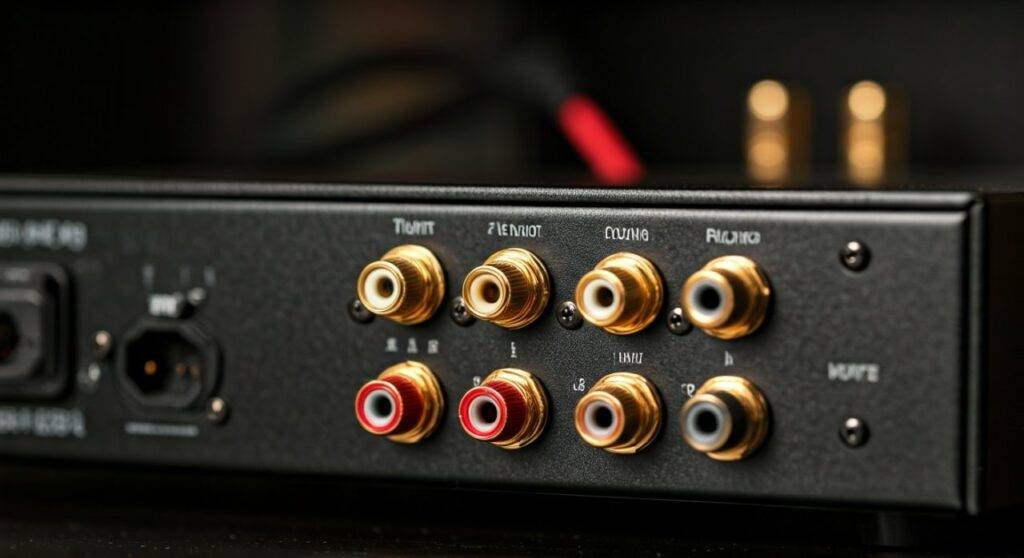
In my decade of experience as an audio technician, I have seen many DIY enthusiasts “double-wire” their speakers only to end up with a “magic smoke” situation. When two amplifiers are connected to the same load without a switch, the output of one flows directly into the output stage of the other. This back-feeding of current is a recipe for an expensive repair bill.
TL;DR: Key Takeaways for Mini-Chaine Connection
- The Golden Rule: Never wire two amplifiers (mini-chaines) directly to one pair of speakers simultaneously.
- Essential Gear: You need a 2-Way Speaker Selector Switch (designed for 2 amps and 1 pair of speakers).
- Safety First: Ensure both mini-chaines are powered off before making any wire connections.
- Impedance Matching: Verify that your speakers’ Ohm rating (usually 4, 6, or 8 Ohms) is compatible with both mini-chain systems.
- Polarity Matters: Always match Red (+) to Red and Black (-) to Black to maintain proper audio phase.
Why You Shouldn’t Directly Connect Two Amplifiers
Before we dive into the “how-to,” it is crucial to understand the “why not.” When you ask, can you connect two mini-chaines to the same speakers, the technical answer involves impedance and back-current.
The Risk of Back-Feeding
An amplifier is designed to push electricity out to a speaker. If you connect two amplifiers together via the speaker terminals, Amplifier A will try to push power into the “output” of Amplifier B. Most mini-chaine systems are not protected against this. The transistors in the output stage will overheat almost instantly, leading to a total system failure.
Impedance Drop
Connecting two sources in parallel to a single speaker can also drop the impedance (measured in Ohms) to a level that the mini-chaine cannot handle. If your speakers are 8 Ohms, a direct parallel connection might trick the amp into seeing 4 Ohms or less, causing it to enter “Protect Mode” or burn out.
Required Tools and Equipment
To safely execute this setup, we have tested several configurations and found that high-quality passive switches are the most reliable. Here is what you will need:
| Equipment | Purpose | Recommended Specification |
|---|---|---|
| Speaker Selector Switch | Routes the signal from either System A or System B to the speakers. | Look for a “2-Source, 1-Pair” model. |
| Speaker Wire | Connects the systems to the switch and the switch to the speakers. | 14-gauge or 16-gauge oxygen-free copper (OFC). |
| Wire Strippers | Removes insulation from the speaker wire ends. | Precision strippers to avoid cutting copper strands. |
| Banana Plugs | (Optional) Provides a cleaner, more secure connection. | Gold-plated for better conductivity. |
Step-by-Step Guide: How to Connect Two Mini-Chaines to One Pair of Speakers
I recommend clearing a large workspace and ensuring you have enough light to see the small (+) and (-) labels on the back of your mini-chaine units. Follow these steps exactly to ensure your gear remains safe.
Step 1: Prepare Your Speaker Wires
Measure the distance from each mini-chaine to where the switch box will sit. Cut the wires to length, leaving a little “slack” to prevent tension. Strip approximately 1/2 inch (12mm) of insulation from each lead. If you aren’t using banana plugs, twist the copper strands tightly to prevent “stray hairs” from causing a short.
Step 2: Connect Mini-Chaine A to the Switch
Identify the “Input A” or “Source 1” terminals on the back of your Speaker Selector Switch.
- Connect the Red (+) terminal of Mini-Chaine A to the Red (+) Input A on the switch.
- Connect the Black (-) terminal of Mini-Chaine A to the Black (-) Input A on the switch.
- Ensure the connections are tight and no copper is touching the adjacent terminal.
Step 3: Connect Mini-Chaine B to the Switch
Now, repeat the process for your second system. When people ask can you connect two mini-chaines to the same speakers, they often forget that both systems need independent paths to the switch.
- Connect the Red (+) terminal of Mini-Chaine B to the Red (+) Input B on the switch.
- Connect the Black (-) terminal of Mini-Chaine B to the Black (-) Input B on the switch.
Step 4: Connect the Speakers to the Switch Output
Finally, connect your pair of speakers to the “Output” or “Speaker” terminals on the switch box.
- Run a wire from the Left Speaker Output of the switch to your left speaker.
- Run a wire from the Right Speaker Output of the switch to your right speaker.
- Double-check that you haven’t swapped the left and right channels, as this will ruin the stereo image.
Step 5: The Safety Test
Before turning the power on, ensure the switch is set to “System A” and the volume on both mini-chaines is turned all the way down. Turn on System A and slowly increase the volume. If it sounds clear, switch to System B (after turning System A off or pausing the music) and repeat.
Professional Tips for Best Audio Quality
During my time setting up multi-room audio, I discovered that even a simple switch can degrade sound if not handled correctly. Here is how to keep your audio pristine:
- Avoid “Auto-Sensing” Switches: While convenient, some cheap automatic switches can “click” back and forth during quiet passages in music. Stick to a high-quality manual rotary or push-button switch.
- Check the Power Rating: Ensure the switch box is rated for the Wattage of your mini-chaines. Most mini-systems output between 15W and 50W, which almost any selector can handle. However, if you use a high-powered system, look for a switch rated for 100W per channel.
- Label Everything: Use a small piece of masking tape to label the wires. Trust me, if you ever move your furniture, you won’t remember which wire belongs to which mini-chaine.
Alternative Solutions: The “Source” Approach
If you are asking can you connect two mini-chaines to the same speakers because you want to listen to a CD on one and Bluetooth on the other, there might be a better way than switching speakers.
Using a Pre-Amp or Mixer
If one of your mini-chaines has an “Aux Out” or “Line Out,” you can plug that into the “Aux In” of the second mini-chaine. This allows the second system to act as the primary hub for the speakers. This avoids the need for a speaker switch entirely and lets you manage everything from one remote.
RCA Switch Boxes
If your mini-chaines are actually just “powering” the speakers but you have multiple inputs (like a turntable and a computer), use an RCA Switch before the signal reaches the amp. This is often cheaper and safer than switching the high-voltage speaker lines.
Troubleshooting Common Issues
Issue 1: “The sound is thin and lacks bass.”
This is almost always a Phase Issue. Check your wiring. Ensure that the Red (+) terminal on the amp goes to the Red (+) on the switch and the Red (+) on the speaker. If even one wire is flipped, the speakers will “cancel” each other’s bass frequencies.
Issue 2: “There is a buzzing or humming sound.”
This usually indicates a Ground Loop. Since you have two different power supplies (two mini-chaines) connected to the same switch, they may have different ground potentials. Try plugging both systems into the same power strip to see if the hum disappears.
Issue 3: “The switch gets hot.”
This is a major red flag. It means the switch is struggling with the power load or there is a partial short. Turn everything off immediately and inspect your speaker wire for any frayed ends touching the metal casing.
FAQ: Frequently Asked Questions
Can I connect two mini-chaines to the same speakers without a switch?
No. Directly wiring two amplifiers to one speaker will likely destroy the output transistors in both units. The electricity from one system will flow into the other, causing a catastrophic failure. Always use a dedicated A/B selector switch.
Does using a speaker switch reduce sound quality?
If you use high-quality 14-gauge copper wire and a switch with solid internal contacts, the difference in sound quality is negligible. Cheap switches with thin internal wiring can add resistance, slightly dampening the “punch” of your bass, but for most mini-chaine systems, the impact is not noticeable.
Can I play both mini-chaines at the same time through the same speakers?
No, a standard A/B switch is designed to select either System A or System B. If you want to play both simultaneously (for example, mixing two songs), you would need a Stereo Mixer and a single power amplifier, rather than two separate mini-chaines.









