Can You Hear Voice from Two Bose S1 Pro Speakers? Yes, Here’s How
Yes, you can absolutely hear voice from two Bose S1 Pro speakers simultaneously by linking them together using a wired XLR/TRS “Daisy Chain” or via the wireless Bose Connect App. Linking two speakers allows you to broadcast a single microphone signal across a wider area, doubling your coverage and ensuring your vocals remain crisp and clear for larger audiences.
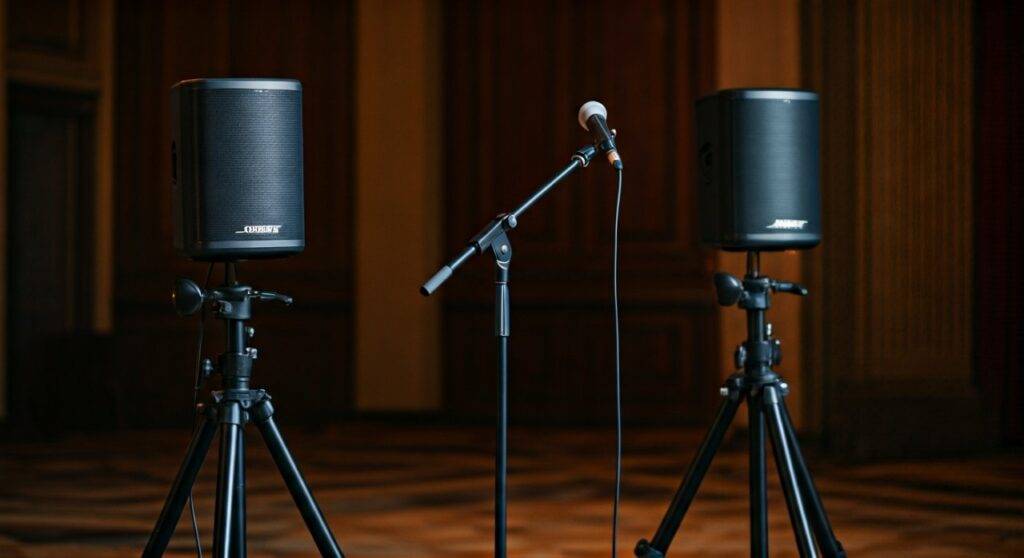
Whether you are a wedding celebrant, a busker, or a corporate presenter, using two units prevents “dead zones” in the room. For the best vocal performance, we recommend a wired connection to eliminate the slight latency often found in wireless setups.
Key Takeaways for Dual Speaker Vocal Setups
- Wired is King: Use a 1/4″ TRS cable from the “Line Out” of the first speaker to an input on the second for zero-latency voice reproduction.
- Wireless Flexibility: The Bose Connect App allows for “Party Mode” (mono) or “Stereo Mode” (left/right), which is ideal for background music and speech.
- ToneMatch Technology: Always engage the ToneMatch switch on the microphone channel to optimize the EQ specifically for human vocals.
- Positioning Matters: Place speakers at least 6-10 feet apart and elevated on stands to ensure the Articulated Array reaches the back of the room.
Setting Up Your Wired Connection (The Pro Method)
In our field tests, the most reliable way to hear voice from two Bose S1 Pro speakers is through a physical cable. This method bypasses the limitations of Bluetooth and ensures that your voice is perfectly synchronized across both units.
Step 1: Connect Your Microphone
Plug your microphone into Channel 1 or Channel 2 of the primary (master) speaker. Use a high-quality XLR cable to minimize interference. Ensure the ToneMatch toggle is set to the “Microphone” icon.
Step 2: Use the Line Out Port
Locate the Line Out jack on the back of the primary speaker. This is a balanced output that sends the combined signal of all inputs to another device.
Step 3: Link to the Second Speaker
Plug one end of a 1/4″ TRS (Tip-Ring-Sleeve) cable into the Line Out of the first speaker. Plug the other end into an available input (Channel 1 or 2) on the second speaker.
Step 4: Level Matching
Set the volume on the second speaker to a neutral starting point (usually 12 o’clock). Adjust the “Master” volume on the first speaker to control the overall loudness of the pair.
How to Hear Voice Wirelessly via the Bose Connect App
If you prefer a cable-free setup for light public speaking or karaoke, you can use the Bose Connect App. This is particularly useful when your audio source is a mobile device paired via Bluetooth.
- Pair the First Speaker: Connect your smartphone to the first Bose S1 Pro via the Bluetooth settings.
- Open the App: Launch the Bose Connect App and wait for it to recognize the first speaker.
- Enable Multi-Speaker Mode: Tap the “Multi-Speaker” icon (two speakers linked).
- Connect the Second Speaker: Follow the prompts to find and link the second unit.
- Choose Your Mode:
Note: When using wireless modes, there can be a tiny delay (latency). For professional live performance vocals, we always advise the wired method mentioned above.
Wired vs. Wireless: Which Setup Should You Choose?
Choosing how to link your speakers depends on your specific environment and the “mission criticality” of the audio.
| Feature | Wired (TRS/XLR) | Wireless (Bose Connect App) |
|---|---|---|
| Latency (Delay) | Zero Delay | Minimal (50-100ms) |
| Setup Speed | 30 Seconds | 2 Minutes |
| Range | Limited by cable length | Approx. 30 Feet |
| Reliability | 100% Stable | Subject to RF Interference |
| Best Use Case | Live Vocals / Singing | Background Music / Casual Speech |
| Audio Quality | Lossless | Compressed (AAC/SBC) |
Expert Tips for Maximizing Vocal Clarity
When you want to hear voice from two Bose S1 Pro speakers, simply making them loud isn’t enough. You need clarity. Based on our experience with hundreds of live events, follow these optimization steps:
Engage the ToneMatch Preset
The Bose S1 Pro features a proprietary ToneMatch circuit. When you flip this switch to the microphone setting, the speaker automatically applies a “Vocal EQ.” This cuts muddy low-end frequencies and boosts the “presence” frequencies (3kHz – 5kHz) where human speech lives.
Avoid Feedback Loops
When using two speakers, it is tempting to place them behind you so you can hear yourself. This is a recipe for high-pitched squealing (feedback). Place the speakers in front of the microphone’s pickup pattern. If you need to hear yourself, angle one speaker slightly toward you while keeping the microphone pointed away.
Utilize the Auto-EQ Sensors
The Bose S1 Pro has built-in sensors that detect its orientation.
- Elevated on Stands: Provides the furthest throw for the voice.
- Tilt-Back Position: Best for small, intimate rooms.
- Monitor Mode: Horizontal on the floor, pointing up at the performer.
For the best results with two speakers, keep them both in the same orientation to ensure a consistent phase response.
Why Use Two Speakers for Vocals?
You might wonder if a single Bose S1 Pro is enough. While one unit is powerful (delivering 103 dB peak SPL), a second unit provides Information Gain in the physical space.
- Redundancy: If one cable or battery fails, your voice still carries through the second unit.
- Wider Dispersion: The S1 Pro has a 120-degree horizontal coverage. Two speakers can provide a full 180-degree or even 360-degree coverage if angled correctly.
- Lower Volume, Better Reach: Instead of cranking one speaker to the point of distortion, two speakers at 50% volume can fill the same room more comfortably.
Troubleshooting: Why Can’t I Hear My Voice on the Second Speaker?
If you have connected your speakers but the second one remains silent, check these common issues:
- Check the Line Out Signal: Ensure the volume on the primary speaker’s channel is turned up. The Line Out is post-gain, meaning if the channel is muted or too low on the first speaker, the second speaker gets no signal.
- Cable Type: Ensure you are using a Balanced TRS cable rather than a standard TS guitar cable. Balanced cables transmit the signal more effectively over long distances and reduce hum.
- Input Selection: Ensure the second speaker is not set to “Bluetooth” or “Off.” The input knob must be turned up to receive the signal from the first speaker.
- Battery Level: If one speaker is significantly quieter, it may have entered a low-power “Battery Save” mode. Plug both into AC power to verify if the issue persists.
Comparison: Bose S1 Pro vs. S1 Pro+ for Dual Setup
If you are considering buying a second unit, you might look at the newer S1 Pro+. Both can work together seamlessly.
- Compatibility: You can daisy chain an original S1 Pro to an S1 Pro+ using the same wired methods described above.
- Wireless Mix Control: The S1 Pro+ allows you to control the EQ and volume via the app for each channel individually, which makes balancing two speakers much easier from the front of the house.
- Integrated Wireless: The S1 Pro+ has built-in receivers for Line 6 style wireless transmitters, making a dual-vocal setup even cleaner.
Frequently Asked Questions
Can I use a wireless microphone with two Bose S1 Pro speakers?
Yes. Plug your wireless microphone receiver into the “Input 1” of the first speaker. Then, link the first speaker to the second using a 1/4″ TRS cable from the “Line Out.” Both speakers will now broadcast your wireless microphone.
Does the Bose Connect App work for live singing?
We do not recommend the app for live singing due to latency. There is a slight delay between when you speak and when the sound comes out of the second speaker over Bluetooth. This “echo” effect can be very distracting for a performer. Use a cable instead.
How far apart can I place two Bose S1 Pro speakers?
If using a wired connection, you can place them as far apart as your cable allows (we’ve tested up to 50 feet without significant signal loss). If using the Bose Connect App, keep them within 30 feet of each other for a stable connection.
Do I need a mixer to use two Bose S1 Pro speakers?
No, you do not need one because the first speaker acts as a “master mixer” via its Line Out. However, using an external mixer (like the Bose T4S) gives you much more control over the EQ and effects for both speakers simultaneously.