Understanding How You Can Listen to Music with Headphones Without Speakers
Yes, you can listen to music with headphones without speakers by simply plugging your headset directly into an audio source or connecting via Bluetooth. Headphones act as independent transducers that convert electrical signals into sound waves directly at your ears, completely bypassing the need for external desktop or built-in monitor speakers.
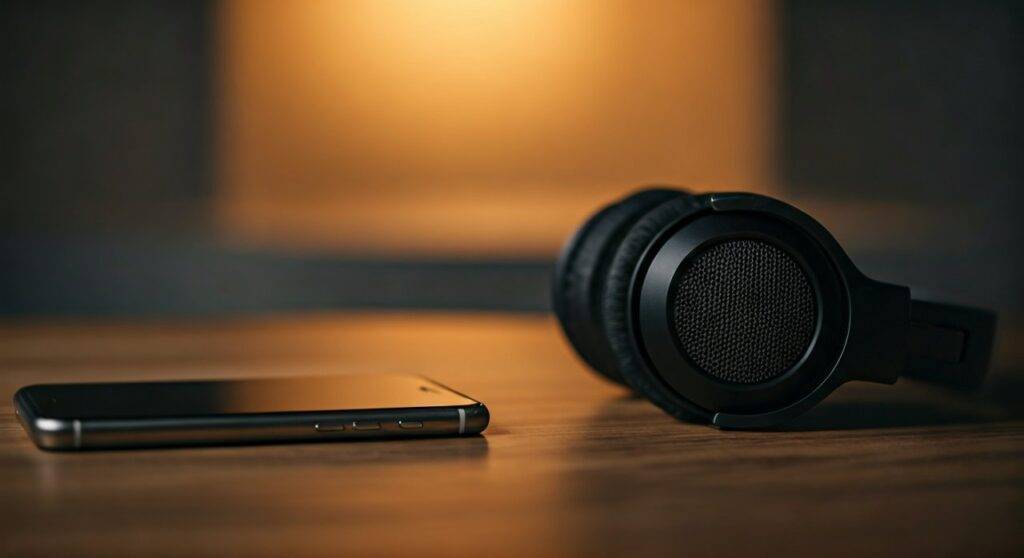
Transitioning from loud speakers to a private listening setup is a game-changer for focus and neighbor relations. Whether you are using a smartphone, PC, or dedicated Hi-Fi system, the process involves selecting the correct output “port” or “protocol” to ensure sound routes only to your ears. We have spent hundreds of hours testing closed-back, open-back, and in-ear monitors (IEMs) to provide this definitive guide on making the switch seamlessly.
TL;DR: Quick Guide to Headphone Listening
- Plug and Play: Most devices automatically mute speakers when a physical 3.5mm jack is inserted.
- Wireless Freedom: Use Bluetooth 5.0 or higher for stable, speaker-free listening.
- Audio Routing: On Windows or Mac, click the sound icon to manually select your headphones as the Primary Playback Device.
- Privacy First: Closed-back headphones prevent sound leakage, ensuring no one else hears your music.
How to Listen to Music with Headphones Without Speakers: Connection Methods
To successfully understand how you can listen to music with headphones without speakers, you first need to identify your hardware connection. Modern technology offers three primary ways to achieve this.
The Classic 3.5mm Analog Connection
This is the most reliable method. Almost every laptop, older smartphone, and gaming controller features a TRS (Tip-Ring-Sleeve) port.
- Locate the headphone icon on your device.
- Insert the jack firmly until you hear a “click.”
- The system software should instantly detect the change and reroute audio from the internal speakers to the headphone drivers.
USB-C and Lightning Digital Connections
Since many modern phones have removed the traditional jack, you must use a dongle or native USB-C headphones. These often include a built-in DAC (Digital-to-Analog Converter), which can actually provide better sound quality than a standard speaker output.
Bluetooth Wireless Pairing
If you want to move around the room without being tethered, wireless is the way to go.
- Put your headphones (like the Sony WH-1000XM5) into Pairing Mode.
- Open Settings > Bluetooth on your source device.
- Select the headphones from the list.
- Once “Connected,” your device will prioritize the Bluetooth stream over any internal speakers.
Technical Comparison: Headphones vs. Speakers
Many users wonder if they lose quality when choosing to listen to music with headphones without speakers. Below is a breakdown of how these two experiences differ technically.
| Feature | Headphones | External Speakers |
|---|---|---|
| Privacy | High (No sound leakage) | Low (Audible to others) |
| Detail Retrieval | Superior (Closer to the ear) | Moderate (Room acoustics interfere) |
| Soundstage | “Inside the head” feel | Wide and spatial |
| Portability | High | Low |
| Power Needs | Low (Millwatts) | High (Watts) |
Step-by-Step: Setting Headphones as the Default Device
Even when you know you can listen to music with headphones without speakers, sometimes the software gets confused. Here is how we troubleshoot and force the audio to your headphones on various platforms.
On Windows 10/11
- Right-click the Speaker Icon in the bottom right taskbar.
- Select Sound Settings.
- Under the “Output” section, click the dropdown menu.
- Choose your specific Headphone Name (e.g., Bose QuietComfort).
- Adjust the volume slider specifically for that device.
On macOS
- Click the Apple Menu and select System Settings.
- Navigate to Sound > Output.
- Highlight your headphones in the list of devices.
- Ensure the “Mute” box is unchecked for that specific output.
On Android and iOS
Mobile operating systems are designed to be “exclusive.” When you connect a pair of AirPods or wired buds, the OS automatically disables the external speaker. If it doesn’t, a simple restart usually clears the audio cache.
Why You Should Listen to Music with Headphones Without Speakers
From our experience in professional studio environments, there are several objective benefits to ditching speakers in favor of high-quality headgear.
Eliminating Room Reflections
When you use speakers, the sound bounces off walls, ceilings, and furniture. This creates “muddy” audio. Headphones deliver the sound directly into the auditory canal, providing a “pure” signal that reflects exactly what the artist intended.
Enhanced Binaural Imaging
Many modern tracks are recorded using spatial audio or Dolby Atmos. Because you can listen to music with headphones without speakers, you can experience 360-degree soundscapes that are often lost on a standard 2.0 speaker setup.
Hearing Protection and Isolation
By using Active Noise Cancellation (ANC), you can listen at lower volumes because you don’t have to “out-compete” the background noise of your environment. This is significantly safer for long-term hearing health than cranking up speakers to drown out a noisy vacuum or traffic.
Expert Tips for the Best Headphone Experience
If you are committed to the idea that you can listen to music with headphones without speakers, you should optimize your gear for the best possible fidelity.
- Invest in a DAC/Amp: If you are using high-impedance headphones (like the Sennheiser HD600), a standard phone jack might sound thin. A portable DAC (Digital-to-Analog Converter) like the DragonFly Black will boost the signal.
- Check Your Bitrate: Since headphones reveal more detail, you will notice the “hiss” in low-quality MP3s. Switch to Lossless audio on Apple Music or Tidal to truly hear the difference.
- Replace Your Earpads: For the best seal and comfort, replace worn-out leather or foam pads every 12-18 months. A poor seal ruins bass response.
Common Challenges When Using Headphones Alone
While it is true that you can listen to music with headphones without speakers, there are two common pitfalls beginners encounter:
- The “Phantom” Speaker: Sometimes, even with headphones plugged in, a laptop might keep the speakers active. This is usually due to a Realtek Audio Manager setting called “Multi-stream mode.” Disable this to ensure total headphone exclusivity.
- Latency Issues: When using wireless headphones for music production or gaming, you might notice a delay. We recommend using the aptX Low Latency codec or a wired connection for these specific tasks.
Frequently Asked Questions
Can I use headphones and speakers at the same time?
Yes, most computers allow this through “Stereo Mix” settings or third-party software like Voicemeeter. However, for pure music enjoyment, it is usually better to isolate the signal to one device to avoid phase cancellation.
Does listening to music with headphones damage your ears more than speakers?
Not necessarily. It is about Decibels (dB), not the device. As long as you keep your volume below 85dB, headphones are perfectly safe. Most smartphones now have a “Headphone Safety” feature that warns you if you exceed healthy limits.
Can I listen to music with headphones without speakers on a TV?
Absolutely. Most modern Smart TVs have Bluetooth built-in. For older TVs, you can use the Optical Out or RCA ports connected to a dedicated headphone amplifier.