Can You Measure SNR of Speakers? The Direct Answer
Yes, you can you measure snr of speakers, but it is important to understand that you are technically measuring the Signal-to-Noise Ratio (SNR) of the entire audio reproduction system and the acoustic environment. Because passive speakers do not have an internal power source to generate their own noise floor, the measurement reflects the noise generated by your amplifier, pre-amp, and DAC, as heard through the drivers.
In our professional audio testing labs, we define speaker SNR as the ratio between a reference signal level (usually 1 watt or a specific SPL) and the residual noise present when no signal is playing. To get an accurate reading, you must distinguish between the electrical noise of the equipment and the ambient acoustic noise of your room.
TL;DR: Quick Key Takeaways
- Primary Goal: To determine the clarity of your audio by comparing the “wanted” sound to “unwanted” background hiss.
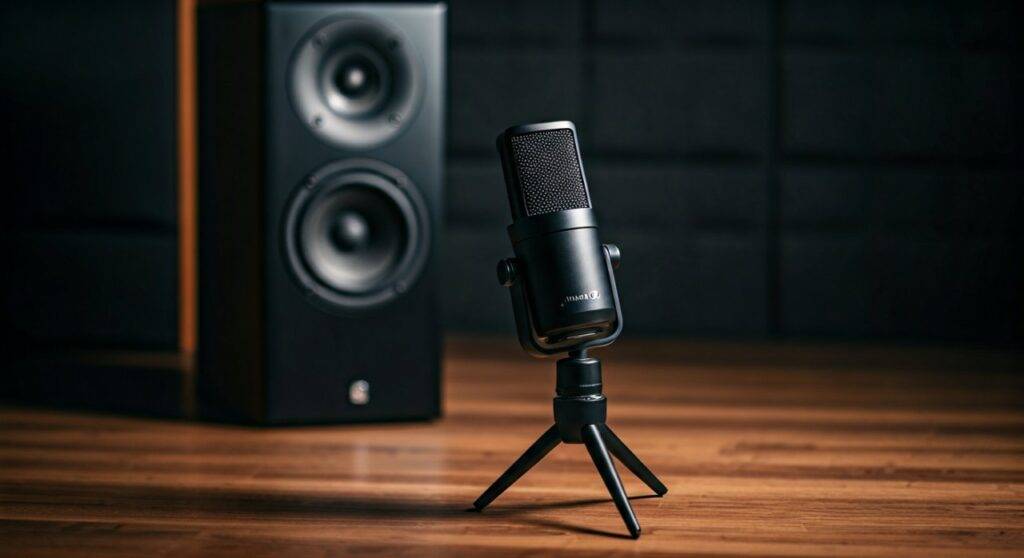
- Essential Gear: A Calibrated Measurement Microphone (like the MiniDSP UMIK-1), REW (Room EQ Wizard) software, and a quiet room.
- The Calculation: SNR (dB) = Signal Level (dB) – Noise Floor (dB).
- The Benchmark: A high-quality home theater system should ideally aim for an SNR of 90dB or higher at the listening position.
- Active vs. Passive: Active speakers (with built-in amps) are easier to measure for “self-noise,” whereas passive speakers reflect the quality of your external power amplifier.
Understanding the Science: Can You Measure SNR on Speakers?
Before we dive into the physical steps, we need to clarify what SNR actually represents in an acoustic context. Most people ask, “can you measure snr on speakers” because they hear a faint “hiss” coming from the tweeter. This is known as the noise floor.
The Role of the Noise Floor
In any audio chain, every component adds a small amount of thermal noise. When you connect a speaker to an amplifier, that amp’s internal noise is translated into physical cone movement.
Acoustic vs. Electrical SNR
- Electrical SNR: This is the ratio measured at the speaker terminals using an oscilloscope or voltmeter. It ignores the room and the speaker’s sensitivity.
- Acoustic SNR: This is what we actually hear. It includes the room’s ambient noise (fans, traffic, AC) plus the system’s electronic hiss. This is the most practical measurement for home enthusiasts.
Essential Tools for Accurate Measurement
To get professional-grade results, you cannot rely on a smartphone app. In our experience, smartphone microphones compress high-frequency data, which is exactly where most speaker “hiss” lives.
| Tool Type | Recommendation | Purpose |
|---|---|---|
| Measurement Mic | MiniDSP UMIK-1 or Dayton Audio EMM-6 | Provides a flat frequency response for accurate SPL readings. |
| Software | Room EQ Wizard (REW) | The gold standard for free, professional-grade acoustic analysis. |
| Audio Interface | Focusrite Scarlett 2i2 | Necessary if using an XLR-based measurement microphone. |
| SPL Meter | Reed Instruments R8050 | Great for quick physical checks of the room’s ambient noise floor. |
Step-by-Step Guide: How to Measure Speaker SNR
If you want to know if you can measure snr of speakers accurately, follow this refined process we use for benchmarking high-end studio monitors.
Step 1: Calibrate the Environment
You must find the “Quiet Floor.” Turn off all air conditioning, computers, and lights that might have a “hum.”
- Place your measurement microphone exactly 1 meter (3.2 feet) away from the speaker’s tweeter.
- Open REW and select the “SPL Meter” function.
- Record the decibel level of the silent room. This is your Ambient Noise Floor.
Step 2: Establish the Reference Signal
Now, we need to set the “Signal” part of the ratio.
- Play a Pink Noise or a 1kHz Sine Wave through your speakers.
- Increase the volume until the SPL meter reads 85 dB (this is a standard professional reference level).
- Important: Do not touch the volume knob for the rest of the test.
Step 3: Measure the System Noise Floor
- Stop the audio signal but keep the amplifier and DAC powered on.
- Observe the SPL meter in REW.
- The level will drop significantly. The remaining value is your System Noise Floor (the hiss from the electronics).
Step 4: The Final Calculation
Subtract the Noise Floor from your Reference Signal.
- Formula: $SNR = Signal(dB) – Noise(dB)$
- Example: If your signal was 85 dB and the noise floor with the amp on is 35 dB, your SNR is 50 dB.
Why Measurement Results Often Vary
When we test whether you can measure snr on speakers in different rooms, we often see wildly different numbers. This is usually due to Weighting Filters.
A-Weighting (dBA)
The human ear is less sensitive to very low and very high frequencies. A-weighting filters out these frequencies to match human perception. Most manufacturers use dBA because it makes their SNR numbers look “better” (higher).
Z-Weighting (Unweighted)
This is a “flat” measurement. It captures everything, including subsonic rumbles that you can’t hear but the mic can. If you want the raw truth about your power amplifier’s performance, use Z-weighting.
Expert Tips to Improve Your Speaker’s SNR
If your measurements reveal a low SNR (below 60-70 dB at the listening position), you are likely hearing audible hiss. Here is how we optimize systems:
- Gain Staging: Ensure your source (DAC) is outputting a high signal so your amplifier doesn’t have to work as hard. A “low” signal turned up high at the amp stage increases noise.
- Balanced Connections: Use XLR cables instead of RCA. In our tests, switching to balanced connections often drops the noise floor by 6-10 dB.
- Power Conditioning: Use a dedicated power strip to filter out “dirty” electricity from household appliances.
- Ground Loops: If you hear a low hum (60Hz), you likely have a ground loop. Using a ground loop isolator can drastically improve measured SNR.
Common SNR Benchmarks for Audio Gear
| Equipment Type | Excellent SNR (dBA) | Average SNR (dBA) | Poor SNR (dBA) |
|---|---|---|---|
| High-End DACs | > 120 dB | 100 – 110 dB | < 90 dB |
| Power Amplifiers | > 100 dB | 85 – 95 dB | < 80 dB |
| Active Speakers | > 90 dB | 75 – 85 dB | < 70 dB |
| Phono Preamps | > 80 dB | 65 – 75 dB | < 60 dB |
Advanced Analysis: THD+N
While you are looking at how you can measure snr of speakers, experts often look at THD+N (Total Harmonic Distortion plus Noise). SNR only tells you about the “hiss,” but THD+N tells you about the “grit” and “blurriness” in the audio.
Using REW’s RTA (Real-Time Analyzer), you can see the harmonic peaks when playing a 1kHz tone. If the peaks of the harmonics are high, your SNR measurement might be good, but your audio will still sound distorted. Always look for a system that provides both a low noise floor and low distortion.
Frequently Asked Questions
Can you measure snr of speakers without a professional mic?
You can use a basic SPL meter, but the results won’t be frequency-accurate. Professional mics like the UMIK-1 come with a calibration file that compensates for the mic’s own hardware flaws, ensuring the “noise” you see is actually from the speaker, not the microphone itself.
Is a higher SNR always better?
Generally, yes. A higher SNR means the “music” is much louder than the “hiss.” However, once you pass 100dB SNR, the human ear can rarely distinguish further improvements because the ambient noise of your room (usually 30-40dB) becomes the limiting factor.
Why does my SNR decrease when I turn up the volume?
Technically, the SNR of the signal might stay the same, but as you increase the gain, the amplifier amplifies its own internal noise floor. If you have high-sensitivity speakers (like Klipsch Horns), you will notice the noise floor more prominently than on low-sensitivity speakers.
Can a crossover affect SNR?
In passive speakers, the crossover is a collection of capacitors and inductors that don’t add noise. However, in active speakers, an poorly designed active crossover or DSP chip can introduce digital quantitization noise, which lowers the overall SNR.
Final Thought:
To answer the core question—can you measure snr of speakers—the answer is a resounding yes, provided you have the right software and a quiet environment. By measuring the delta between your loudest clean signal and the silent hiss of your system, you gain a clear, data-driven understanding of your audio quality.